Bill Pay spreadsheet upload of bills via CSV
Overview
Customers who receive or process invoices via spreadsheets can upload a CSV or XLSX file to Ramp and create draft bills. When automatic bill submission is enabled, Ramp automatically submits eligible drafts from CSV uploads that include all required bill fields.
How to create bills via spreadsheet upload
Step 1: Begin upload
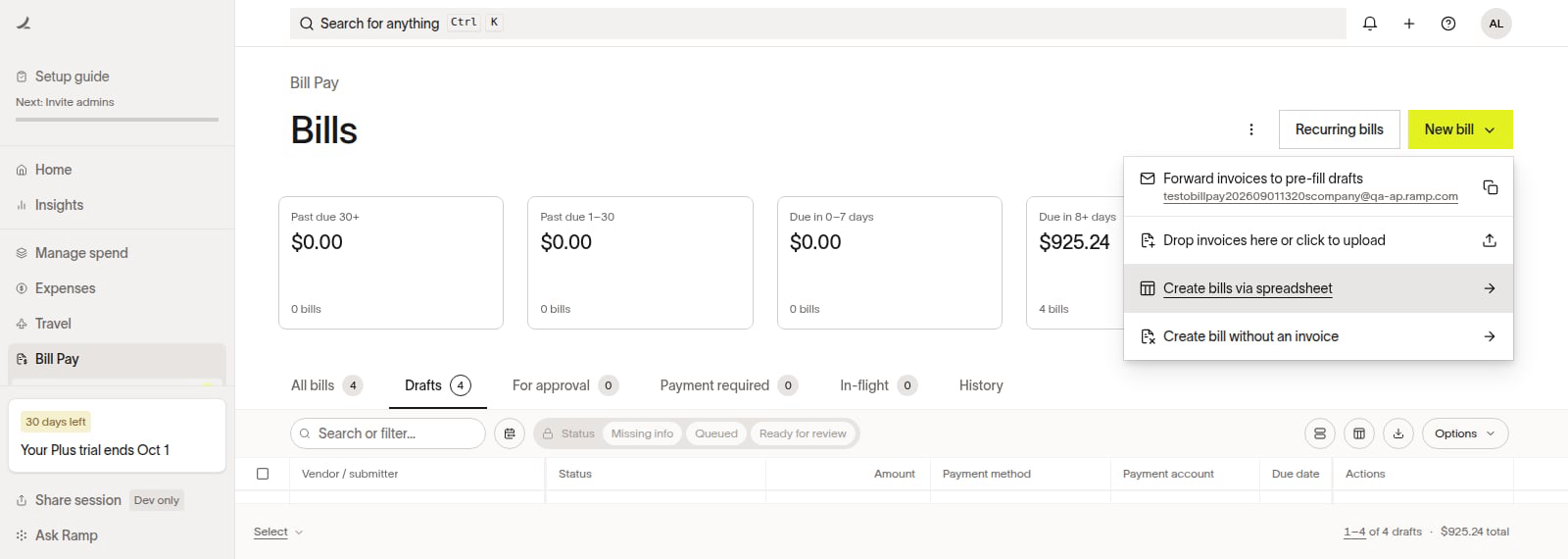
From Bill Pay, select New bill > Create bills via spreadsheet. Ramp opens either the upload drawer or, for businesses with the new spreadsheet experience, a full-page editor.
Step 2: Map headers and review upload
Download the template in the upload flow and enter one line item per row. Use the same vendor name and invoice number for lines on one bill, and the same business entity when that column appears, so Ramp groups them into one draft. If your file contains separate bills for the same vendor and entity, enter a different Invoice # for each bill. If you leave Invoice # blank on those rows, Ramp groups them as line items on one draft if the upload passes validation.
After uploading your spreadsheet of bills, Ramp will request you review and map your column headers to the fields that Ramp is expecting:
- Vendor Name
- We'll give you a heads up if this doesn't match with a vendor that has already been created within Ramp.
- Description (optional)
- Invoice # (optional)
- Vendor memo (optional)
- Invoice date (required if bill due date is omitted)
- Bill due date (required if invoice date is omitted)
- Business entity (optional - will use default if not specified/only applies for customers using Ramp Multi-Entity )
- Currency
- Line item description
- Line item amount
- Payment method (optional)
- Bill accounting fields
- Ramp will pull available accounting fields from both the invoice level and line item level and allow you to code your bills via the spreadsheet upload.
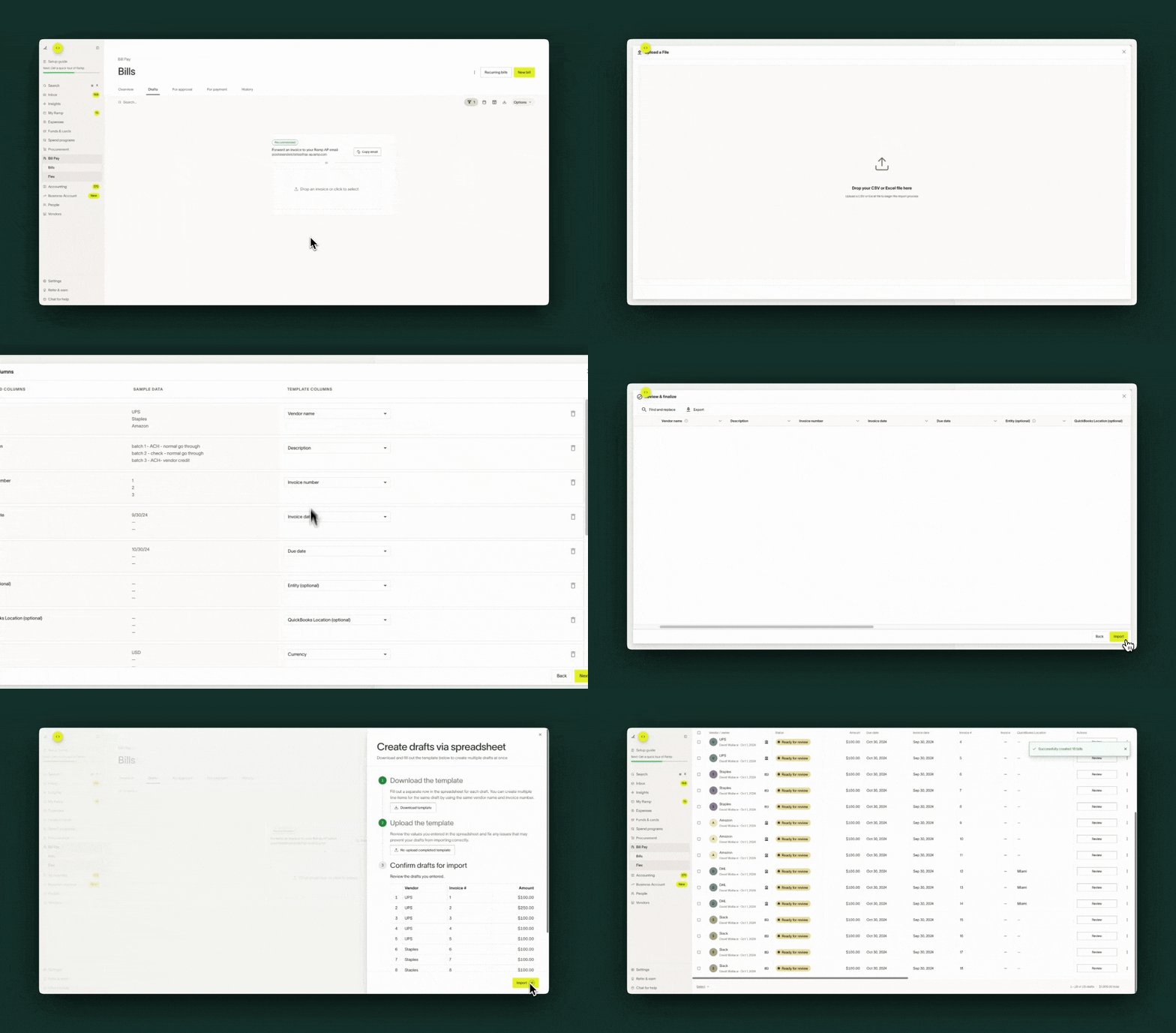
If the full-page editor opens, correct validation errors in the spreadsheet before importing. Review any warnings before deciding whether to proceed. You can also remap a column there; Ramp saves new mappings for later bulk bill uploads.
Step 3: Bulk create draft bills
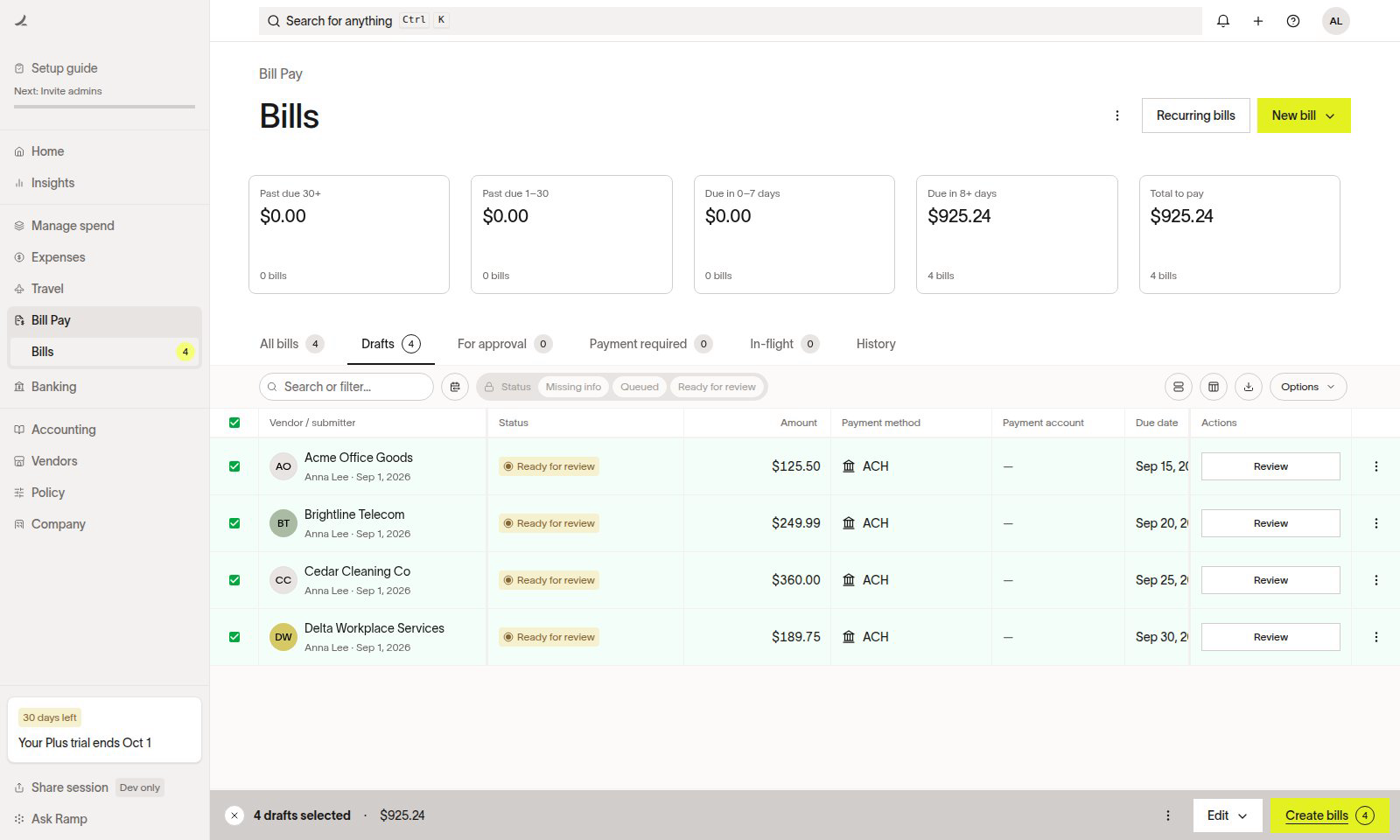
To enable automatic bill submission, open Importing & forwarding settings. Under Bulk import, turn on Automatically submit eligible bulk-imported drafts. The setting saves immediately and applies only to eligible drafts created by bulk imports after it is enabled; it does not change existing drafts. If you do not see this setting, ask a user with permission to modify Bill Pay settings to enable it. Otherwise, Owners, Admins, and Accounts Payable users can select uploaded drafts with the required information and bulk create bills to start approval routing.
Frequently asked questions
How does Ramp schedule bills that are uploaded via bulk bill upload?
Ramp will refer to the schedule preference you have set. If the preference is “Skip for now”, Ramp will not set a payment date. However, if the preference is to schedule, Ramp will set the payment date based on the indicated due date and ensure payment arrives by the due date.
Which roles are able to upload bills via the spreadsheet upload?
Owner, Admin, and Accounts Payable roles can create bills via spreadsheet upload
What if the vendor doesn't exist yet?
You can upload a bill before its vendor exists in Ramp. Ramp creates a draft without a matched vendor, and the draft is not eligible for submission until you add the vendor. For instructions, see Vendor management on Ramp.
How many bills can we support per bulk action?
Ramp supports up to 100 bills per bulk action.
How to code at the line item level of a bill?
Any fields you wish to code at the line item level of a bill will need to be given a per-line classification in your accounting provider. Note that each category must be tracked at the invoice level or per line, and what you see in Ramp is determined by how this is configured in your accounting software. For more information, refer to this Help Center article: Invoice line items: Expense vs. item .
Can I mark bills as paid via an import file?
If Payment method is available during spreadsheet upload, you can select Not paid with Ramp or an available card payment method. The upload creates drafts; it does not execute or settle payments. After completing an outside-Ramp payment, return to Ramp and manually mark the bill as paid.