Microsoft Dynamics Business Central integration: Multi-entity management
Note: This article primarily applies to Ramp Administrators.
Overview
Available on Ramp Plus. See Ramp Plus overview for plan details.
Multi-entity Ramp customers using Microsoft Business Central and the supported multi-entity management extension are able to manage their entities using the guide below.
In order to utilize the Ramp native functionality around entity setup structure the BSSI MEM extension must be installed. The liability and expense side of a transaction will go to the corresponding Ramp entity in Business Central.
Important: A single Ramp account can only connect to one Business Central Company at a time. The BSSI MEM setup supports multiple entities within a single Business Central Company. If your entities are set up across multiple Business Central Companies, you will need a separate Ramp account for each Company.
Alternatively, entities can be denoted as an accounting field on transactions/reimbursements/bills. The name of the accounting field will show in Ramp as "Expense [name of MEM entity dimension name in Business Central]". This accounting field is optional.
- When you code to the accounting field directly for MEM, the liability side of the transaction will still go to the MEM entity associated with the transaction's Ramp entity, but the expense side will go to the accounting field MEM dimension you selected on the transaction/reimbursement/bill.
- What this means is that it will optionally override the entity for just the expense side of the transaction. This creates a cross-entity transaction and Business Central adds the appropriate entity payable/receivable lines automatically.
Confirm that Ramp supports my multi-entity management provider
**The only multi-entity management extension Ramp supports currently is the Binary Stream Software extension.**Follow these steps to confirm that you are using this extension:
-
Sign in to your Microsoft Business Central account.
-
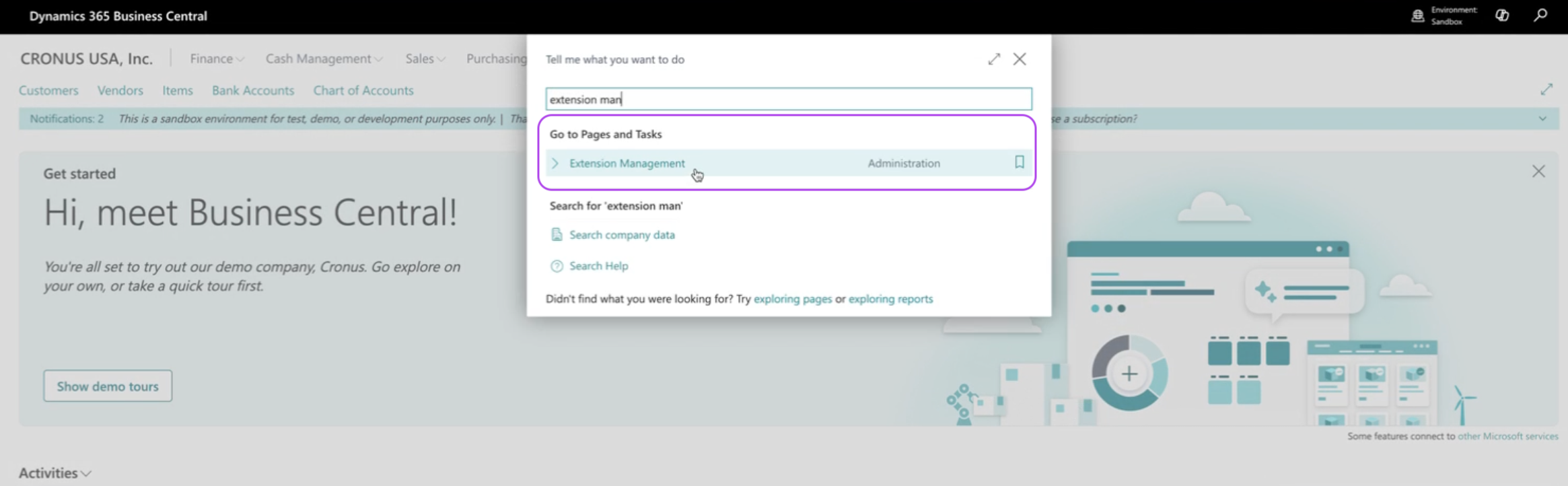
Search Extension Management and click that option.
-
Search Multi-Entity Management (NA) .
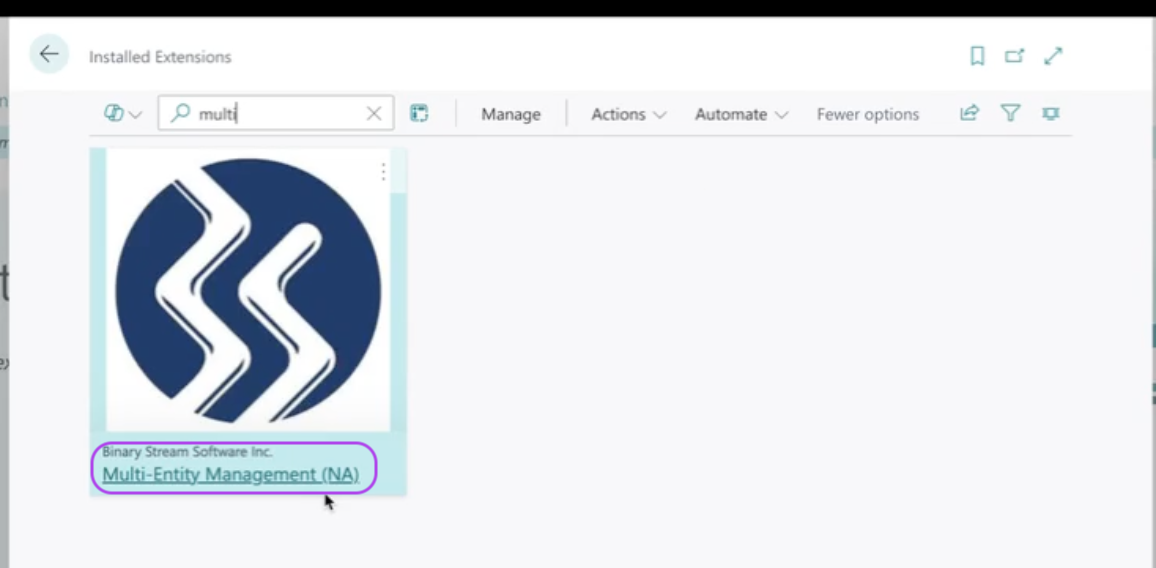
If this extension appears, then Ramp can support Multi-Entity Management for your Business Central account. Ramp does not support any other Multi-Entity Management extensions at this time.
Multi-entity management configuration
Please ensure that your Business Central account is configured to your preferences based on the following information.
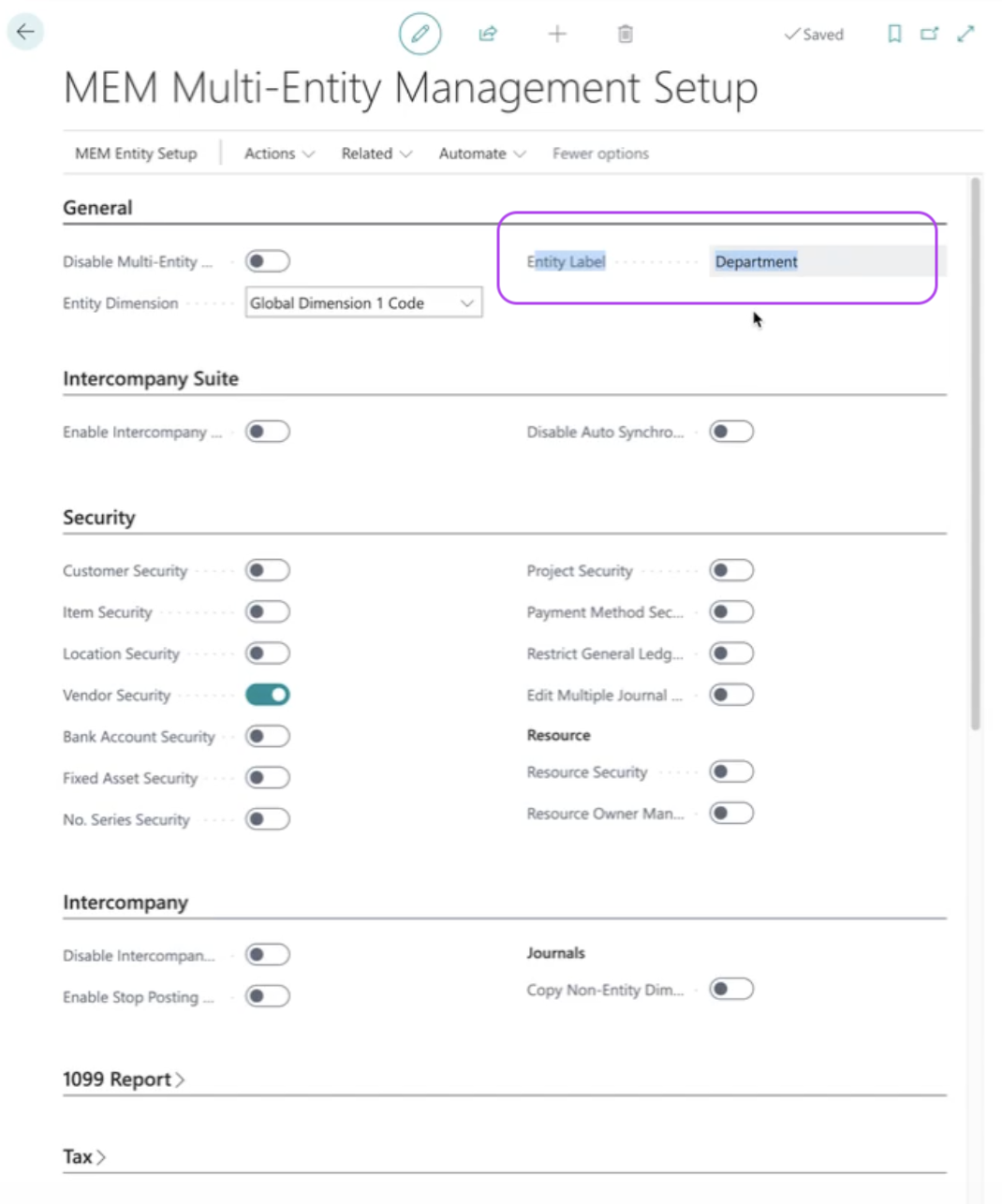
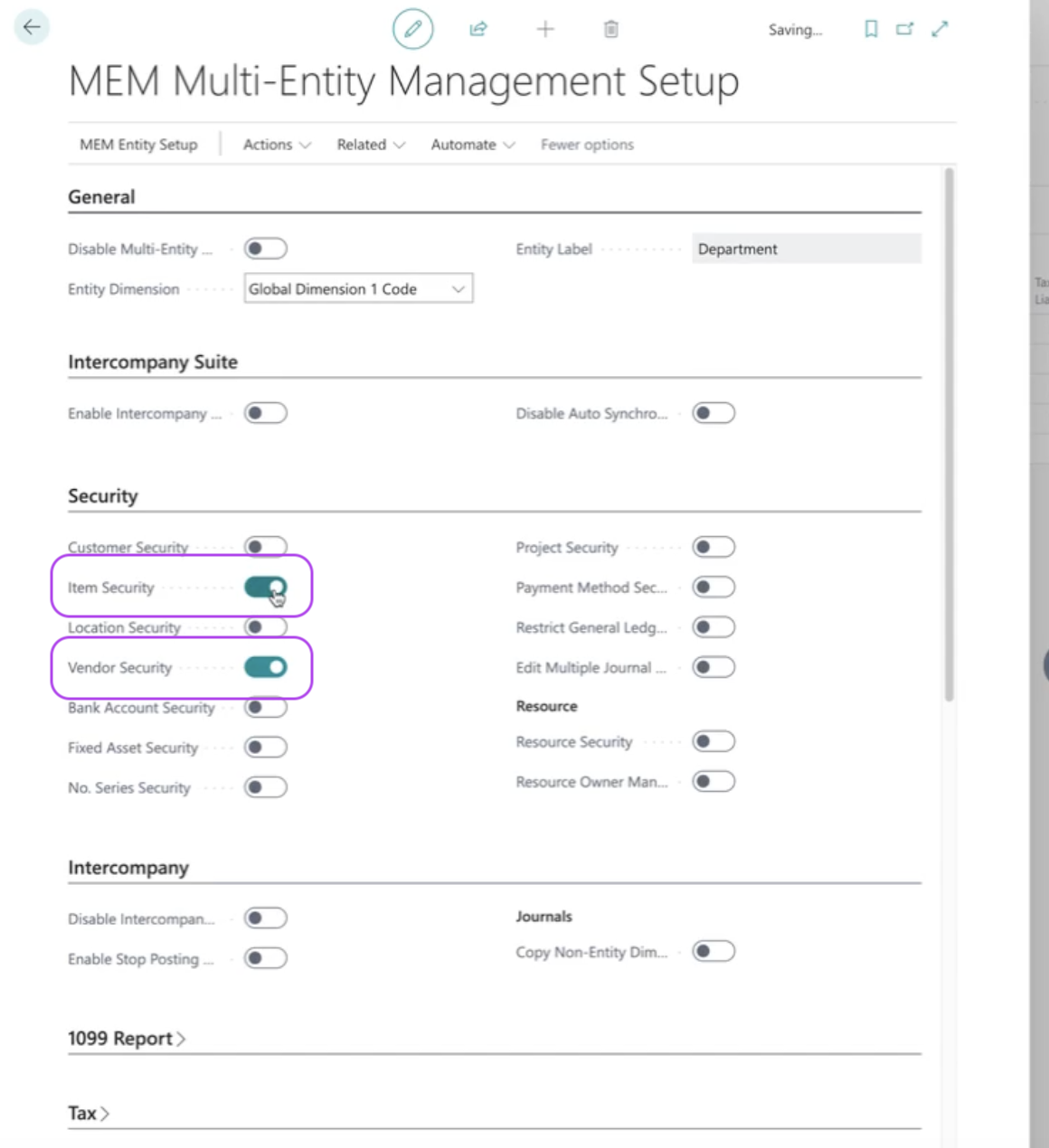
To replicate these settings in our app, Ramp pulls the your entity designation from your Business Central account and the concept of a Dimension denotes this designation in Business Central. To confirm which Dimension is representing Entities navigate to MEM Multi Entity Management Setup. The Entity Label determines which Dimension is representing your Entity.
Permission system
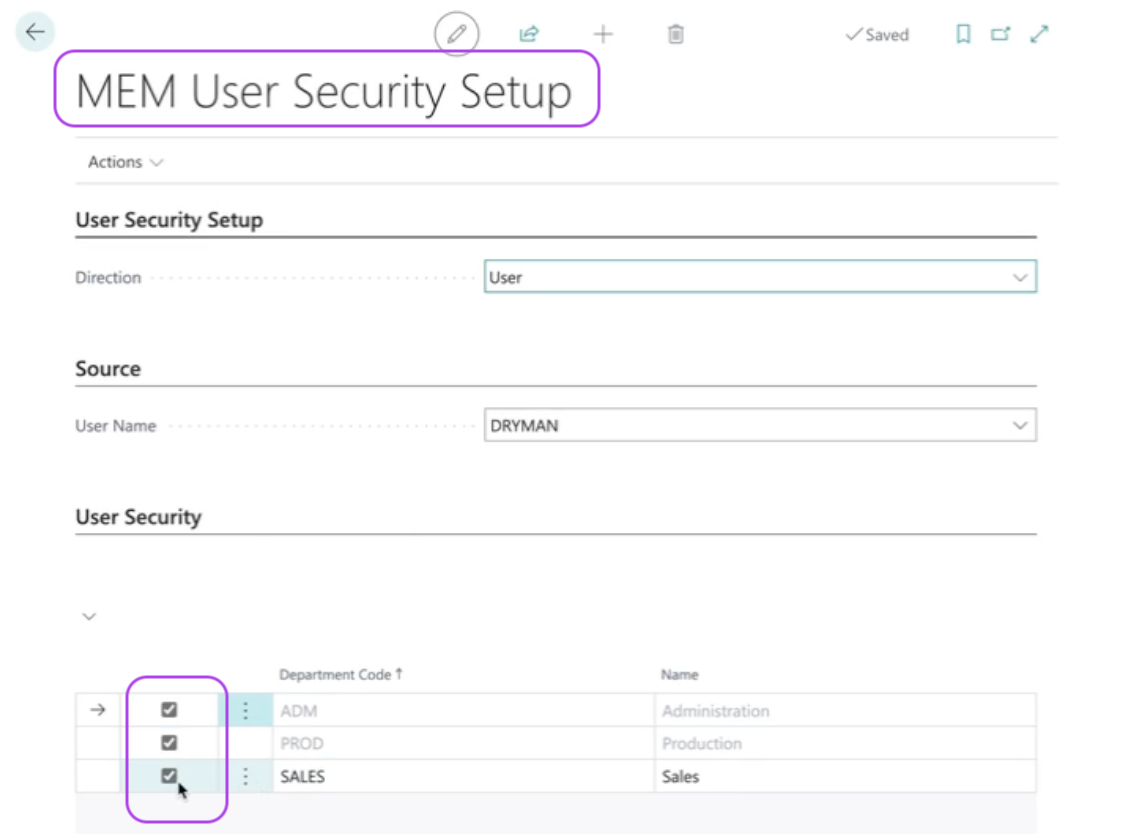
When using the BSSI Multi-Entity Management extension, by default, there are security settings that restrict which entities will be visible to a user. In other words, without manually enabling access to all entities in Business Central you will not be able to see journal entries across entities.
To ensure access to all entities, please navigate to MEM User Security Setupand ensure all entities are checked.
Accounting field restrictions
In Business Central, customers using the BSSI Multi-Entity Management extension have the ability to restrict accounting field codings by entity. Ramp can only support two accounting field restrictions: Items and Vendors. In other words, if you have these two restrictions enabled, then in the Ramp app you will only be able to add values for Items and Vendors that map to the entity of a transaction.
Connect my BSSI multi-entity Business Central environment to Ramp
Please follow the instructions in this document.
How will my entities appear in Ramp from Business Central
Please review this document.
How information from Ramp will appear in Microsoft Business Central
Please review this document.
Does Ramp support splitting transactions or bills between entities?
Yes, Ramp does support splitting transactions and bills between entities. The liability will always accrue in the Business Central entity the Ramp Entity is associated with, but the expense side can be customized per transaction and per split. Please review this document which explains how to do this in the Ramp app.