International transfers on Ramp Bill Pay
Overview
With Ramp, you have the ability to pay your international vendors in USD and in foreign currency using Ramp Bill Pay. You have the ability to upload your vendors payment information, invoices, create and approve your international transfer within 60 seconds. For accounting providers that support automatic Bill Pay sync, we'll also sync your international payment information automatically. If you use Universal CSV or QuickBooks Desktop (file export), follow the setup-specific export and import instructions instead.
While international payments in USD are available to most Bill Pay customers, foreign currency bill payments are supported for customers on NetSuite, QuickBooks Online, Xero, Sage Intacct and CSV-based connections.
Businesses based in Nevada, and businesses in certain industries, may not be able to use international Bill Pay or may require Enhanced Due Diligence (EDD). See Limitations for international Bill Pay for details.
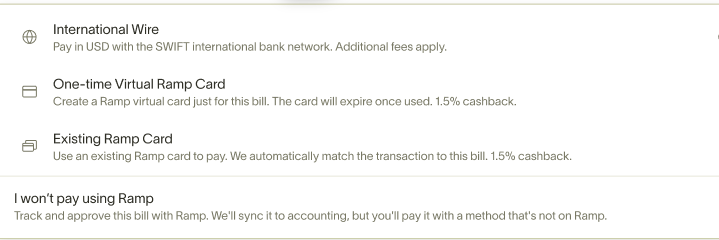
Adding an international vendor
To add a new international vendor on Ramp, you can begin by creating a new bill draft or by heading to the Vendors page and edit your vendor or add new vendor.
When creating or editing your vendor, denote the country where they are located. Note if you forward your invoice or drop your invoice on Ramp, we will attempt to automatically pull this vendor's country.
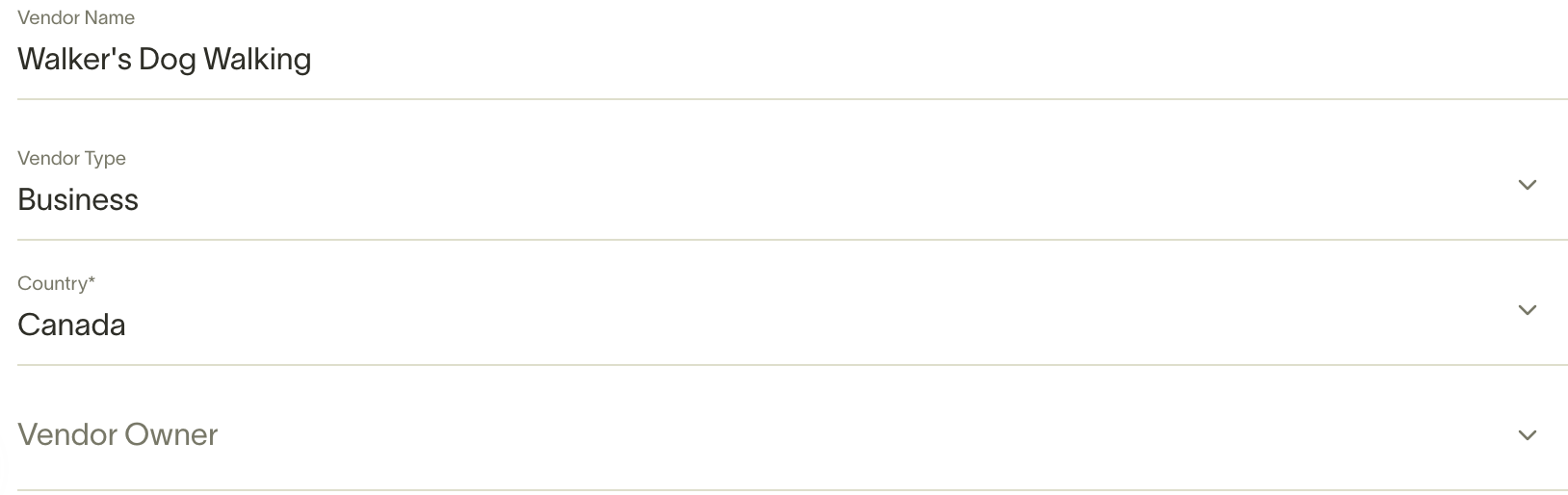
After choosing your vendors country, you'll be able to add your vendors bank account details. If you are paying your vendor outside of the US, choose add international details.
From there, you can select the currency of the account and add your vendors account details. The Account Details fields may change depending on the vendor country and selected currency.
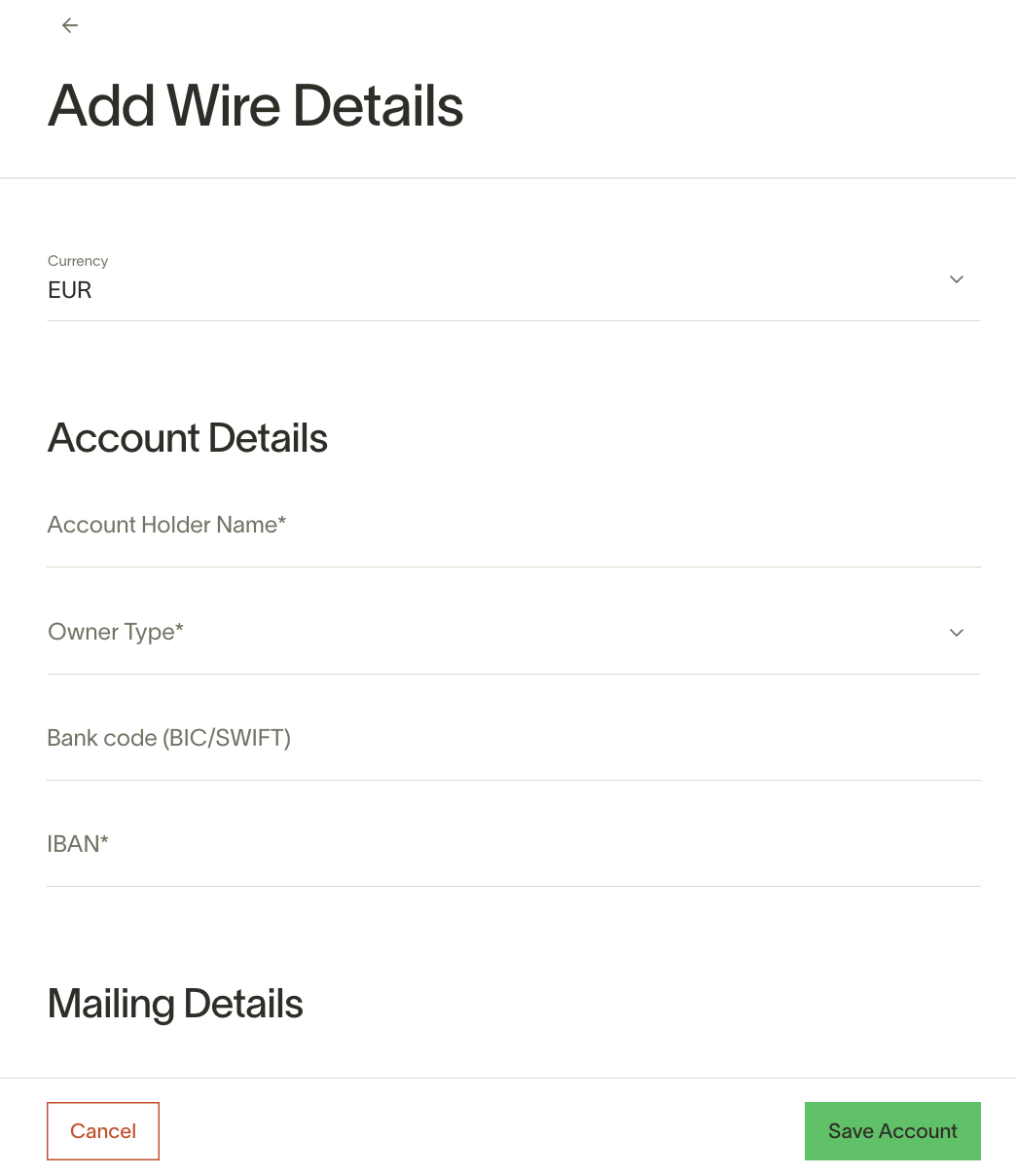
After that, add the other required details for your vendor, save your vendor and continue with the usual Bill Pay creation and approval process.
Please note:
- We currently cannot send checks to your international vendors.
- We do not support intermediary bank selection for SWIFT USD payments. Requests for specific correspondent banks cannot be accommodated.
Vendor payment timelines and fees
Eligible foreign-currency payments funded from a Ramp Checking Account and paid out in EUR, GBP, MXN, BRL, or COP typically arrive within about 30 minutes, 24/7. This faster delivery is available for eligible payments up to approximately USD 1 million, depending on the payout currency, and is not available to businesses in New York State. Review the estimated arrival shown on the bill in Bill Pay before scheduling the payment.
Other international payments typically arrive within 1–5 business days. Timelines vary by destination country, payment method, intermediary banks, and the recipient's bank.
International payments made via SWIFT USD on Ramp Bill Pay have a flat fee of USD 20 when funded from an external bank account. Ramp waives this fee when the payment is funded from a Ramp Checking Account. Ramp does not charge the recipient, but the receiving bank may impose fees beyond Ramp's control.
International payments in foreign currency incur market-competitive exchange rates (Explore our foreign currency exchange rates).
Note: The exchange rate for foreign currency bill payments is determined when the payment is initiated, not at the time the vendor's invoice was issued. The rate shown on the bill before payment initiation is an estimate and may differ from the final rate applied.
Supported countries
International payments in USD
Bill payments made via Swift USD are supported to the following countries:
- Aland Islands, Albania, Algeria, American Samoa, Andorra, Angola, Anguilla, Antigua & Barbuda, Argentina, Armenia, Australia, Austria, Azerbaijan
- Bahamas, Bahrain, Barbados, Belgium, Benin, Bhutan, Bolivia, Bosnia & Herzegovina, Botswana, Brunei Darussalam, Bulgaria, Burkina Faso
- Cambodia, Canada, Cayman Islands, Channel Islands, Chile, China, Christmas Island, Cocos (Keeling) Islands, Cook Islands, Costa Rica, Crimea, Croatia, Cyprus, Czech Republic, Côte d'Ivoire
- Denmark, Dominica, Dominican Republic
- Ecuador, El Salvador, Estonia, Ethiopia
- Falkland Islands, Faroe Islands, Fiji, Finland, France, French Guiana, French Polynesia
- Gabon, Gambia, Georgia, Germany, Ghana, Gibraltar, Great Britain, Greece, Greenland, Grenada, Guadeloupe, Guatemala, Guernsey, Guinea, Guinea-Bissau, Guyana
- Haiti, Holy See (Vatican), Honduras, Hong Kong, Hungary
- Iceland, India, Indonesia, Ireland, Isle of Man, Israel*, Italy, Ivory Coast (Côte d'Ivoire)
- Jamaica, Japan, Jersey
- Kazakhstan, Kenya, Kuwait, Kyrgyz Republic (Kyrgyzstan)
- Laos, Latvia, Lebanon, Liberia, Liechtenstein, Lithuania, Luxembourg
- Macao, Malawi, Malaysia, Mali, Malta, Marshall Islands, Martinique, Mauritania, Mauritius, Mexico, Micronesia, Monaco, Mongolia, Montenegro, Montserrat, Morocco
- Namibia, Nauru, Nepal, Netherlands, New Caledonia, New Zealand, Nicaragua, Niger, Niue, Norfolk Island, North Macedonia, Northern Mariana Islands, Norway
- Pacific Islands, Pakistan, Palau, Panama, Papua New Guinea, Paraguay, Peru, Philippines, Pitcairn, Poland, Portugal
- Reunion, Romania, Rwanda
- Saint Helena, Saint Kitts and Nevis, Saint Lucia, Saint Pierre & Miquelon, Saint Vincent's & Grenadines, Samoa, San Marino, Sao Tome and Principe, Senegal, Serbia, Sevastopol, Seychelles, Sierra Leone, Singapore, Slovakia, Slovenia, Solomon Islands, South Africa, South Korea, Spain, Sri Lanka, Suriname, Sweden, Switzerland
- Taiwan, Tajikistan, Tanzania, Thailand, Timor Leste, Tonga, Trinidad & Tobago, Tunisia, Turkey, Turks & Caicos Islands, Turks and Caicos, Tuvalu
- Uganda, Ukraine, United Arab Emirates (UAE)*, United Kingdom, Uruguay, Uzbekistan
- Vanuatu, Vietnam
- Wallis & Futuna
- Zambia
* Israel: account address cannot be in the UAE
* United Arab Emirates: account address cannot be in Israel
Note: Swift USD is not supported for bank accounts located in the US.
International payments in FX
Bill payments made via FX local currency rails are supported for the following countries/currencies
- Argentina (ARS), Australia (AUD), Austria (EUR)
- Belgium (EUR), Botswana (BWP), Brazil (BRL), Bulgaria (EUR)
- Canada (CAD), Chile (CLP), China (CNY), Costa Rica (CRC), Croatia (HRK), Cyprus (EUR), Czech Republic (CZK)
- Denmark (DKK)
- Egypt (EGP), Estonia (EUR)
- Finland (EUR), France (EUR)
- Georgia (GEL), Germany (EUR), Ghana (GHS), Greece (EUR)
- Hong Kong (HKD), Hungary (HUF)
- India (INR), Indonesia (IDR), Ireland (EUR), Israel (ILS)*, Italy (EUR)
- Japan (JPY)
- Kenya (KES)
- Latvia (EUR), Liechtenstein (CHF), Lithuania (EUR), Luxembourg (EUR)
- Malaysia (MYR), Malta (EUR), Mexico (MXN), Monaco (EUR), Morocco (MAD)
- Netherlands (EUR), New Zealand (NZD), Norway (NOK)
- Philippines (PHP), Poland (PLN), Portugal (EUR)
- Romania (RON)
- Singapore (SGD), Slovakia (EUR), Slovenia (EUR), South Africa (ZAR), South Korea (KRW), Spain (EUR), Sri Lanka (LKR), Sweden (SEK), Switzerland (CHF)
- Thailand (THB), Turkey (TRY)
- United Arab Emirates (AED)*, United Kingdom (GBP), Uruguay (UYU)
* Israel: account address cannot be in the UAE
* United Arab Emirates: account address cannot be in Israel
Supported accounting integrations for foreign currency bill payments
Acumatica does not support foreign-currency bill payments. Businesses connected to Acumatica can use SWIFT USD payments for bills with a USD invoice currency if they otherwise meet international Bill Pay requirements.
- NetSuite
- Sage Intacct
- Business Central
- QuickBooks Online
- Xero
- Universal CSV
International transfer callouts
- International payments in INR (Indian Rupees) are not supported for non-profit organizations due to third-party restrictions, and there are no exceptions or approval processes available. Attempting to send or receive INR payments may result in loss of access to international payment services.
Frequently asked questions
Can I cancel or amend an international wire after it is initiated?
Ramp does not offer a self-serve way to amend, modify, or recall an international wire after it is initiated. Cancellation is only possible while Cancel payment is available on the bill. If you can edit bills and payments and see Cancel payment, you can cancel the payment and then update the bill or vendor details before rescheduling it. If you cannot edit bills and payments, ask someone who can to check the bill for you. Once Cancel payment is no longer available to anyone with that permission, the payment can no longer be canceled in Ramp. If you need to try to recover a sent payment, contact Ramp's Support team immediately. Recovery is best-effort and isn't guaranteed.
I enabled a currency under Local Currencies, but it does not appear as a Bill Pay option. Why?
The Local Currencies setting controls multi-currency spend for cards, limits, and Spend Programs. It does not affect Bill Pay. Bill Pay supports a separate set of currencies for international payments, listed in the Supported countries section above. To pay a vendor in their local currency, add their international banking details and select the FX payment method when paying the bill.
Can I change the invoice currency after a bill is created?
No. The invoice currency is set when the bill is created and cannot be changed afterward. To correct the currency, create a new bill with the correct invoice currency.