Zoho Books overview
Overview
Our direct integration with Zoho Books allows you to easily transfer information from Ramp to Zoho Books, ensuring your spend data is current and accurate.When Ramp is connected to Zoho Books, it gathers all necessary data for classifying your transactions and this article covers all the basics.
What does Ramp look like
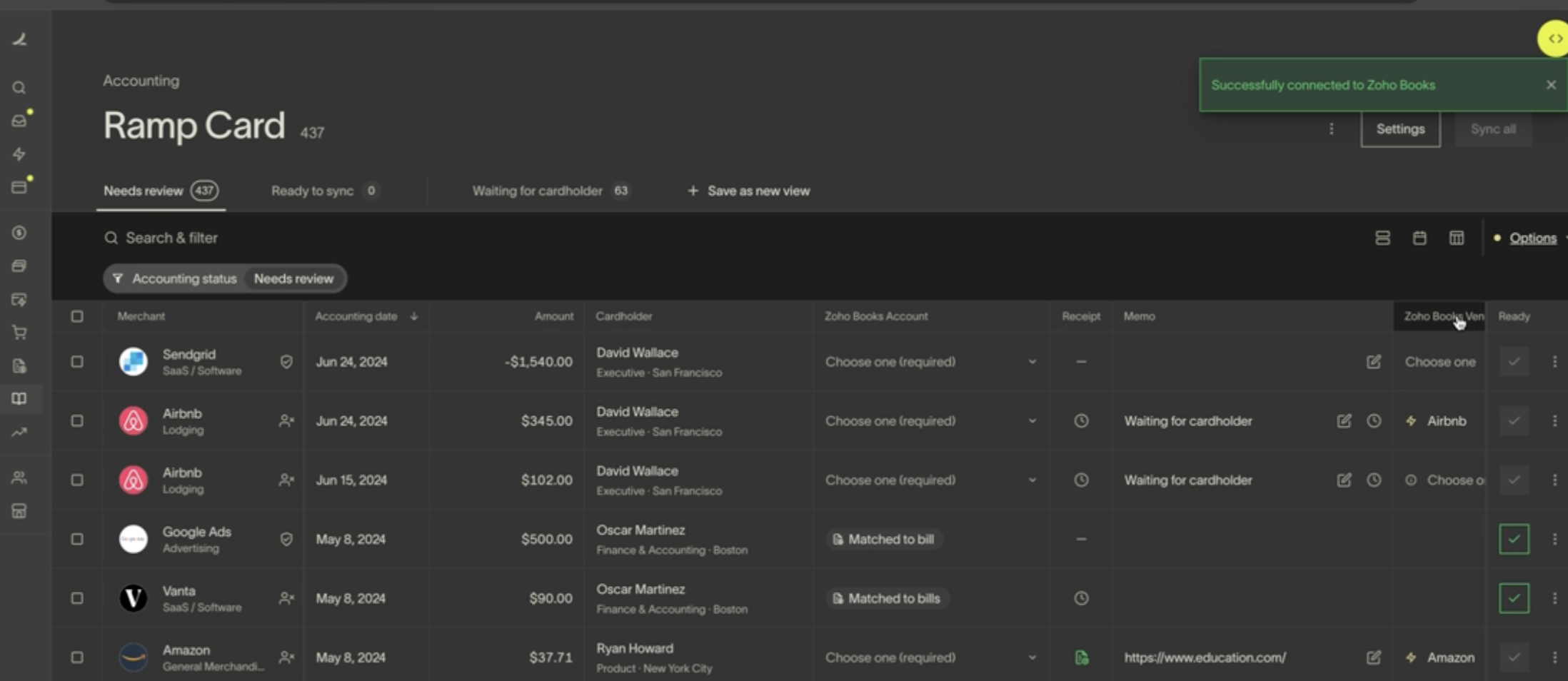
Here's how the Zoho Books Accounting page appears on Ramp. For detailed information about settings, rules, and additional automations provided by Ramp, please refer to the linkedarticle.
Setup
Please follow these instructions to connect Zoho Books to Ramp: /how-to-connect-zoho-books-to-ramp
How will transactions appear in Zoho Books
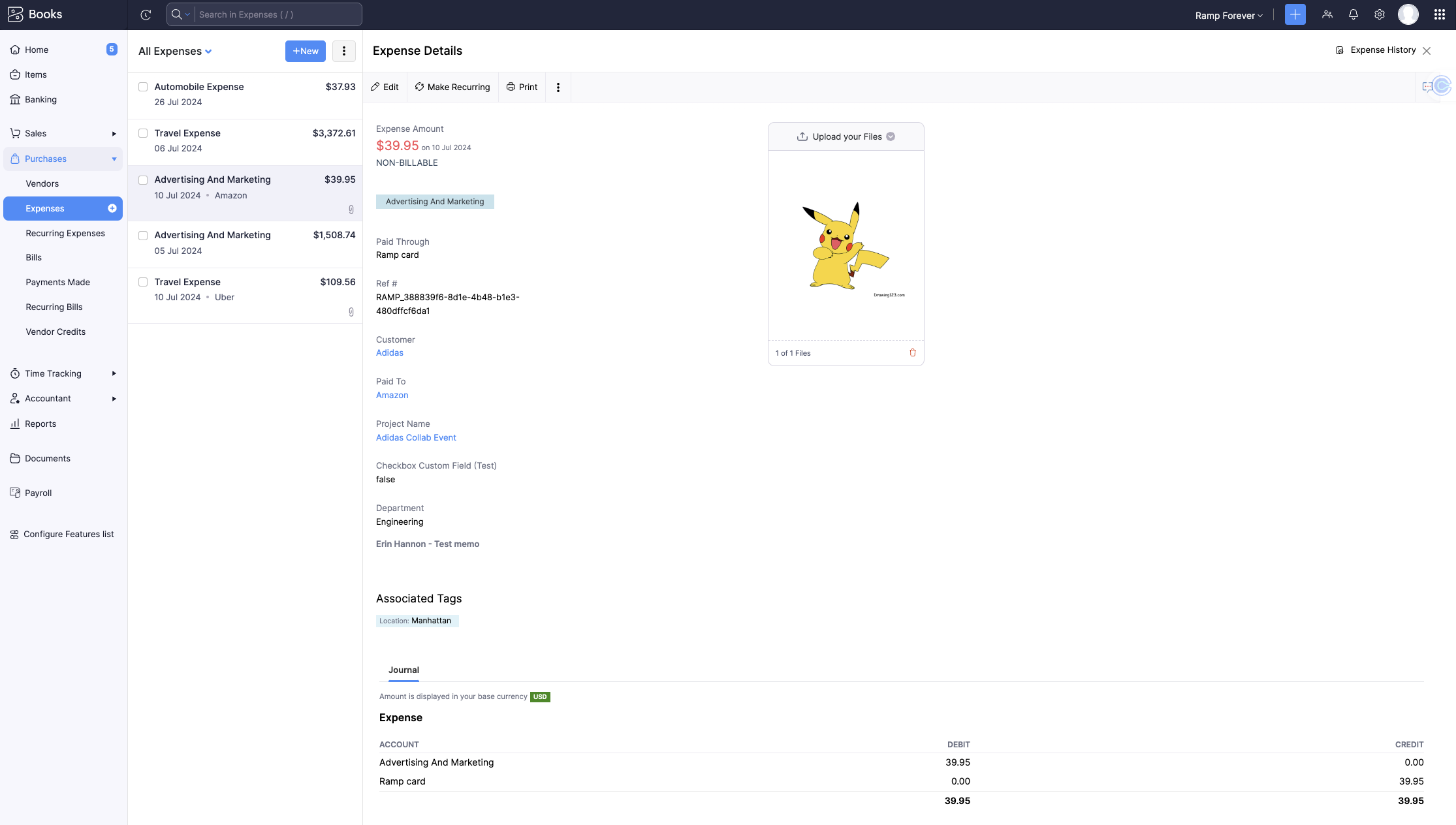
Ramp card transactions show up as expenses in Zoho Books. Each expense in Zoho Books will include the information from the fields you entered in Ramp (including receipts) and two journal lines:
- Credit Ramp Card Liability Account
- Debit Expense Account
How will reimbursements appear in Zoho Books
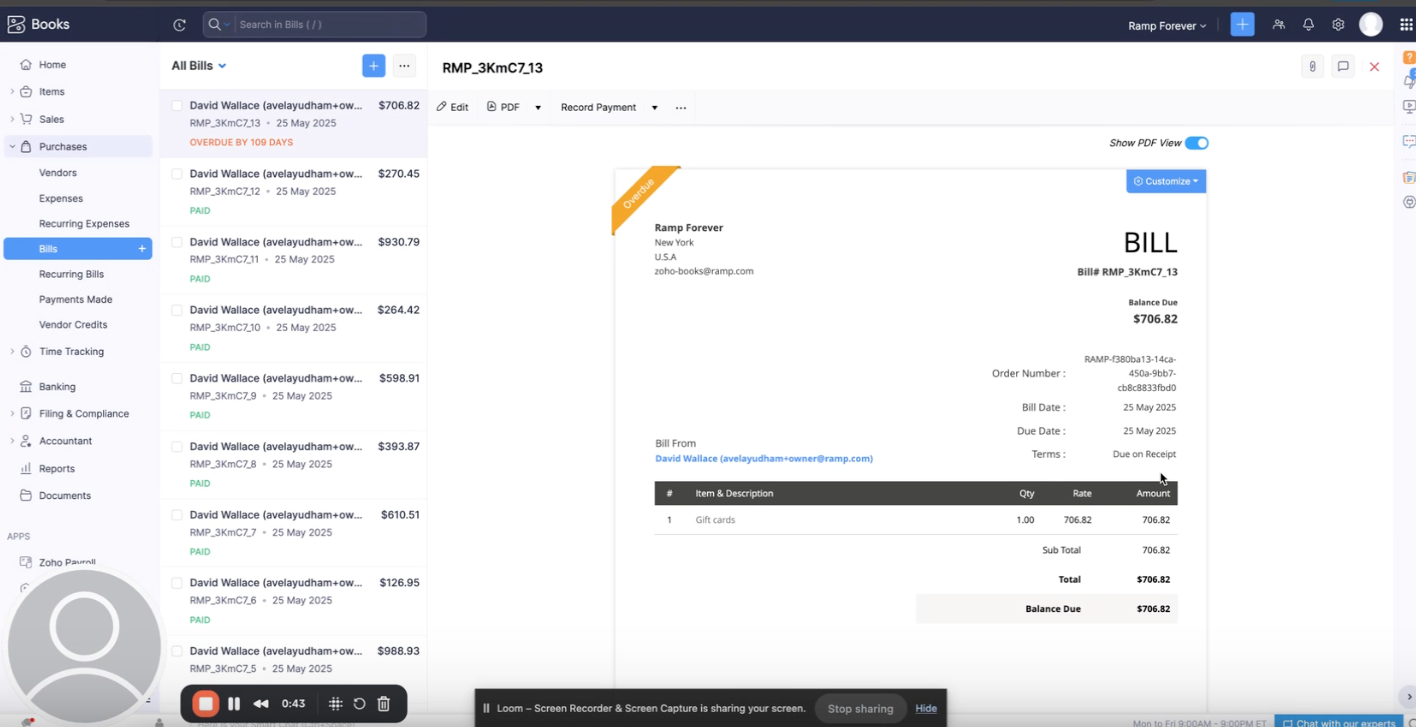
When you sync reimbursements from Ramp to Zoho Books, each reimbursement is created as a bill. These bills include all the details entered in Ramp, such as category, memo, and receipt.
Each bill will include two journal lines:
- Debit: Expense Account
- Credit: Cash Account
If multiple reimbursements are processed together, they will appear in Zoho Books as individual bills linked to a single payment. This payment will reflect the total amount for all the synced reimbursements in that batch.
How will bills appear in Zoho Books?
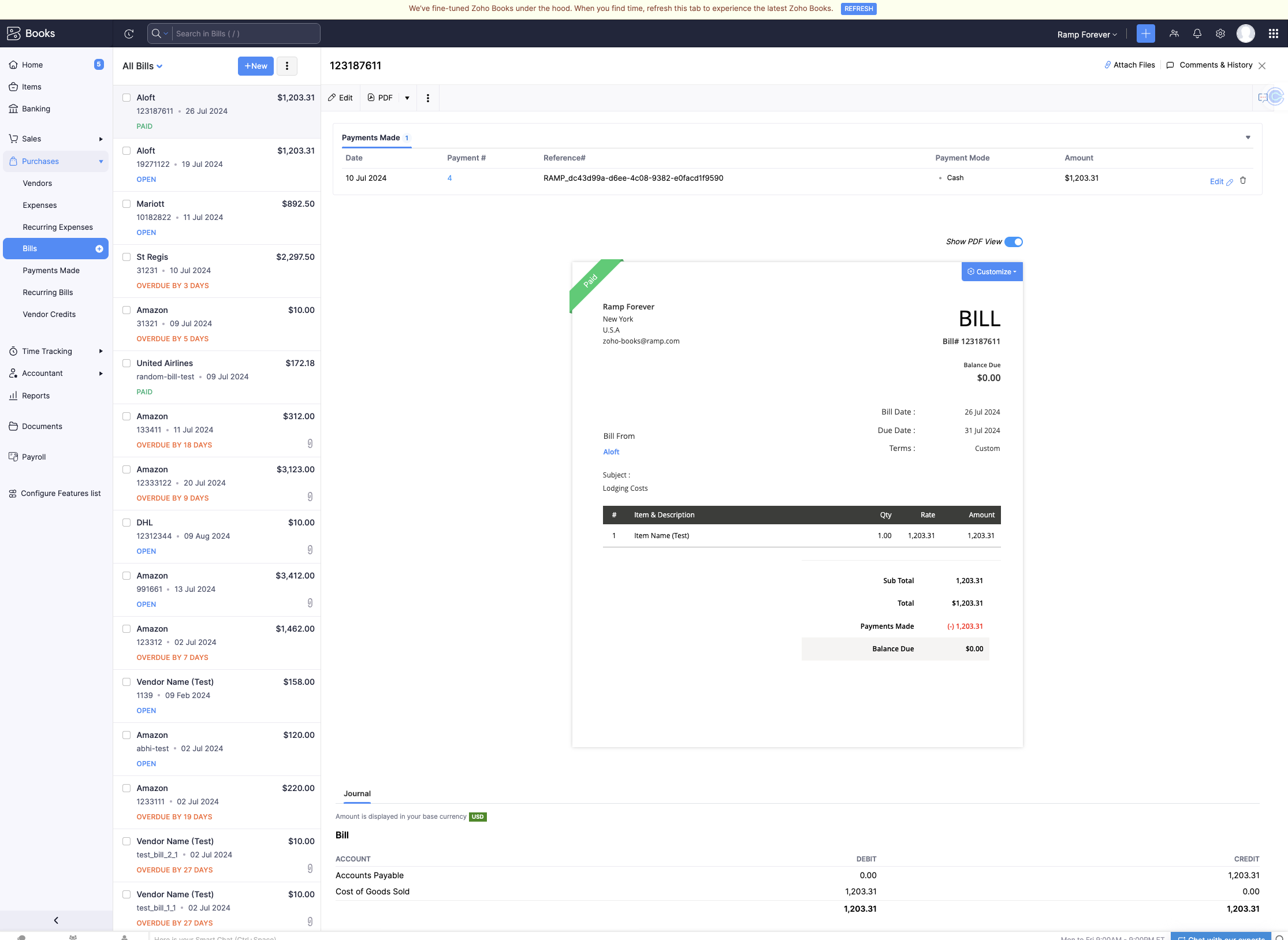
Bills from Ramp will show up as bills in Zoho Books. Each bill in Zoho Books will include the information from the fields you entered in Ramp (including receipts) and two journal lines:
- Credit AP account
- Debit Expense Account
How will statement payments appear in Zoho Books?
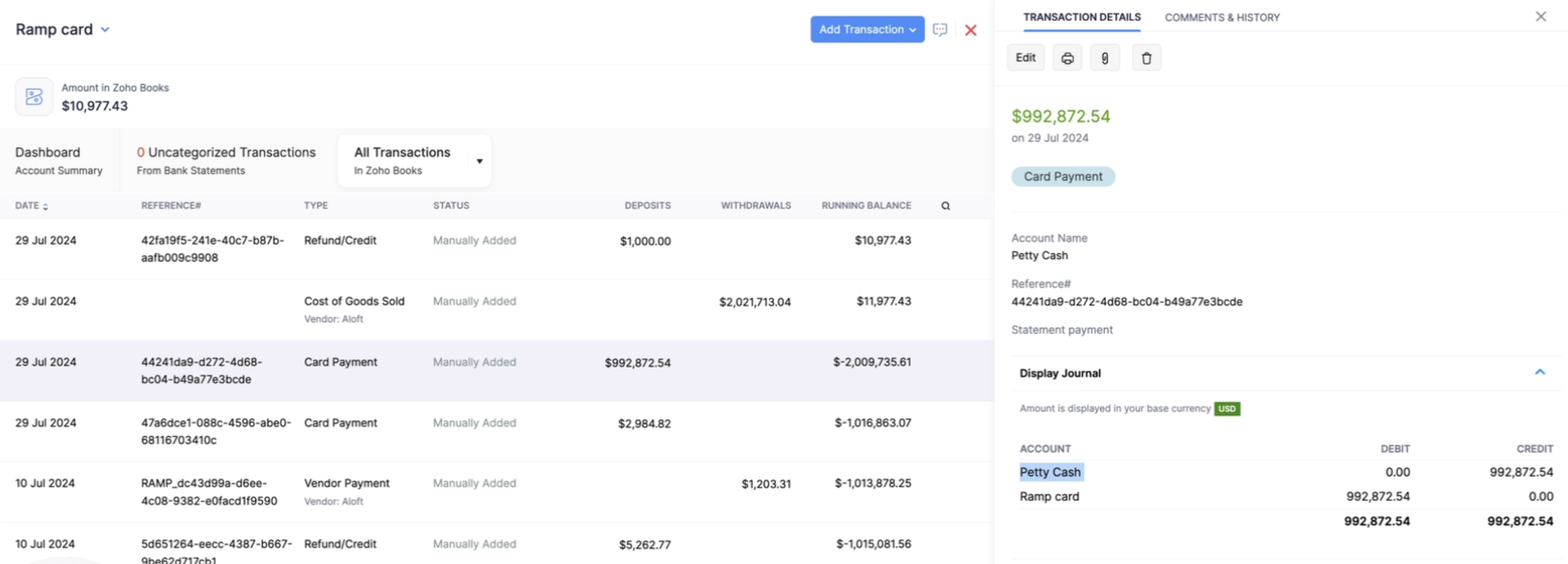
Statement payments from Ramp will show up as card payments in Zoho Books. Each statement payment in Zoho Books will include two journal lines:
- Credit Revenue or Expense Account
- Debit Ramp Card
Navigate to Banking -> select Ramp Cardunder Active accounts -> find card payment transaction.
How will cashback appear in Zoho Books?
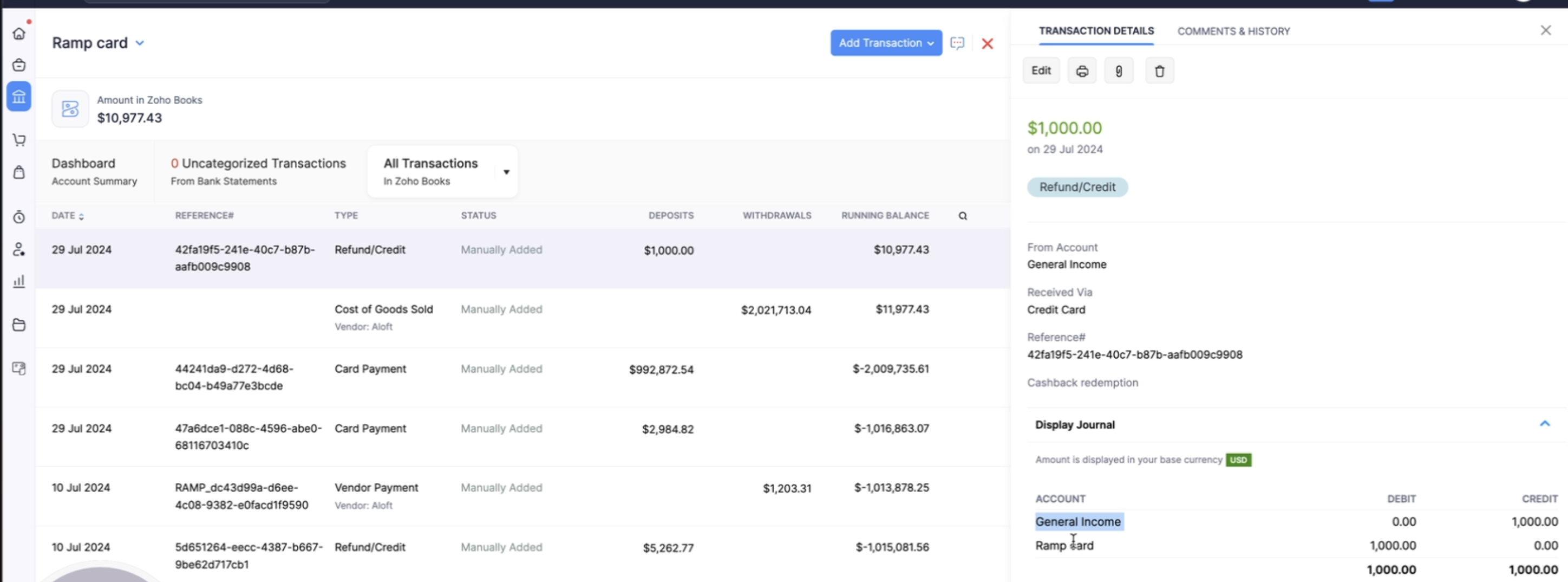
Cashback redemptions from Ramp will show up as refunds in Zoho Books. Each cashback redemption in Zoho Books will include the information from the fields you entered in Ramp and two journal lines:
- Credit Revenue or Expense Account
- Debit Ramp Card
Navigate to Banking -> select Ramp Cardunder Active accounts -> find cashback transaction.
Ramp Checking Account transfers
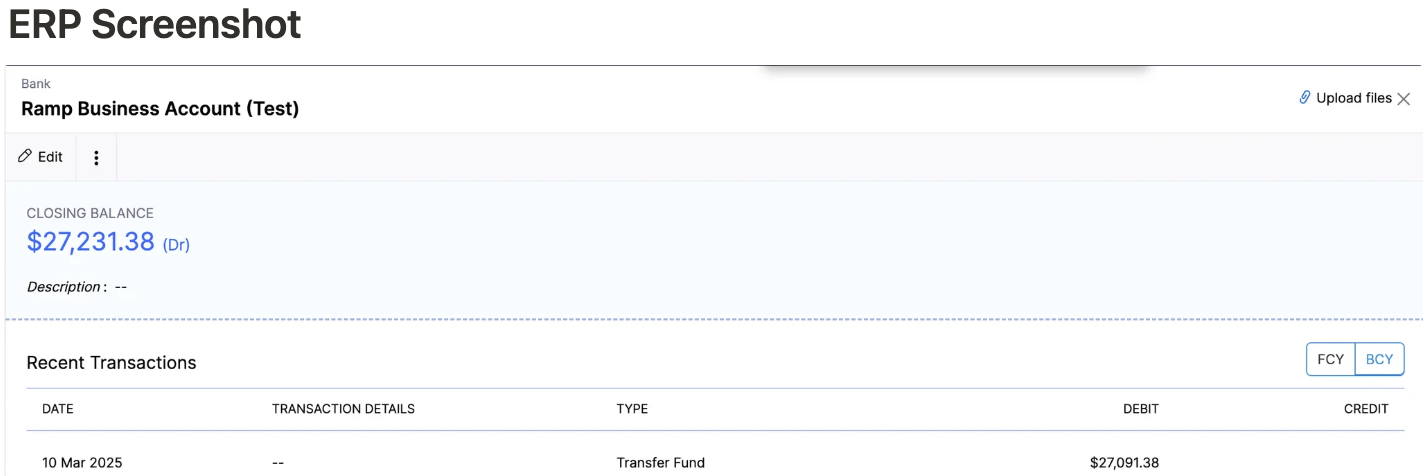
We sync Ramp Checking Account wallet transfers as journal entries in Zoho Books.
Accounting logic
- Deposits:
- Debit Ramp Checking Account
- Credit opposing account
- Withdraws:
- Debit opposing account
- Credit Ramp Checking Account
Ramp Checking Account bank feeds
Bank feeds support both Ramp Checking Accounts and Ramp Operating Accounts. They do not support Ramp Investment Accounts.
Please follow the instructions in this Help Center article.
Frequently asked questions
How are negative transactions synced?
- Zoho Books does not allow negative expenses, so Ramp will sync negative transactions as an expense refund. You can find expense refunds by navigating, in Zoho Books, to Banking -> Ramp Card.
Will Ramp automatically create vendors for me?
- We do not automatically create vendors because vendor is not a required field in Zoho Books.