Gmail integration: Set up for admins
Note: This article primarily applies to Ramp Administrators. Cardholders may find other articles in the Ramp overview section to be more applicable.
Save hours every week with automatic receipt capture
Manual receipt forwarding costs employees and finance teams like yours time they don’t have. Ramp’s Gmail integration eliminates the busywork—automatically capturing, verifying, and matching 3x more receipts to the right transactions than without it. Setup can be done by admins, takes just minutes, and every day you wait, employees waste time tracking down receipts and your team wastes time chasing them.
With Ramp’s Gmail integration:
- Employees stop forwarding receipts manually
- Finance teams cut follow-ups and exceptions
- Your company moves closer to a fully automated close with more time for strategic work
For IT & Security teams:read the full security brief, which explains how your data is protected→
How the integration works
Ramp connects directly to your company's Gmail environment through secure, first-party APIs. Once enabled, Ramp will:
- Scan inboxes tied to active Ramp accounts
- Identify receipts the moment they arrive
- Verify and match them to the correct transaction
- Discard irrelevant emails automatically
Admins remain in full control: you can exclude inboxes, block certain keywords, and ensure Ramp only processes receipts tied to valid transactions
Set up in 4 easy steps
You’ll need Google Workspace superadmin privileges to enable it. If that isn’t you, feel free to use the email at the bottom of this article to easily send them instructions.
Step 1: Sign in to your Google Admin Console
Step 2: From the left-hand side, go to Security → API Controls → Domain-wide Delegation.
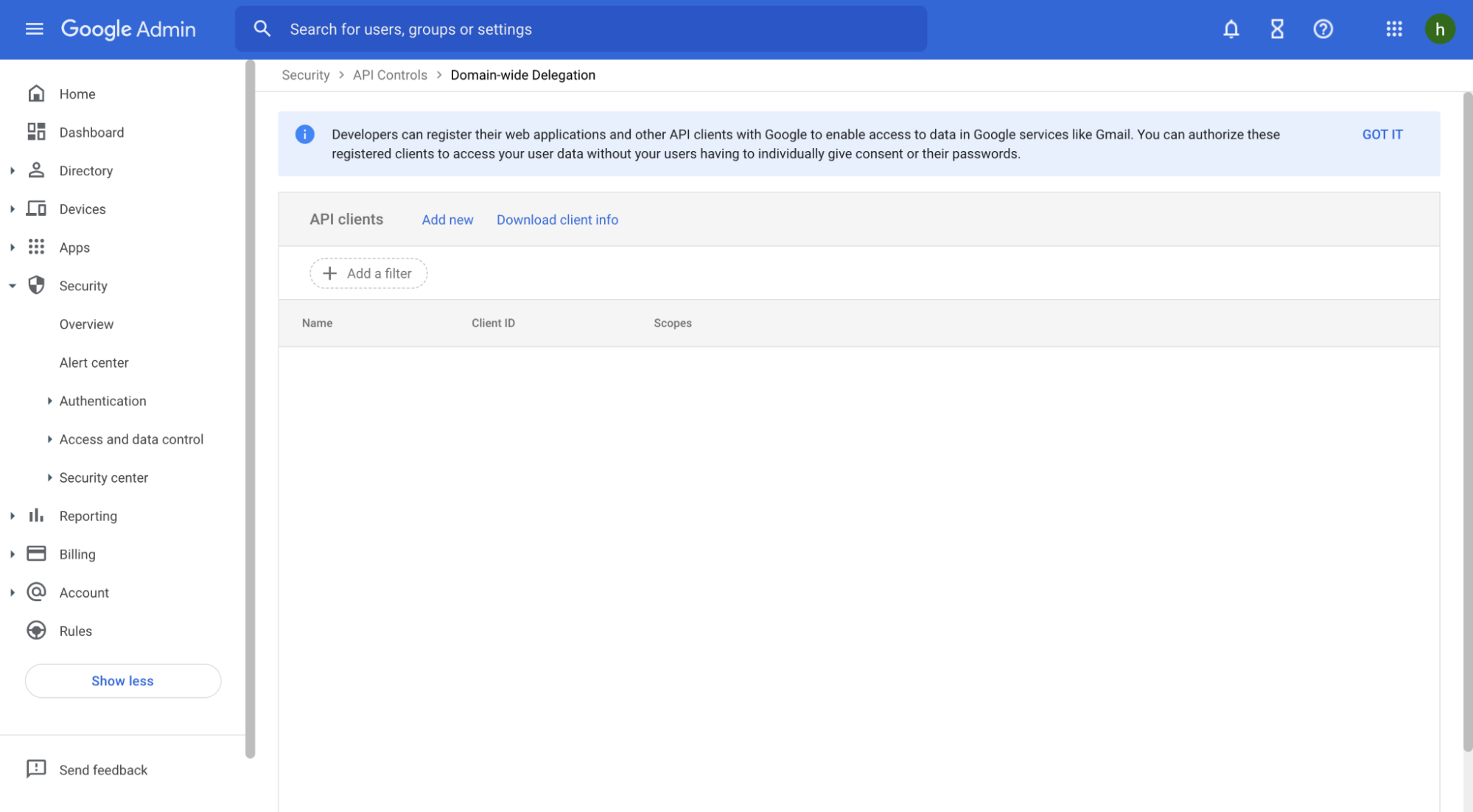
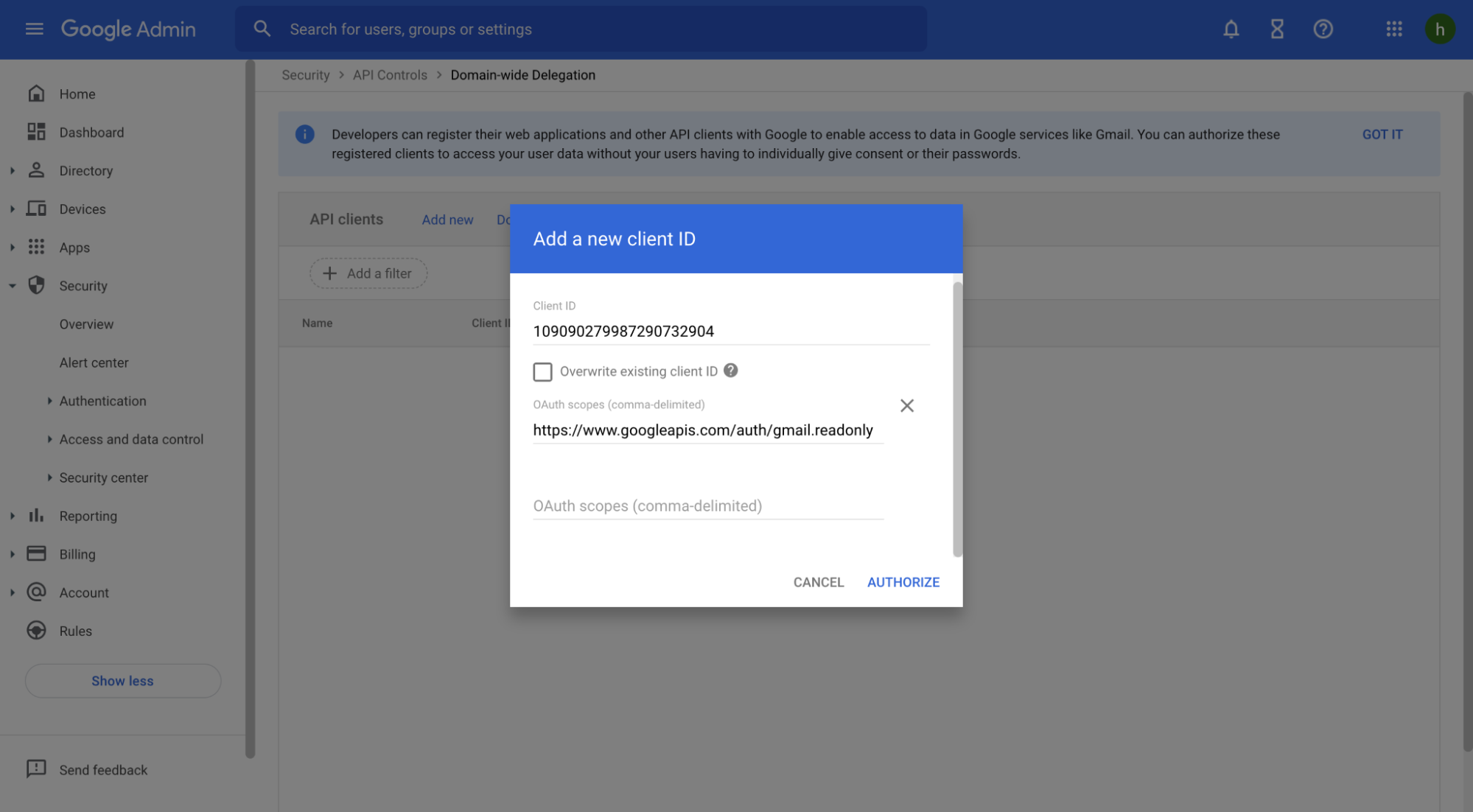
Step 3: Click Add new next to “API clients,” copy in the details below, and click Authorize.
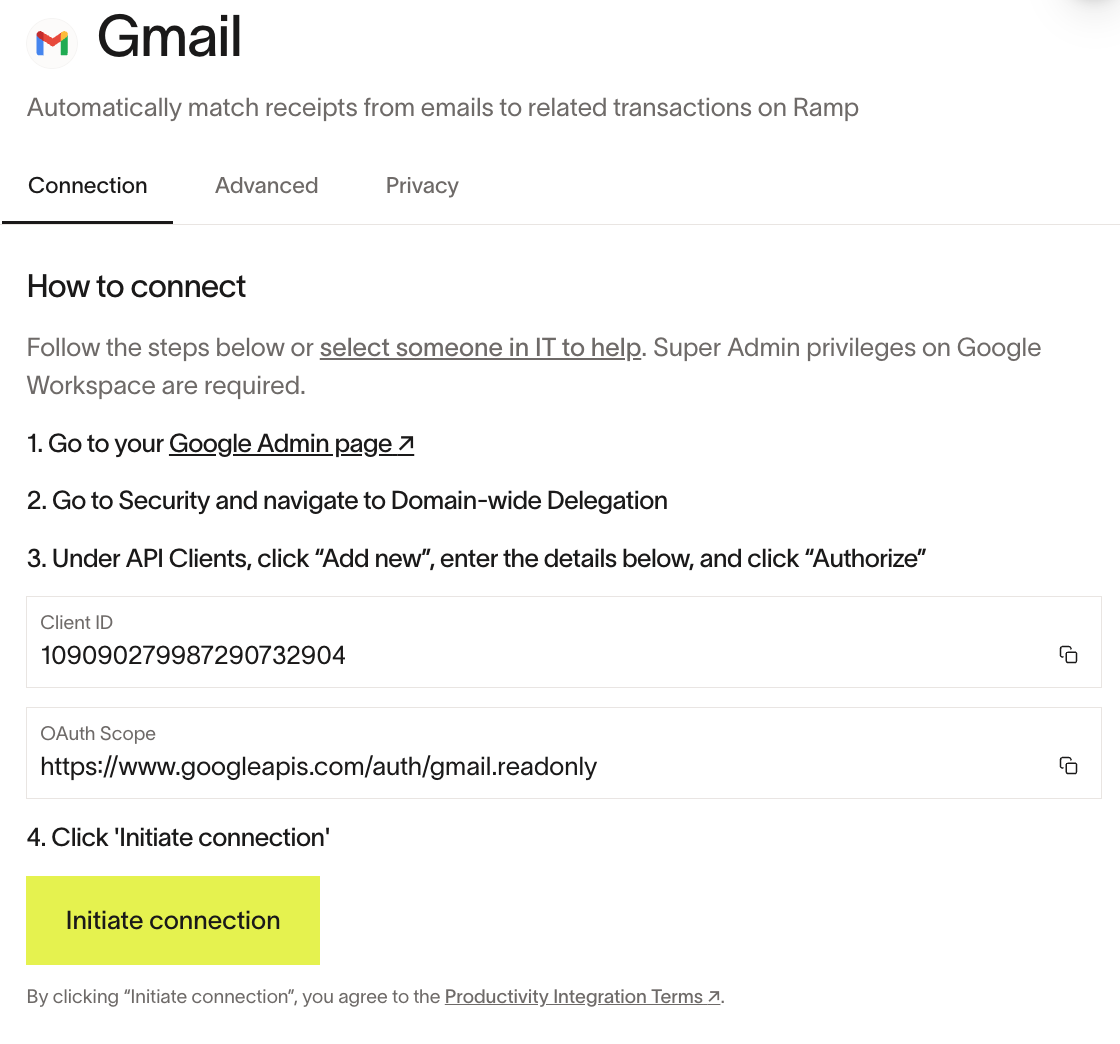
- Client ID : 109090279987290732904
- Auth scope : https://www.googleapis.com/auth/gmail.readonly
Step 4: Go back to the Integration tab (Company > Integrations > Gmail) and click Initiate Connection. We'll begin automatically capturing receipts on behalf of your employees—no further action is needed.
Video walkthrough: Set up Ramp's Gmail integration. Best if you want forwarded receipts and invoices to land on the right transactions without manual receipt matching. Watch the video.
Security and controls
Ramp integrations are built with enterprise-grade security and are SOC II Type II compliant. We take your trust very seriously.
- We only scan subject lines to detect receipts. Less than 2% of cases require us to scan the body or attachment
- Only receipts tied to valid transactions are stored. Everything else is discarded
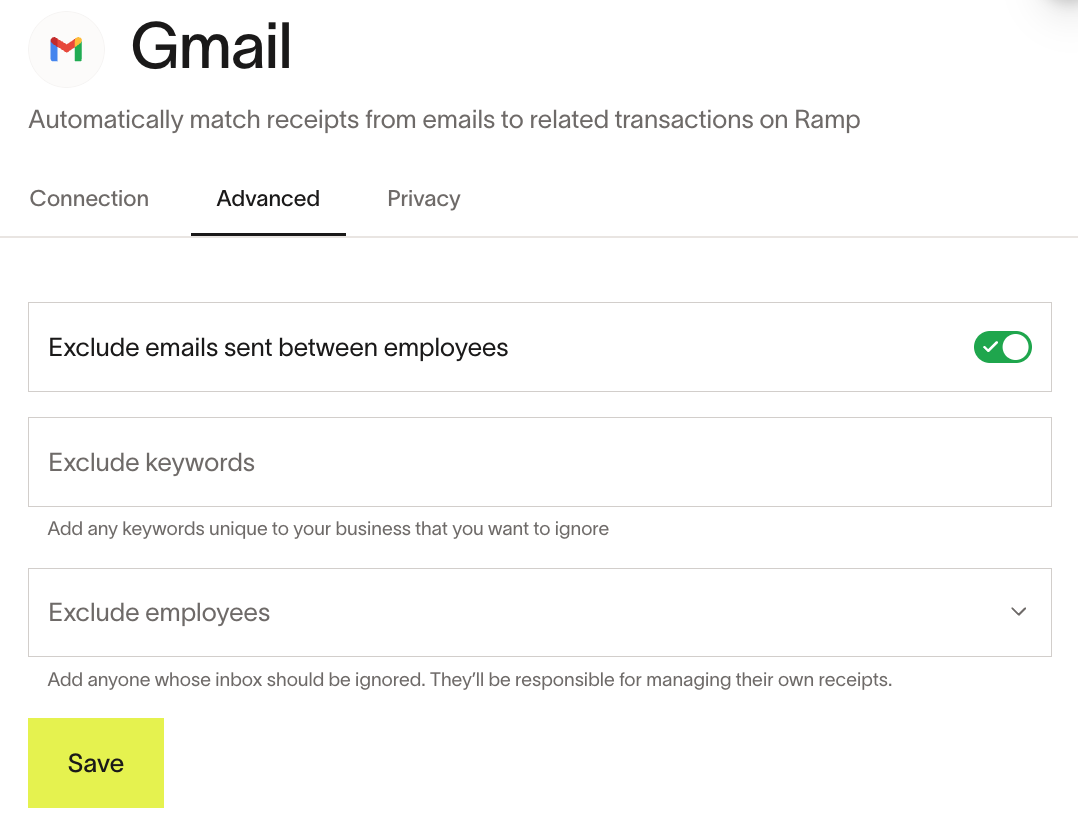
- All data is encrypted, access is restricted, and admins can set custom exclusions – exclude emails between employees, certain keywords (e.g., Confidential) or inboxes
Ramp does not show Admins a list of employees who connected individual work Gmail inboxes. For details, see Employee mailbox integration: What Admins can see.
For reference: Read our full security briefhere.
Additional details
- A single Ramp instance supports one Gmail integration at a time. Multi-entity companies must link Gmail separately for each entity.
- Ramp automatically captures receipts from the past 7 days upon enablement.
- Gmail integration is not compatible with AWS GovCloud (US).
- To disable the integration: In your Google Admin Console, go to Domain-wide delegation, and remove the API client you added. Ramp will immediately lose access to Gmail inboxes, and you’ll see this reflected in the Ramp dashboard shortly thereafter.
Email for IT Admin / Google Workspace superadmin
Subject: Request to set up Ramp’s Gmail Integration
Hi [Superadmin’s Name],
I’d love to enable Ramp’s Gmail integration, which allows Ramp to automatically capture and match receipts to transactions from inboxes. This will save employees from uploading receipts manually and reduce the time our team spends chasing missing or late submissions—making our expense management process faster and more productive.
Setup takes less than 5 minutes and requires superadmin access. You can review the 4 simple steps here, along with Ramp’s full security brief.
Thanks for your help in getting this set up. Please let me know if you have any questions.
Best,
[Your Name]