Microsoft Dynamics Finance and Operations integration overview
Overview
Available on Ramp Enterprise. See Ramp Enterprise overview for plan details.
This article provides a detailed overview of how Ramp integrates with Microsoft Dynamics Finance & Operations, covering the syncing of various types of transactions. Additionally, it provides setup instructions and answers to common questions, ensuring effective financial management through seamless integration.
Setup
To set up an integration between Ramp and Microsoft Dynamics F&O for accounting needs please reach out to your Ramp account manager.
How will credit card transactions appear in Microsoft Dynamics f&O?
Default configuration
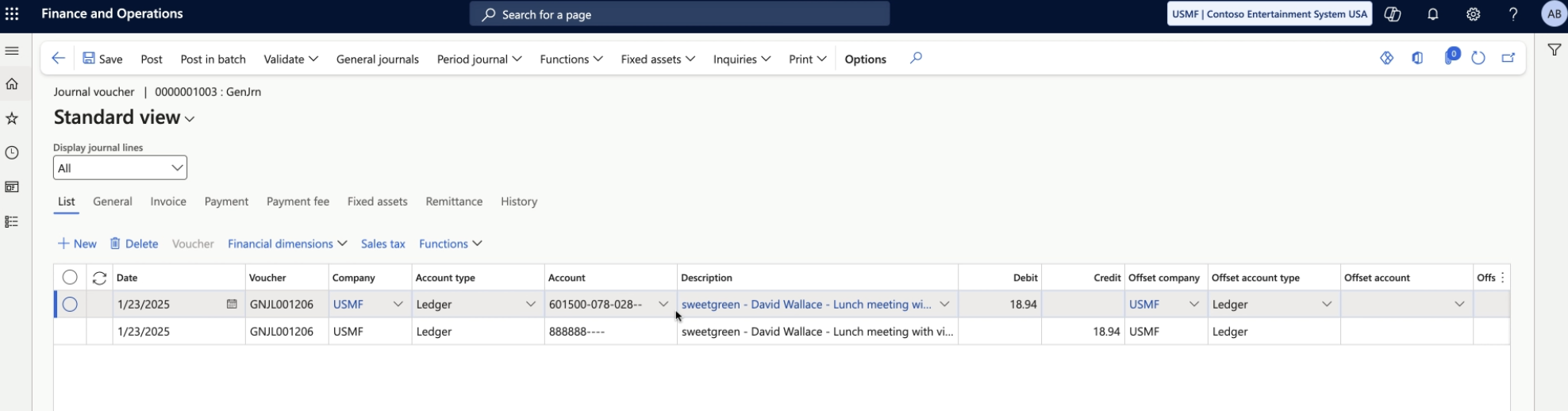
By default Ramp card transactions will show up as journal entries in Microsoft Dynamics F&O. These will be inserted into the Journal Batch specified on the accounting line in Ramp. Each expense will include the information from the fields you entered in Ramp and two journal lines:
- Debit Expense Accounts (*Ledger Account / Project*)
- Credit Ramp Card Liability Account (*Ledger Account*)
- Receipt attached to Credit Line
Customization upon request
Ramp has the ability to sync card transactions as vendor invoices and vendor payments in Microsoft Dynamics F&O. This functionality can be turned on by submitting a request to your account manager.
- Under Accounts Payable → Invoices → Invoice Journal
- Debit Expense Accounts ( Ledger Account / Project )
- Credit Vendor
- Under Accounts Payable → Payments → Vendor Payment Journal
- Debit Vendor
- Credit Ramp Card Account ( Ledger Account )
How will reimbursements appear in Microsoft Dynamics f&O?
By default, Ramp reimbursements sync to Microsoft Dynamics F&O as journal entries. Entries post to the Journal Batch set on the accounting line in Ramp.
Posting flow
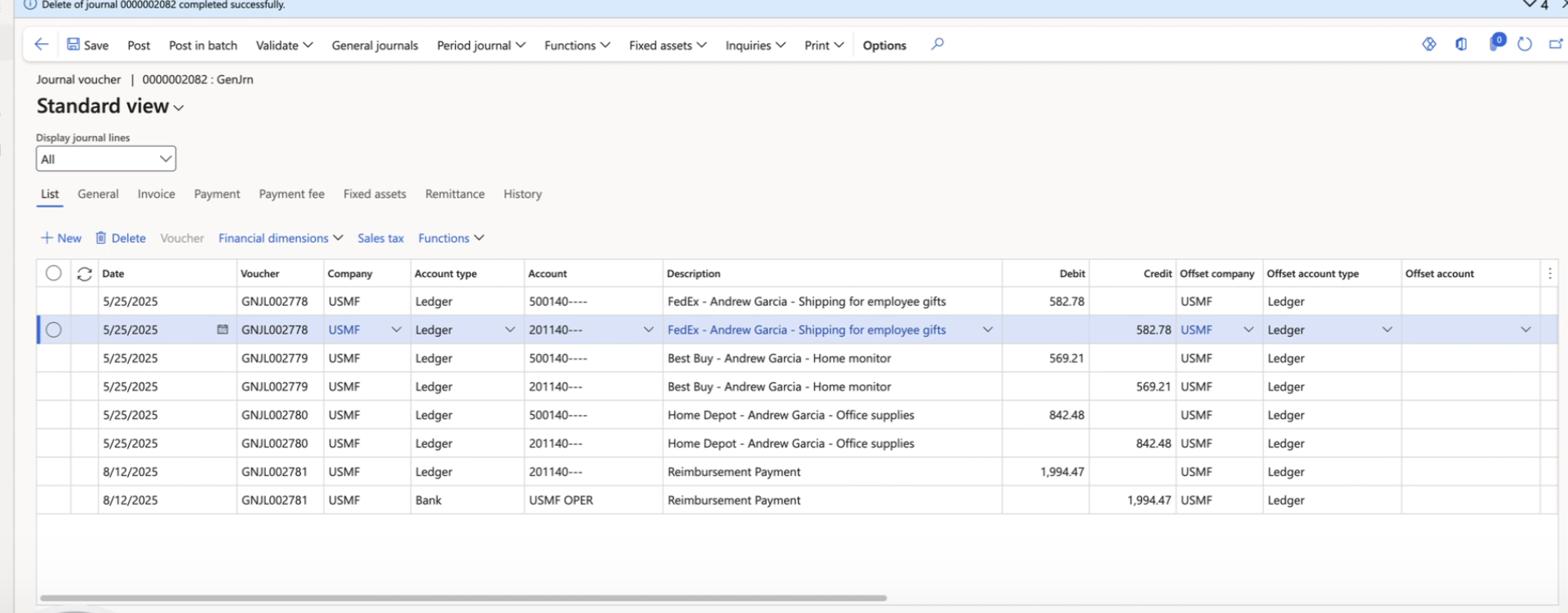
Step 1: Post each reimbursement.
For every reimbursement, Ramp creates two lines:
- Debit: Expense Account (Ledger Account / Project)
- Credit: Reimbursement Payable Account (required setup in Ramp)
Step 2: Post the payment for the batch.
When you sync the Reimbursement Payment Batch, Ramp creates one payment entry that totals all reimbursements included in that batch. It clears the payable and nets the batch to zero:
- Debit: Reimbursement Payable Account
- Credit: Cash Account (Bank Account or Ledger Account, based on your setup)
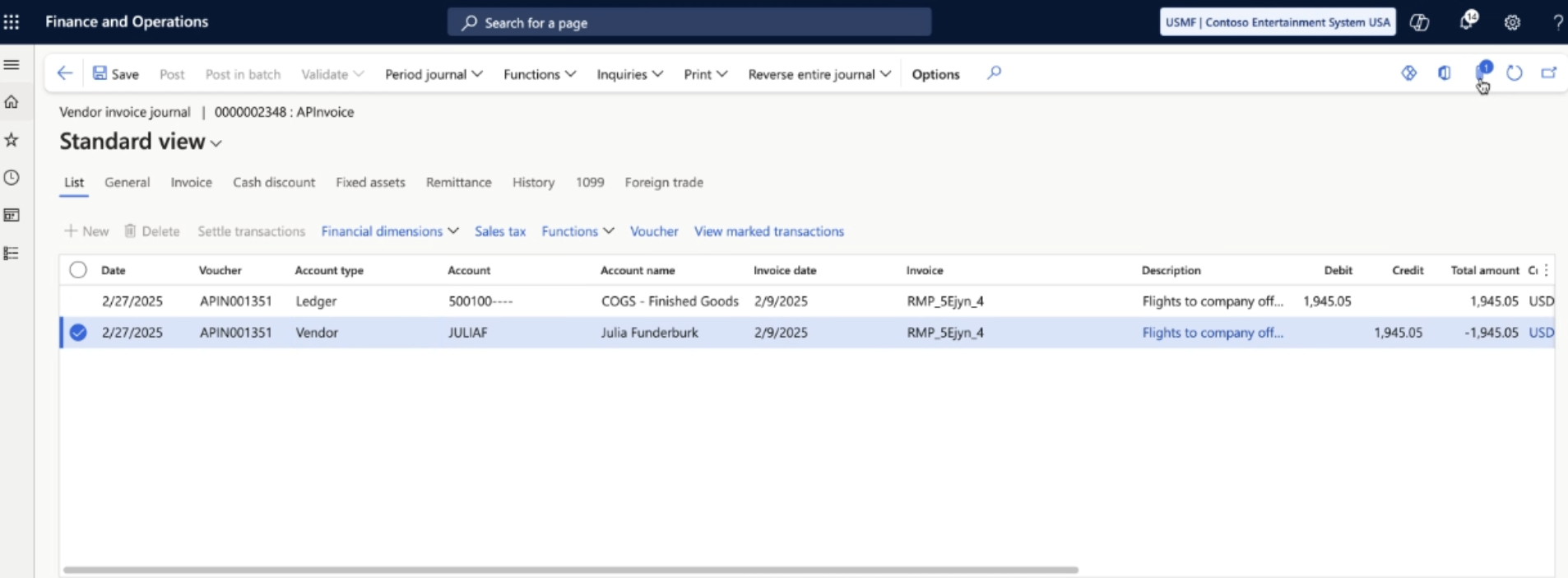
By default, Ramp syncs reimbursements as journal entries. If this does not fit your workflow, you can ask your Account Manager to sync them as accounts payable instead. In this setup, Ramp creates and posts an invoice journal when a reimbursement syncs, generating a vendor invoice. It also creates and posts a vendor payment journal, which will create settlement lines against the created vendor invoice and acts as the bill payment.
Under Accounts Payable → Invoices → Invoice Journal, an Invoice Journal Batch is created for the reimbursement (check the description). This batch is already posted, so ensure your filter is set to "posted." The journal debits expense accounts (Ledger Account or Project) and credits the employee's Bank Account if linked to the Ledger Account, or the Ledger Account otherwise. Under Accounts Payable → Payments → Vendor Payment Journal, a Vendor Payment Journal Batch is created for the reimbursement (check the description). This batch is also already posted, so confirm your filter is set to "posted."
How will bills appear in Microsoft Dynamics f&O?
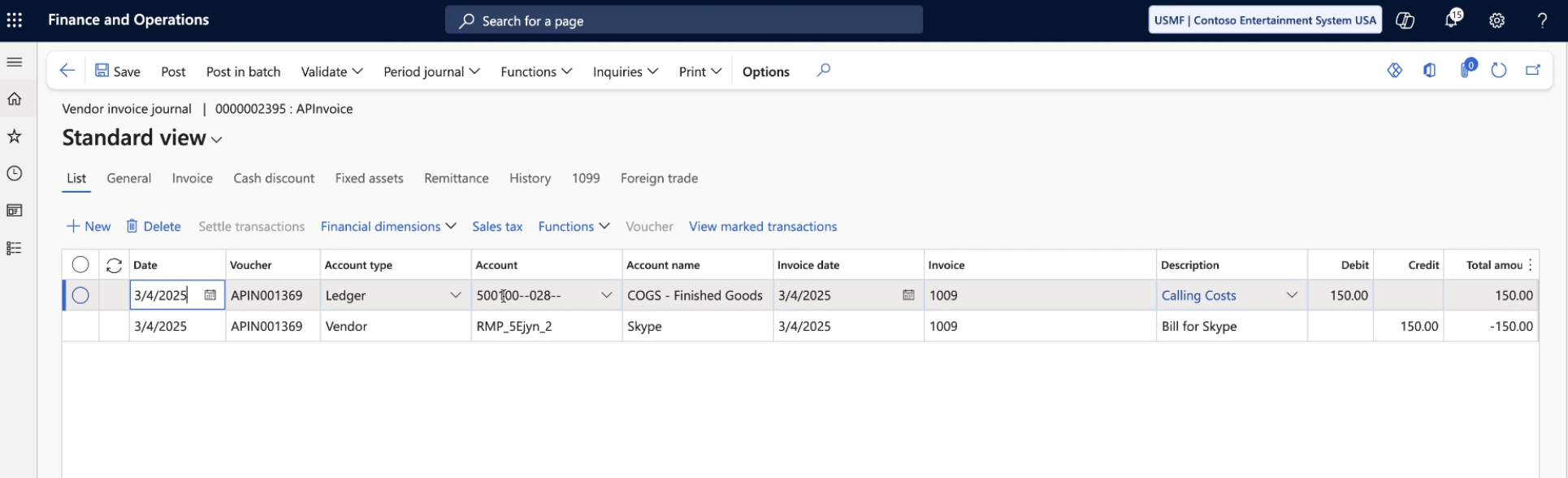
Ramp bills will show up as an vendor invoice journal in Microsoft Dynamics F&O. These will not be auto-posted after syncing from Ramp. You will need to post the vendor invoice in Microsoft Dynamics F&O.
- Debit Expense Lines ( Ledger Account / Project )
- Credit Vendor Line ( Vendor )
- Receipt attached to Credit Line
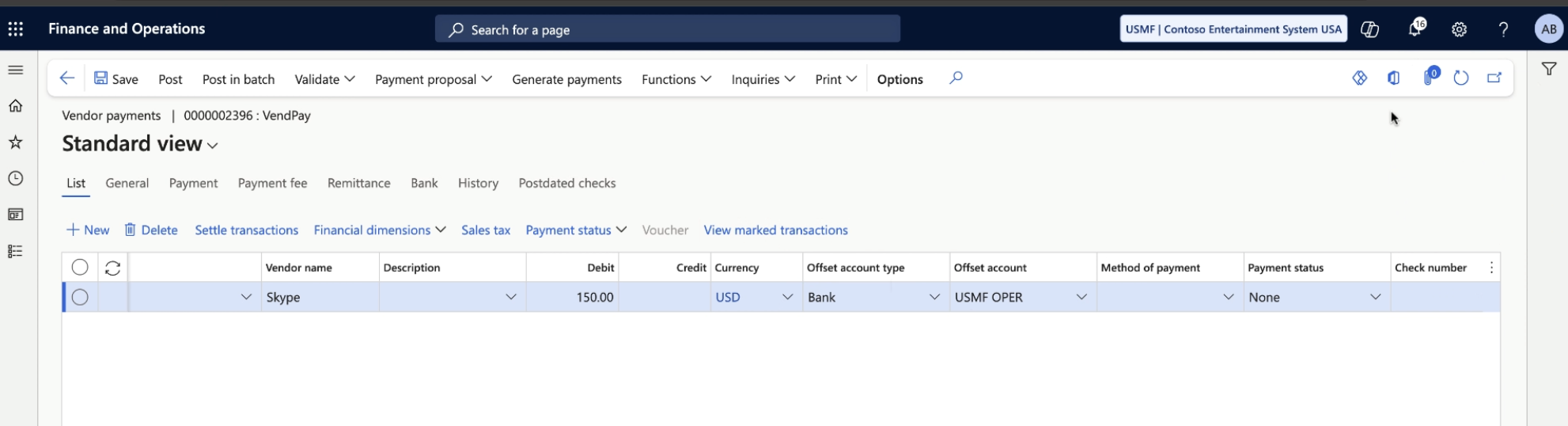
Bill payments synced from Ramp will show up as a vendor payment journal.
- Debit Vendor Line ( Vendor)
- Credit Cash Account ( Bank Account or Ledger Account depending on selection)
- Attach the “Settled Transactions”
- This would be the transaction which was created by the Vendor Invoice during the bill sync
Accounting period handling
Ramp supports editable accounting periods on bills and respects Microsoft Dynamics F&O posting period rules. If a bill's date falls within a closed accounting period, Ramp allows you to adjust the accounting date before syncing.
How will statement payments appear in Microsoft Dynamics f&O?
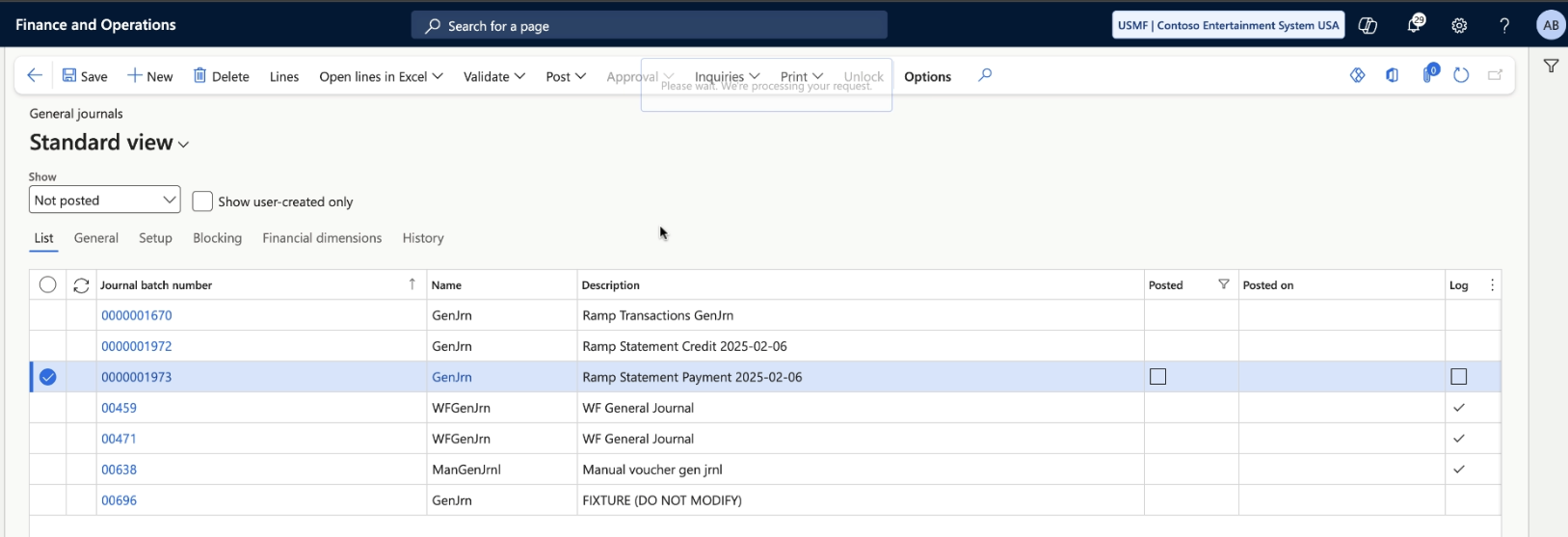
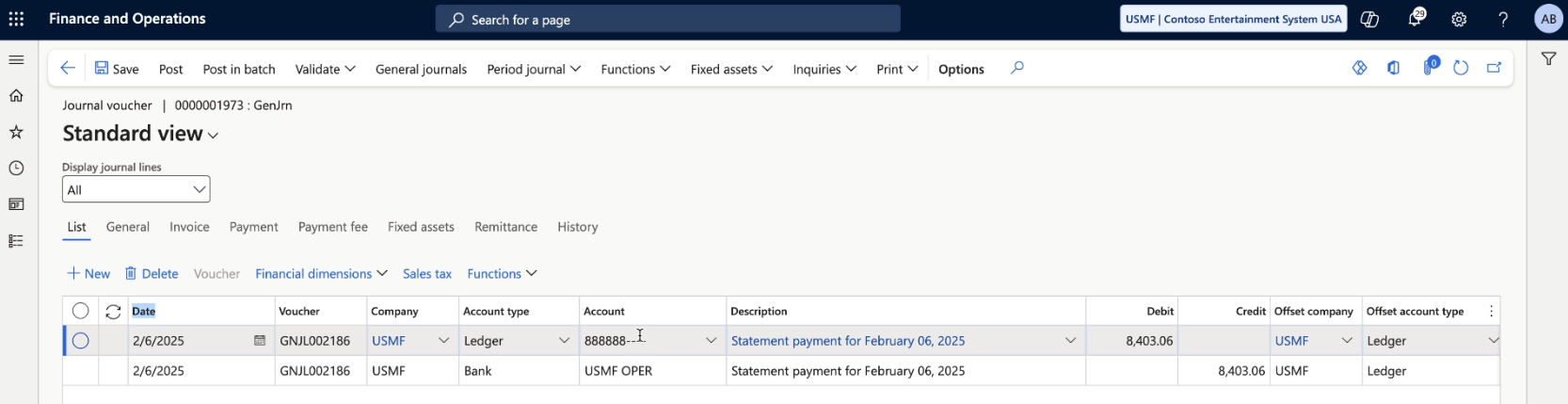
Ramp statement payments will create a GL journal batch and show up as a journal voucher in Microsoft Dynamics F&O.
- Debit Ramp Card liability account ( Ledger Account )
- Credit Cash Account ( Bank Account or Ledger Account depending on selection)
How will cashback statements appear in Microsoft Dynamics f&O?
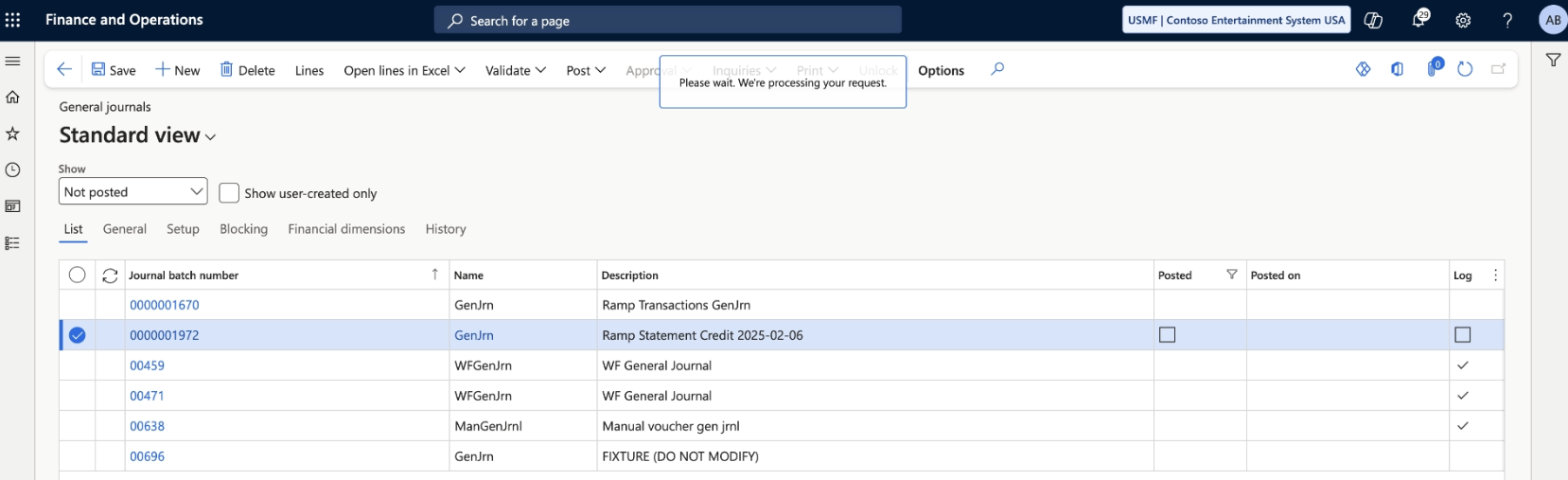
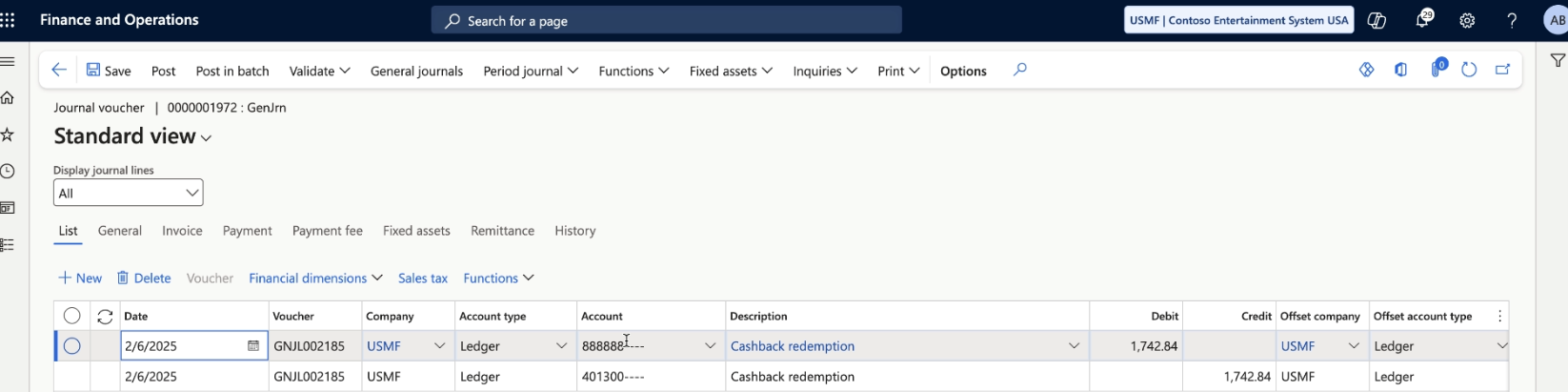
Ramp cashback statements will create a GL journal batch and show up as a journal voucher in Microsoft Dynamics F&O.
- Debit Ramp Card liability account ( Ledger Account )
- Credit Cashback Account
How does Ramp support multi-entity with Microsoft Dynamics f&O?
Ramp does support multi entity Microsoft Dynamics F&O instances. Each Ramp Entity will connect to a Microsoft dynamics F&O "Company." All Ramp transactions, reimbursements, and bills will by default go into the appropriate Microsoft Dynamics F&O Company. We support overriding the "Company" information on a transaction and reimbursement level as well by using the “Override Company” and “Override Offset Company” accounting fields. This will allow you code transaction types to specific companies within your instance.
For more information on Multi-Entity support please review this Help Center document.
Multi-Currency support
Transaction
- Debit Line Currency: sync currency here is configurable by the user (from Accounting > Settings > Sync settings > Sync currency). Customers can choose either the original currency or the issuing currency.
- Credit Line Currency: in the issuing currency
Reimbursement
- Debit Line Currency: original currency of reimbursement
- Credit Line Currency: currency of the payment
Bill
- Syncs in the original Currency (i.e. the currency that the bill is denominated in).
Statement Payment & Cashback
- Syncs in the currency of the statement payment / cashback
Frequently asked questions
When syncing a bill from Ramp will the vendor invoice journal be auto-posted?
The vendor invoice bill will not be auto-posted. You will need to post the vendor invoice in Microsoft Dynamics F&O.
Will there be any issues with our custom service and Microsoft’s updates to Dynamics Finance?
No, we use only out-of-box tooling to build our custom service and we’ve carefully opted to only use the simplest F&O tools to avoid any issues.
How are the vouchers generated for the F&O Journal Lines which we create?
We don't generate voucher numbers, F&O will still utilize your voucher setups when we sync over data.
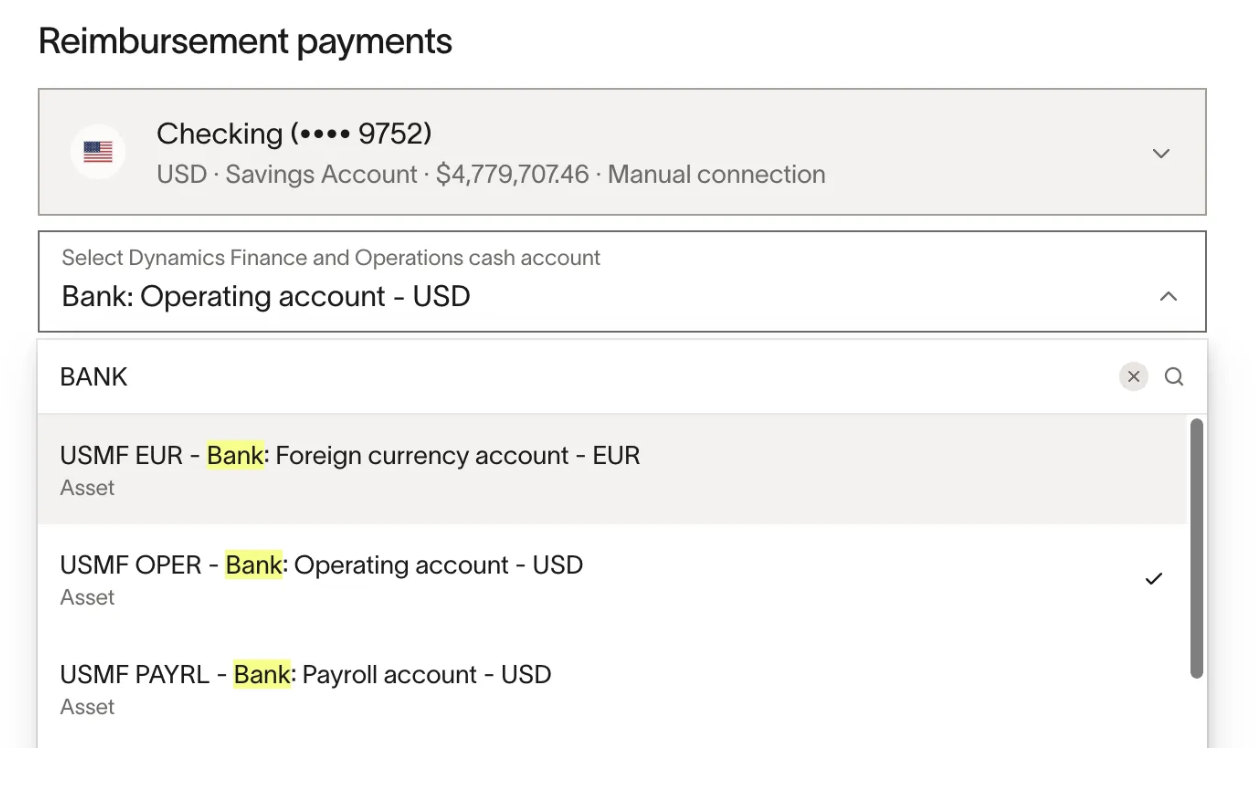
How to use F&O Bank Account rather than F&O Ledger Account when crediting for bills/reimbursements?
In Sync Settings, for your cash accounts, select an option with Bank in the option name. These are Bank Accounts and will be synced over correctly.
Why are you syncing transactions this way?
We built the integration to best fit our existing F&O customers and alpha/beta testers in our initial release. The team is constantly building new features and improving the integration.