International overview
Overview
Ramp offers many features to help you manage your financial operations outside of the US. This article covers some of the ways we help you control your spending across several currencies.
Admin views
Balance view
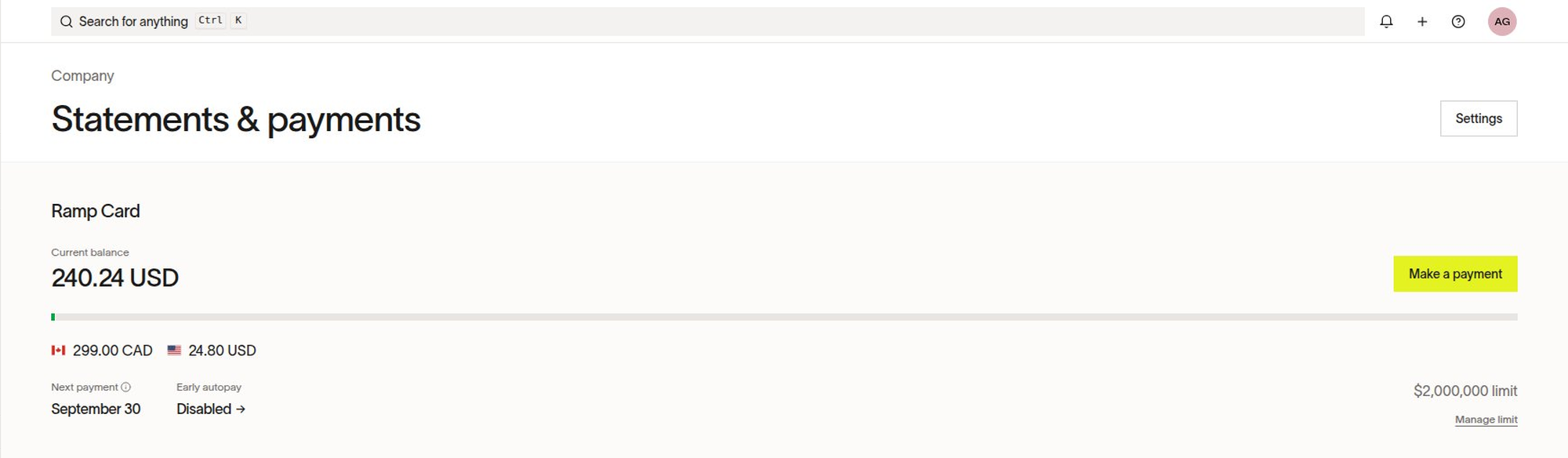
Admins see card balances broken down by issuing currency on the Company > Statements & payments tab. Combined business-level balances can appear in USD, CAD, GBP, or EUR, depending on the business.
Transaction view
By default, the Amount column shows the statement amount in the card's statement currency. A separate Statement amount column is available but hidden by default.
The globe icon appears when the original transaction amount or currency differs from the statement amount or currency.
Entity balance and statements
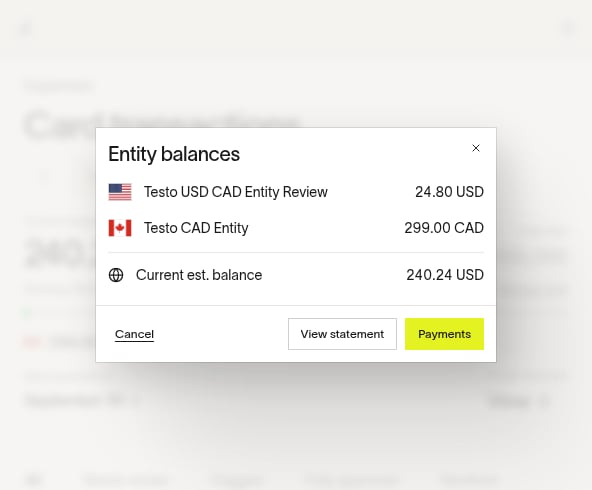
The balance and statement for each entity are shown in the entity's issuing currency. The estimated business-wide aggregation can appear in USD, CAD, GBP, or EUR, depending on the business.
Accounting and accounting providers
Currency conversion and sync behavior depend on your accounting provider and sync settings. Depending on that configuration, Ramp can sync the original transaction currency, the card's statement currency, or the accounting provider's configured currency. Review sync settings to find the options available for your provider.
Local card denomination
Ramp supports locally denominated card issuing in the following production-supported currencies:
- AUD: Australian dollar
- BRL: Brazilian real
- CAD: Canadian dollar
- CHF: Swiss franc
- DKK: Danish krone
- EUR: Euro
- GBP: Pound sterling
- ILS: New Israeli sheqel
- JPY: Japanese yen
- MXN: Mexican peso
- NZD: New Zealand dollar
- PHP: Philippine peso
- PLN: Polish zloty
- SEK: Swedish krona
- SGD: Singapore dollar
- USD: US dollar
Availability depends on your business's entity locations and eligibility. To enable international card issuing, contact your Account Manager.
For AUD, JPY, MXN, or SGD statements, automatic payment from a linked bank account is not available. See Locally-funded statement payments for provider restrictions, payment eligibility, the outside-scope payment path, and the conditional wire-transfer option.
Spend Programs
Spend Programs can be set up with controls that allow only certain entities to access the program. Since Spend Programs are currently only set up with one currency, this could help you manage expenses in different currencies across your entities/users.
For example, you can create:
- Wellness Benefit - CAD Spend Program with 600 CAD to issue to your employees in your CAD entities
- Wellness Benefit - USD Spend Program with 500 USD to issue to your employees in your USD entities
Submission policies
Ramp evaluates monetary thresholds in submission policies in USD. For non-USD transactions, Ramp converts the transaction amount to USD before evaluating the threshold.