Global Question Library
This article applies to Ramp Administrators.
Overview
The Global Question Library lets you create a question once and reuse it across programs and workflow forms. Use it when you want the same intake question to stay consistent across procurement request experiences.
Note: Procurement requires the Procurement add-on.
From the library, you can create questions, review which programs use a question, preview how it will appear on a request form, and decide how deletions should affect existing forms.
Create questions
- Open the Question library.
- On the Question library page, click New . If your library is empty, click New question .
- In the Create question window, select the question type you want to use.
- Add the question title and description.
- Choose whether the question should be required by default.
- If you choose Single select , add the answer options you want employees to pick from.
- Save the question to add it to your library.
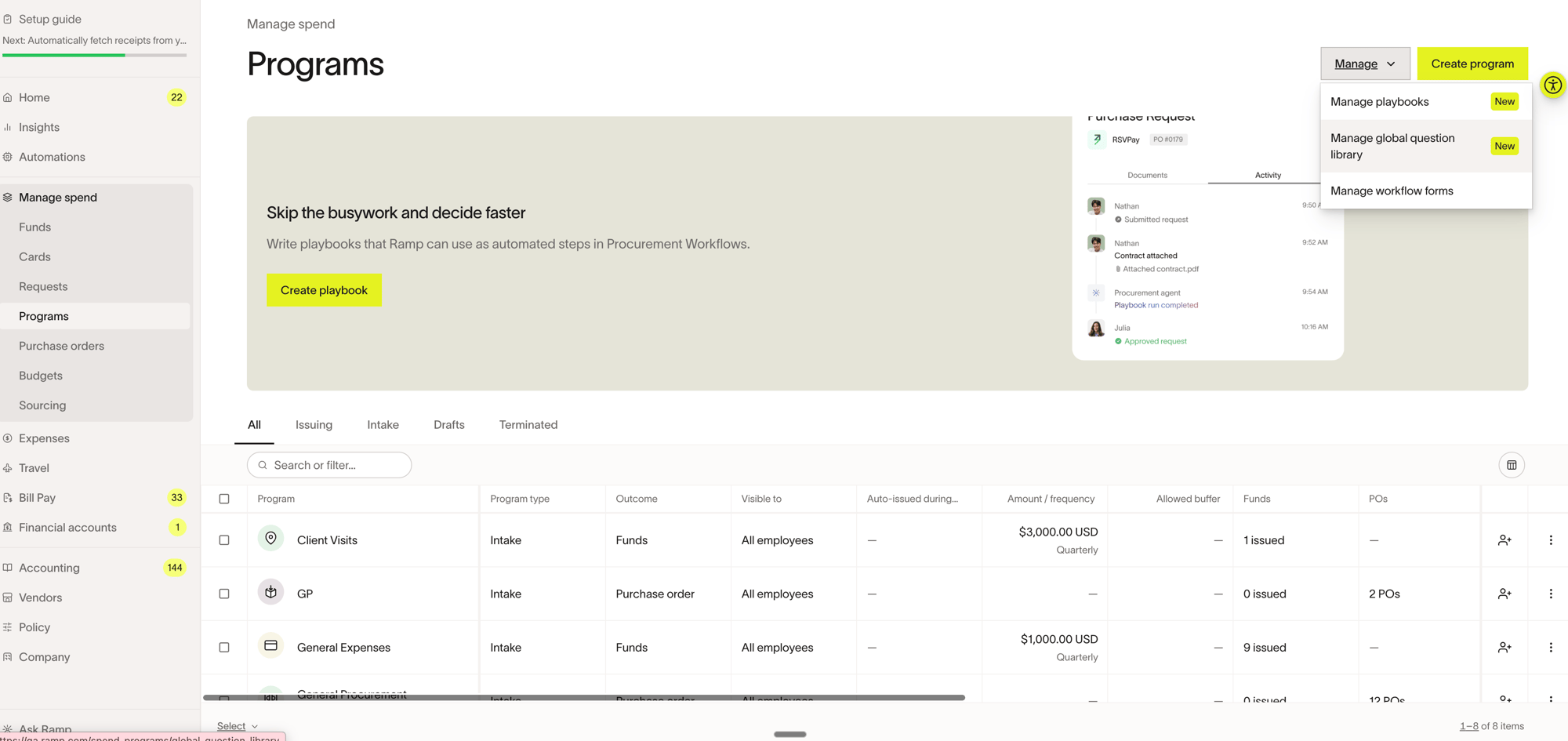
Supported question types include Text, Paragraph, Date, Boolean, File upload, Single select, Vendor, Number, Link, Email, Multi select, Address, Department, Contact, Merchants, and Merchant categories. Monetary amount is not available in the Global Question Library.
Add a global question to a program
- Go to Programs .
- Create a new Spend Program or open an existing one.
- Go to the program's Questions section.
- If the form has no custom questions, click Add a question. Under From question library, select the question you want to reuse. If the form already has custom questions, click Add from question library and select the question.
- If the library question is optional by default, choose whether to require it on this program's request form. Questions that are required by default stay required.
- Save the program changes.
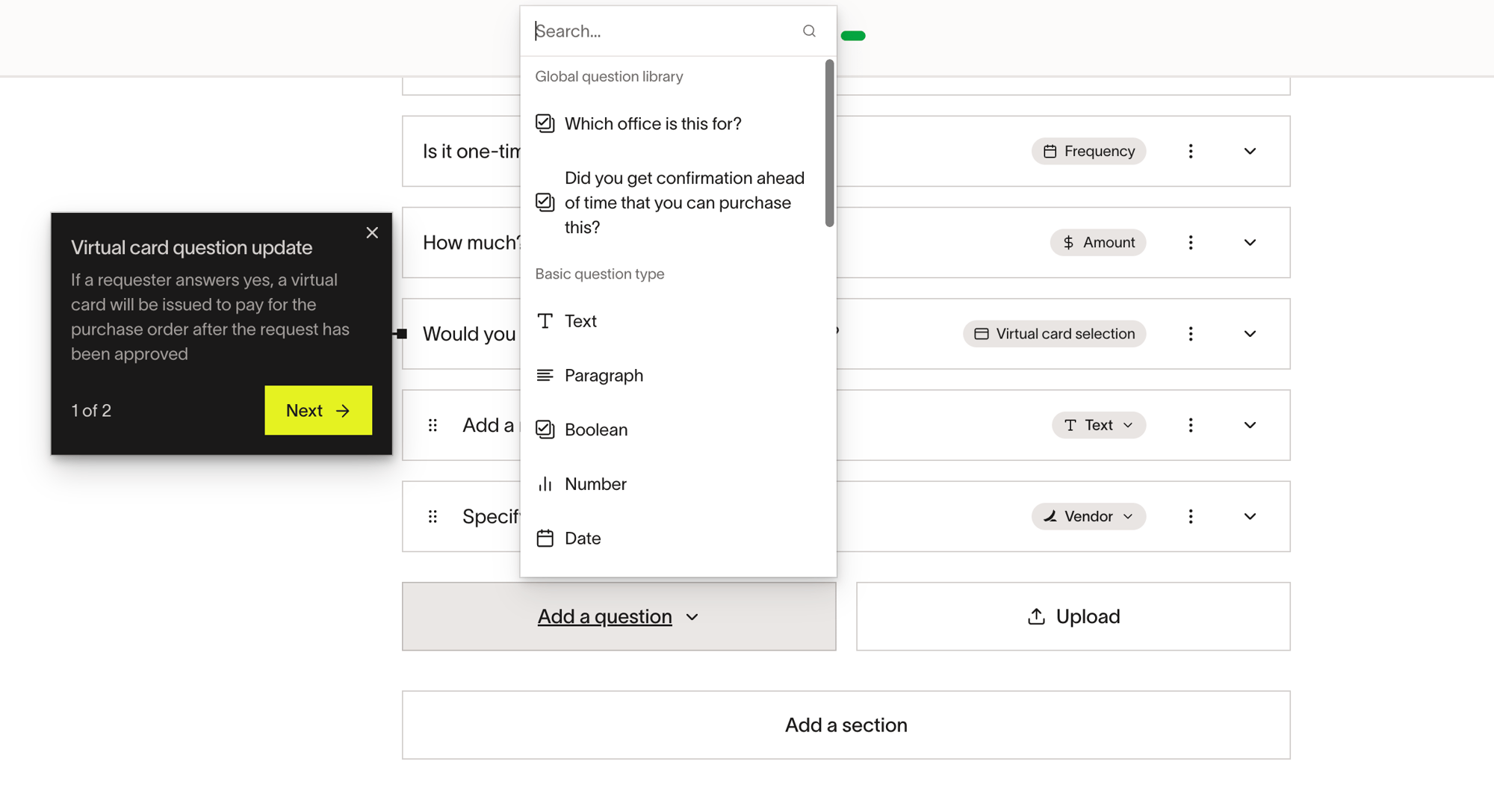
You can also reuse library questions in workflow forms. Using the library keeps repeated questions aligned instead of recreating the same question separately each time.
Manage existing questions
Open any question in the library to review and update it. Each question can include Edit, Usage, and, when available, Activity tabs.
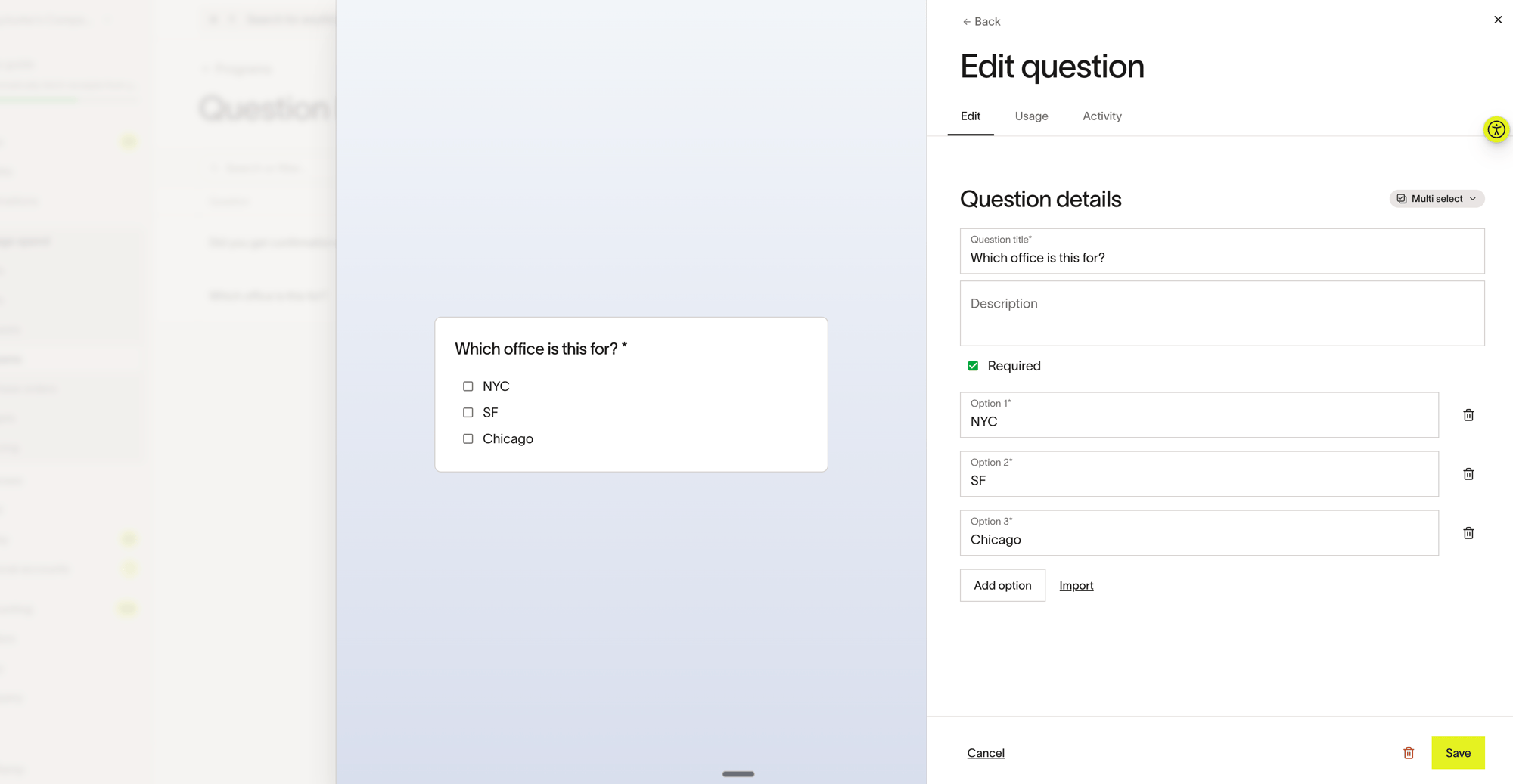
- Edit question details — Update the title, description, required setting, question type, or answer options from the Edit tab.
- Preview the question — Review how the question will appear on the request form from the live preview pane while you edit it.
- Review usage — Use the Usage tab to review the programs that use the question and open Edit program from that list.
- Review activity — Use the Activity tab when it is available to review question history.
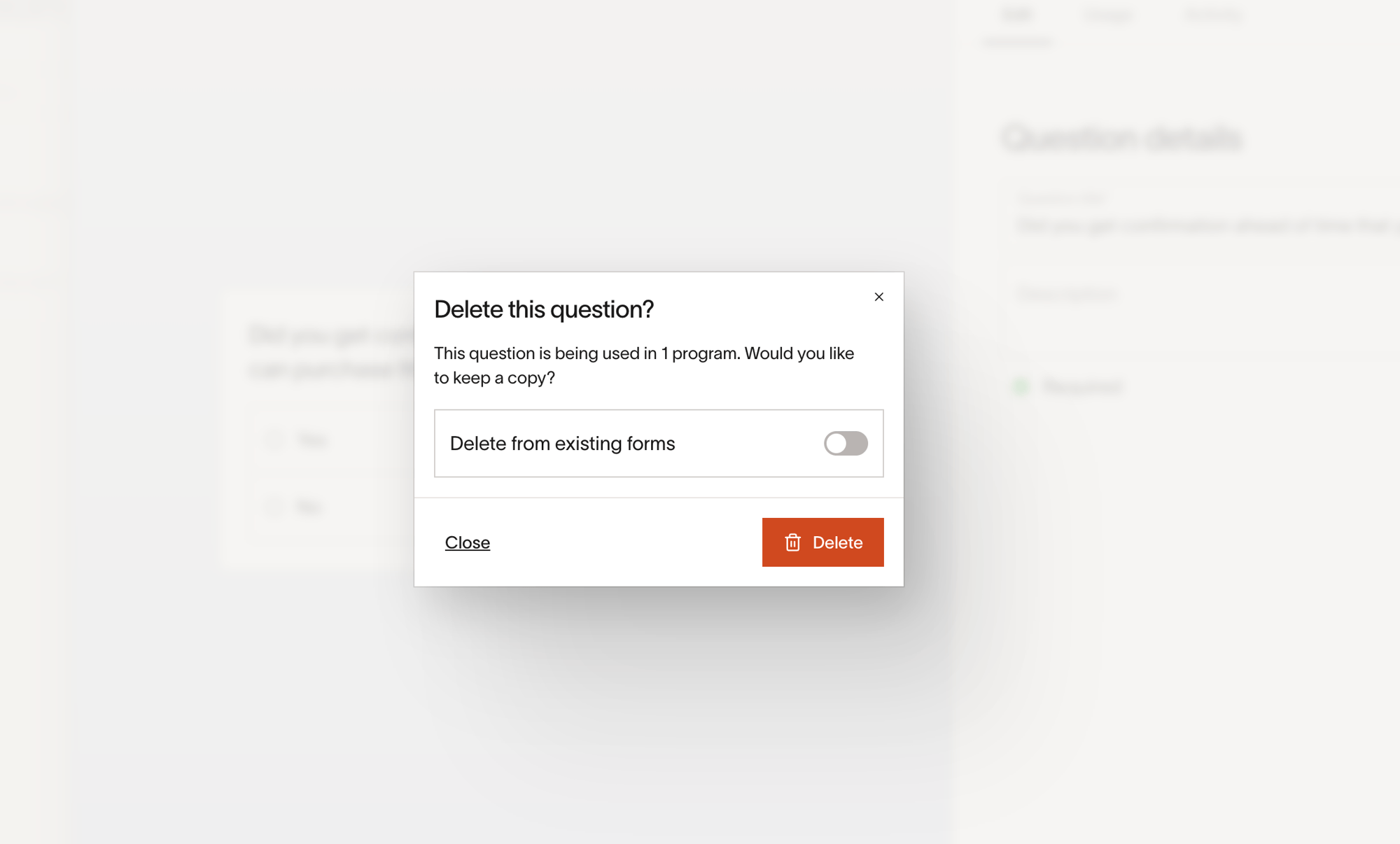
- Delete a question — Click delete and review the Delete this question? prompt. Turn on Delete from existing forms if you want to remove the question from programs that already use it.
Note: If you leave Delete from existing forms off, Ramp keeps copies of the question in existing forms and removes it from the library for future reuse.
Frequently asked questions
When should I use the Global Question Library instead of creating a question directly in a program?
Use the Global Question Library when the same question should appear across more than one Spend Program or workflow form. This makes it easier to keep question wording and answer choices consistent.
Can I edit a global question after adding it to a program?
Yes. Open the question from the Global Question Library to update it from the Edit tab, preview the change, and review where it is currently used from the Usage tab.
What happens if I delete a global question?
When you delete a question, you can choose whether to remove it from existing forms or only prevent it from being used going forward.