Research: Compare options for a decision with Glass
Overview
Early Access. For access information, see Request access to Glass.
Give your team one way to research a decision.
Help teammates compare options using your team's criteria, source standards, and past evaluations, so every recommendation is built the same way and can be checked.
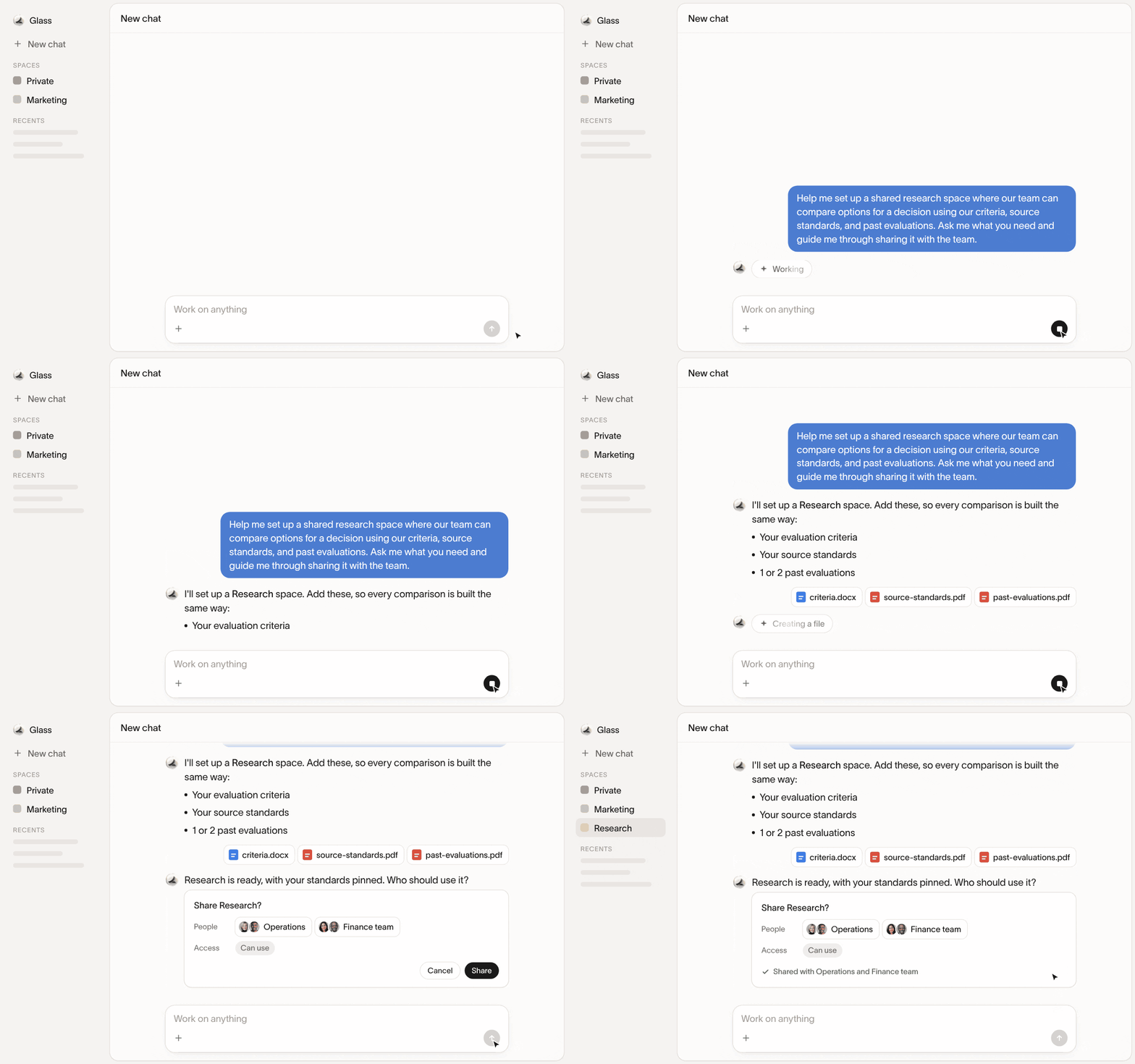
Set up a shared research space in Glass
Ask Glass:
Help me set up a shared research space where our team can compare options for a decision using our criteria, source standards, and past evaluations. Ask me what you need and guide me through sharing it with the team.Answer Glass's questions as it sets up the space, and add the files it asks for. Research can include sensitive sources. Anyone who can read the space can read its files and chats, so check who can access the space and which plugin accounts it can use before you add anything sensitive or invite people.
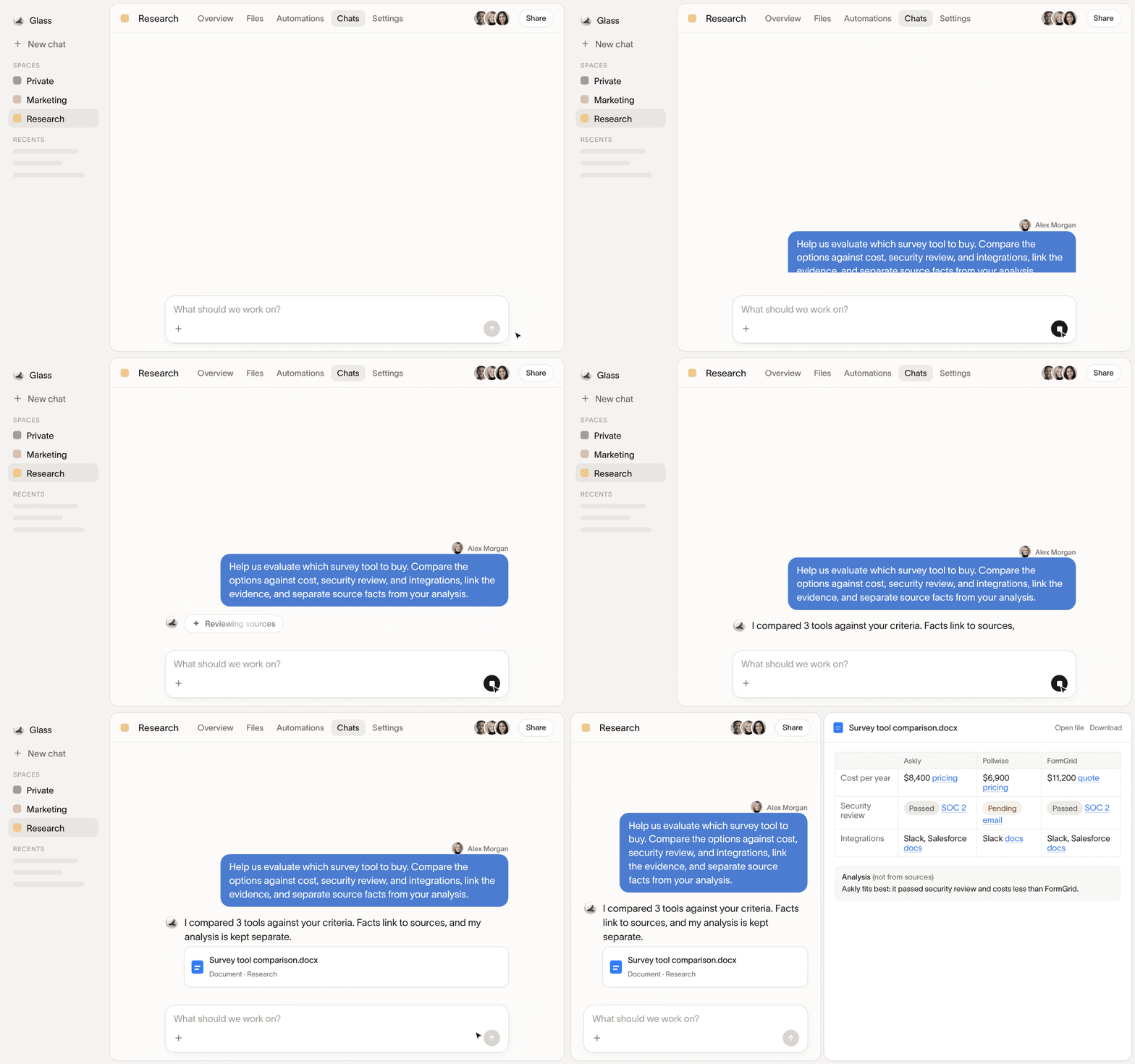
Use the shared research space in Glass
One teammate researches a decision: "Help us evaluate [decision]. Compare the options against [criteria], link the evidence, and separate source facts from your analysis."
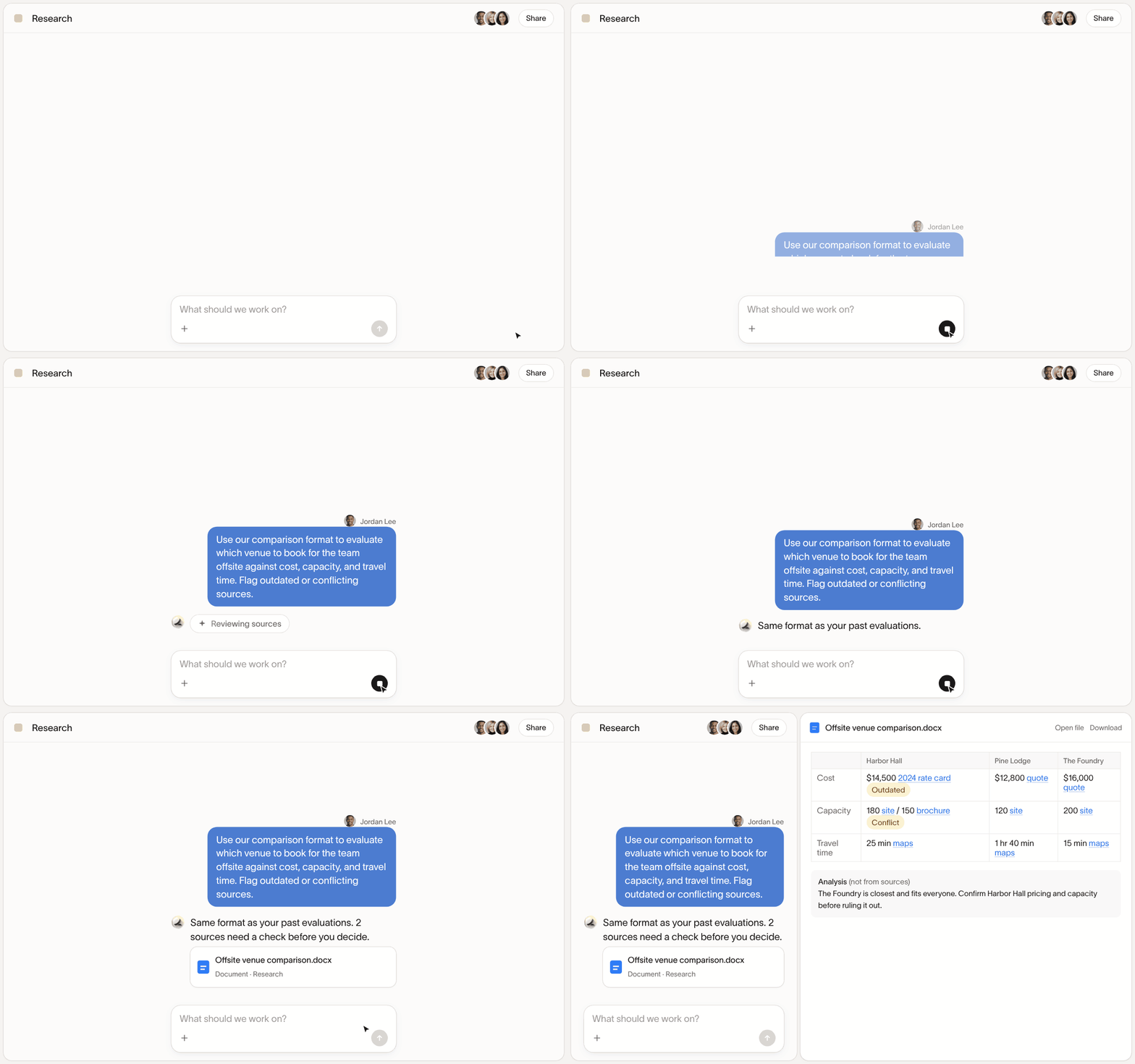
Another teammate uses the same standards for a different decision: "Use our comparison format to evaluate [another decision] against [criteria]. Flag outdated or conflicting sources."
In a linked Slack channel, teammates can ask the same way by mentioning @Glass in a thread. Check the citations before relying on a recommendation; the decision stays with your team. When an approach works, save it as a workflow in the space so teammates can reuse it by name.