Sales enablement: Answer rep questions with Glass
Overview
Early Access. For access information, see Request access to Glass.
Give reps a sourced answer in the time it takes to ask.
Help your Sales team get short, sourced answers to enablement questions, in Glass or in Slack, from the demos, decks, and reference customers the team already uses.
Set up a shared sales enablement space in Glass
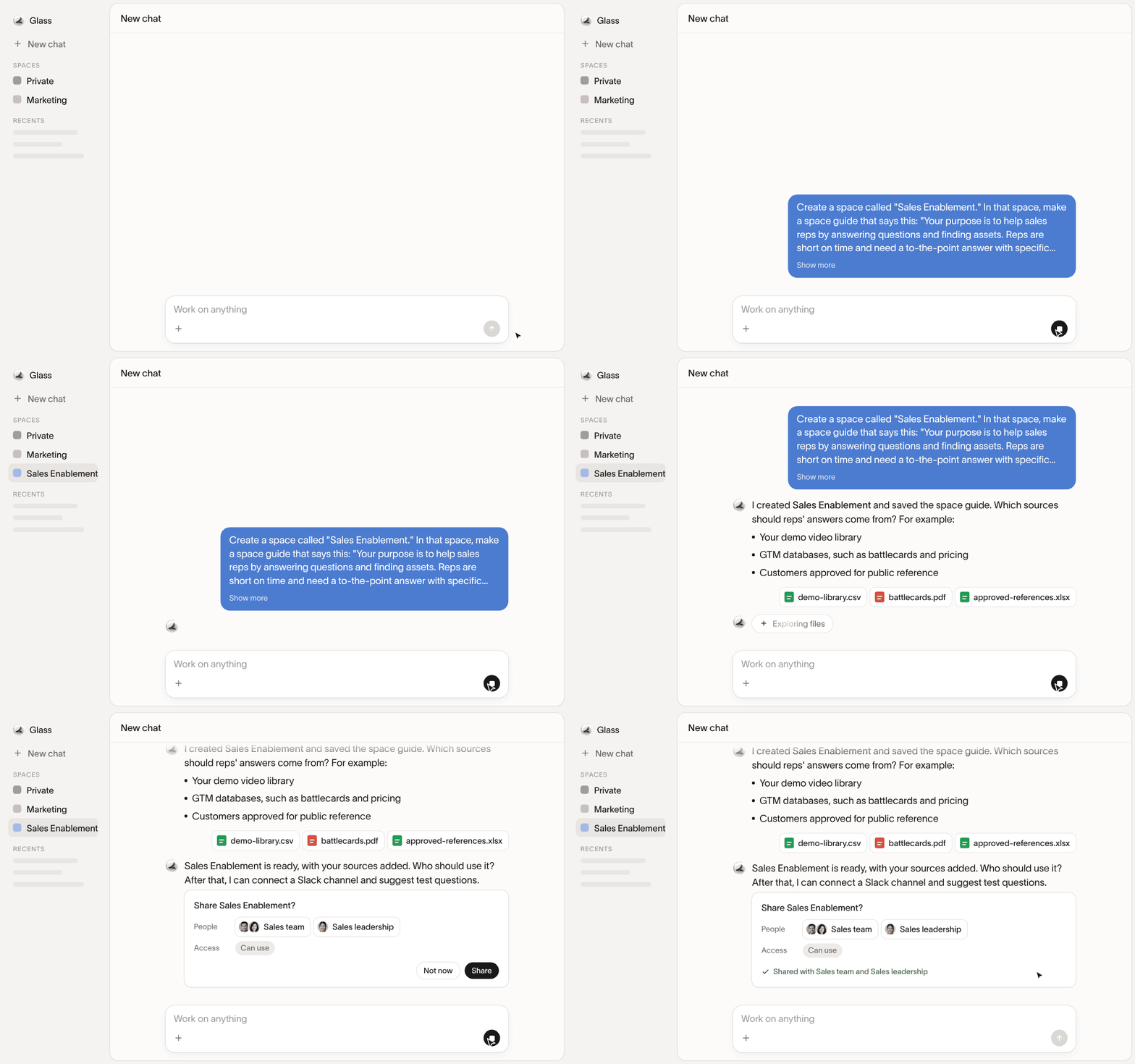
Ask Glass:
Create a space called "Sales Enablement." In that space, make a space guide that says this:

"Your purpose is to help sales reps by answering questions and finding assets. Reps are short on time and need a to-the-point answer with specific information and sources so they can get back to a customer quickly. When you share a link, hyperlink the name of the asset or document. Use the references in this space as the source of truth."

Then ask me which documents, files, and sources you should use to answer sales enablement questions, such as our demo video library, GTM databases, and the customers approved for public reference. Once the references are in, ask me whether I want to connect a Slack channel to this space where reps can ask you questions. Finally, suggest prompts I can try that mimic real questions from reps.
Answer Glass's questions as it sets up the space, and add the sources it asks for. Anyone who can read the space can read its files and chats, so check who can access the space and which plugin accounts it can use before you add anything sensitive or invite the team.
Use the shared sales enablement space in Glass
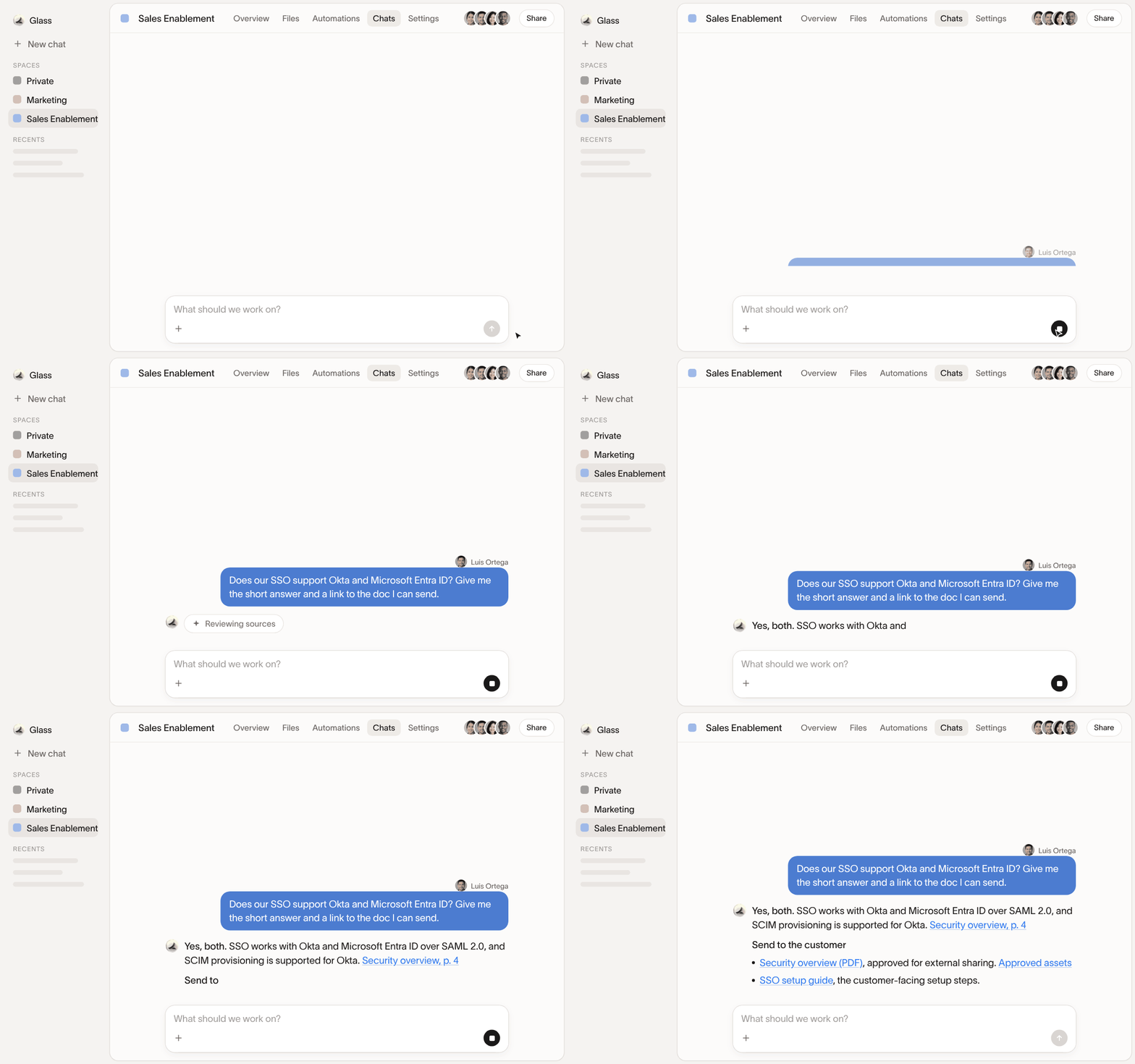
A rep asks on a call: "Does our SSO support Okta and Microsoft Entra ID? Give me the short answer and a link to the doc I can send."
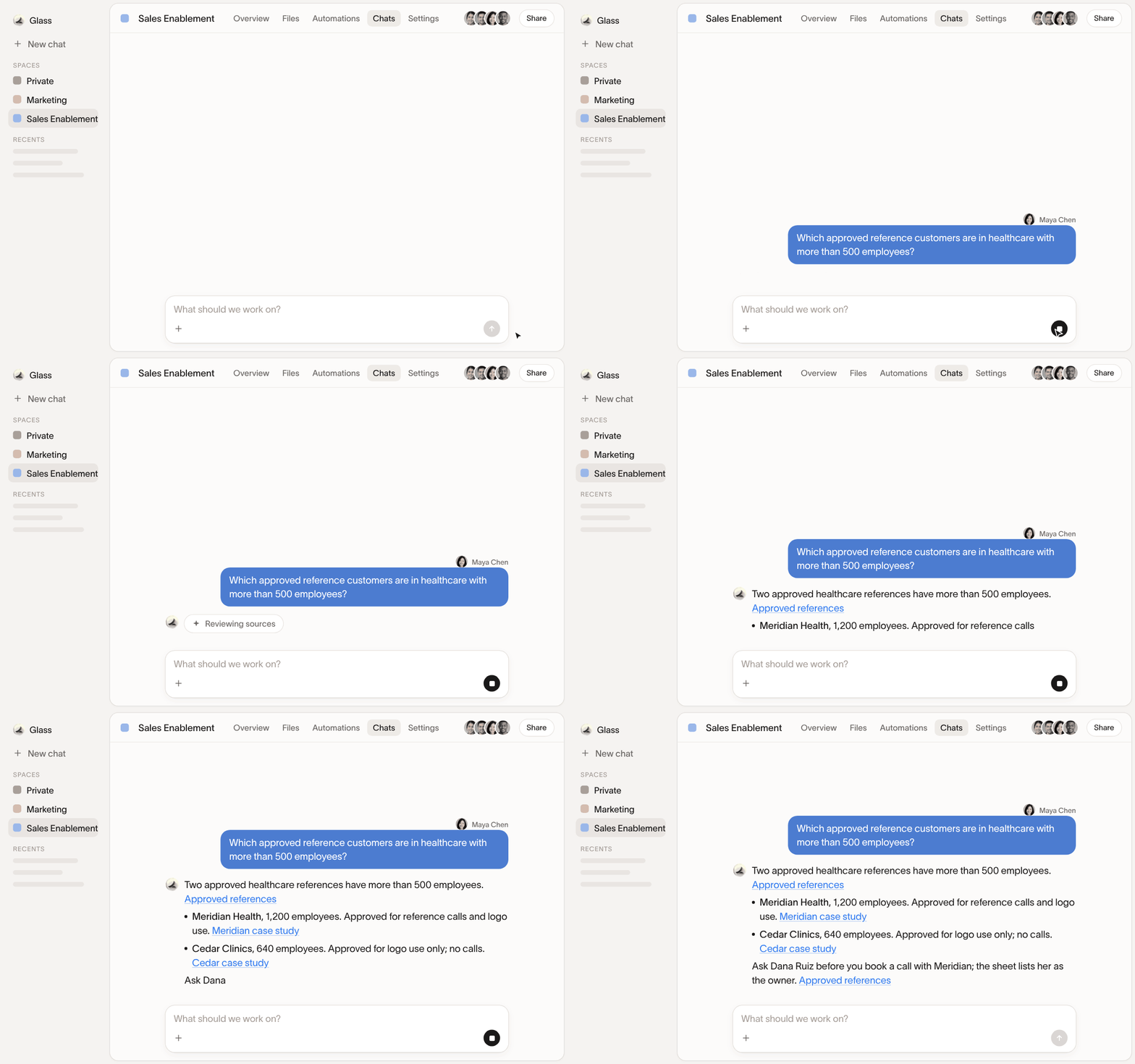
Another rep needs a reference: "Which approved reference customers are in healthcare with more than 500 employees?"
In a linked Slack channel, reps can ask the same way by mentioning @Glass in a thread. Open the linked source before you send an answer to a customer. When an answer format works, save it as a workflow in the space so teammates can reuse it by name.