Customer support: Troubleshoot tickets with Glass
Overview
Early Access. For access information, see Request access to Glass.
Give your team one place to troubleshoot support tickets.
Help employees work through customer issues using your team's support knowledge, troubleshooting steps, and examples of good resolutions, so everyone benefits from what the team has learned.
Set up a shared support space in Glass
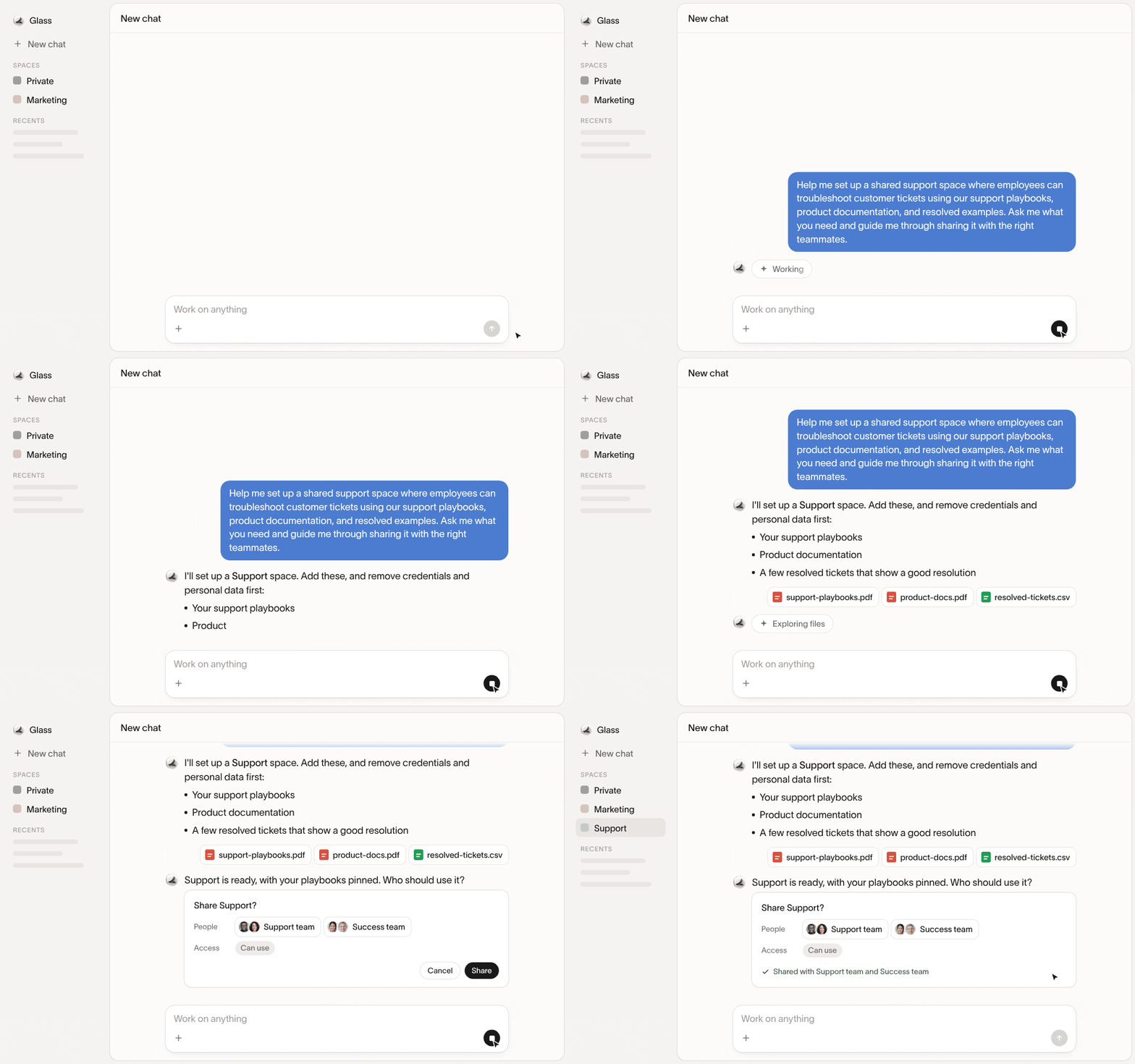
Ask Glass:
Help me set up a shared support space where employees can troubleshoot customer tickets using our support playbooks, product documentation, and resolved examples. Ask me what you need and guide me through sharing it with the right teammates.Answer Glass's questions as it sets up the space, and add the files it asks for. Customer information is sensitive, so remove credentials and unnecessary personal data from tickets and examples. Anyone who can read the space can read its files and chats, so check who can access the space and which plugin accounts it can use before you add anything sensitive or invite people.
Use the shared support space in Glass
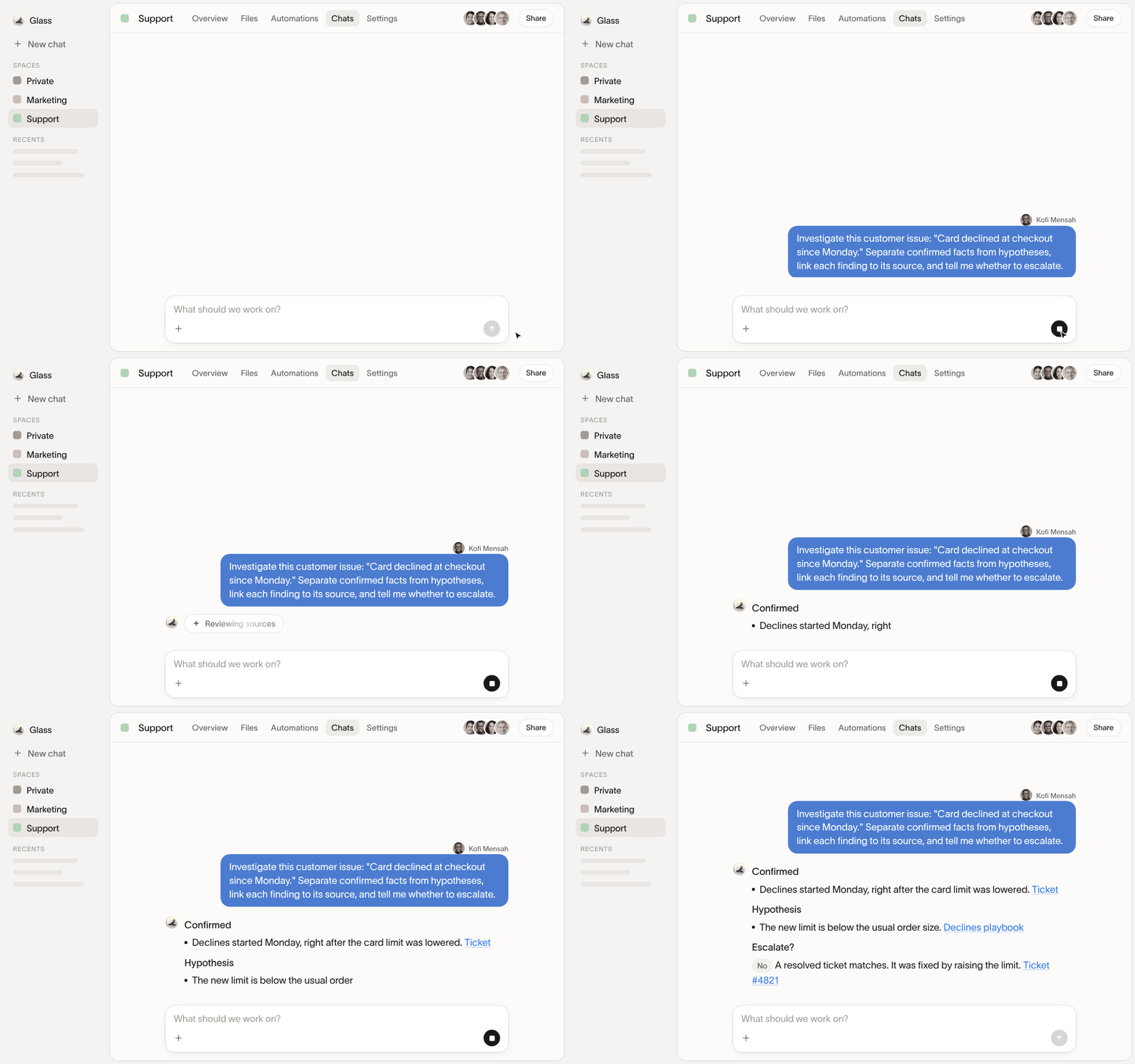
A support teammate asks about a ticket: "Investigate this customer issue: [ticket excerpt]. Separate confirmed facts from hypotheses, link each finding to its source, and tell me whether to escalate."
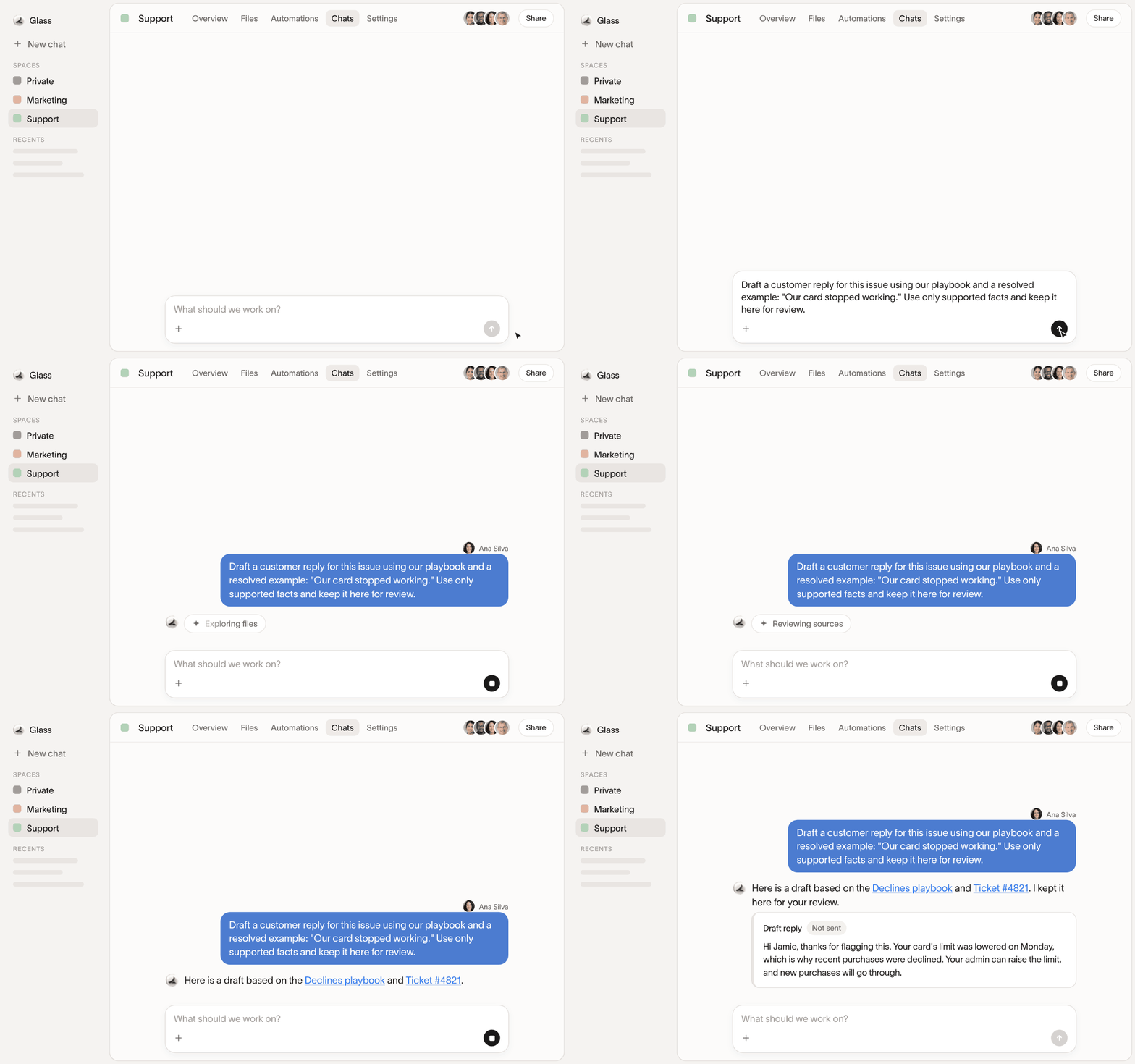
Another teammate uses the same playbooks on a different ticket: "Draft a customer reply for this issue using our playbook and a resolved example: [ticket excerpt]. Use only supported facts and keep it here for review."
In a linked Slack channel, teammates can ask the same way by mentioning @Glass in a thread. Check the findings against their sources before anything is sent to the customer. When an approach works, save it as a workflow in the space so teammates can reuse it by name.