Connect ChatGPT Enterprise to AI Spend Management
Overview
Connect ChatGPT Enterprise so Ramp can import your organization's ChatGPT usage and cost data into AI Spend Management. This connection includes Codex usage paid through a ChatGPT subscription. If Codex uses OpenAI API keys instead, connect OpenAI API.
Note: Provider setup is the same whether your business has a standalone AI Spend Management account or a core Ramp account.
Before you connect ChatGPT Enterprise
To connect ChatGPT Enterprise, you must belong to a ChatGPT Enterprise account. ChatGPT Business and personal accounts are not supported. See Check whether you have a ChatGPT Enterprise account.
Your Ramp role must allow you to connect providers. See roles that can connect providers for core and standalone accounts. If you do not have one of these roles, ask someone who does to connect the provider.
OpenAI API and ChatGPT Enterprise
OpenAI API is for developers building custom AI-powered apps, agents, and workflows through APIs and SDKs. ChatGPT Enterprise is a ready-to-use AI workspace for employees, with administrative controls such as SSO, SCIM, domain verification, and usage insights on the Enterprise plan. Use OpenAI API when you need to embed AI into your own product or internal system. Use ChatGPT Enterprise when employees need direct access to ChatGPT for everyday work. Many organizations use both, but they have separate access and billing.
Connect ChatGPT Enterprise
Note: You must be a ChatGPT Enterprise admin to create an Admin API key. If you are not an admin, Ramp will send instructions to a ChatGPT Enterprise admin on your behalf. See Check whether you are a ChatGPT Enterprise admin.
-
Sign in to your workspace in the OpenAI Admin Console.
-
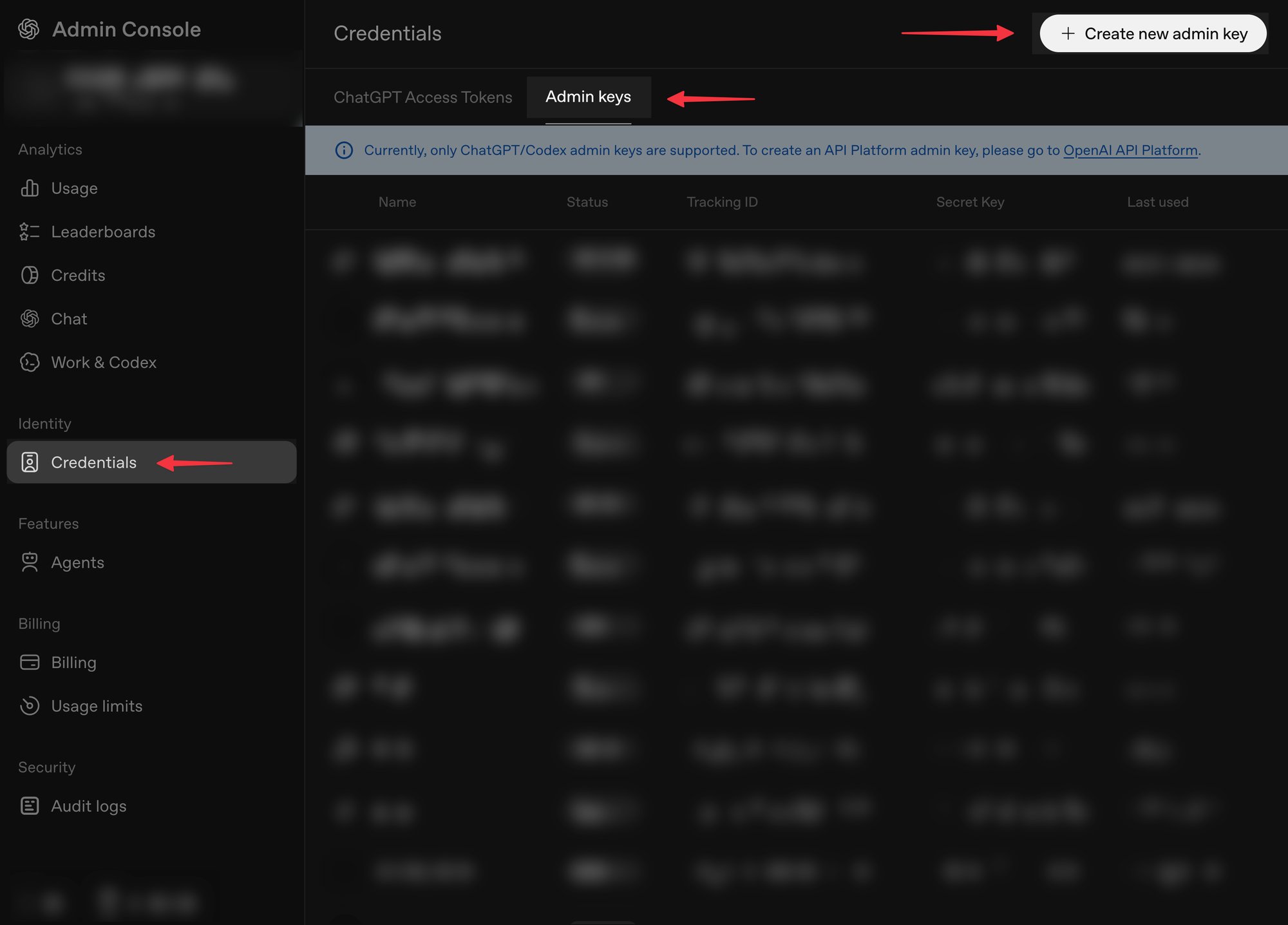
Open Credentials, select Admin keys, and select Create new admin key.
-
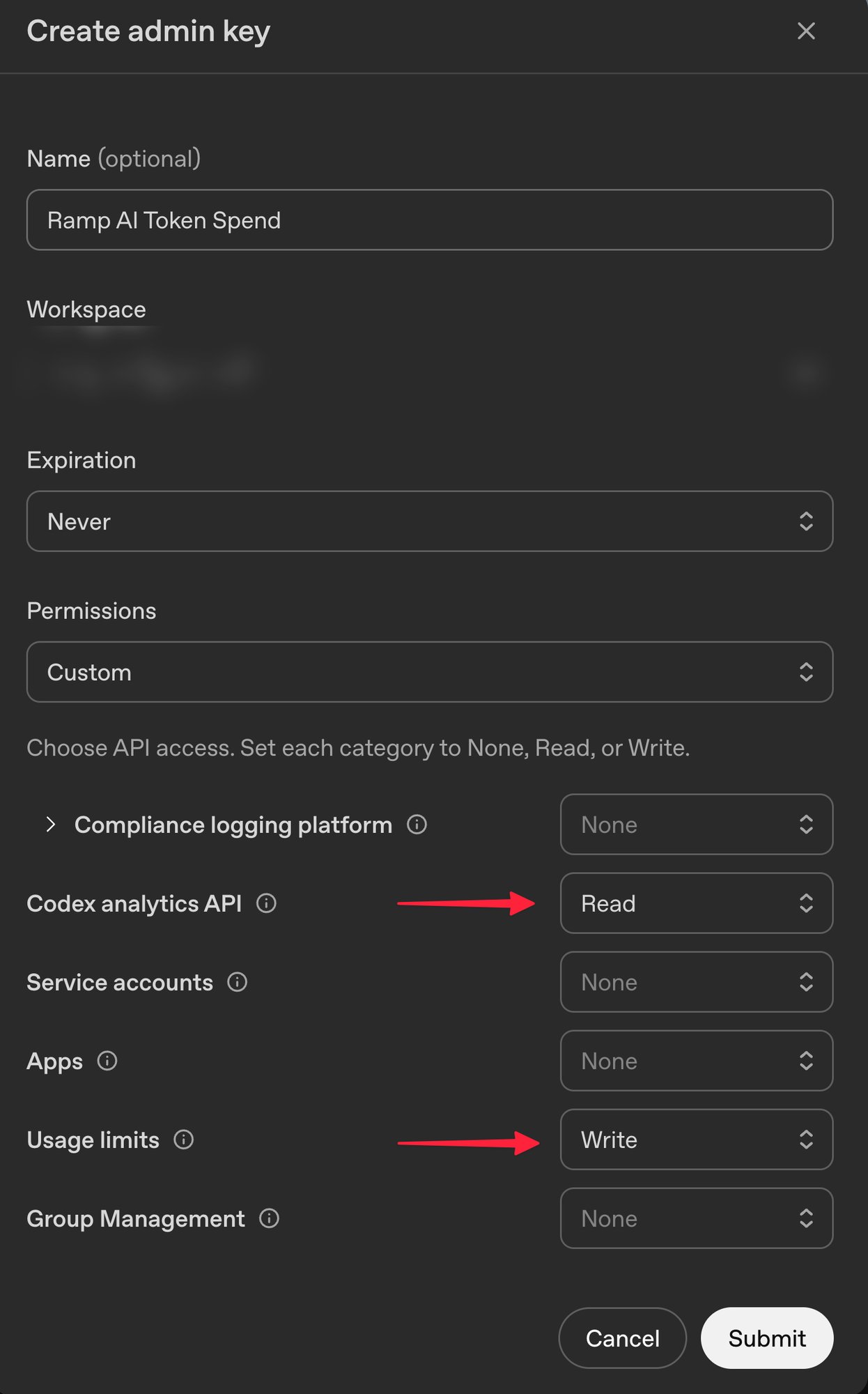
Give the key a descriptive name and set its expiration.
-
Under Permissions, select Custom. Set Codex analytics API and Usage limits to Read. If you plan to manage ChatGPT workspace usage limits in Ramp, set Usage limits to Write instead.
-
Select Submit, copy the key, and keep the OpenAI tab open.
-
In a separate tab, open Connect ChatGPT Enterprise in Ramp and paste the key.
-
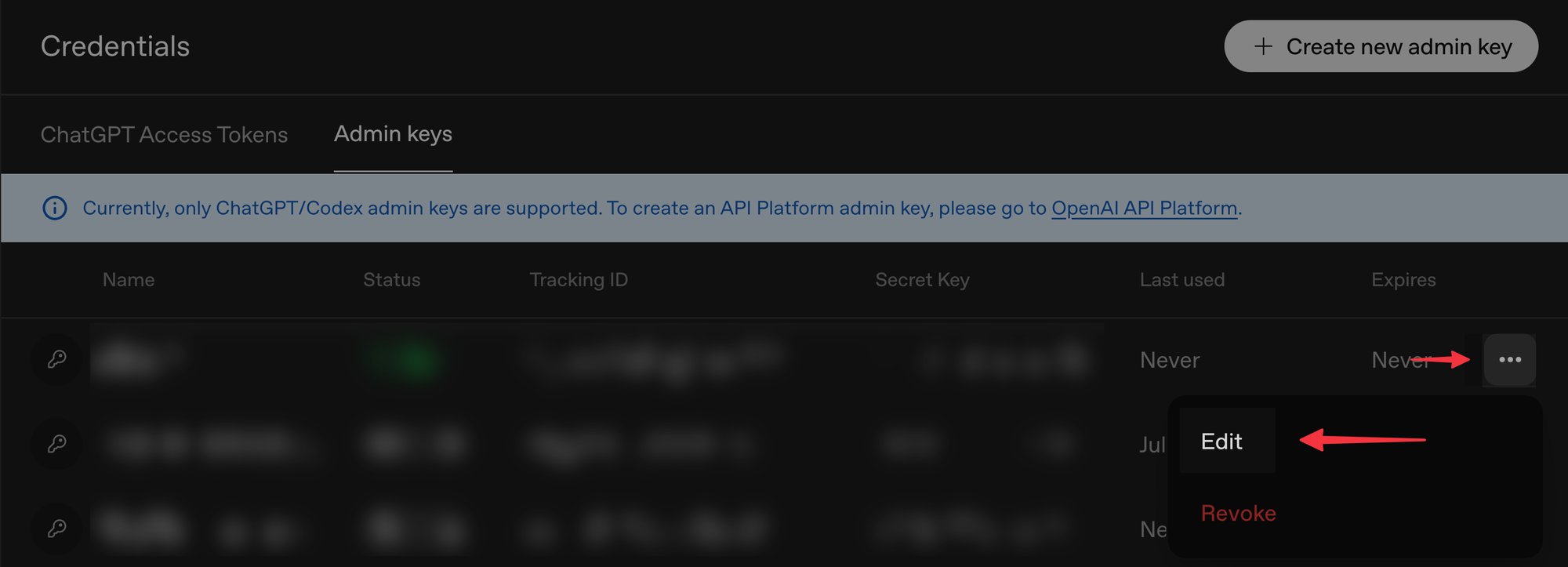
Return to OpenAI, open the three-dot menu next to the key, and select Edit.
-
Copy the Workspace ID, paste it into Ramp, and select Connect.
Calculating Codex credits and overages on your ChatGPT Enterprise plan
For Codex usage through each connected ChatGPT Enterprise configuration or workspace, AI Spend Management settings include Price per credit and Monthly prepaid credit pool.
To adjust either value, your role must be able to manage AI Spend Management settings. See Who can access AI Spend Management for eligible roles, then open AI Spend Management provider settings, open the menu for the ChatGPT Enterprise configuration, and select Edit price per credit or Edit monthly prepaid credit pool.
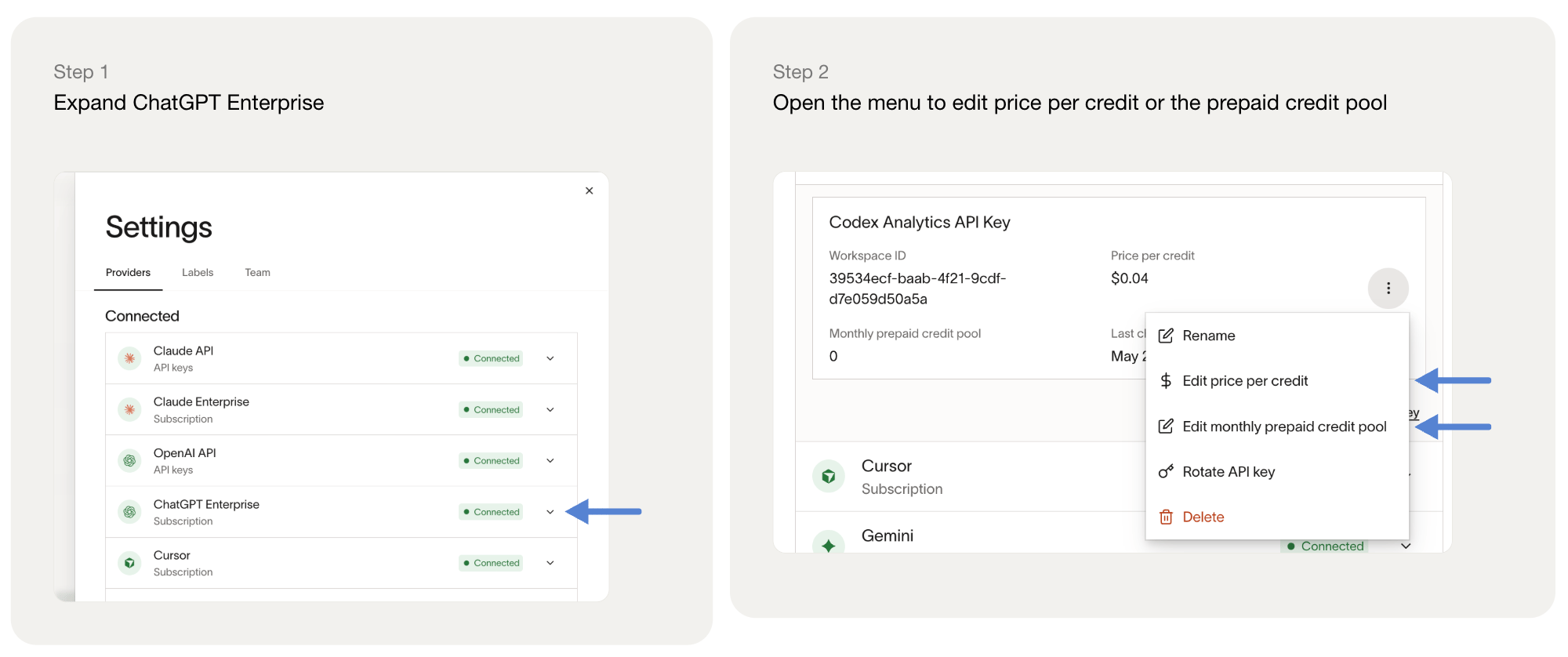
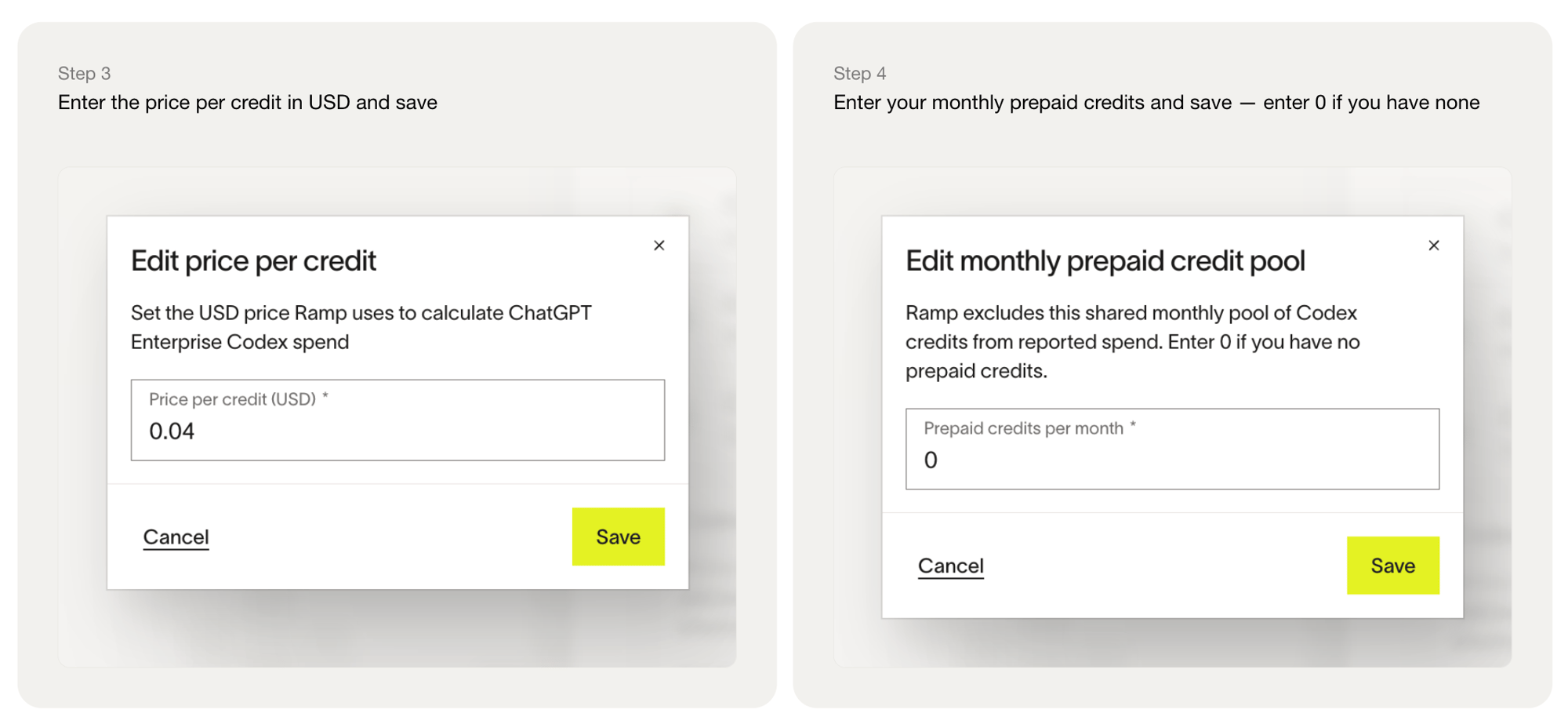
Calculating your overage: Ramp applies your monthly prepaid credit pool before calculating Codex overage spend. Usage draws down the monthly pool in date order. After the pool is exhausted, remaining credits are counted as overage credits, and Ramp multiplies those overage credits by your configured price per credit.
If the prepaid pool is exhausted during a day, Ramp allocates that day's overage proportionally across the usage recorded for that day.
Calculation period: Ramp calculates ChatGPT Enterprise Codex credit usage by calendar month, such as September 1 through September 30, and it resets every calendar month. A custom time period is currently not supported.
Important: Price per credit and monthly prepaid credit pool settings are not versioned by period. If you change either setting, Ramp's computed ChatGPT Enterprise Codex spend can be recalculated using the new value. For example, changing a monthly pool from 600 credits to 1,000 credits can change previously reported overage amounts.
Troubleshoot ChatGPT Enterprise connection
Check whether you have a ChatGPT Enterprise account
- Go to the Members page in ChatGPT.
- Check the plan shown for your workspace.
If your plan is not Enterprise License, including ChatGPT Business, Ramp cannot import your ChatGPT usage and cost data. Contact your ChatGPT account Owner to confirm which plan your organization is on.
Check whether you are a ChatGPT Enterprise admin
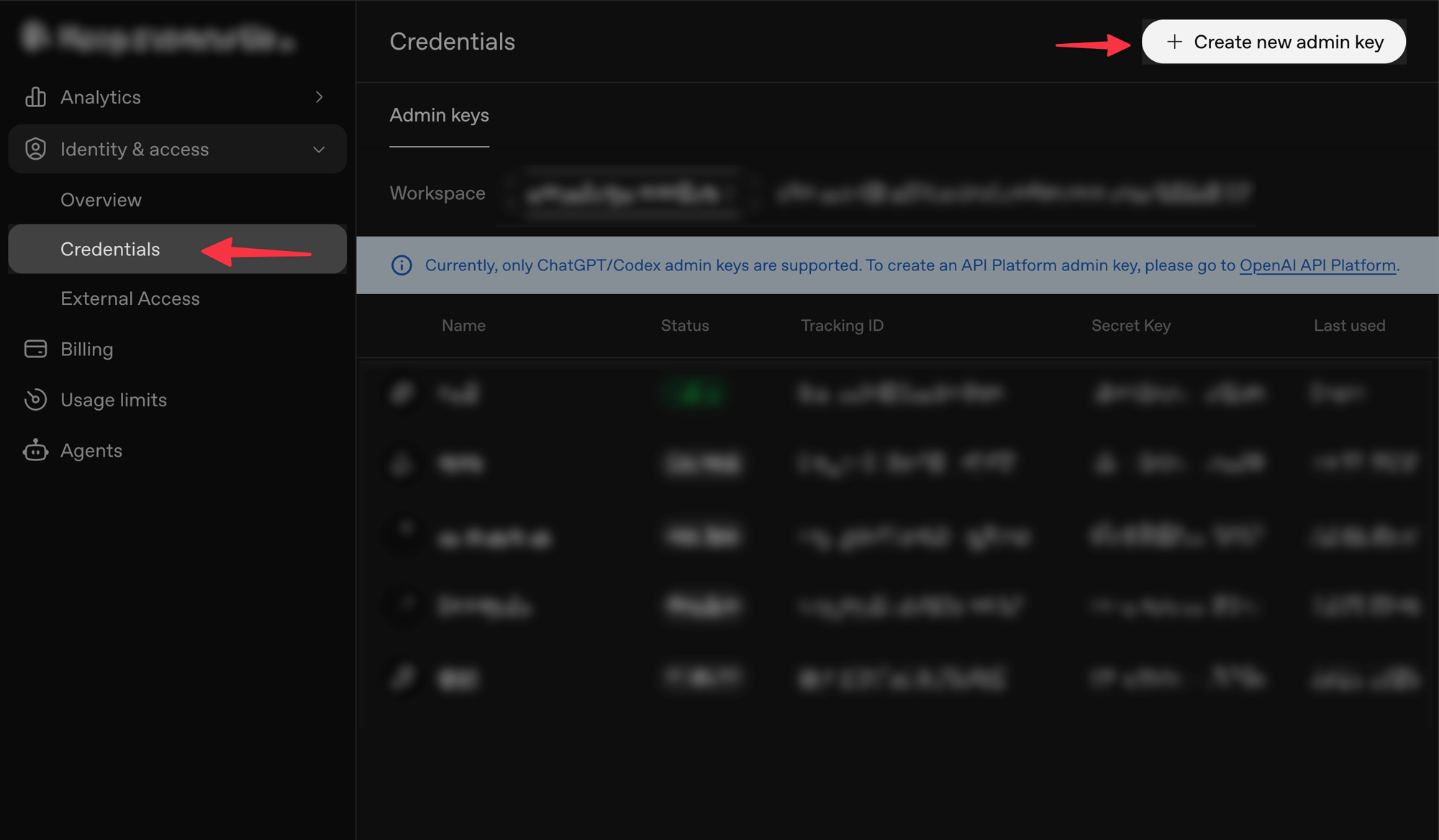
- Go to Credentials in ChatGPT Enterprise.
- You should see Credentials in the left navigation and a Create new admin key button in the top right corner of the page.
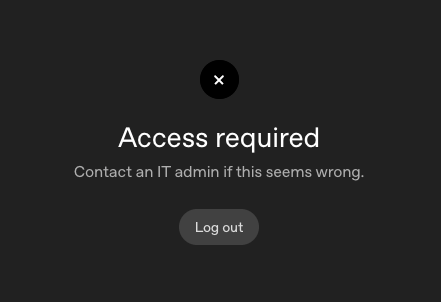
If you do not have access, you will most likely see an Access required error.
Get help from a ChatGPT Enterprise admin
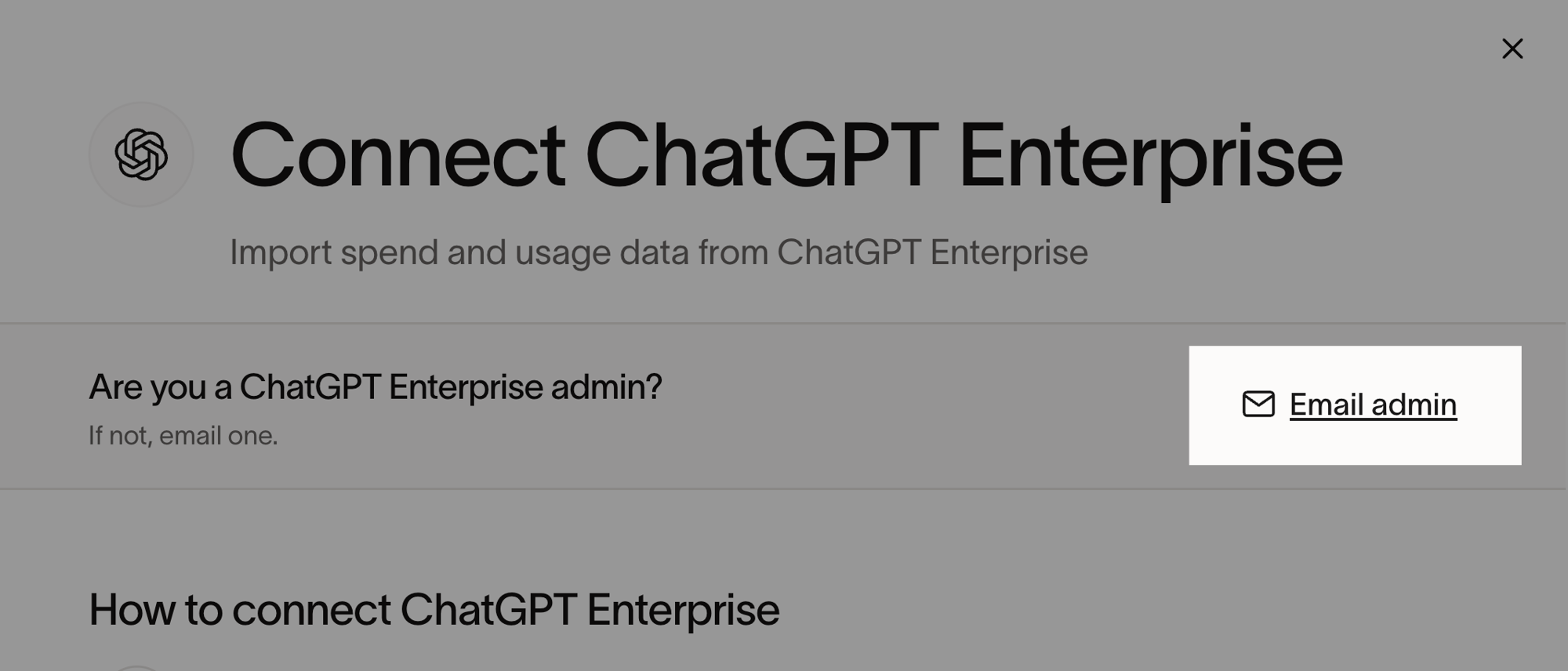
If you are not a ChatGPT Enterprise admin, you can invite an admin through Ramp and Ramp will provide them with instructions to set up the integration.
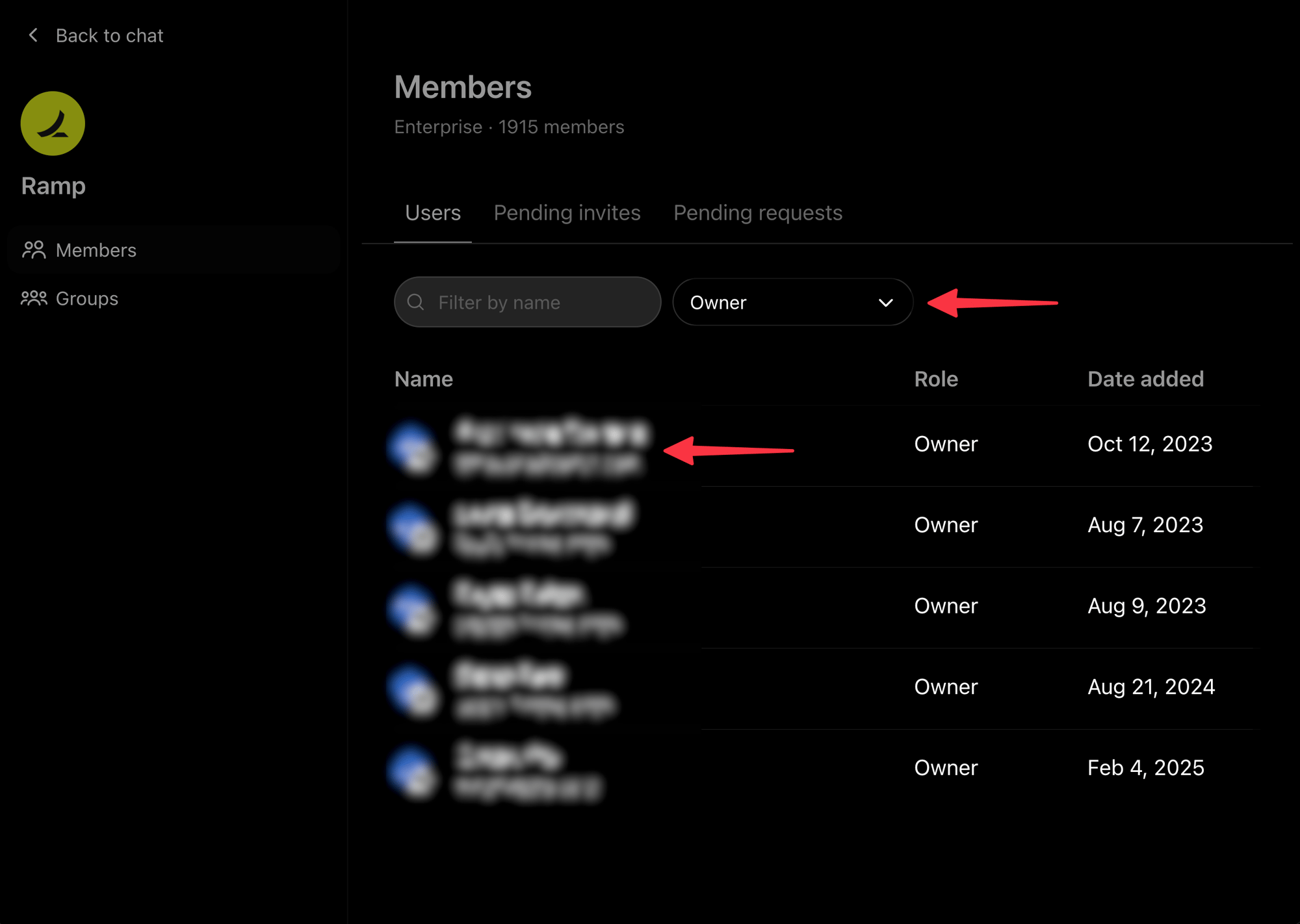
- Open the Members page in ChatGPT Enterprise.
- Filter by Owner.
- Look for the people with the Owner role.
- Go to the Connect ChatGPT Enterprise page on Ramp.
- Select Email admin and send the instructions to your ChatGPT Enterprise admins.