Troubleshooting Ramp verification codes
Overview
This article helps you troubleshoot issues receiving verification codes from Ramp by SMS, voice call, or email. If you are locked out of your account entirely, see Recover or update your MFA method instead.
Try an alternative delivery method
Before deep troubleshooting, try a different delivery method. The verification screen automatically offers alternatives shortly after a code is sent — look for buttons below the code input field.
- Voice call: Select Call me to receive a phone call that reads your verification code aloud. This works even when SMS is blocked.
- Email: Select Email me , or tap Switch to email verification at the bottom of the verification screen. Email delivery is only available if your account has email configured as a verification method.
- WhatsApp: Select WhatsApp me to receive the code via WhatsApp. This option is only available if WhatsApp is enabled for your account.
You can also tap Resend to request a new code via your current delivery method.
If an alternative method works, you can continue with your task. To resolve the underlying delivery issue, continue with the sections below.
SMS codes not arriving
Ramp sends SMS verification codes from the short code 447-267. If codes are not reaching your phone, work through these steps:
Check your phone number
Confirm the mobile number linked to your Ramp account is correct and can receive SMS messages. If you recently changed your number or suspect it was entered incorrectly:
- If you can sign in, go to Settings > Profile to update your phone number.
- If you cannot sign in, ask your Ramp admin to update the phone number on your behalf.
Check if you opted out of SMS
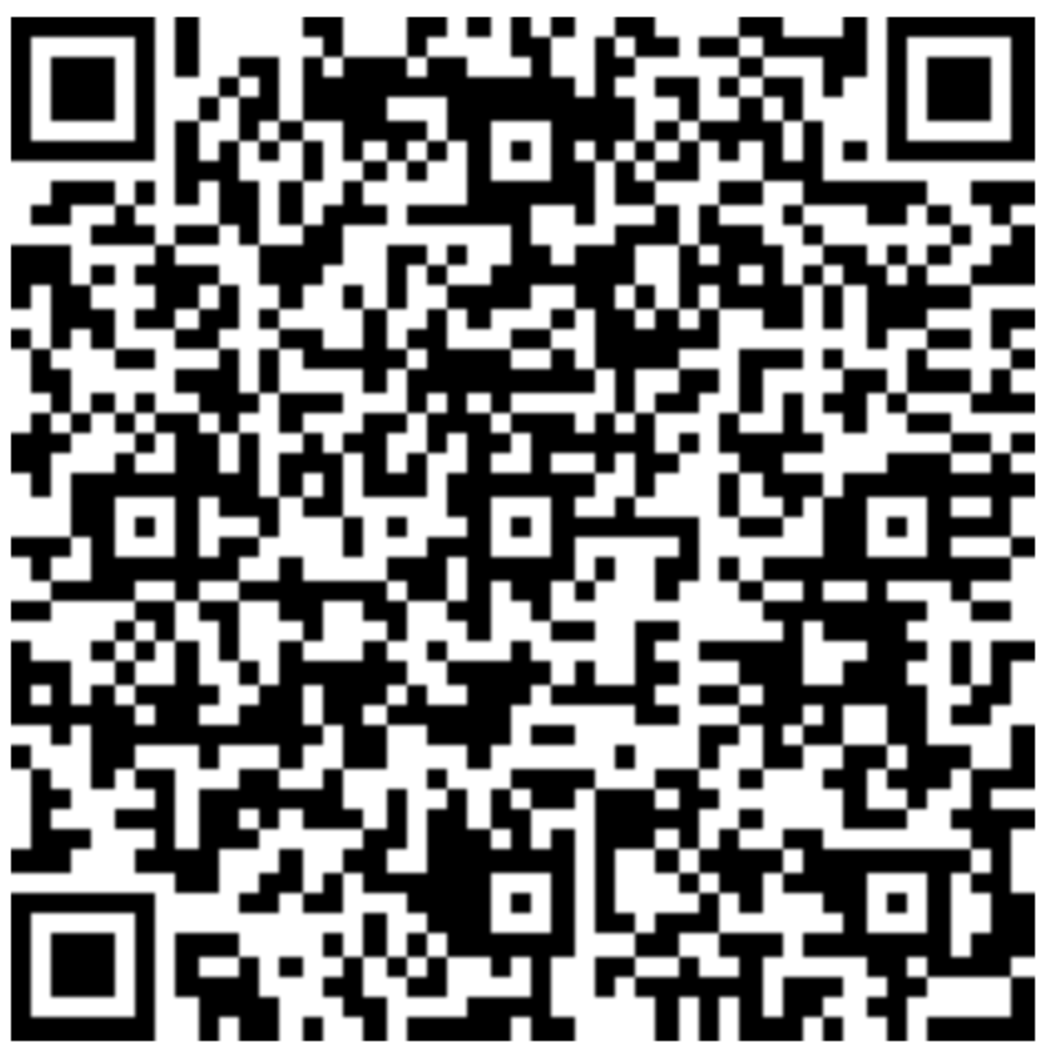
If you previously texted STOP to Ramp's short code, SMS messages are disabled for your number. To re-enable them, text START to 447-267. If that does not work, see How do I re-enable SMS? for a QR code that re-subscribes you to both SMS and RCS messages.
Check for short code blocks
Some mobile carriers block short code messages by default or due to account-level restrictions. Contact your carrier and ask them to allow messages from short code 447-267.
Save 447-267 as a contact
Adding Ramp's short code 447-267 to your contacts under the name HIRAMP can help prevent messages from being filtered as unknown or spam.
Smaller US carrier restrictions
Major US carriers (AT&T, T-Mobile, Verizon) generally deliver short code messages without issues. Some smaller carriers impose restrictions on short code messaging services. If you are on a smaller carrier and cannot unblock the short code, select Call me on the verification screen to receive your code by voice call instead.
Check your device for filtered messages
Your phone may be filtering Ramp's messages into a spam or unknown senders folder. Check the steps below for your device.
iOS (iPhone)
- Open the Messages app.
- Look for Filters in the top-left corner.
- If you see Filters: Tap Filters , then tap Unknown Senders and look for messages from Ramp.
- If you do not see Filters: Scroll through your messages to look for messages from Ramp.
Android
- Open the Messages app.
- Tap your profile picture in the top-right corner.
- Select Spam & Blocked .
- Scroll to look for messages from Ramp. If found, open the message and select Unblock .
International phone numbers
US short code SMS often does not reach international phone numbers. If you are outside the United States:
- Use voice call as your primary alternative. Select Call me on the verification screen to receive your code by phone call. Voice calls work internationally.
- Verify your phone number includes the correct country code in your Ramp account settings.
- If you need additional assistance, contact Ramp's Support team for help. An international support number is available.
Email codes not arriving
Ramp sends email verification codes from [email protected]. If you are not receiving them, try the following:
Check your spam or junk folder
Verification emails are sometimes caught by spam filters. Check your spam or junk folder for emails from [email protected].
Whitelist the sender
Add [email protected] to your email contacts or safe sender list to prevent future emails from being filtered.
Corporate email security
Some corporate email systems delay, quarantine, or block automated emails. If you use a company-managed email account, check with your IT department to confirm that emails from [email protected] are not being blocked by your organization's email security policies.
Request a new code
Verification codes expire after 5 minutes. If your code has expired or you did not receive it, select the option to resend the code on the verification screen.
If you can't access any verification method
If you no longer have access to the phone number or email address on file, this is a recovery issue rather than a delivery issue. Self-service troubleshooting steps will not help in this case.
- See Recover or update your MFA method for steps to regain access to your account.
- If you are unable to recover access on your own, contact Ramp's Support team for further assistance.
Frequently asked questions
What is the Ramp short code number?
Ramp sends SMS verification codes from short code 447-267.
How long are verification codes valid?
Verification codes expire after 5 minutes. If your code has expired, request a new one from the verification screen.
Can I switch from SMS to an authenticator app?
Yes. You can configure an authenticator app as your verification method. See Multi-factor authentication (MFA) overview for setup instructions.
I accidentally texted STOP to Ramp's number. How do I re-enable SMS?
Text START to 447-267 to re-enable SMS messages from Ramp.
If you are still not receiving messages after texting START to 447-267, you may also need to re-subscribe to Ramp's RCS messaging contact. Scan the QR code below from your phone — it opens a pre-filled message that re-enables both SMS and RCS messages from Ramp: