Sage Intacct Sync Error | Missing Permissions
Overview
Please complete all setup steps on Sage before entering your Web Services User credentials into Ramp. Also, you'll need full admin privileges before you begin. Lastly, please ensure Sage is set to the Production environment. Ramp does not support the development environment.
How to resolve
Step 1
-
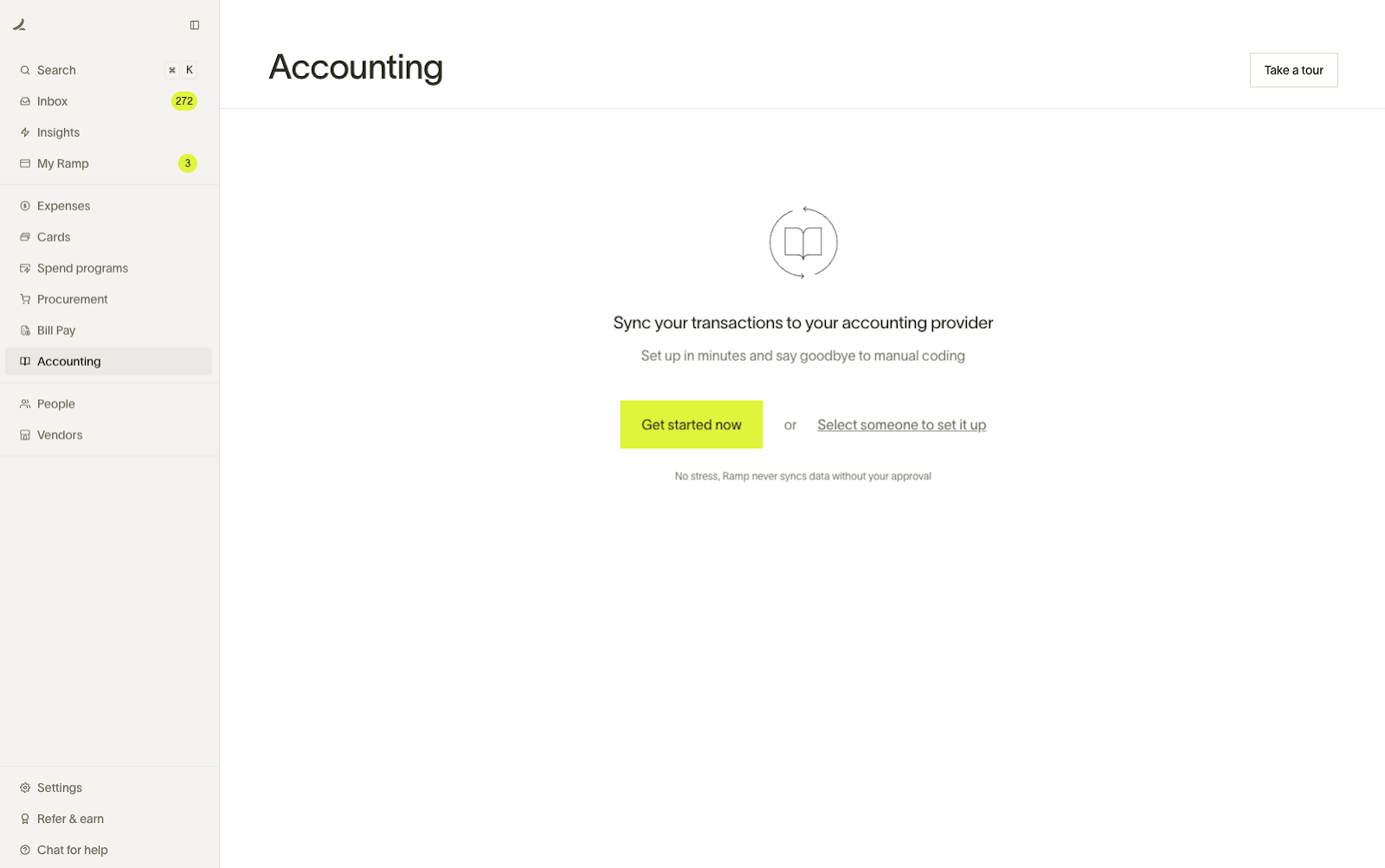
Begin in Ramp and open up the Accounting tab - click “Get Started Now”.
-
Click on “Sage Intacct” on the next page
Step 2
- Sign into your Sage Intacct, or utilize the hyperlink on the page in Ramp, and navigate to Company->Admin->Subscriptions.
- Look for Web Services and turn that setting on if it is not already.
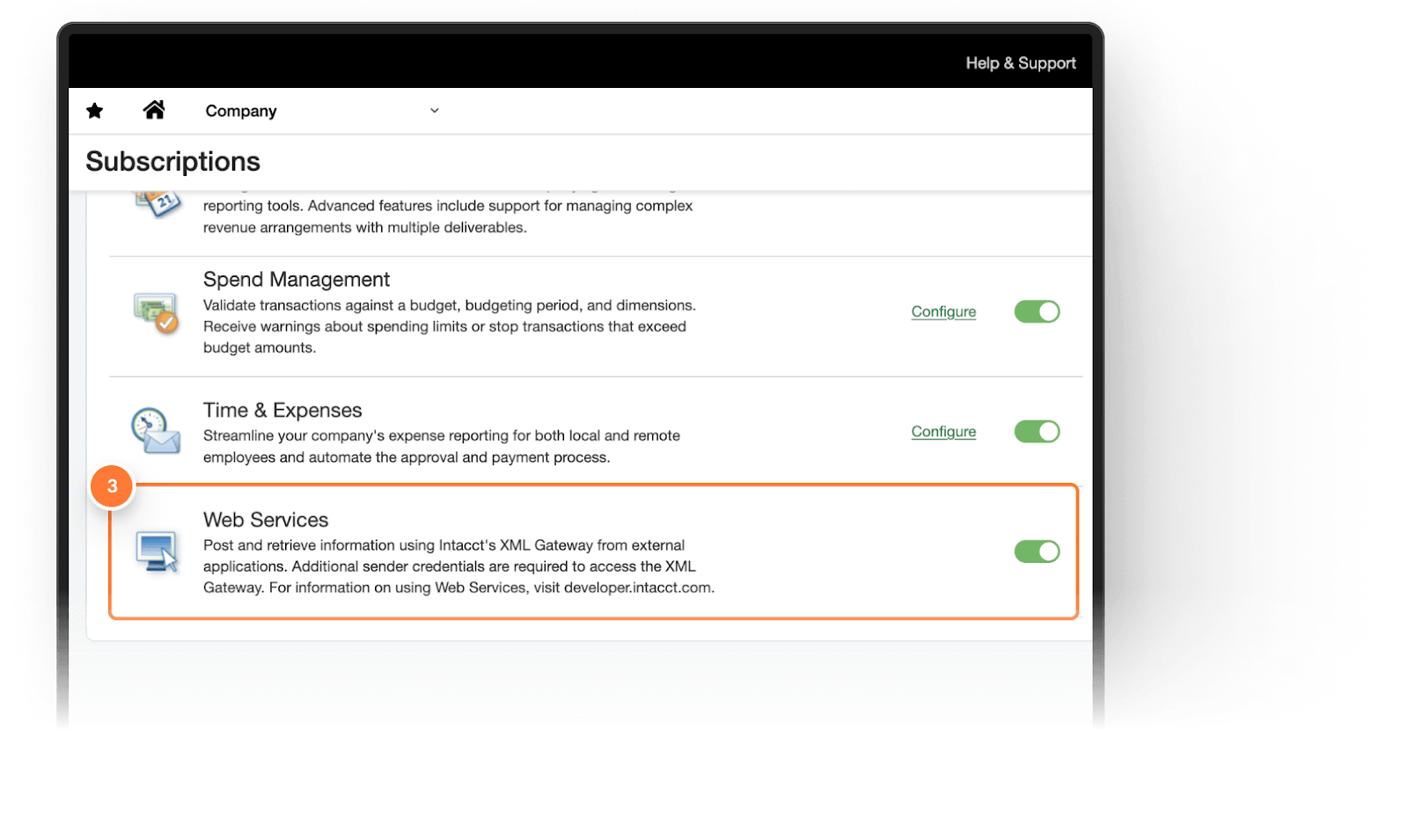
- Click Continue back in Ramp when complete.
Step 3
- Go back into your Intacct and navigate to Company->Admin-> Roles and create a new role.
- Enter the following information:
- Role Name: Ramp Role
- Description: Ramp Web Services User
- Click Save
- Now open the Permissions section
- Select ALL for each permission listed - also scroll to the bottom of each permission page to review and make sure none of them are missing.
- Click Save
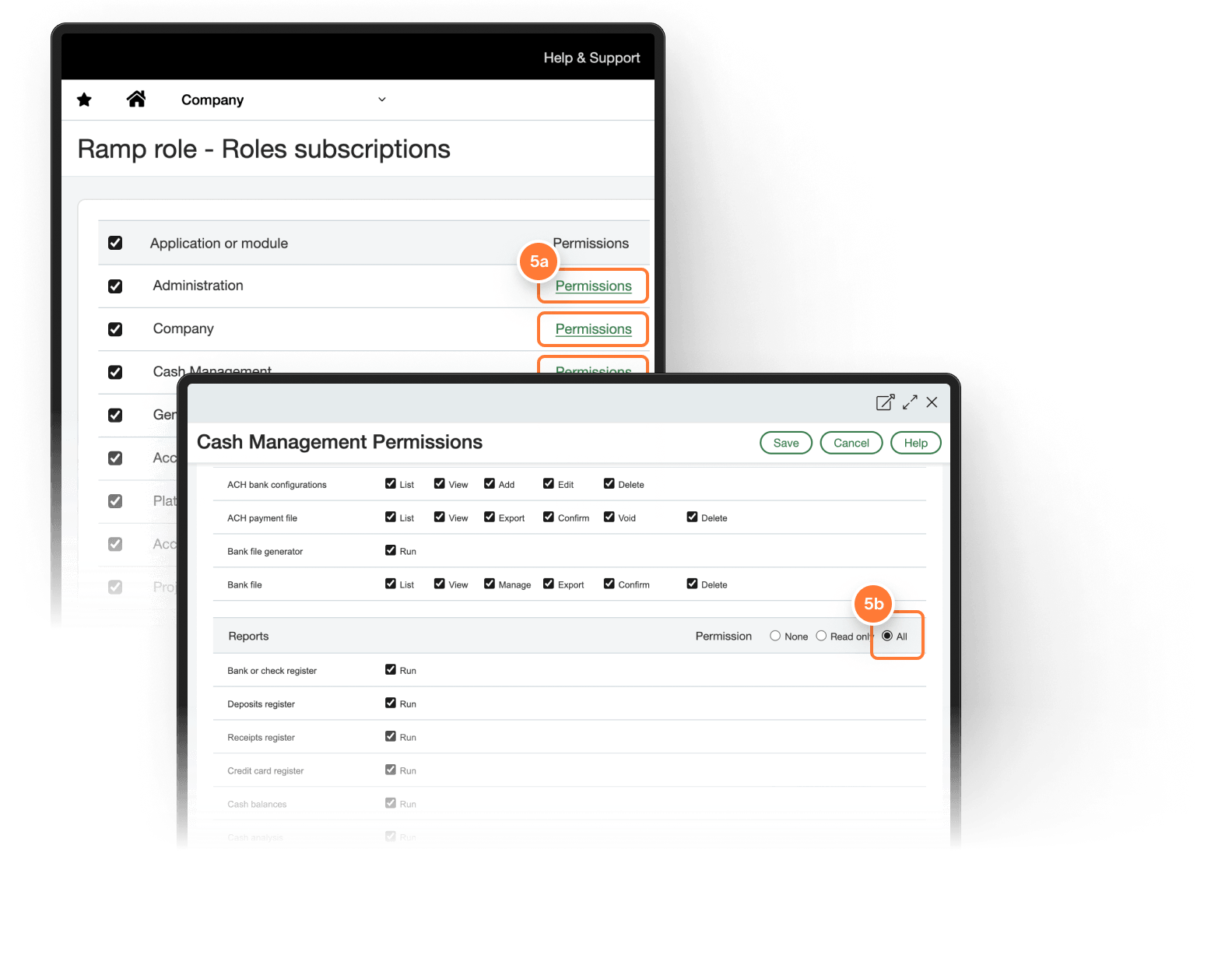
- Click Continue back in Ramp when complete
Step 4
- In Intacct, navigate to Company->Admin->Web Services users and create a new user.
- Enter the following information:
- User ID: Ramp
- Last Name & First name: use your personal information
- Email address: use your work email; Sage will send a confirmation email to this address
- User Type: Business
- Admin Privileges: Off
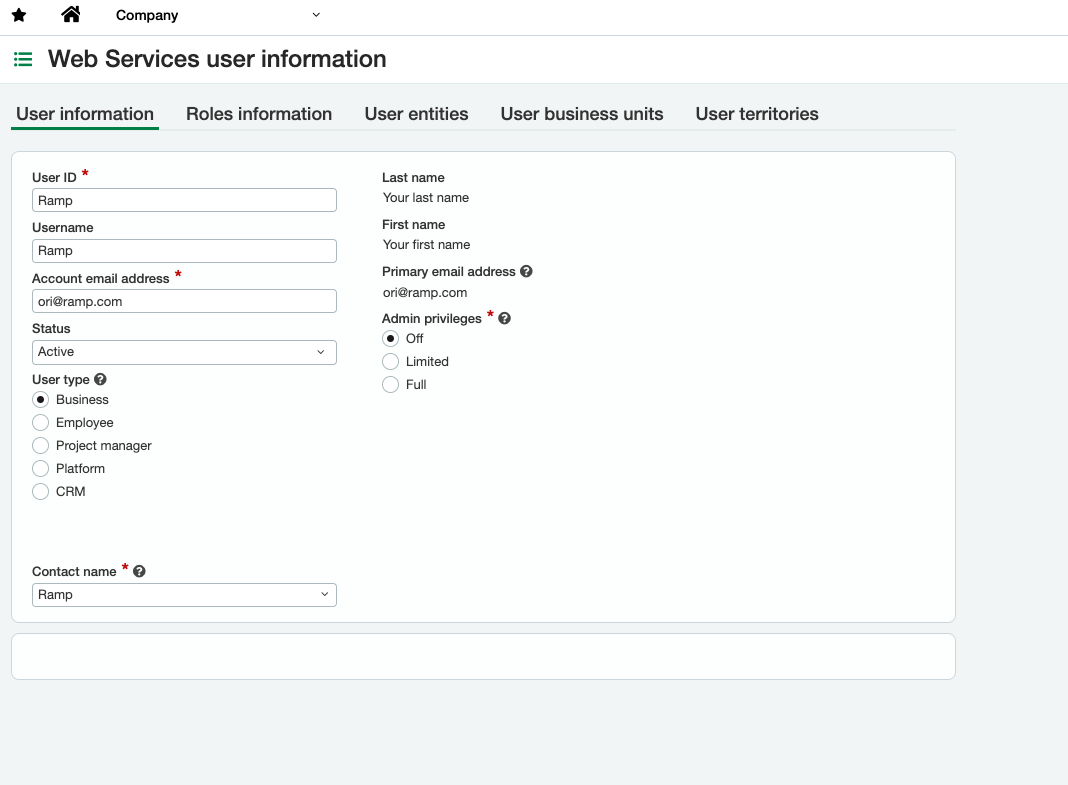
- After adding this information, navigate to the Roles Information tab and add the Ramp Role we added in the previous step.
- If you sync at the entity level, confirm that this Web Services user can access every operating entity Ramp will sync. If Sage reports an entity-access error, follow Resolve Sage Intacct entity access or console setup issues.
- Click Save & Click Continue in Ramp when complete.
Step 5
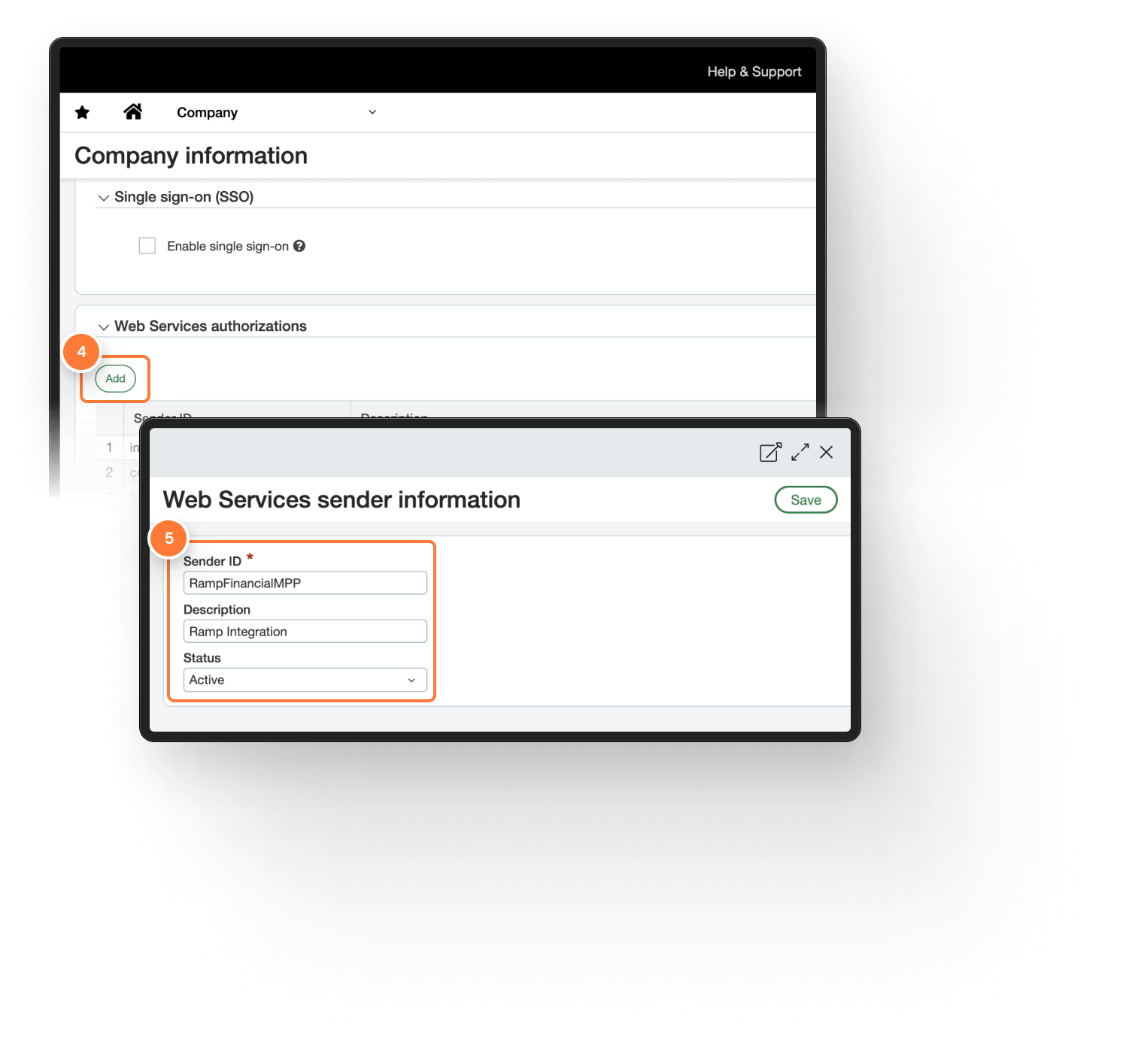
- In Intacct, navigate to Company -> Setup -> Company and click edit on the top right.
- Click Security and scroll down to the Web Services Authorizations section and click Add to create a new Web Services Authorization.
- Enter the following information:
- Sender ID: RampFinancialMPP
- Description: Ramp Integration
- Status: Active
- Click Sage & Click Continue in Ramp when complete.
Step 6
- Answer the question on the Ramp Screen that says, “Do you have entities in Sage Intacct with different base currencies?”
- If not, you only need to complete the following steps once .
- If yes, the next steps need to be completed for each entity.
- If syncing to entity level
- Create one credit card account per entity
- Create one credit card GL offset account per credit card
- If syncing to top-level
- Create one credit card account
- Create one credit card GL offset account
- If syncing to entity level
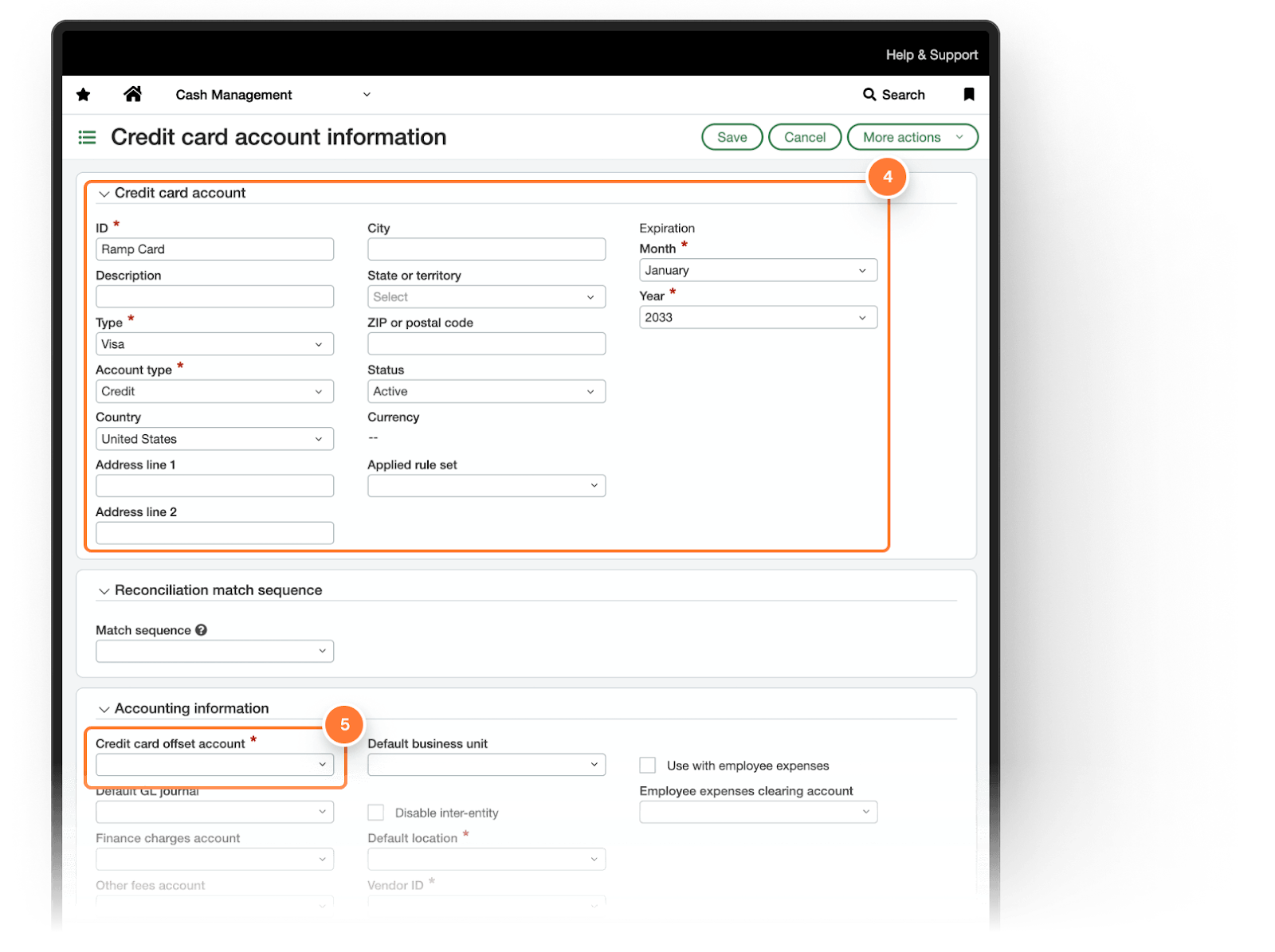
- Depending on your approach above, open the top level or the applicable entity, then follow Sage Intacct's Create a credit card account instructions.
- Add a new credit card and enter the following information:
- ID: Ramp Role - Entity Name
- Type: Visa
- Payment Method: Credit
- Expiration: Set as far into the future as possible
- Add a new credit card and enter the following information:
- Go to the Credit Card Offset Account field in the Accounting Information section and create a new account for this.
- Note: Sage does not let customers use the same offset account for multiple credit cards so they will have to be unique per card.
- Click Save and then click Continue in Ramp when complete.
Step 7
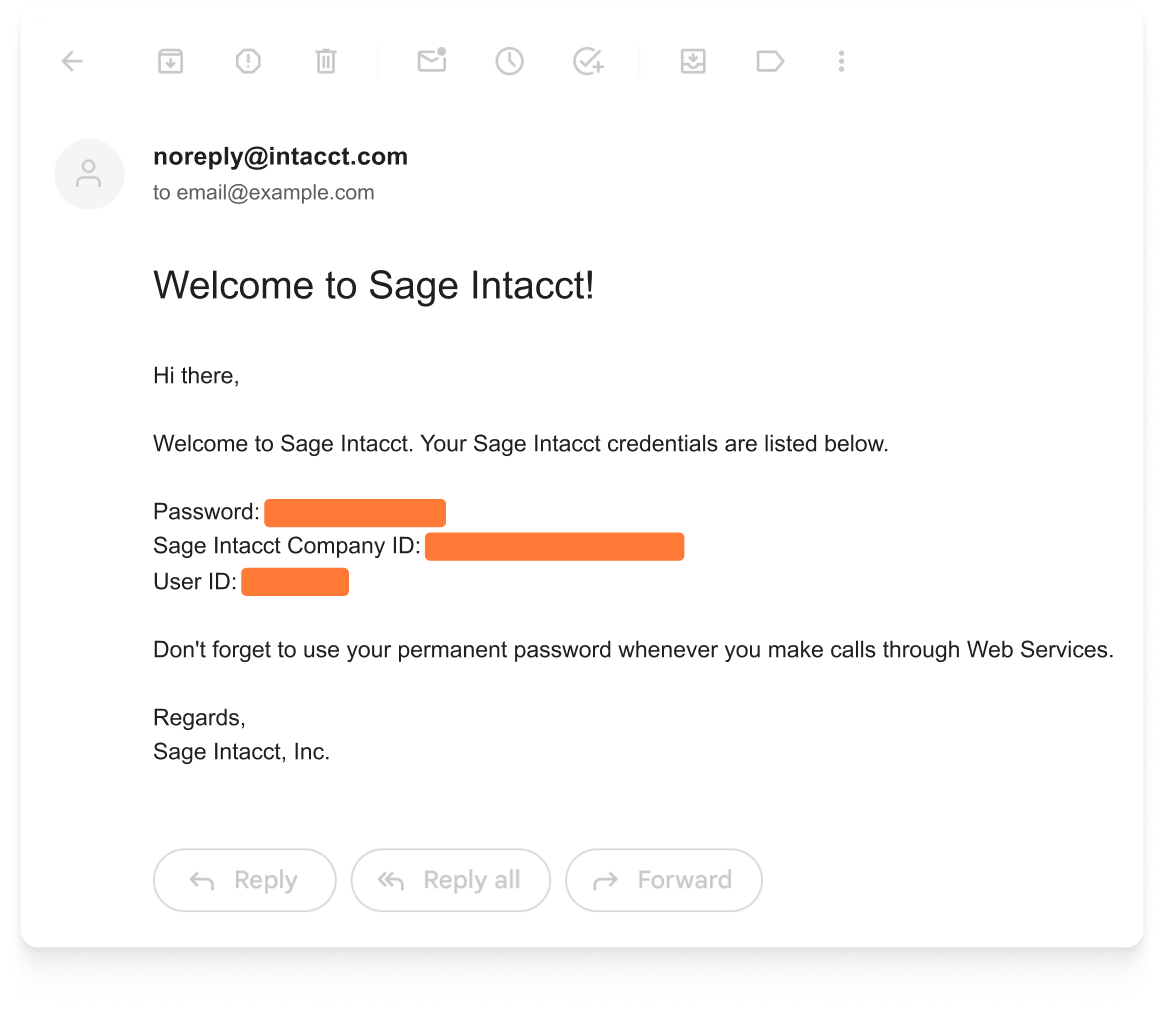
- Find the email that was sent to the Email address entered in Step 4.
- Enter the Sage Intacct Credentials from the email into Ramp and click Connect to Sage Intacct.