Reimbursement-only Spend Programs
Overview
Available on Ramp Plus. See Ramp Plus overview for plan details.
A reimbursement-only Spend Program is a new way to manage reimbursements within your organization. This program type is designed exclusively for reimbursing employee expenses rather than direct spending and can only be issued by admins. These funds do not allow transactions to go through.
Instead, it allows:
- Admins to track the spend made on an employee's personal card on behalf of the company
- Employees to submit expenses from their personal card towards a specific limit
We encourage using virtual and physical cards for more granular spend controls and visibility.
How to issue a reimbursement-only Spend Program
Only admins can create and issue reimbursement-only Spend Programs. Employees do not see these programs in their accounts and cannot request or access them directly.
-
Go to the Spend Programs tab on the left-hand side of the screen
-
Click the yellow Create Spend Program button in the top right-hand corner
-
Select Expenses and benefits
-
Under Any restrictions? choose “Reimbursements only”.
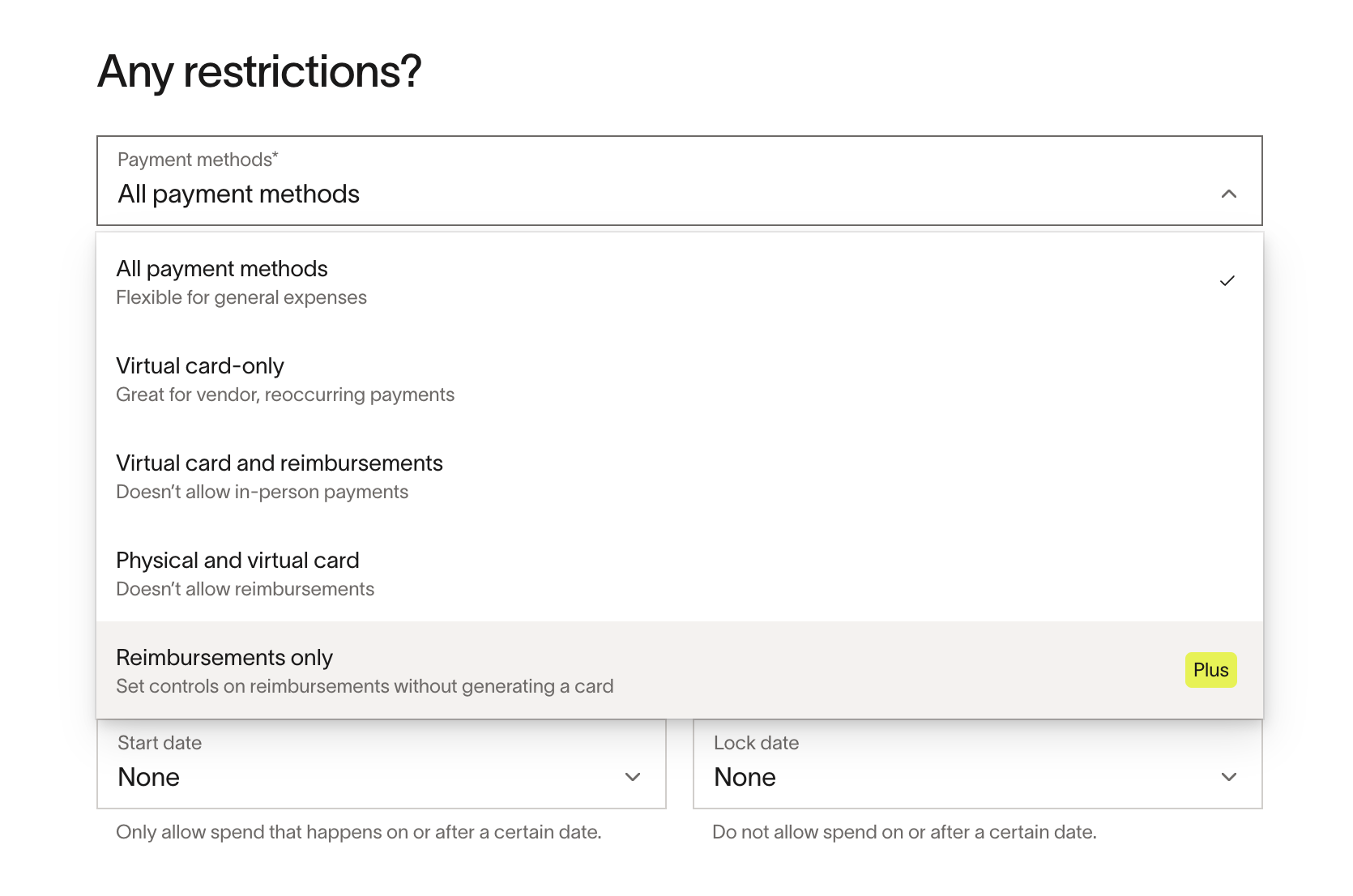
-
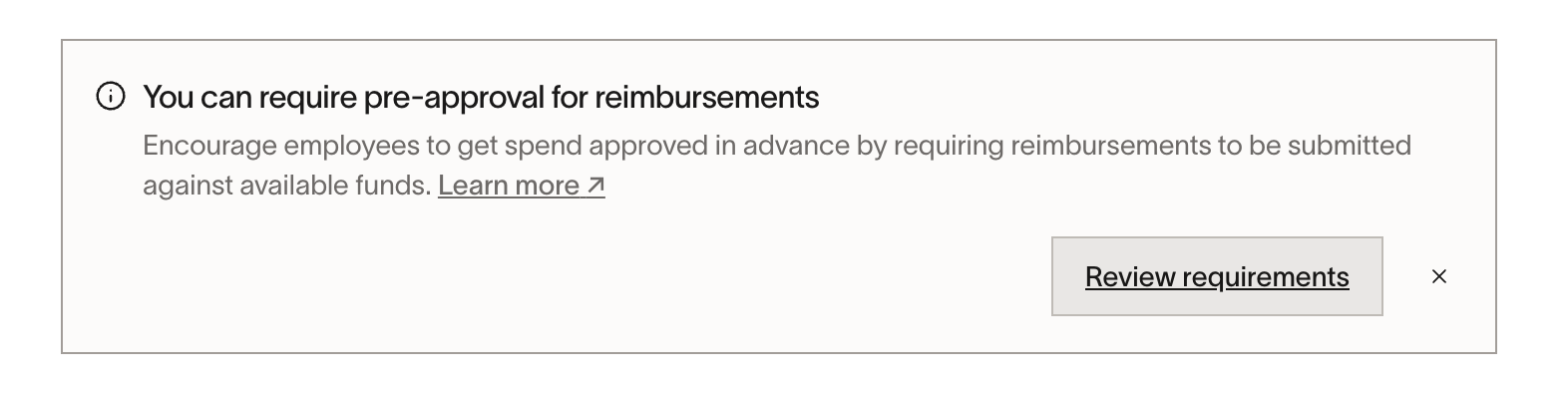
You can either click Review requirements to update your default submission policy to require "funds" (otherwise your employees can still submit reimbursements without attaching it to specific funds) OR choose to do this at a later time and skip to step 8.
-
If you click review requirements, you can update your default submission policy under Policy > Travel & expenses > Additional controls > Expense requirements to require "funds" specifically for reimbursements. For more specific steps, see the next section on "How to require funds for reimbursements".
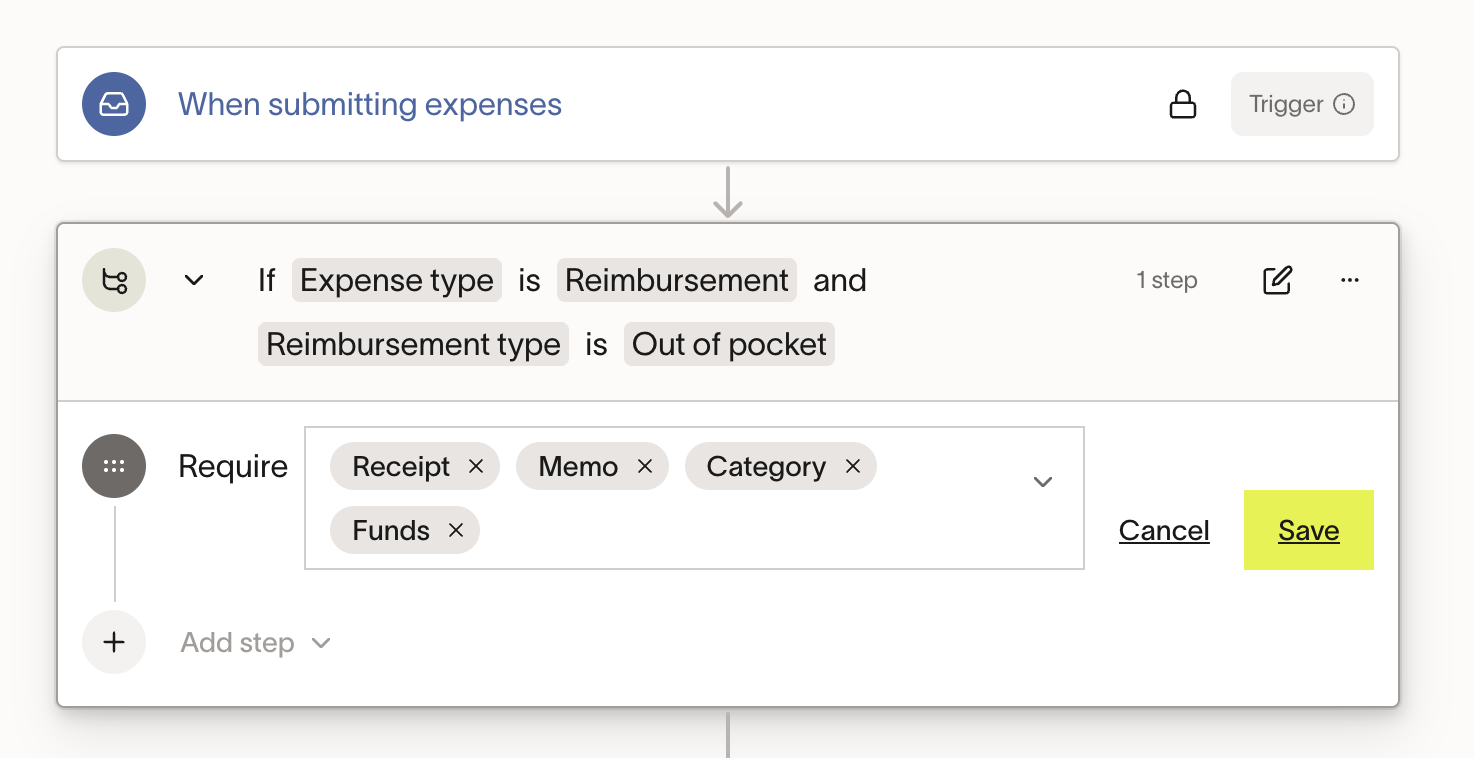
-
Click Save
-
Proceed through the process as usual to create a reimbursement-only Spend Program
-
Click Publish
How to require funds for reimbursements
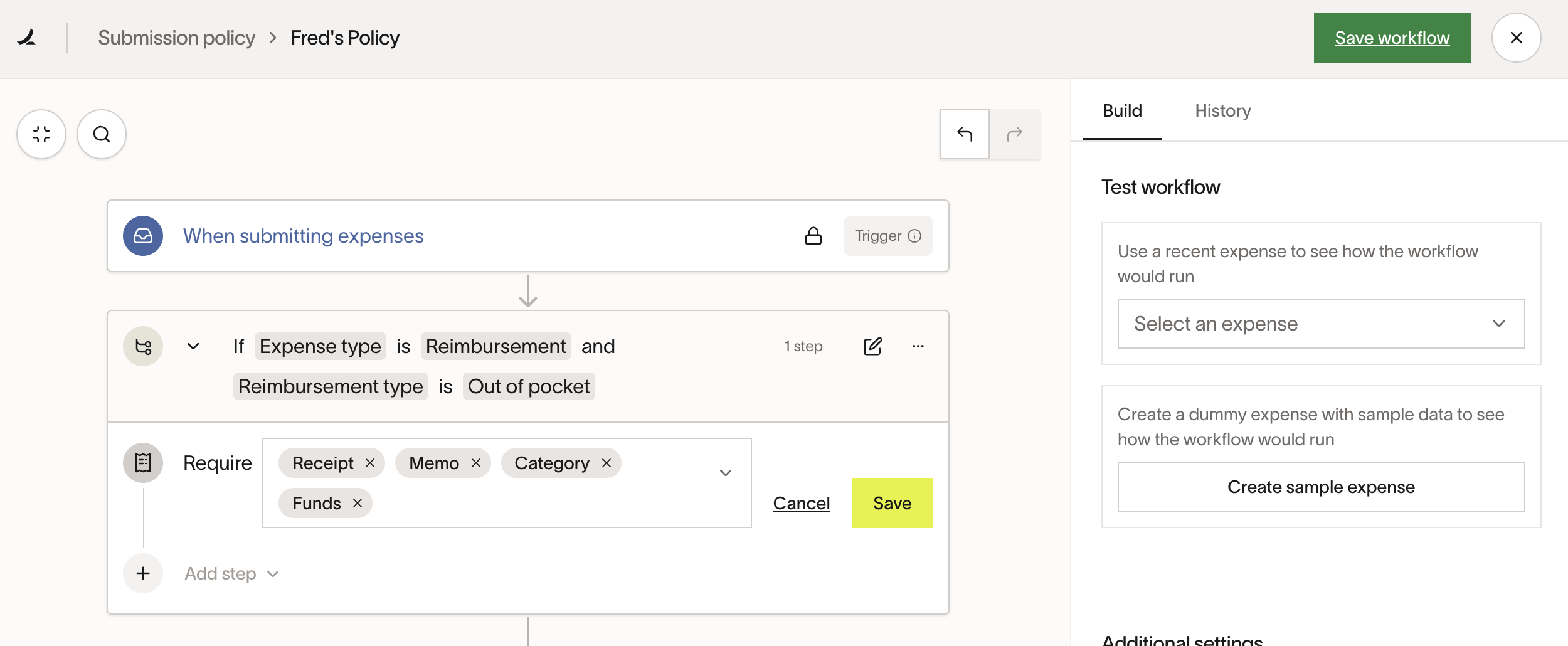
If you want to make sure all reimbursements are submitted through reimbursement-only programs, admins need to update the company’s default policy to require “funds” specifically for reimbursements. This ensures that reimbursements are properly tracked and managed under the designated reimbursement program.
To update your default policy to require "funds," follow the steps outlined below:
- Go to Policy > Travel & expenses > Additional controls > Expense requirements
- Click Edit next to your company's default policy
- Adjust your policy to require "funds" for reimbursements
- Click the yellow Save button
- Click the green Save workflow button in the top right-hand corner
Frequently asked questions
Can employees request reimbursement-only Spend Programs?
No, these programs can only be created and managed by admins. Employees will not see or be able to request these programs.
How do admins require reimbursements to be submitted through reimbursement-only programs?
Admins must update the default company policy to require reimbursement-specific funds. This ensures that reimbursements are only submitted through the correct program.
Can reimbursement-only programs be used for direct spending?
No, these programs are exclusively for managing reimbursements and cannot be used for direct spending.
What happens if I turn off the reimbursement option after my employee has submitted a reimbursement toward the limit that has not yet been approved?
The reimbursement will still count towards the limit.