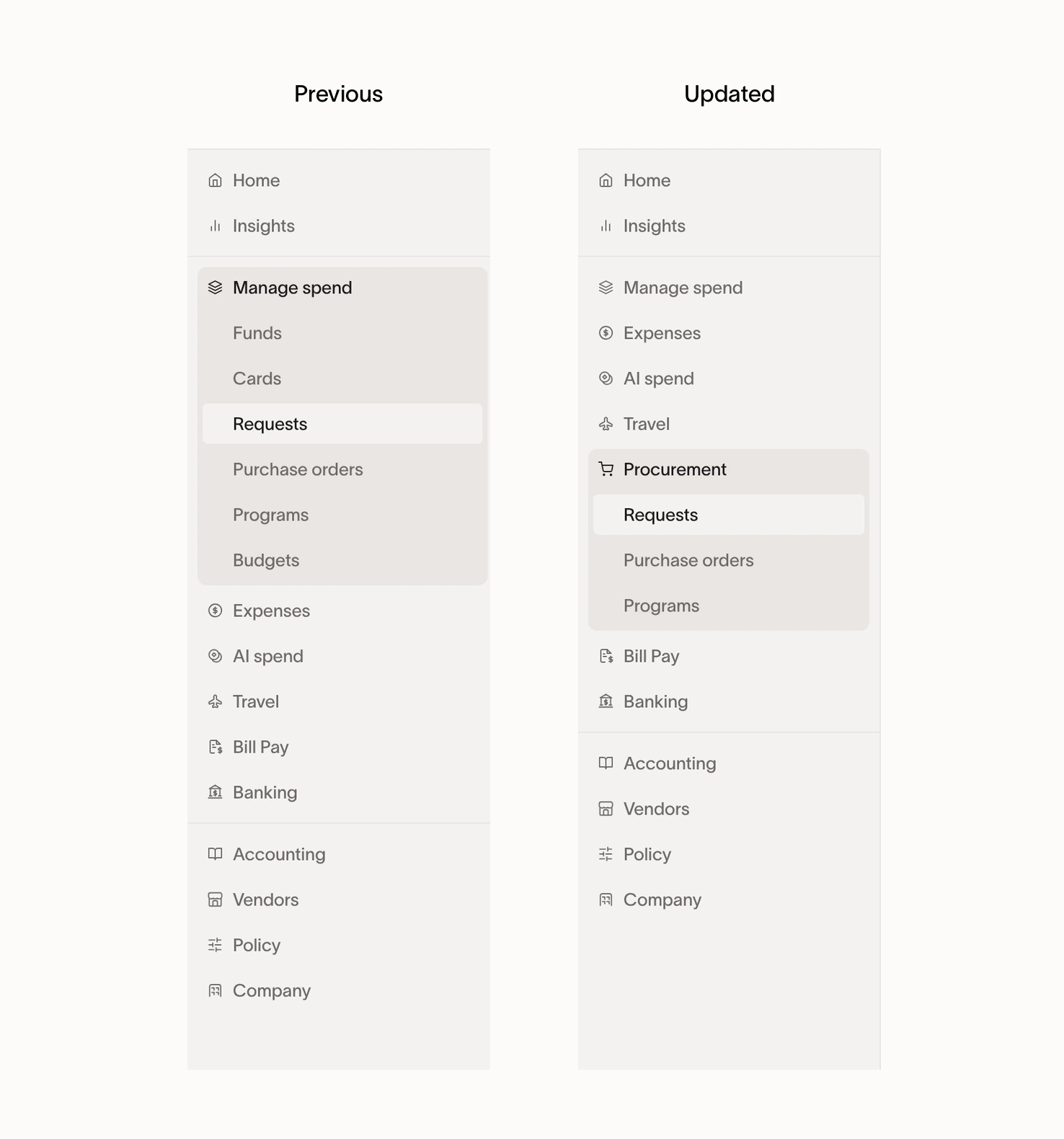
Ramp navigation for Admins
Overview
As of November 5, 2026, the updated Ramp web navigation is available to all businesses.
This guide covers the AI spend and Procurement navigation changes for Admins and Owners. The items you see depend on your permissions and the products your business uses.
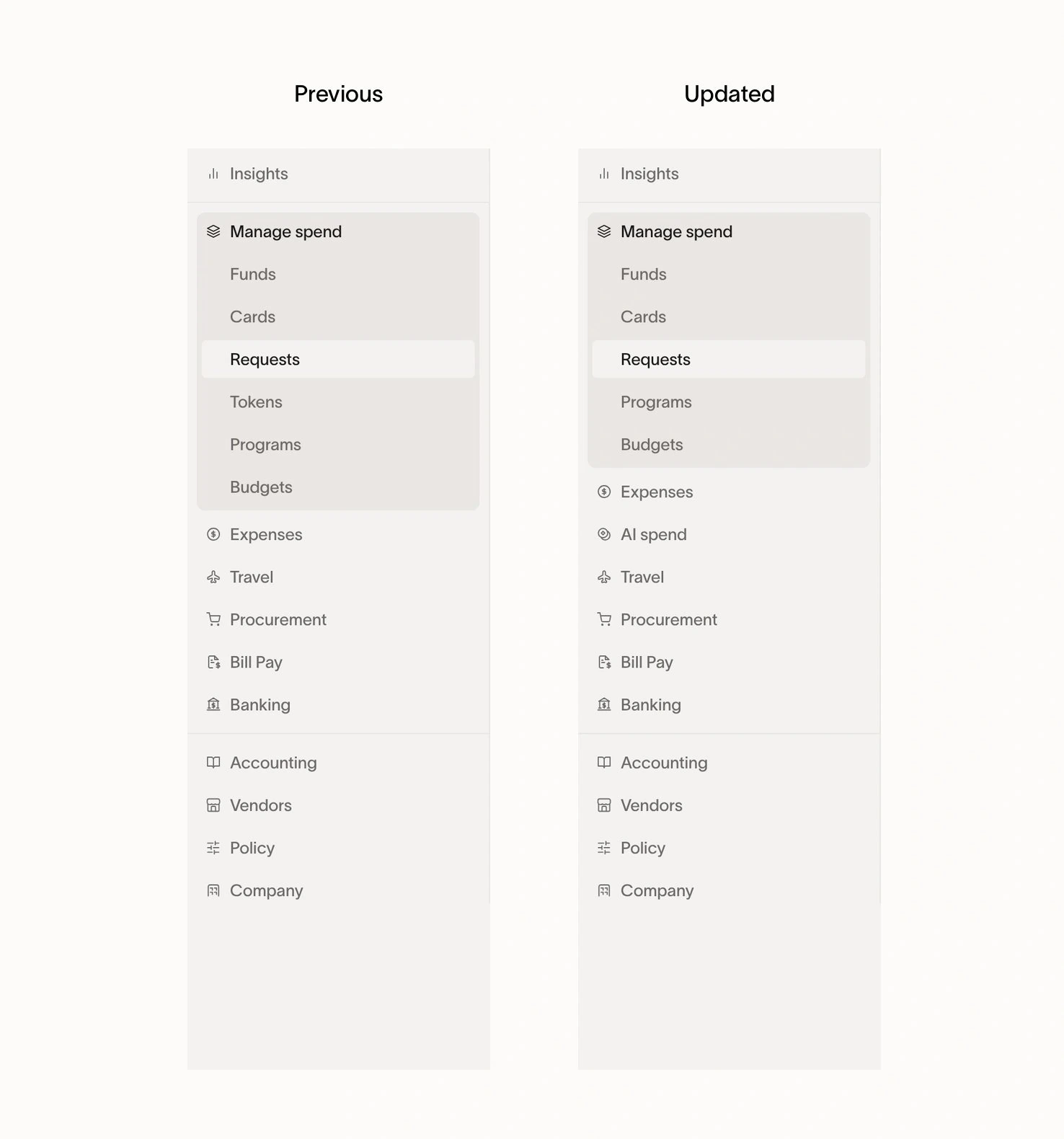
AI spend has its own section
AI Spend Management has its own AI spend section in the left navigation. It replaces the Tokens entry that was previously within Manage spend.
The comparison below shows the navigation change in Ramp. For provider connection instructions and information about who can access the feature, see Set up AI Spend Management.
Procurement has its own section
Procurement is now separate from Manage spend. Its navigation includes:
- Requests for procurement requests.
- Purchase orders.
- Programs for procurement Programs.
Card and funds Requests remain within Manage spend, separate from the procurement requests table. Card and funds Programs also remain within Manage spend, separate from procurement Programs.
For feature access requirements and detailed workflows, see Get started with Procurement.