Overbilling Protection
Overview
Available on Ramp Plus. See Ramp Plus overview for plan details.
Overbilling protection lets admins and owners catch bill-to-PO mismatches before a payment moves forward. Ramp can block bills whose total exceeds the matched purchase order (PO) by more than your configured threshold, and it can alert or block matched bill lines when their rates or quantities do not match the PO.
This applies to POs created in Ramp and to POs imported from your ERP.
Amount-based overbilling protection
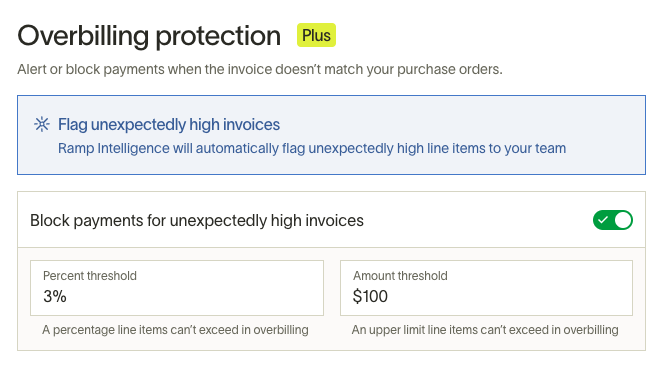
Admins and owners can set an overbilling threshold as a percentage of the total PO amount, a fixed dollar amount, or both. If you enter both, Ramp flags the bill based on whichever limit is hit first.
When a matched bill exceeds that threshold, Ramp creates a draft bill but blocks bill creation until you resolve the difference.
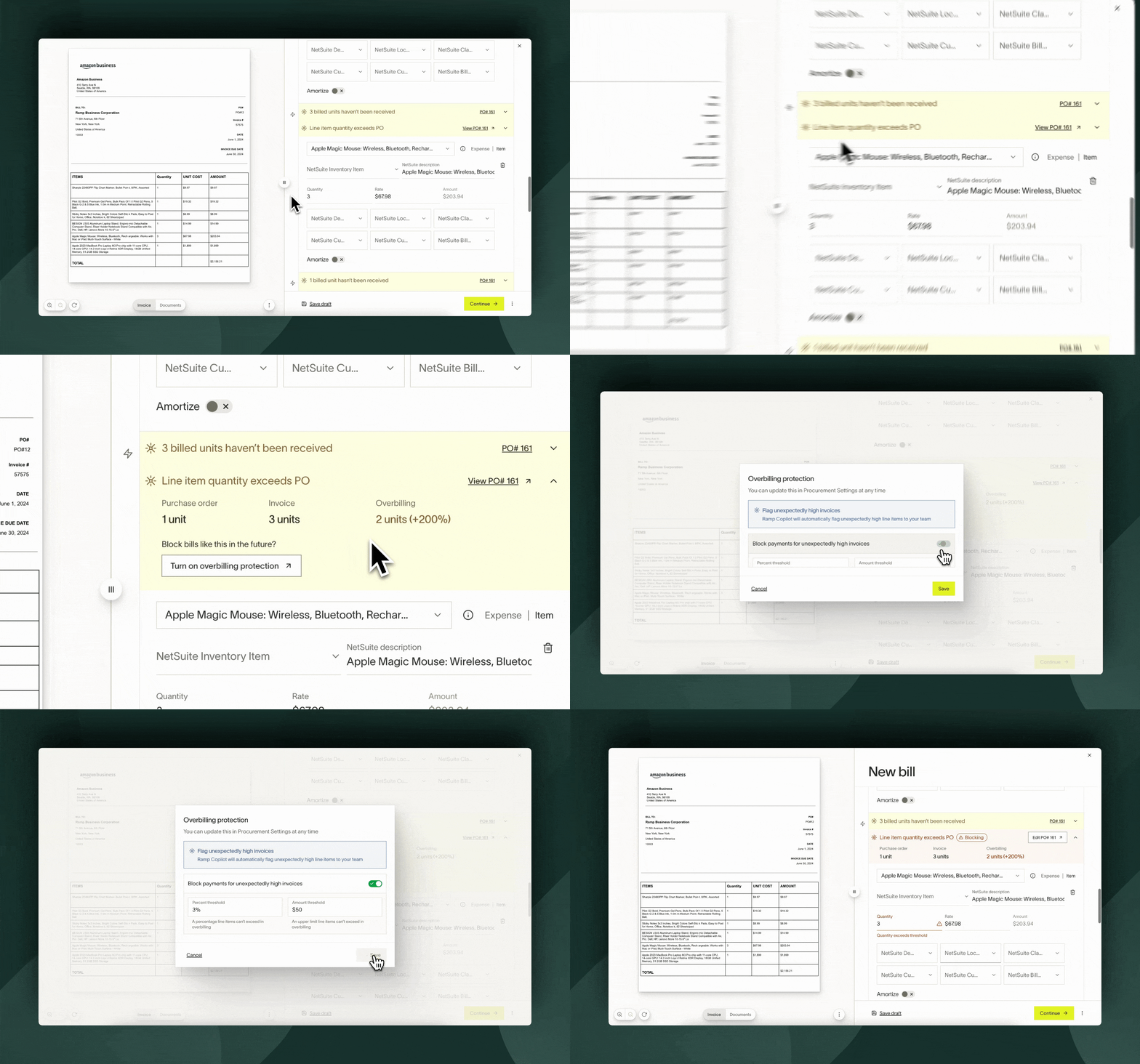
On the draft bill, you'll see an alert when the bill exceeds the matched PO threshold.
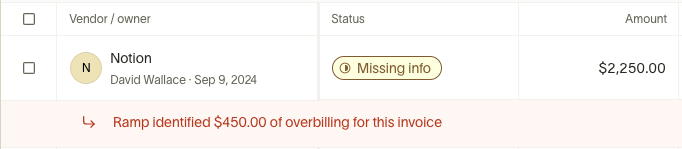
Open the bill to see more specific alerts. To clear an amount-based overbilling block, either reduce the bill amount or update the PO amount.

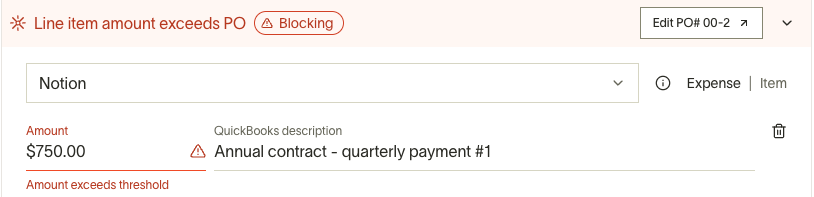
Line-level mismatch checks
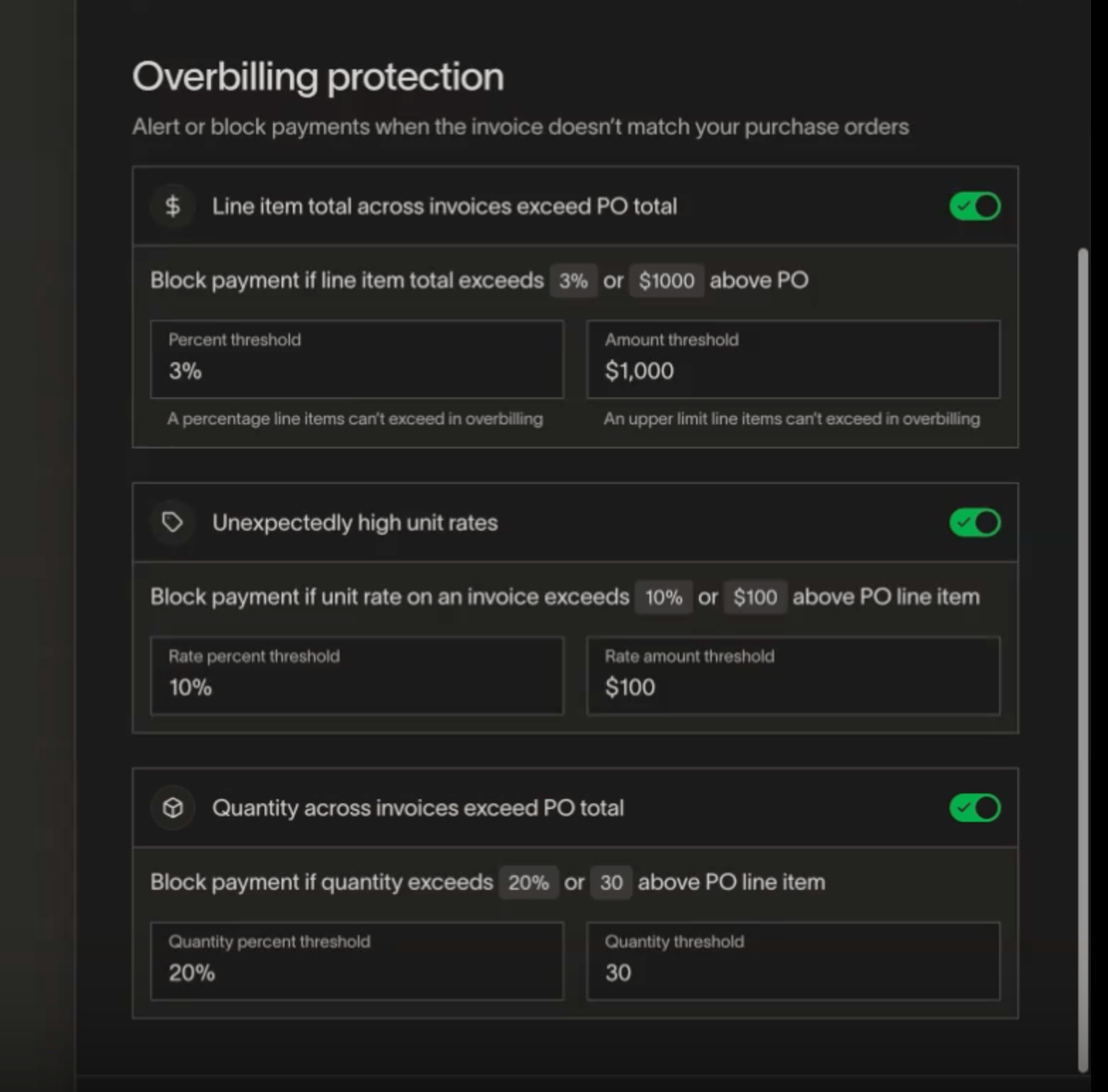
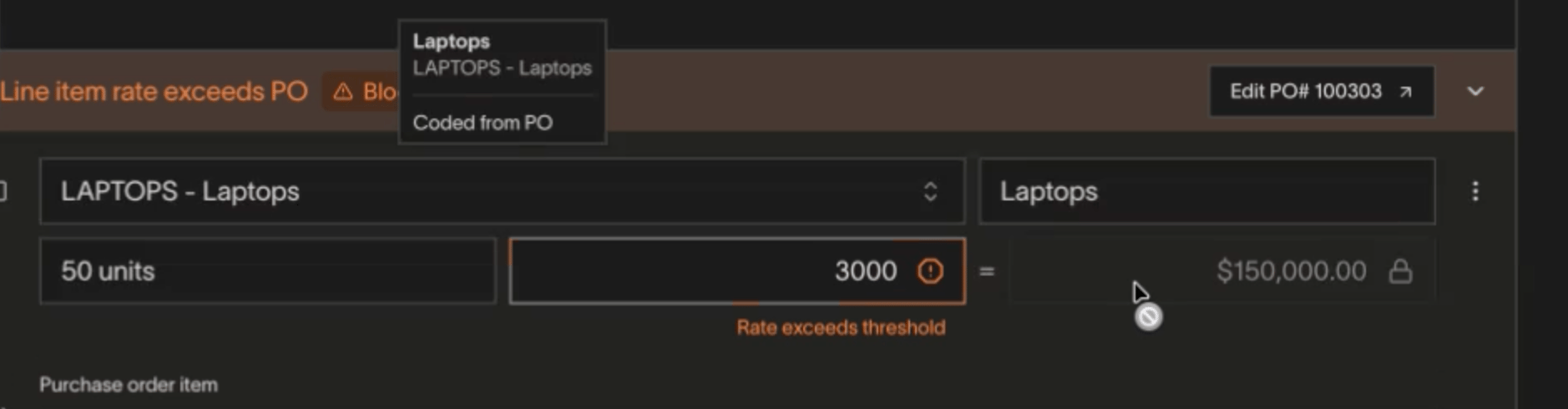
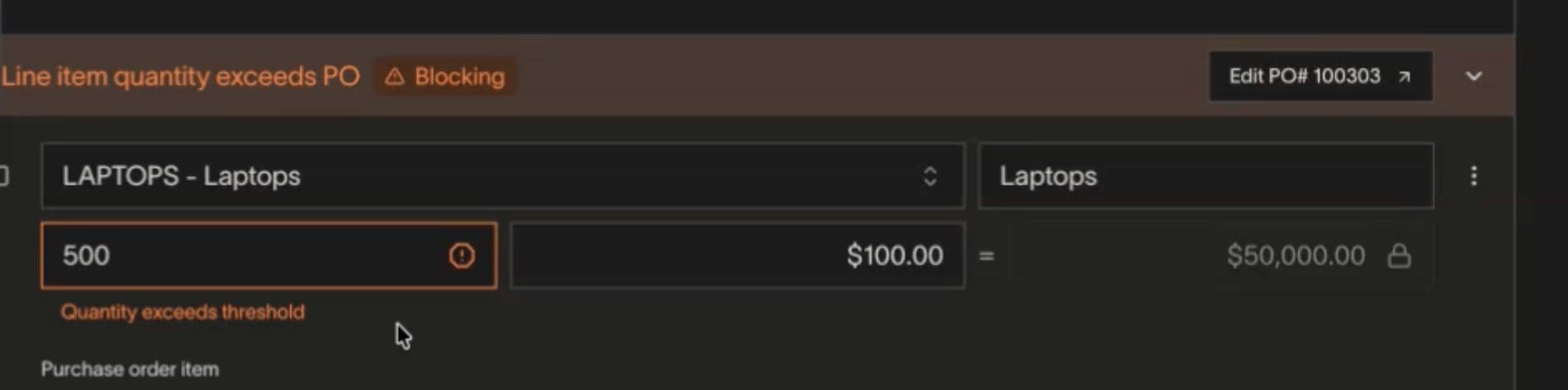
Ramp also checks matched bill lines against the PO line they are matched to. In settings, these controls live under Unexpectedly high unit rates and Quantity across invoices exceed PO total.
- Unexpectedly high unit rates use Rate percent threshold and Rate amount threshold .
- Quantity across invoices exceed PO total uses Quantity percent threshold and Quantity threshold .
These checks use the tolerances configured in your overbilling settings, so the thresholds are configurable rather than fixed. They are separate from the total-amount overbilling threshold above.
When a matched line exceeds the PO but stays within your configured tolerance, Ramp shows a warning such as Line item rate exceeds PO but within threshold or Line item quantity exceeds PO but within threshold. When a matched line exceeds the configured tolerance, Ramp escalates to a blocking error such as Line item rate exceeds PO or Line item quantity exceeds PO.
Turn on overbilling protection
Overbilling protection is off by default. To enable it:
- Go to Manage spend > Purchase orders > Settings .
- Open the Automation tab.
- Toggle on Block payments for unexpectedly high invoices .
- Set your overbilling threshold using a percentage, a dollar amount, or both.
Note: Amount-based overbilling protection only applies to POs created after you enable it. If your business auto-imports POs in Bill Pay, you can also access these controls from Bill Pay settings, but Procurement settings is the canonical home.
Frequently asked questions
Do rate and quantity checks replace amount-based overbilling protection?
No. Rate and quantity checks are additional line-level mismatch flags on matched bill lines.
What should I do if a bill is blocked for overbilling?
Update the bill amount or the matched PO amount so the bill no longer exceeds the configured threshold.
Does this work for imported POs?
Yes. Ramp shows overbilling alerts for POs created in Ramp and for POs imported from your ERP.
Are the rate and quantity thresholds fixed?
No. These thresholds are configurable in overbilling settings.