Missing Receipt Affidavit FAQ
Overview
Available on Ramp Plus. See Ramp Plus overview for plan details.
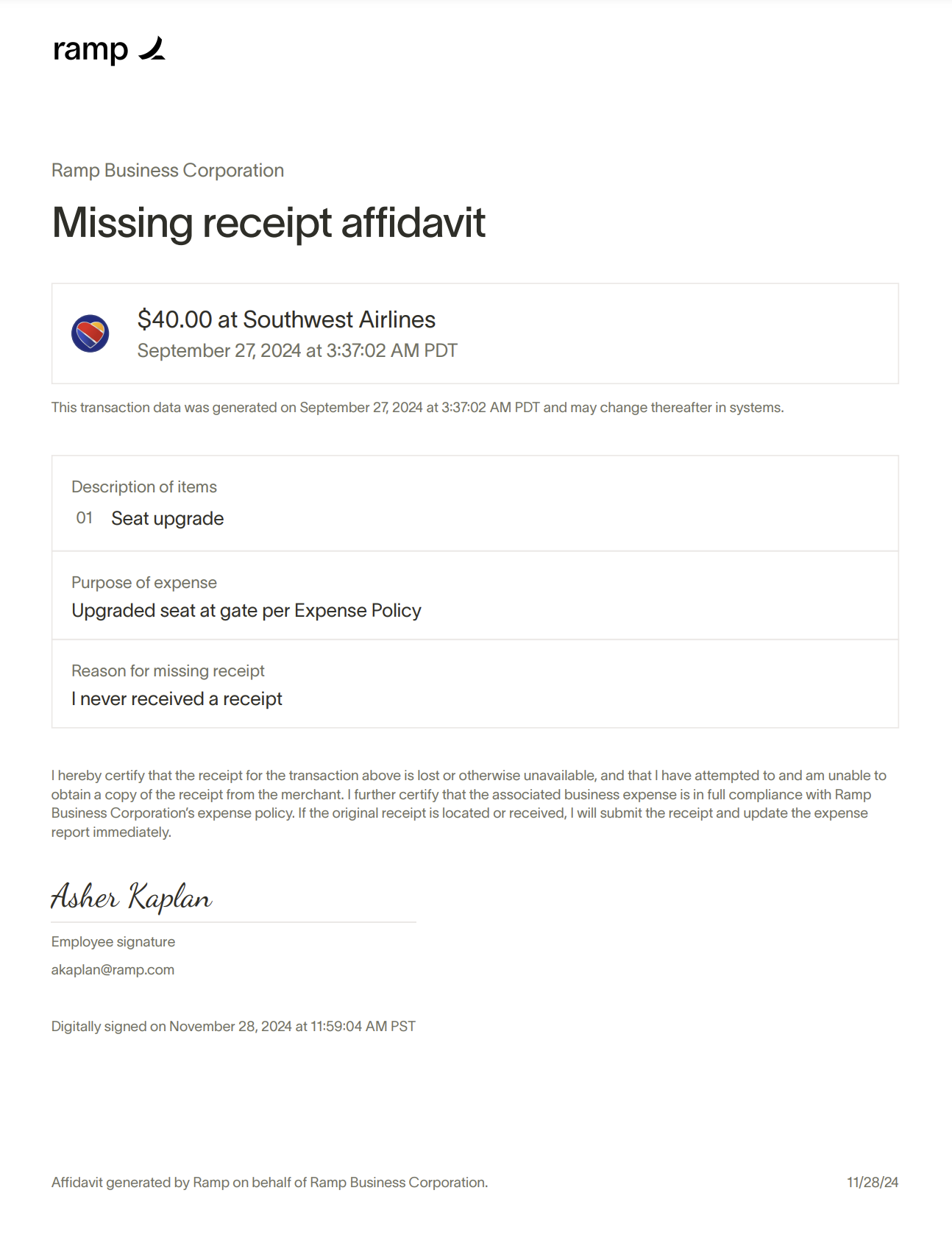
- The Missing Receipt Affidavit feature allows users to generate a signed affidavit when a required receipt is missing. This affidavit provides an auditable record for businesses.
- If enabled, this flow will be available for all transactions made after the feature is turned on. Transactions made before the feature is turned on will need to use the old flow
- This article covers affidavits for Ramp Card transactions. For out-of-pocket reimbursements, see Reimbursement receipt affidavits.
What is this feature?
Missing receipts can lead to significant issues during audits, such as penalties and disallowed deductions. The affidavit simplifies compliance, reduces administrative overhead for admins, and ensures consistency across documentation practices.
Who is this feature for?
This feature is available to businesses on Ramp Plus. It is designed primarily for businesses with stricter compliance requirements.
How does it work?
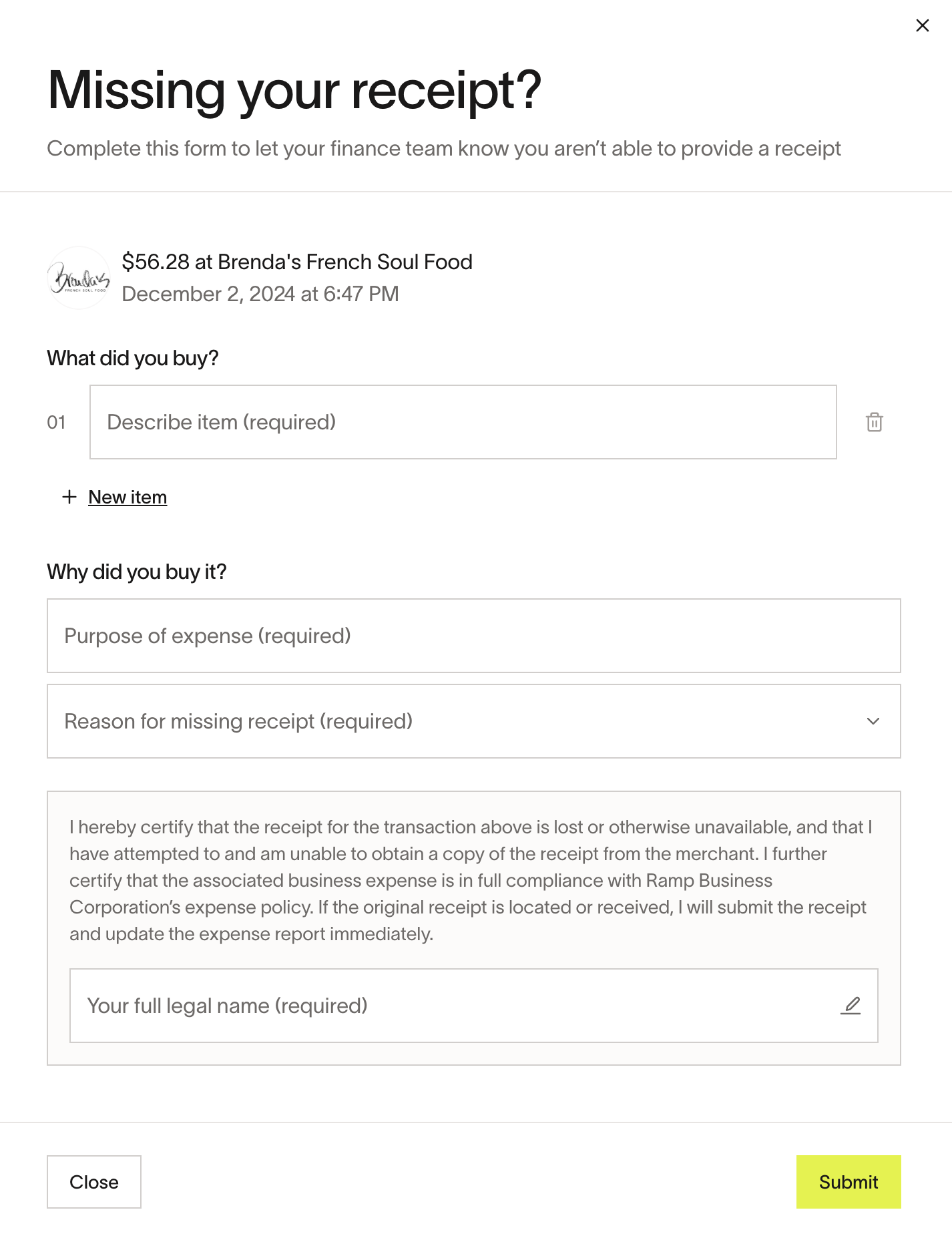
- Employees can request a policy exception for their transaction's missing receipt through Ramp's transaction flow. Only the person who made the transaction can submit a receipt affidavit for that transaction.
- Instead of leaving a free-form comment, they will complete a guided workflow to generate an affidavit.
- The affidavit certifies the employee’s efforts to obtain the receipt and ensures the transaction complies with company policy.
Where can I use this feature?
The Missing Receipt Affidavit workflow is accessible on:
- Web (embedded within the platform)
- Mobile web views (via SMS and browser)
- Ramp’s mobile app (if updated to latest version)
This workflow applies only to Ramp Card transactions.
Will this feature replace the need for receipts?
No, affidavits are not a substitute for receipts. They are a fallback option when receipts are unavailable. Ramp will monitor usage to ensure affidavits are not overused in place of receipts.
How do I enable this feature?
- Admins can activate the Missing Receipt Affidavit feature by going to ' Expense Policy ' -> ' Expense Requirements ' and toggling ' Require Receipt Affidavits ' within Ramp.
- For employees, managers, and Admin to create and/or approve affidavits on Mobile, they will need to upgrade their app to the latest version.
What happens if a missing receipt affidavit is submitted?
The affidavit is saved as part of the transaction record and can be synced to your ERP, ensuring it is available for audit purposes.
How does this feature affect the approval process?
- The affidavit adds a small amount of time to the exception request process, but it provides a structured and compliant alternative to free-form comments, enhancing clarity and consistency.
- Please note that for auto-approved transactions, affidavits will be to the designated exception approvers for review.
How can an Admin track expenses with affidavits?
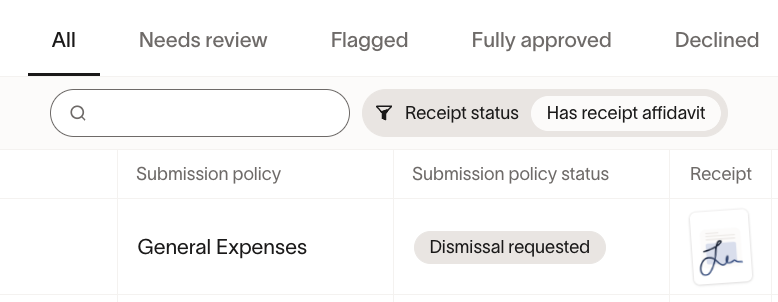
To filter for receipt affidavits in the Card Transactions table:
-
- Navigate to the search bar in the filters section
- Enter 'affidavit' in the search field
- Select the 'Has Receipt Affidavit' filter option
Note: When the receipt column is enabled in the Admin's expenses table, affidavits appear as thumbnail images like the one we see below.