MedPro integration overview
Overview
Available on Ramp Plus. See Ramp Plus overview for plan details.
The MedPro Systems integration helps life sciences organizations stay compliant and streamline the CMS Open Payments (“Sunshine Act”), state and local transparency requirements. The integration includes two components: DirectID – Ramp and DirectID – Ramp Export.
- DirectID – Ramp : Search and add healthcare professional (HCP) data from MedPro’s MedProID database directly within Ramp, so spend is tagged with complete, accurate HCP details.
- DirectID – Ramp Export (Coming in Q2 2026): Automatically export aggregate spend transactions from Ramp to MedPro’s Compliance Reporting ID (MCR) platform for both federal CMS Open Payments and state Aggregate Spend reporting requirements.
With this integration, you can expect:
- Smarter HCP lookup in Ramp. Real‑time access to MedPro’s comprehensive HCP data while adding attendees, including data elements required for transparency reporting. This removes manual data entry by field teams or back‑office operations.
- Cleaner reporting for life sciences. MedPro can automatically retrieve the Sunshine‑Act fields it needs from Ramp, so reporting runs through the MedPro platform you already use. MedPro helps companies comply with both federal and state regulations.
Only mutual customers of MedPro and Ramp can use this integration. Ramp Plus is required.
Requirements
Customers need an active Ramp Plus account and MedPro’s DirectID – Ramp licenses to use the integration. For existing customers of MedPro, you need to sign a Change Order with MedPro to add DirectID – Ramp (and DirectID – Ramp Export if also using MedPro’s MCR) before getting access to the integration.
Once the customer obtains the DirectID – Ramp license, MedPro will issue customer credentials that can be used to turn on the integration.
Set up
-
Admins can set up the integration in Ramp. Once set up, the setting is applied to all users, and no separate configuration is required.
-
Sunshine Act Compliance Integration Setup: Go to Company > Integrations > Sunshine Act Compliance.
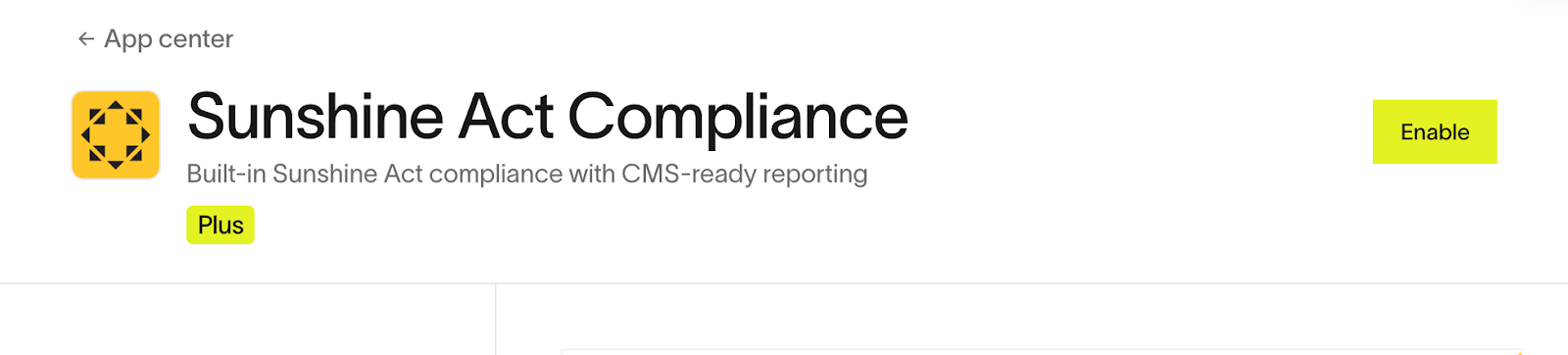
- Note: Before turning on the MedPro integration, Sunshine Act Compliance must be enabled first.
- If it’s not enabled already, select Enable at the top of the integration page and follow the setup instructions.
-
MedPro Credentials:
-
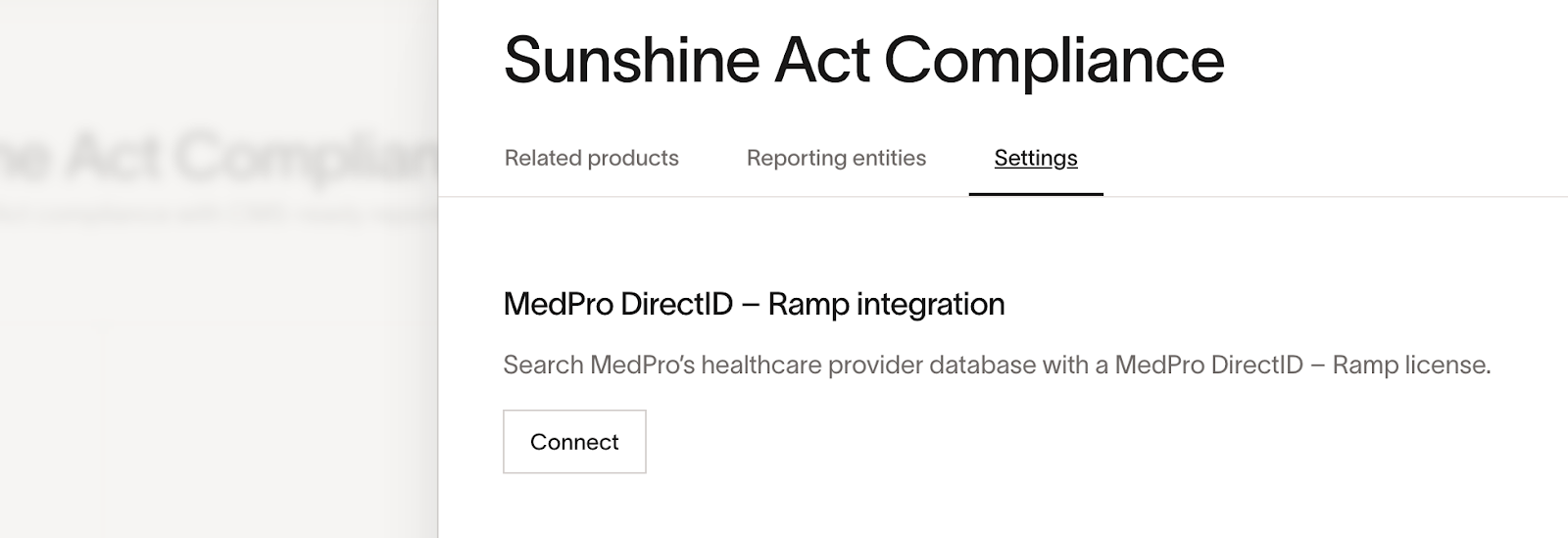
Once Sunshine Act Compliance is enabled, click Settings at the top of the Sunshine Act Compliance page, then click the Settings tab
-
Select Connect to turn on the MedPro integration
-
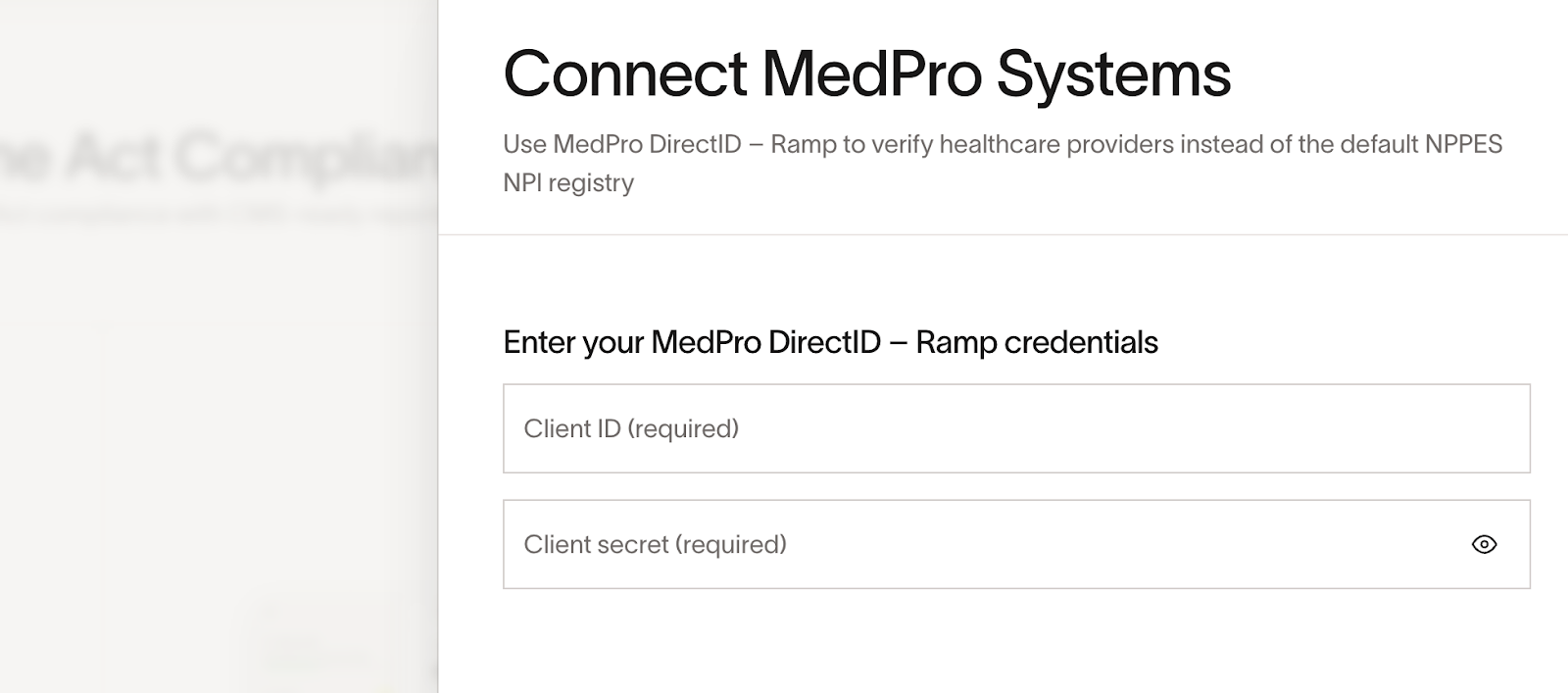
Enter the MedPro DirectID - Ramp credentials: Client ID and Client secret
-
Ramp validates the credentials and confirms the connection
-
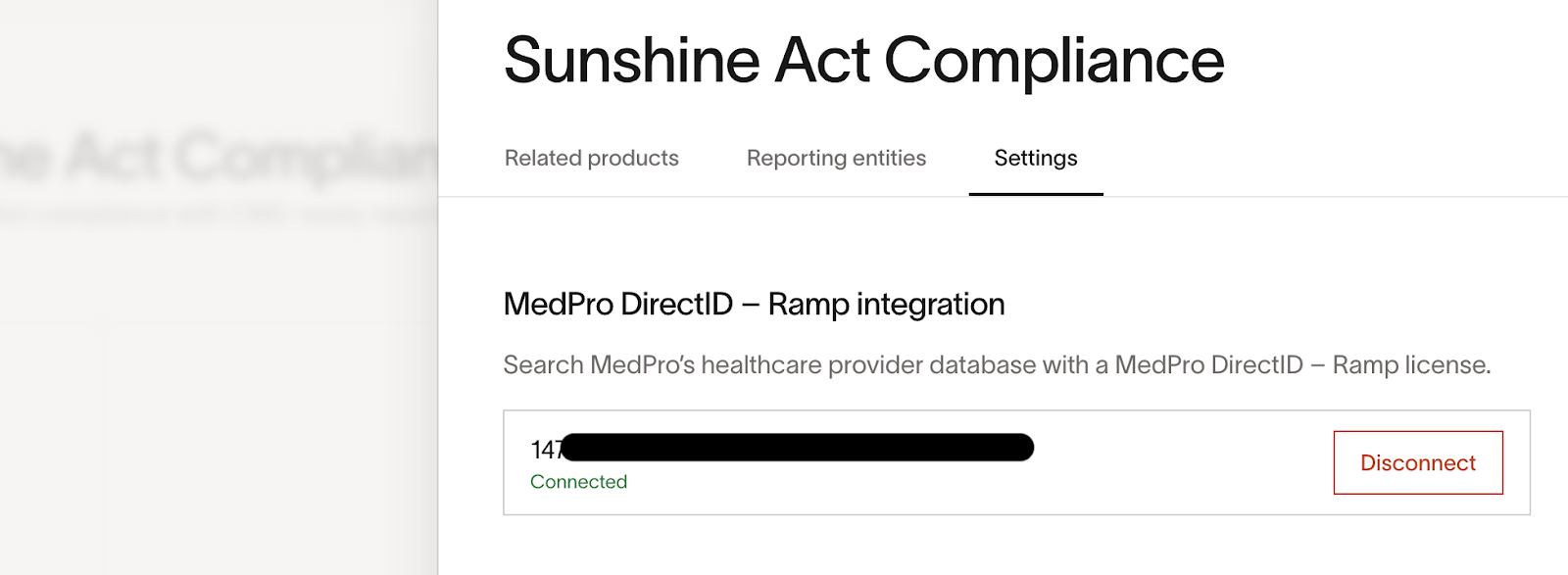
Once successfully connected, you should see “connected” under the Client ID

-
-
[ Coming in Q2 2026 ] DirectID – Ramp Export Configuration: Go to Company > Developer
- Create a new app by clicking ‘Start Building’
- Under “My apps,” click on your new app
- Add the following transactions:read and reimbursements:read scopes to your app. MedPro will need these in order to see your expense data.
- Provide the Client ID and Client Secret found on the page to MedPro so they can pull Sunshine‑Act‑related spend from Ramp
Using the MedPro integration in Ramp
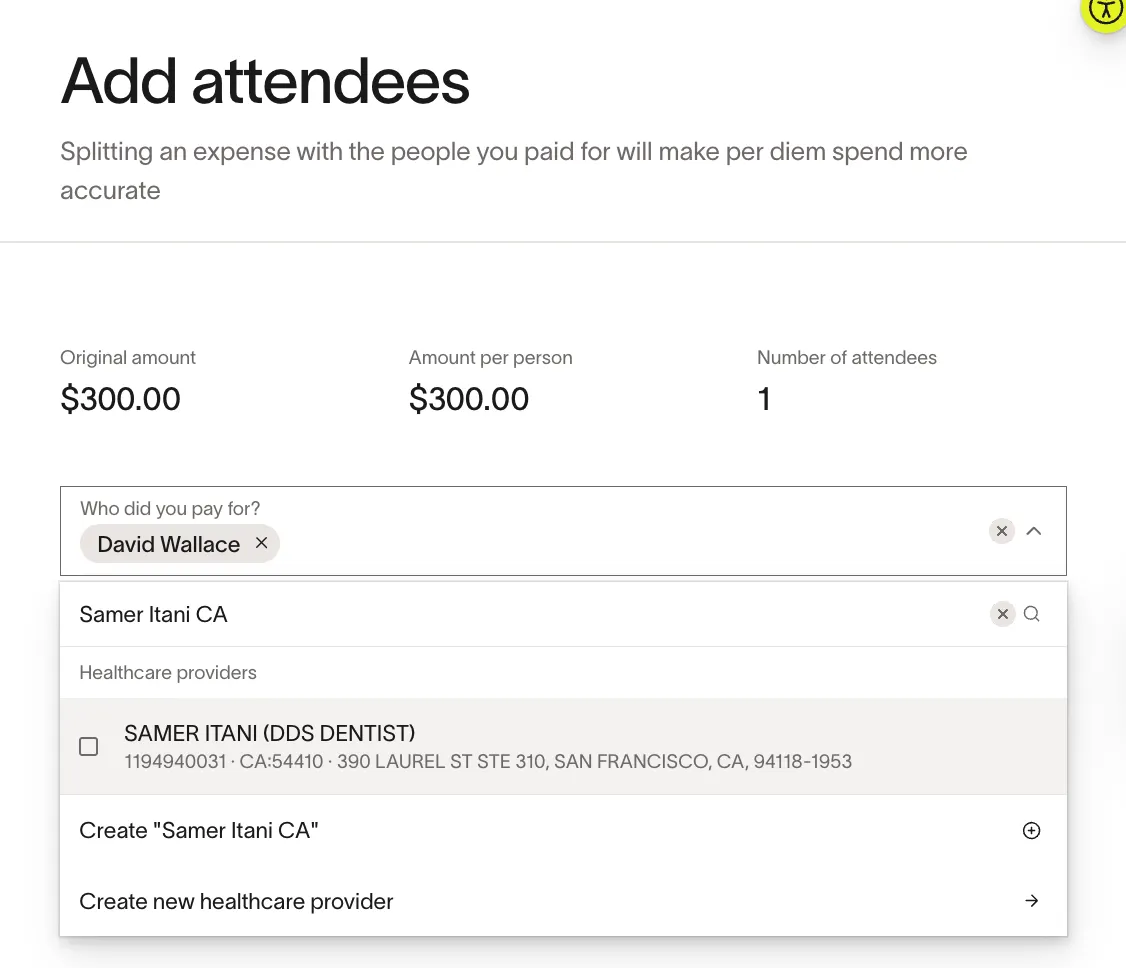
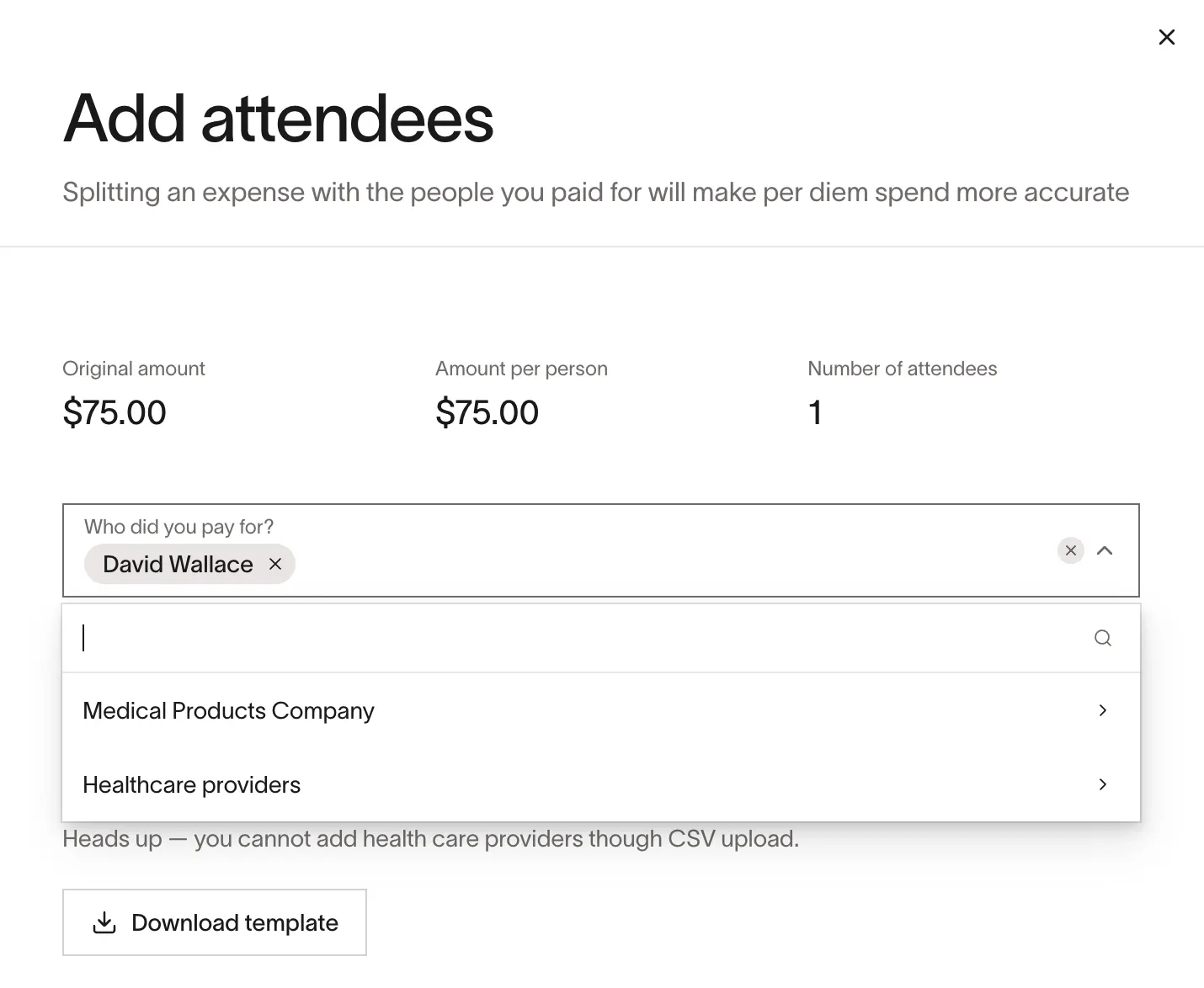
To add an attendee to a Sunshine Act-related expense in Ramp, search for and add HCPs using their NPI numbers, first name, and last name, or a combination of name plus the two-letter state code. Ramp stores the equivalent MedProID and required fields, so downstream reporting is complete and accurate.
Data syncing
[Coming in Q2 2026] With DirectID – Ramp Export enabled, MedPro automatically pulls the relevant expense data required for Sunshine Act and state reporting from Ramp and generates reports in the MedPro MCR platform. Customers can choose the cadence of the data sync and set up for the data to pull at their preferred cadence in MedPro. This includes:
- From MedPro to Ramp : Every HCP in the US, including covered recipients for CMS Open Payments (“Sunshine Act”) and State Aggregate Spend reporting, is available in the MedPro database.
- From Ramp to MedPro : Aggregate Spend-tagged expense data (merchant/vendor, transaction dates, amounts, payment method, attendees with MedPro IDs and key HCP attributes, related products, and basic context).
Ramp and MedPro exchange data using secure, customer‑specific API credentials. Ramp securely stores your MedPro client ID and secret for HCP lookups. MedPro pulls only aggregate spend from Ramp’s API using credentials you authorize. After the one‑time setup, data flows automatically with no ongoing work needed.
More about MedPro
MedPro Systems offers life sciences and healthcare companies an industry-leading compliance solution. With access to over 30 million HCP and 800,000+ healthcare organization (HCO) records, MedPro delivers the most accurate, comprehensive, and trusted data in the industry.
By connecting MedPro’s verified healthcare provider data directly to Ramp, companies can now validate every transaction as it happens. That means less time spent chasing NPI numbers, fewer errors at year-end, and complete confidence that reports meet Centers for Medicare & Medicaid Services (CMS), state, and local requirements.
MedPro Systems supports over 800 life sciences companies today, with a focus on HCP data and transparency reporting. To learn more about MedPro Systems and the DirectID - Ramp integrations, visit MedProSystems.com.
If you are currently using the DirectID – Ramp integration and have support questions, contact MedPro’s Ramp Support team at [email protected].
Frequently asked questions
How long does setup take?
Once MedPro licensing is complete and you receive the credentials from MedPro, connecting within Ramp takes just a few minutes.
Where can I find the DirectID - Ramp credentials?
Reach out to your MedPro representative to add this integration to your MedPro agreement. MedPro will share the credentials directly with you so you can turn on the integration in Ramp.
Do I need both DirectID – Ramp and DirectID – Ramp Export?
No. Use DirectID – Ramp for HCP search and tagging within Ramp. Add DirectID – Ramp Export if you also use MedPro MCR for transparency reporting. Direct ID – Ramp Export will be available starting in Q2 2026.