International Debiting on Ramp Bill Pay Overview
Overview
Available on Ramp Enterprise. See Ramp Enterprise overview for plan details.
International debiting in Ramp Bill Pay allows you to fund vendor payments directly from your international (non-USD) bank accounts. This is especially useful for:
- U.S.-based companies with international subsidiaries
- Global businesses operating outside the U.S.
Ramp currently supports debiting from accounts in:
- Canadian Dollar (CAD)
- Pound sterling (GBP)
- Euro (EUR)
This article explains how to set up and use international debiting in Bill Pay and provides answers to common questions.
Complete KYB/KYC verification for your international entity
Before you can make payments using an international bank account, your international entity must complete Ramp’s KYB/KYC verification process.
- You may still link an international bank account and draft bills before verification is finished.
- However, you cannot pay bills until the entity is fully verified.
If verification is pending, drafted bills will show as Queued, the Pay button will be disabled, and you’ll see a banner in Bill Pay settings indicating that verification is still in progress.
Enable international debiting in Bill Pay settings
Once your entity is verified, you can enable international debiting:
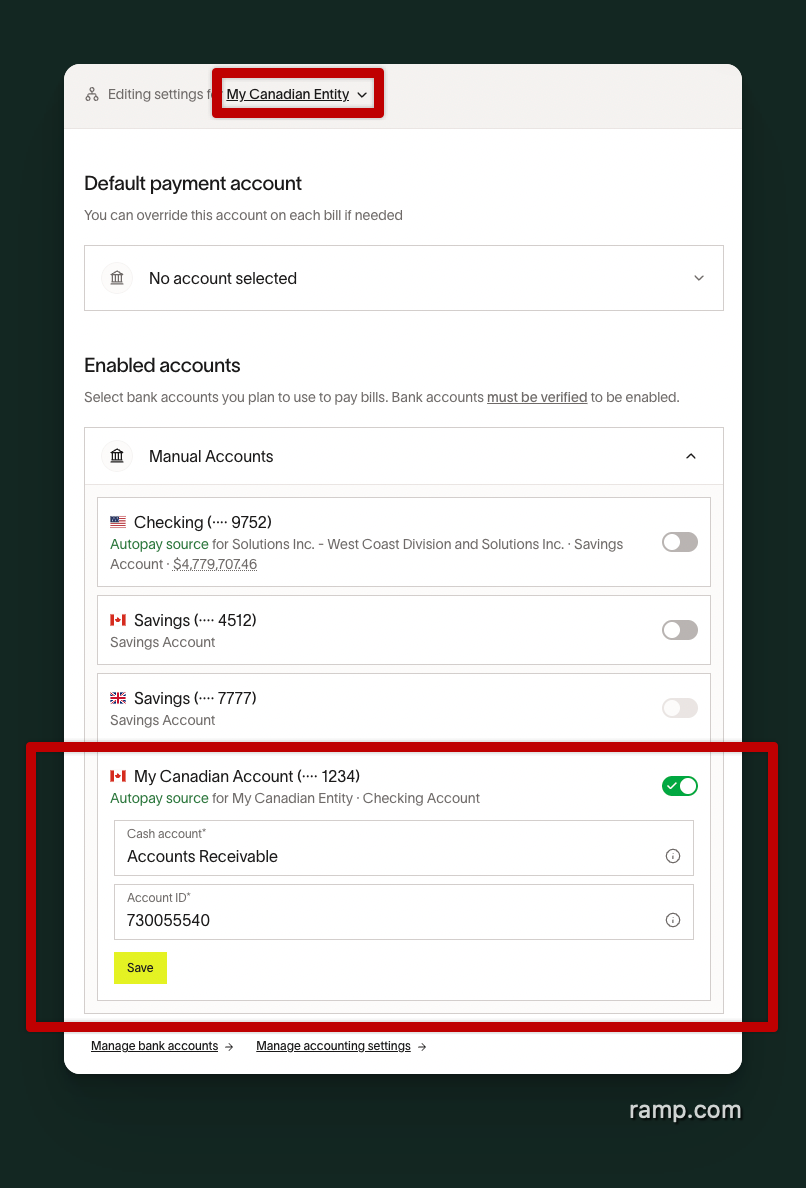
- Go to Bill Pay Settings.
- In the top dropdown, switch from your primary entity to your International Entity (e.g., “Canadian Entity”).
- Toggle ON the international bank account you want to use.
- If you don’t see the account listed, click Manage bank accounts at the bottom to add a new one.
Create vendors for international payments
Vendor creation works the same way as with U.S. entities, but make sure to select the correct entity:
- From the Vendors page, select New vendor.
- Set the Default Entity to your international entity.
- Add the vendor’s address and contact details.
- Under Payment Details, select International if the vendor will be paid to a non-USD account.
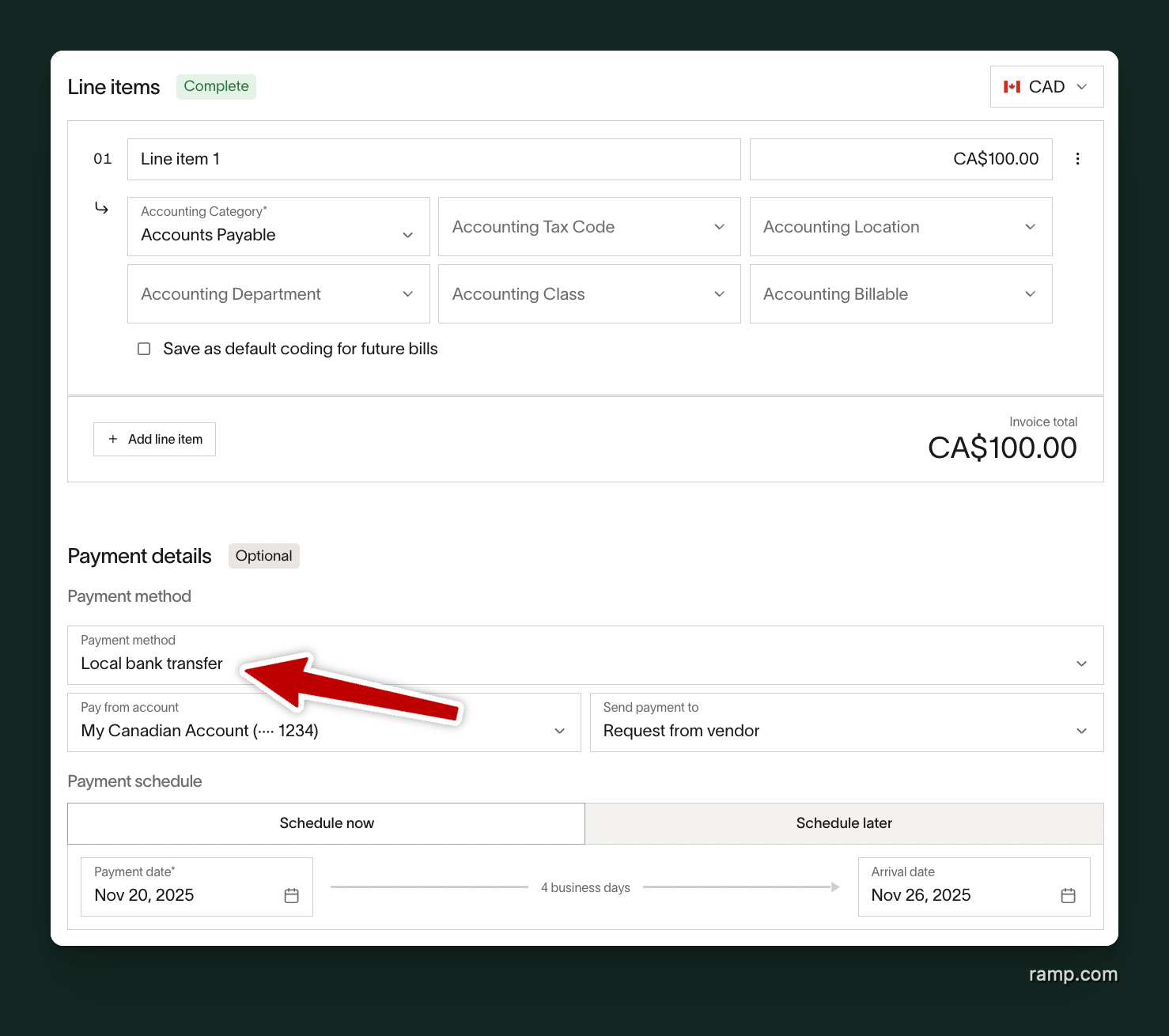
This ensures payments route correctly and accounting is applied to the right entity. Ramp automatically selects the appropriate transfer type based on:
- The source currency (your bank account), and
- The destination currency (your vendor’s payout currency)
| Source Currency | Destination Currency | Transfer Type | How It Works |
|---|---|---|---|
| A (e.g., CAD) | A (e.g., CAD) | Local Bank Transfer | Uses local rails such as EFT. Faster and lower cost. |
| A (e.g., CAD) | B (e.g., USD) | International Transfer | Includes a foreign exchange (FX) conversion. |
| A (e.g., CAD) | C (e.g., ARS) | International Transfer | Includes a foreign exchange (FX) conversion. |
Frequently asked questions
Can I draft bills before my international entity is verified?
Yes. You can link the international account and draft bills at any time. Payments will process only after verification is complete.
Why is the “Pay” button disabled for my bill?
This usually means the international entity hasn’t completed KYB/KYC verification. Visit Bill Pay Settings to check the status.
Can I pay a U.S. vendor from my international account?
Yes. Ramp will process this as an International Transfer. Your account is debited in its local currency, and the vendor receives USD.
Can I pay international vendors using my Ramp Card?
Yes. International entities can use Ramp Cards just like U.S. entities.