The New Policy Page & AI Agent
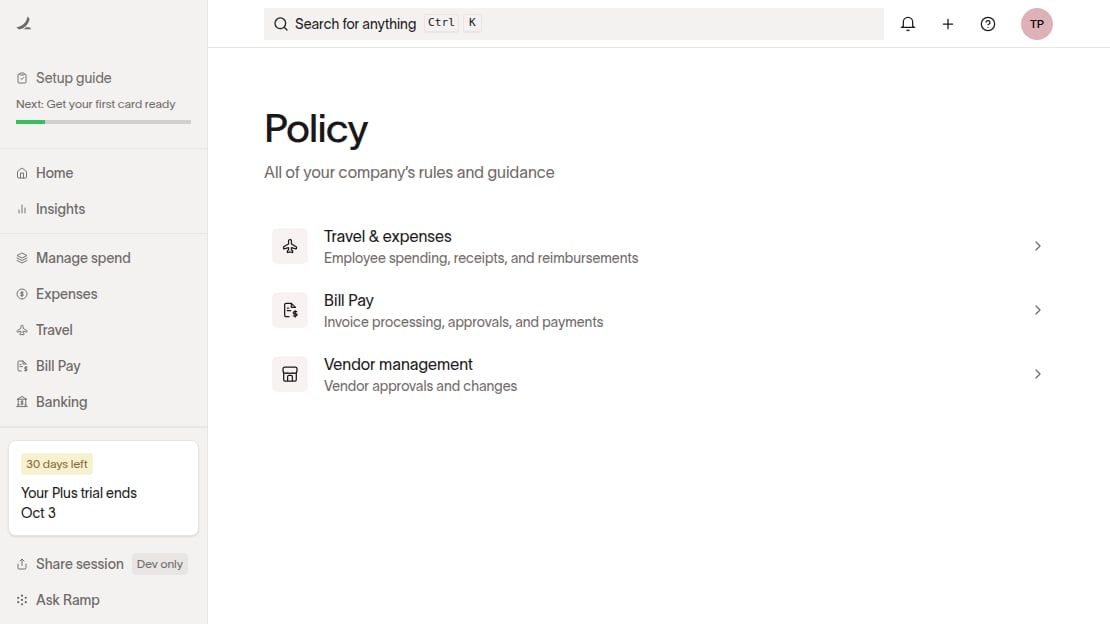
The Policy page is a hub for your company's rules and guidance. It organizes policy settings into category rows for Travel & expenses, Accounting, Bill Pay, Vendor management, and Accounts receivable. The rows you see depend on your permissions and the features enabled for your business.
Access Policy Agent
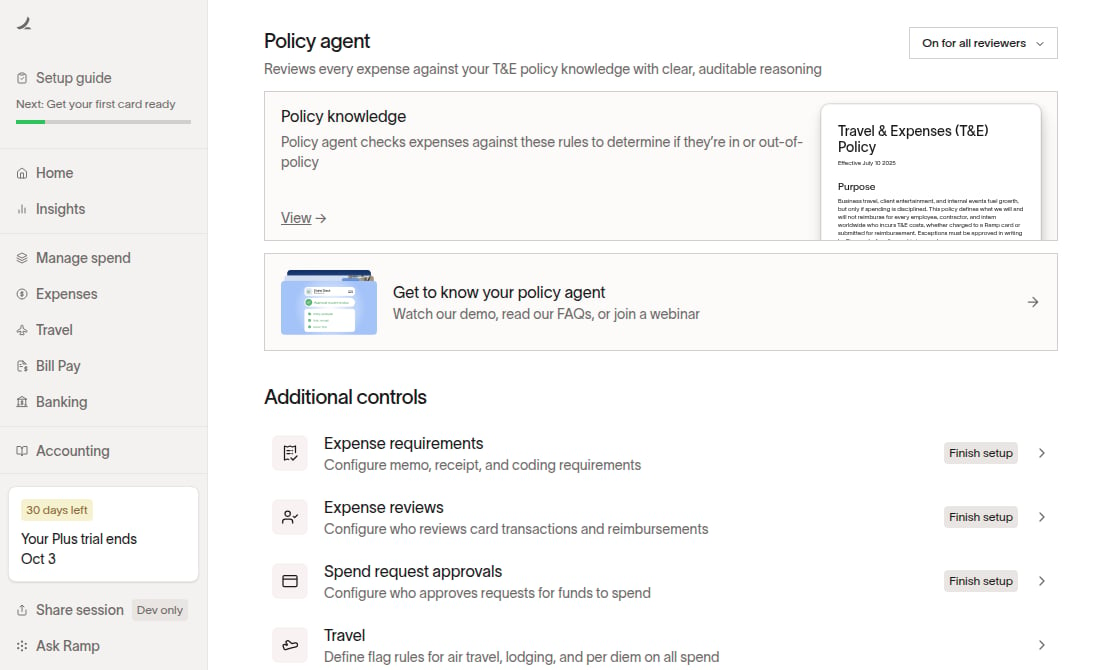
Policy Agent setup and policy knowledge are under Policy > Travel & expenses > Policy agent. Select Policy knowledge > View to open the Policy Editor.
Policy knowledge
Available on Ramp Plus. See Ramp Plus overview for plan details and Policy Agent overview for eligibility and setup.
Open the Policy Editor to view your Policy knowledge. For training videos, FAQs, and webinars, open Travel & expenses and select Get to know your policy agent.
Find policy controls
Open Policy and select the category for the controls you need:
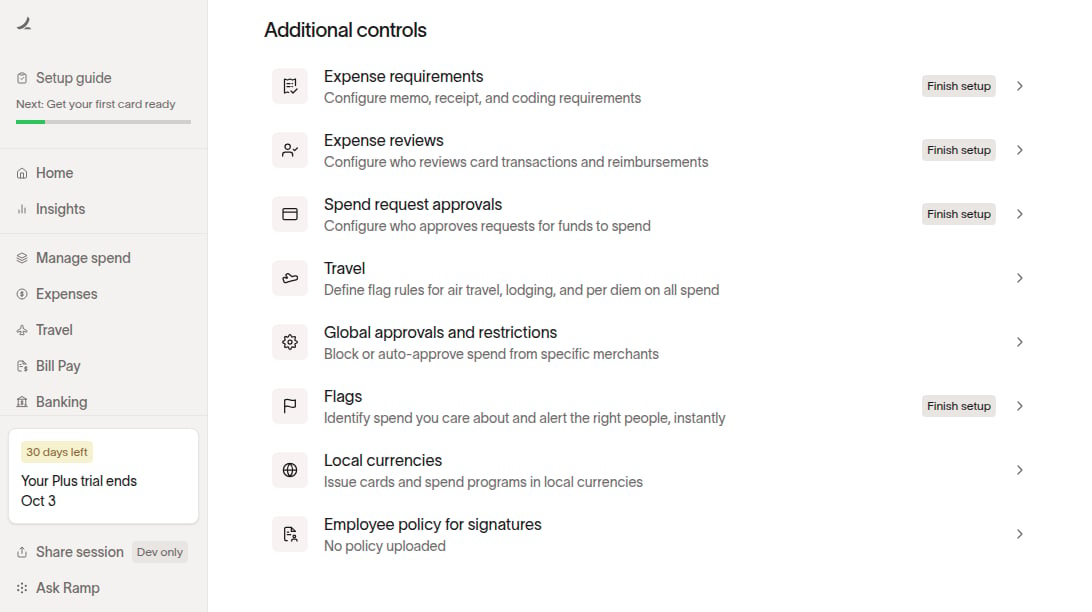
- Travel & expenses > Additional controls contains Expense requirements, Expense reviews, Spend request approvals, Ramp Travel bookings, Global approvals and restrictions, Flags, Local currencies, and Employee policy for signatures.
- Expense reviews: Configure who reviews card transactions and reimbursements.
- Expense requirements: Configure memo, receipt, and coding requirements.
- Spend request approvals: Configure who approves requests for funds and, where available, purchase orders.
- Employee policy for signatures: Upload and manage the employee-facing policy separately from Policy Agent rules.
- Accounting contains accounting policy controls.
- Bill Pay contains Bill approvals, Bill submission policy, and Payment run policy.
- Vendor management contains vendor approval and change controls.
- Accounts receivable contains collections and intake policy controls when available.
Bill approvals appear under Bill Pay, and vendor controls appear under Vendor management.