Policy Agent Overview
Overview
Available on Ramp Plus. See Ramp Plus overview for plan details.
Policy Agent is Ramp’s AI expense reviewer that applies your written expense policy to every card transaction and reimbursement. It helps you enforce compliance, reduce manual reviews, and give employees clear, consistent answers on what’s in-policy vs. out-of-policy.
Policy Agent is available only to Ramp Plus customers. Policy Agent starts in review-only mode — you decide when to enable automations. Reviewers always retain final authority.
Early customers have reduced manual reviews by about 85% while maintaining 99%+ accuracy.
What Policy Agent does
Policy Agent is Ramp’s AI expense reviewer that applies your written expense policy to every card transaction and reimbursement. It:
- Interprets your policy semantically , not just via keywords
- Uses Retrieval-Augmented Generation (RAG) to look up and cite the exact policy text it relies on
- Evaluates full transaction context, including card details, merchant data, receipts, memos, attendees, and trip information
- Produces one of three recommendation types:
- Approval recommended
- Requires review
- Rejection recommended
By default, Policy Agent only recommends actions. You decide, via workflows, when it can automatically approve clearly in-policy expenses. Reviewers always have the final say.
For every expense, hover over the (i) toggle on the recommendation label to understand which policy rule the agent is referencing for its recommendation.

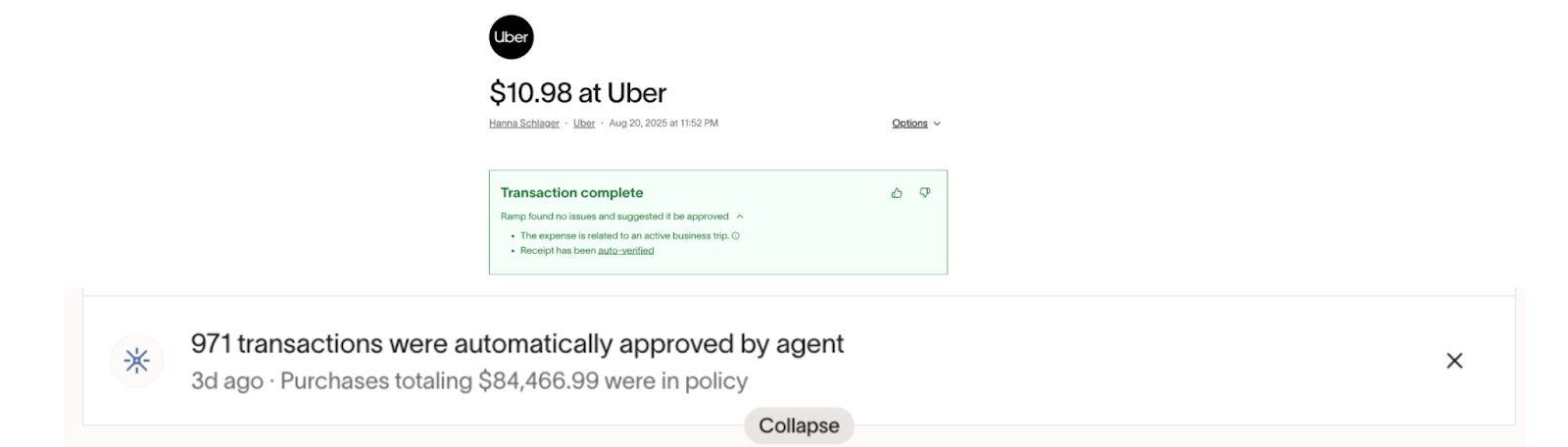
How Policy Agent evaluates expenses
Policy Agent evaluates each expense using multiple data sources:
Your policy
- The agent-facing structured policy document configured in the Policy tab
- Contains rules, thresholds, exceptions, and hidden notes
Merchant and transaction data (l1–L3)
- Merchant name
- Amount, date/time, currency
- Item names and tax
- Fund-level data (description, utilization)
Employee inputs
- Receipt OCR and itemization
- Memo / business purpose
- Attendees
- Trip details (e.g., flight itinerary, trip name, trip description)
- Location
Additional context
- Custom fields and records (e.g., department, role, entity, level, office location)
- Relevant reference data (e.g., GSA rates)
Card details
- Card last 4 digits
- Physical vs virtual card
- Card program / Spend Program
This allows Policy Agent to enforce rules that depend on who spent, where, on what, for which trip, and on which card or program.
FAQ – What types of data does Policy Agent have access to?
Policy Agent has access to transaction-level data (amount, datetime, currency, receipt, attendees), fund-level data (description, utilization), trip data (flight itinerary, trip name and description), and accounting coding data. It evaluates data on a transaction-by-transaction basis and cannot look across multiple transactions to make a determination.
FAQ – Does Policy Agent access employees’ bank details?
No. Policy Agent uses transaction-level and employee-input data (e.g., merchant name, item names, sales tax, trip details, location) to evaluate compliance. It does not access personal bank account information.
What Policy Agent doesn’t do
It’s important to know what Policy Agent is not responsible for. Policy Agent does not:
- Access personal bank account information
- Look across multiple transactions for behavioral analysis
- Determine whether accounting codes or GL coding are correct
- Rely on employee-input GL codes for policy decisions
FAQ – Does Policy Agent check for correct accounting coding?
No. Policy Agent checks whether expenses comply with your policy rules, not whether accounting codes are correct.
FAQ – Why doesn’t Ramp rely on employee-inputted GL coding for policy decisions?
Policy Agent bases its decisions on the substance of expenses, not just GL coding.
Recommendation types and ambiguous cases
UI groupings vs. internal recommendation types
In the UI (e.g., on your homepage or review queues), expenses are grouped into two high-level buckets:
- Approval recommended
- Review recommended
Under the hood, Policy Agent actually produces three types of recommendations:
- Approval recommended – The expense clearly complies with your policy.
- Review recommended – The agent is uncertain, missing context, or your policy explicitly requires human review.
- Rejection recommended – The agent identifies a clear policy violation.
The “Review recommended” UI bucket includes both Review recommended and Rejection recommended decisions so reviewers see everything that needs attention in one place.
Ambiguous cases and conservative lean
Policy Agent intentionally leans conservative when your policy language or an expense submission is broad, ambiguous, or missing context.
- If Policy Agent cannot confidently determine whether an expense is in or out of policy, it marks the decision as Requires review .
- These expenses are escalated to a human reviewer rather than auto-approved.
For best results, write policies with clear, explicit rules and limits so the agent can make more confident decisions.
FAQ – Can Policy Agent handle ambiguous or intentionally broad policy language?
Policy Agent leans conservative when interpreting policy language and an employee’s expense submission. If it can’t confidently determine whether an expense is in or out of policy, it marks the decision as “Requires review” and escalates to a reviewer.
Policy setup at a glance
A separate article covers detailed setup steps. At a high level, you configure Policy Agent from the Policy tab:
- Use Ramp’s best-practice template , or
- Use your existing employee-facing policy as a starting point, or
- Upload another policy document
Ramp converts your existing policy into an AI-friendly structured document that Policy Agent can interpret and cite.
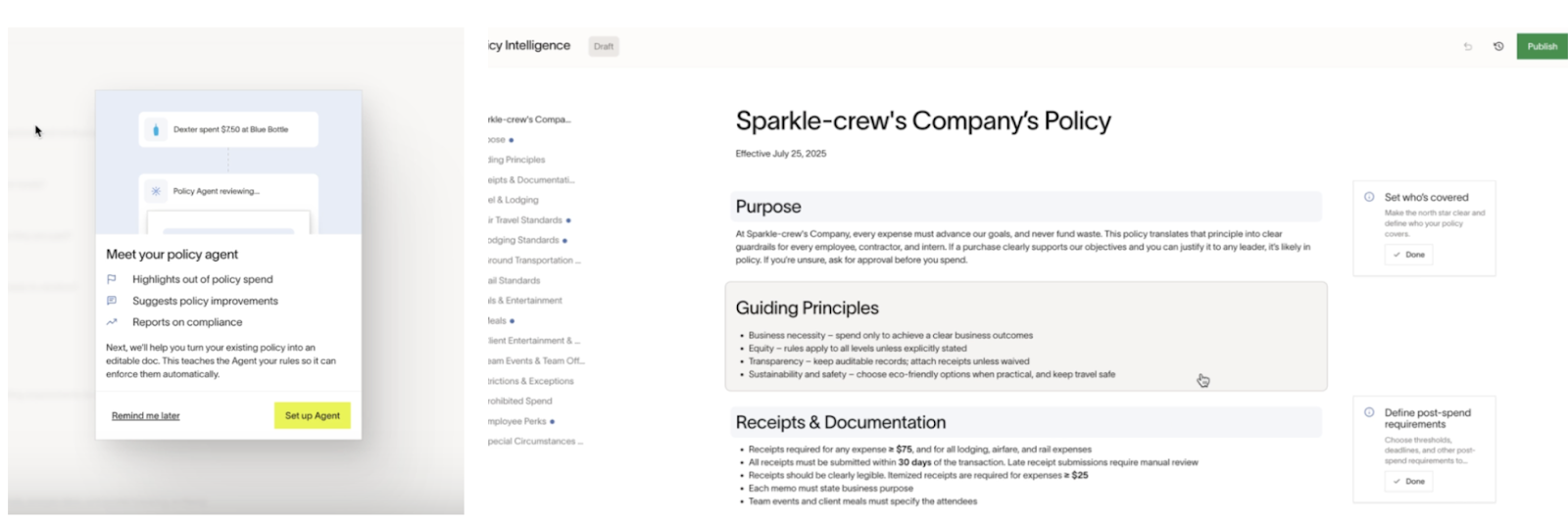
Key setup behavior:
- Recommended policy size is about 10 pages / 10,000 words
- Policy Agent cannot interpret images or hyperlinks — all critical rules must be plain text
- The conversion process runs asynchronously . You can leave the page and track status (e.g., “Reading doc”)
- You’ll be notified on your homepage when conversion is complete
- After you save the agent’s knowledge, the agent evaluates recent expenses. This can take up to 24 hours
FAQ – What happens when Policy Agent is making my existing policy AI friendly?
The conversion strips filler and non-enforcement text and restructures content for clarity. It does not add new rules. The result is a concise, structured version of your existing policy optimized for the agent’s understanding and citations.
Agent-facing vs Employee-facing policy documents
In the Policy tab, you manage two distinct policy documents:
Policy Agent document / knowledge center (Admin-facing)
- Structured, AI-optimized policy that Policy Agent uses to evaluate expenses
- Contains rules, hidden notes, and references to custom fields or entities
- Acts as the agent’s “knowledge center”
- Changes here affect how Policy Agent makes assessments
Employee-facing policy document
- The PDF or handbook version that employees see and can sign
- Is not automatically changed when the agent-facing document is updated
- Can optionally be sent for employee signatures
FAQ – Does Policy Agent overwrite our existing PDF policy?
No. Your existing employee-facing PDF policy remains unchanged. Policy Agent uses a separate agent-facing knowledge center.
FAQ – Do changes re-trigger employee sign-off like the original PDF?
No. Modifications to the agent-facing policy do not force all employees to re-sign. The employee-facing policy document stays separate. If you want employees to sign again, you can save the updated policy document as a PDF and re-upload it via Policy > Documentation.
FAQ – Is there a way to toggle whether the refined AI policy can overwrite the existing PDF?
No. There isn’t a toggle for the agent document to automatically replace your employee PDF. You can manually download or export a structured version and upload a new PDF if you’d like both to align.
FAQ – How can we see which PDF was uploaded for the policy agent?
Not currently supported. You can replace the employee-facing PDF at any time via Policy > Documentation.
FAQ – How are employees notified of policy changes to Policy Agent’s knowledge center?
They aren’t. The agent’s knowledge center is separate from the employee-facing PDF and signature experience. Changes you make to the agent’s knowledge center don’t trigger notifications or new acknowledgments.
Visibility, activity feed, and audit trail
Who can see recommendations?
Policy Agent assessments are visible to:
- Admins
- Reviewers
Employees cannot see Policy Agent assessments.
In Policy → Expense reviews, you can set visibility to:
- Admins only – useful during testing and configuration
- All reviewers – recommended once you’ve familiarized yourself with the agent (typically within about a week)
Visibility controls who can see assessments, not whether they are generated. If you switch visibility to All reviewers, they will immediately see transactions where the agent has already made an assessment.
FAQ – Can employees see the agent’s policy assessment?
No. Employees cannot see Policy Agent’s assessments. Only expense reviewers and admins can view the agent’s reasoning and evaluations.
Activity feed and exceptions
Each expense has a detailed activity feed that provides a full audit trail. It shows:
- Policy Agent’s recommendation (approval / review / rejection)
- The agent’s rationale and cited policy text
- Updated assessments after new information (e.g., receipt or memo)
- Reviewer overrides
- Feedback (thumbs up/down)
- Removed assessments
- The policy version used
- Exception decisions
Feedback and overrides are logged and used to improve the system and inform insights in the editor.
FAQ – Where can I see which expenses were marked as exceptions?
You can view exception decisions in the activity log on each expense. For an org-wide view, go to Company > Audit log.
FAQ – Where does feedback on the policy go?
Today, feedback appears in the Audit log and informs insights in the editor. Coming soon, policy suggestions will surface directly in the policy editor for review and application.
FAQ – Where does feedback about Ramp’s assessment being wrong go?
Use the Audit log entry on the expense to record feedback. This is reported back to Ramp and feeds model and system improvements.
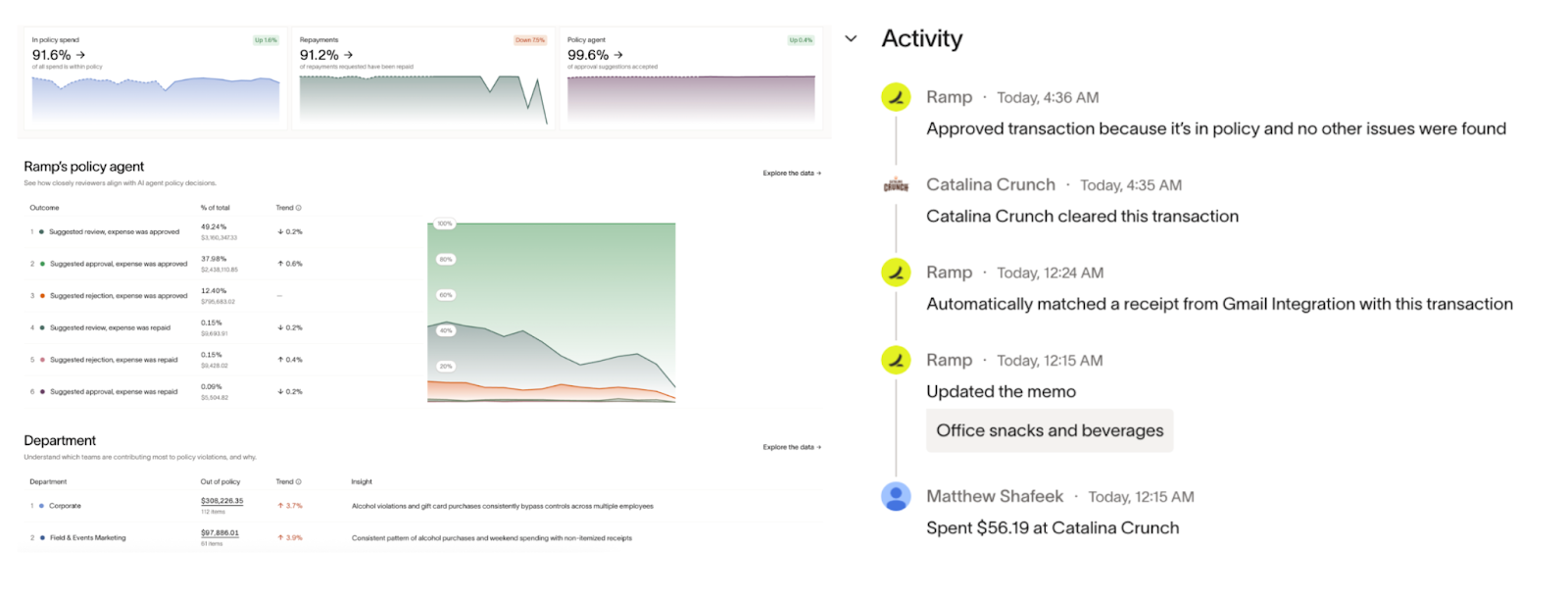
Reporting and insights
Under Insights → Reports → Policy, the Policy dashboard gives you a view of how Policy Agent is performing and how your teams are spending.
The dashboard includes:
- In-policy spend
- Percentage of accepted approval recommendations
- Agent alignment (how often reviewers agree with the agent)
- Percentage of repayment requests that have been repaid
- Department and employee-level insights
- Risky categories and potential fraud risks
Tables across Ramp also include a Policy assessment column with filters for:
- In-policy
- Review recommended
- Rejection recommended
This makes it easy to slice and analyze spend patterns by policy outcome.
Employee experience
Employees interact with your policy in two main ways:
- Text HIRAMP (447-267) – Employees can text policy questions, powered by your employee-facing policy document (e.g., “What’s my dinner budget when I travel?”, “Can I reimburse coffee for a client meeting?”, “How much do I have left in my WFH stipend?”).
- Profile → Employee Handbook – Employees can access the employee-facing policy PDF via the Employee Handbook .
Employees:
- Cannot see Policy Agent assessments
- Are not forced to re-sign the policy when you change the agent-facing document

Get help
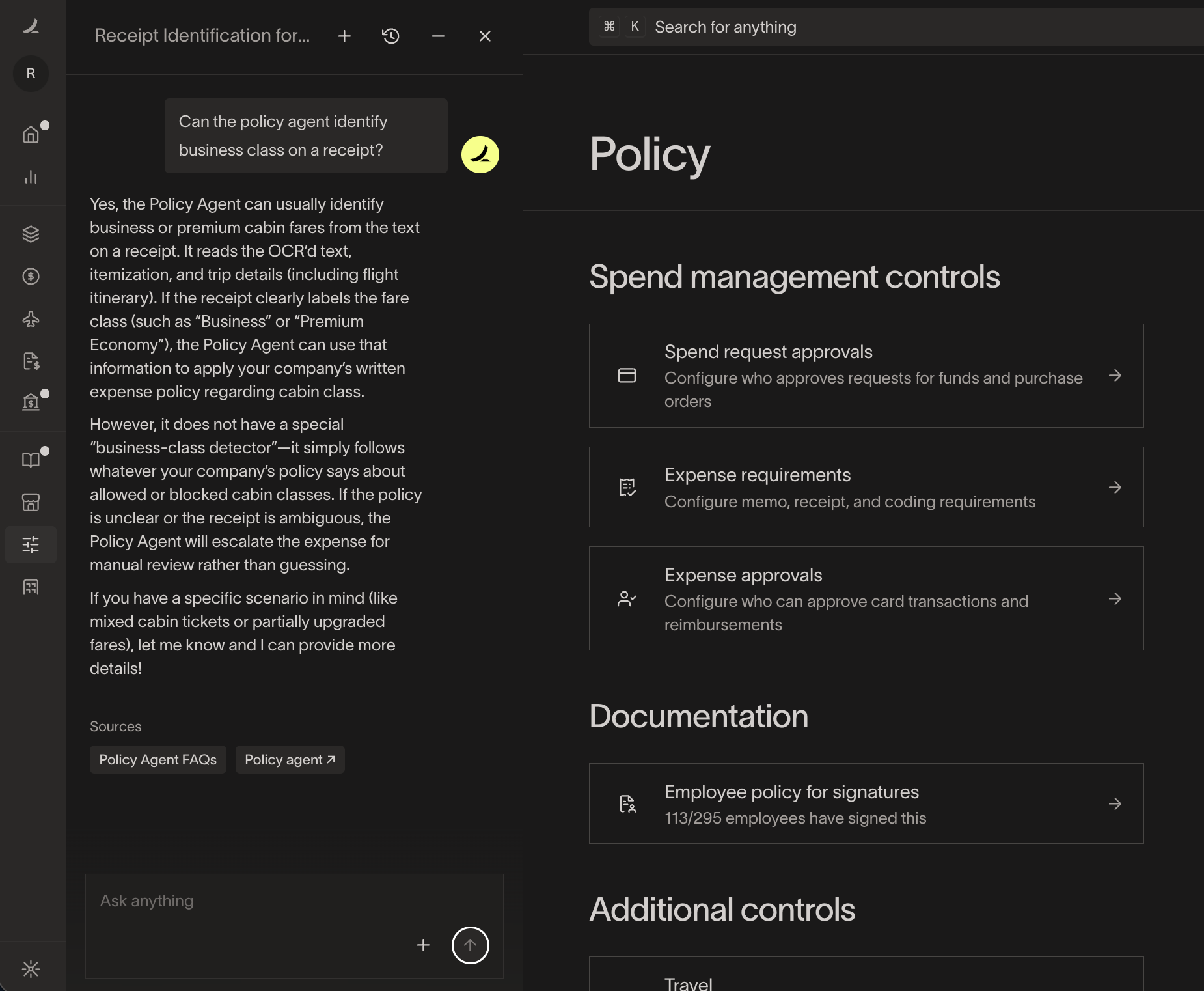
Click Ask Ramp on the bottom left corner of the Ramp dashboard and chat with Ramp Assist for quick guidance for questions about the Policy Agent, including setup, capabilities and limitations, approvals, and troubleshooting.
Privacy and compliance
Policy Agent is built to respect your data privacy and compliance requirements.
- Ramp partners with OpenAI to power Policy Agent.
- OpenAI does not retain or train on Ramp customer data .
- Ramp does not mix customer data when training its own models — your business’s data is not used to train models for other customers.
Policy Agent is in scope for SOC 1, and will be explicitly included in Ramp’s 2025 SOC audit and reporting.
FAQ – Are Policy Agents covered under our SOC 1 report?
Yes. Policy Agent (and all other agents) are in scope and will be explicitly included in our 2025 SOC audit and reporting.