Bill Pay payment release
Overview
Available on Ramp Plus. See Ramp Plus overview for plan details.
The Payment Step Approvals feature allows you to add an extra layer of control over the release of funds for bill payments. This feature is designed for companies that need to maintain clear separation of duties between the person approving bills and the person authorizing payments. By enabling this feature, you can ensure that no payment will be released until it is explicitly approved by a designated "Payer."
Note, this feature is only available to customers on Ramp Plus
Step 1: Turn on payment release setting
- Navigate to Bill Pay settings > Approvals
- Add payers who can review and release bills for payments. At this time, only Admin and Accounts Payable roles can be added as payers on Bill Pay
Note, once payment release is turned on, any bills that have not yet been initiated for payment will now be routed through payment release
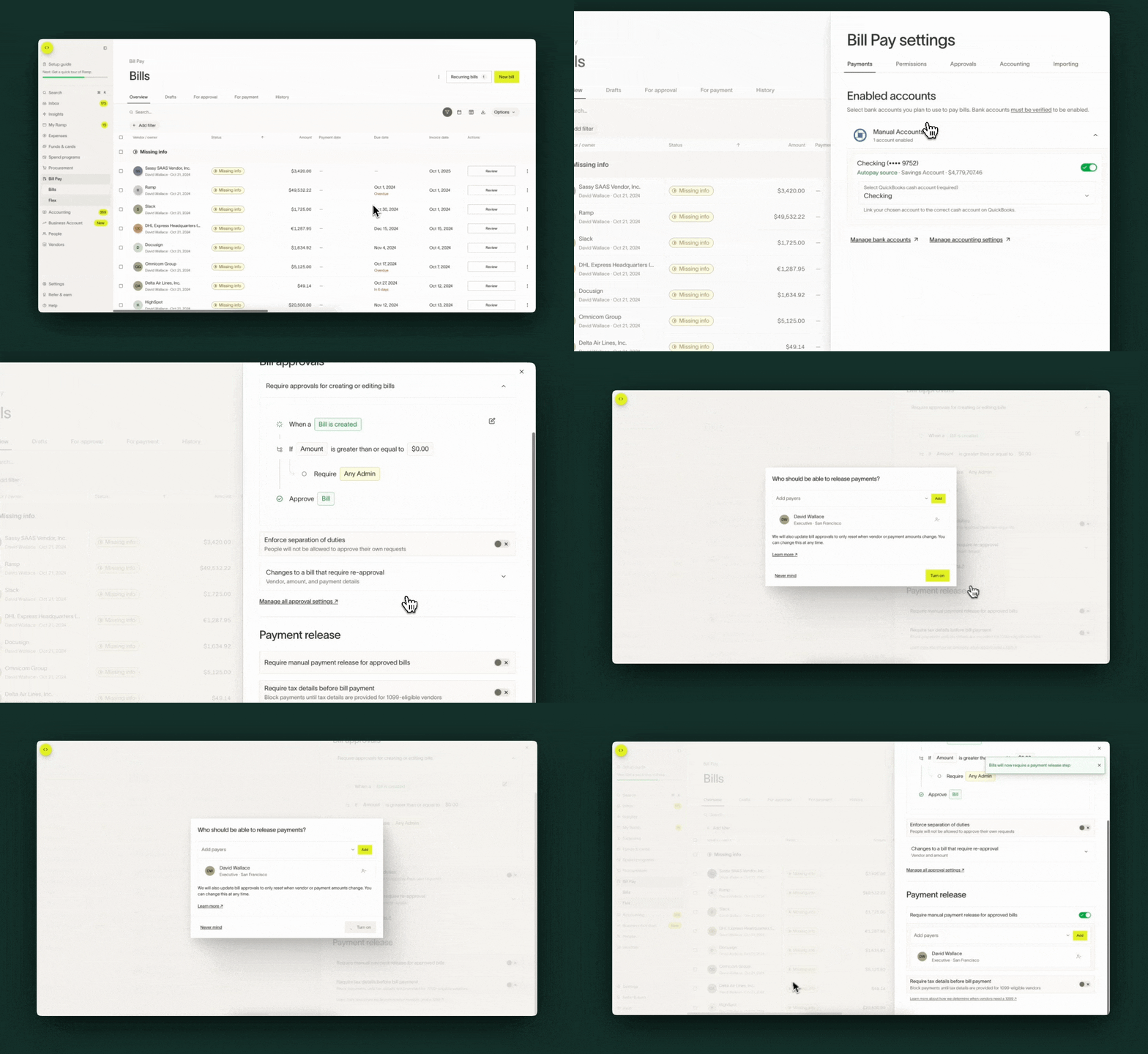
Step 2: Review bills for payment release
If payment release is turned on, after bill approvals are complete, the bill will go through payment release review and have a status of Ready for release. Individuals with payer permissions will be able to review bills and release them for payment from the Payments tab or from their Ramp inbox.
Note: If your company has access to the Payments dashboard, you will release payments from the Payments tab instead of the Bills table. From the Bills table, use the View payment or View payments action to navigate to the Payments dashboard, where you can review and release payments.
You can select to release the payment for today or on a desired schedule date
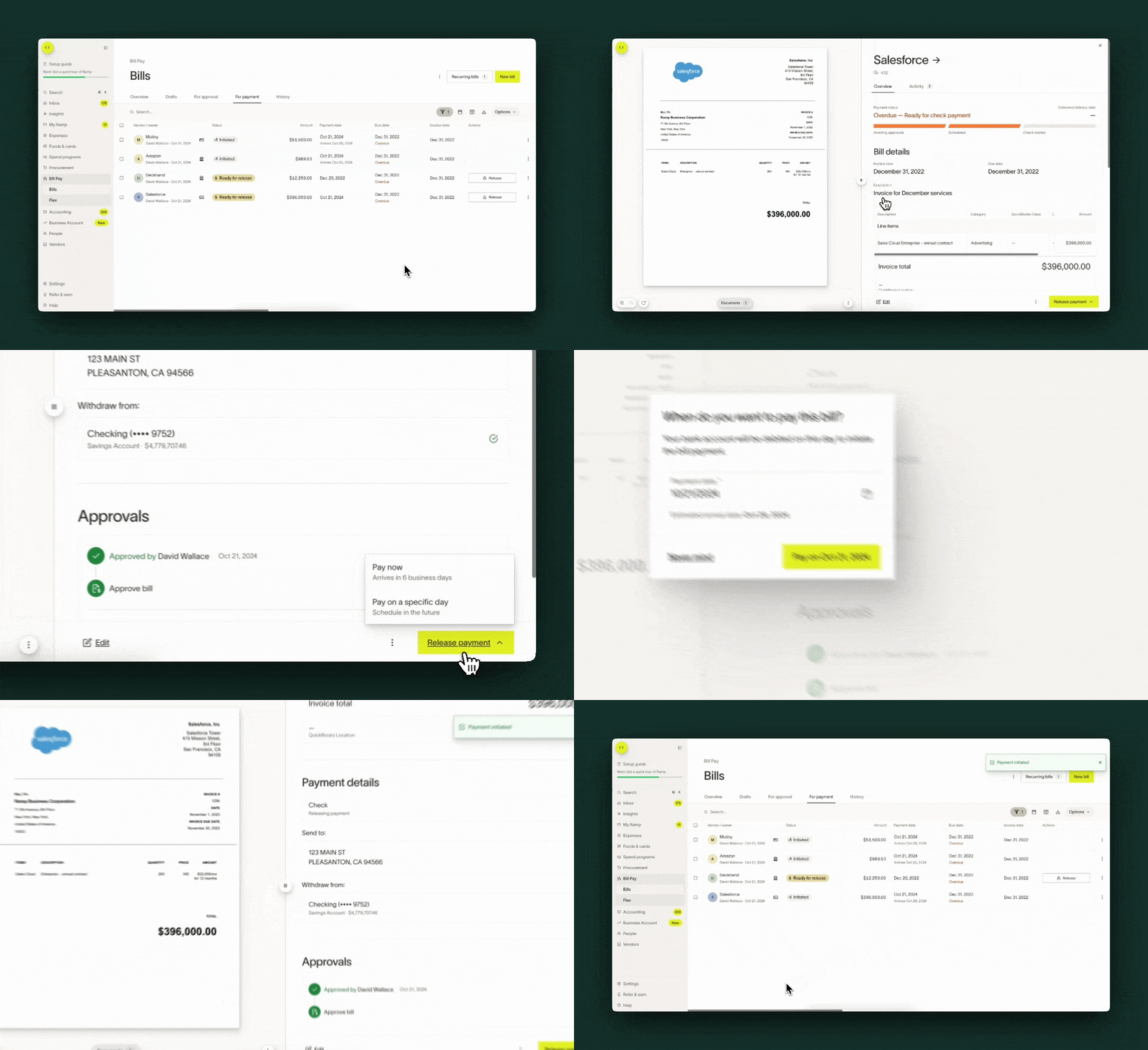
Frequently asked questions
Will all bills go through payment step approvals?
Most payment methods are subject to payment release approvals, including ACH, check, wire, and international payments. The following payment methods are not routed through payment release approvals:
- Bills paid off of Ramp
- Bills that are fully paid by a vendor credit
Ramp card payments, including single-user cards, may also be subject to payment release approvals depending on your business's configuration. Contact your Ramp Admin to confirm whether card payments require payment release at your company.
Can I add multiple layers of approval within payment step approvals?
While you can add multiple releasers, you cannot layer their approvals at this time.
How do I turn off payment step release approvals?
To turn off payment step approvals, navigate to Bill Pay settings > Approvals and turn the toggle off.
Please note, turning off the payment step approvals toggle will immediately release all bills that were pending review. If any of those bills have a scheduled date of the current day or in the past, those bills will immediately be initiated.