Vendor TIN verification
Overview
Ramp enables Bill Pay users to securely collect tax information from vendors and to maintain that information directly within Ramp. Ramp also automatically verifies your vendors’ TIN (Taxpayer Identification Number) with the IRS (US) or VIES (EU) to ensure you’re filing taxes correctly.
How does this work?
Add Business Legal Name and TIN
Add tax information for your vendors or request the info directly from the vendor within Ramp. Note that Ramp requires the business legal name and TIN of your vendor to complete this verification.
- For SSNs - the legal name and SSN can be found on the Social Security card
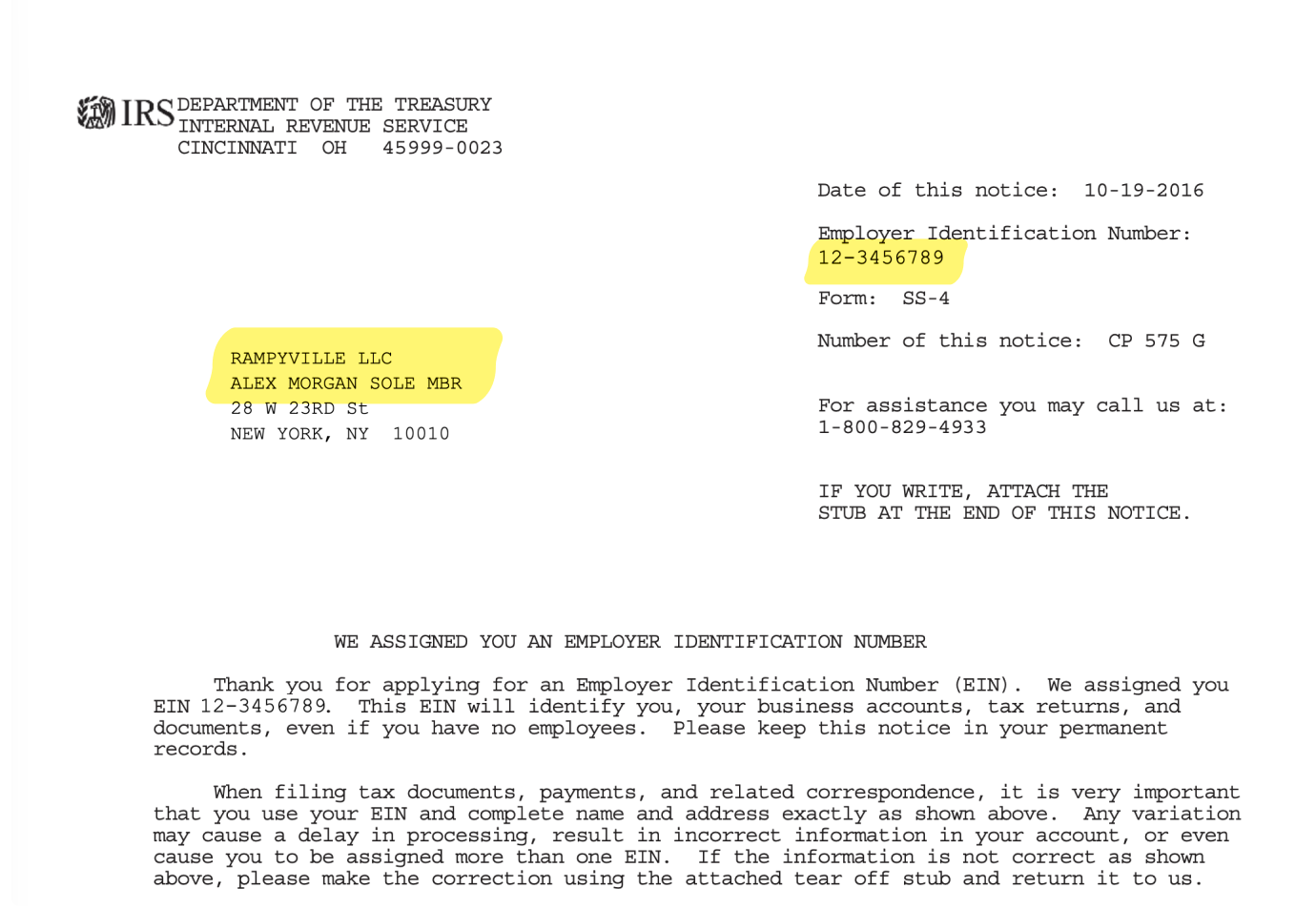
- For EINs - the legal name and EIN can be found on the CP 575 letter (the response to Form SS-4)
You can filter the Vendors table by tax verification status.
Checks Run Automatically
Ramp will automatically verify your vendors’ tax information with the IRS or VIES once all tax information has been added. View a vendor's profile and go to tax details to view TIN verification status.
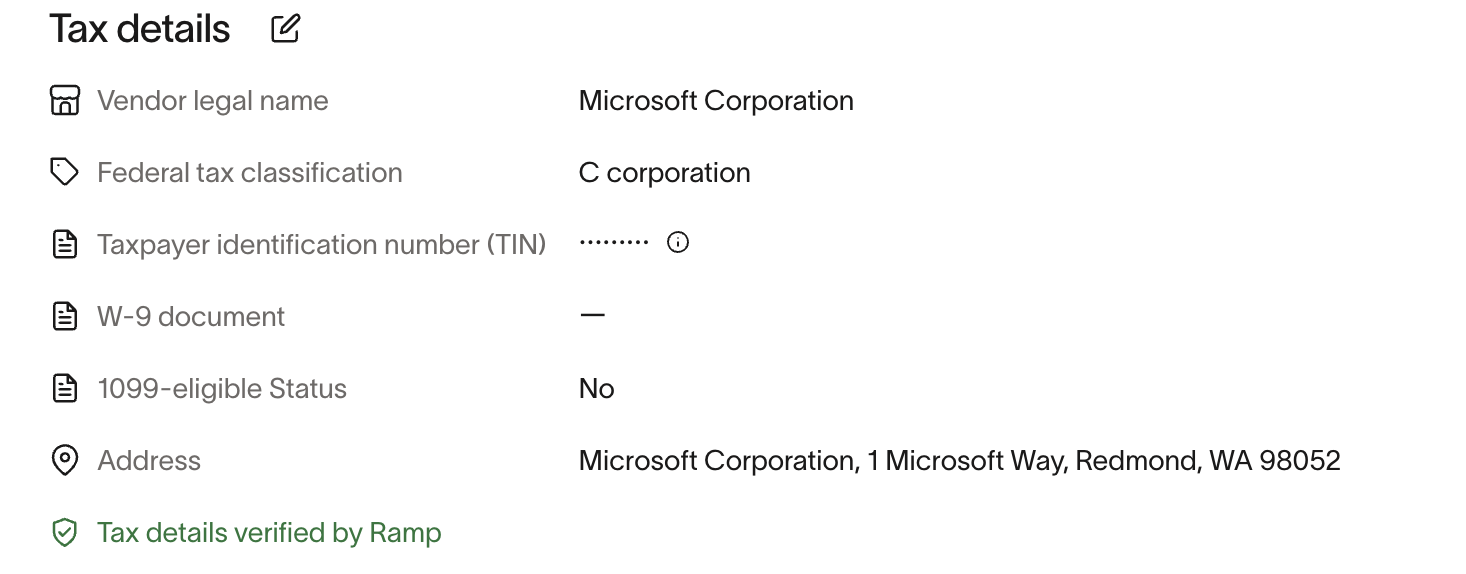
Failed Verification
Verification most often fails due to an incorrect TIN number, and sometimes incorrect legal name. A failed TIN Check does not block payments or1099 filing. You can file after re-entering the TIN and acknowledging a warning.
- Check that the business legal name and Tax ID in Ramp exactly match the information on the vendor's IRS-issued documentation (Social Security Card for SSNs, and CP 575 letter for EINs), including upper/lower case, symbols, and punctuation placement.
- Note: The IRS may use business name, owner name, and/or organization name, or other unexpected combinations of information in their records. Always confirm a vendor's legal name directly with them.
- LLC's names commonly include both the owner and the business name (e.g., Business Name LLC Owner First Last Name rather than just the business name).
- For Single Member LLC's: C-corp/S-corp use the LLC's name and EIN, while a disregarded entity (default) use the owner's name and SSN/TIN.
- If the vendor is international, check that the country matches the tax authority that issued the foreign tin.
- If TIN verification still fails, reach out to your vendor to ensure their information on file is accurate.
You will not be informed when a TIN check fails, but if a vendor adds their own tax details, they will receive an email about the failure.
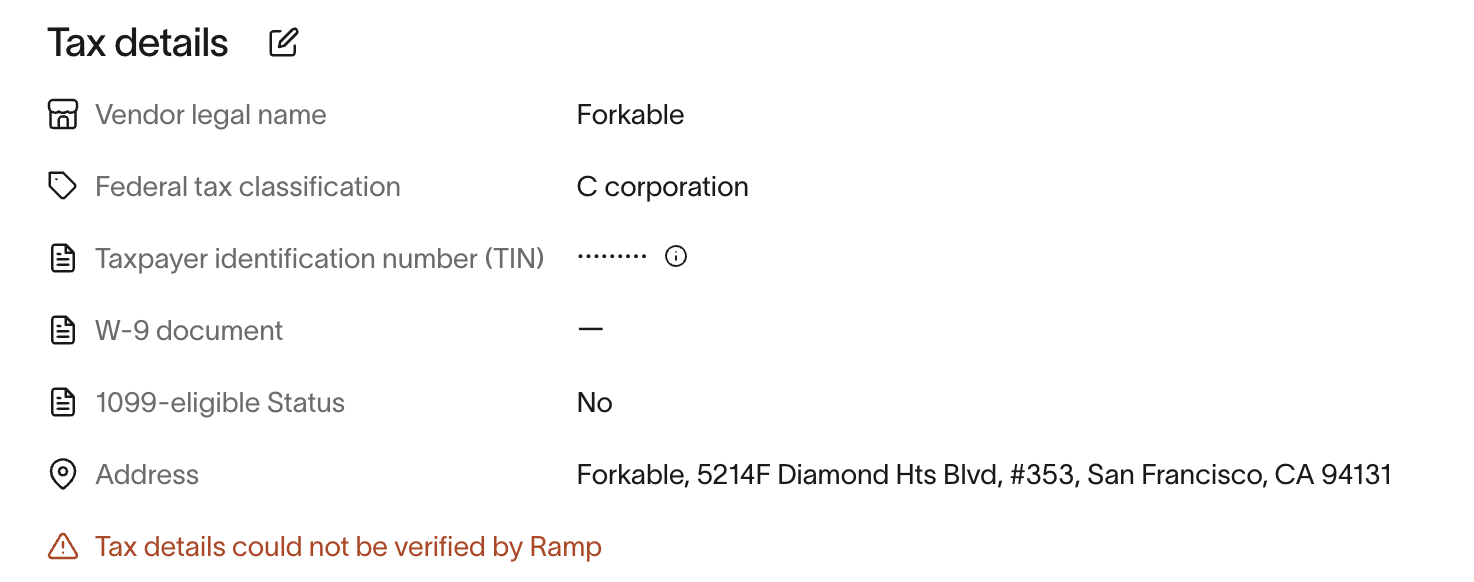
Ramp also enforces country-specific Foreign TIN rules. For example, Poland VAT numbers must be exactly 10 digits.
Frequently asked questions
Are we notified if a vendor's TIN check fails?
- Not at this time. If a vendor adds their tax details, they will receive an email about it failing.
Does Ramp block payments to a vendor if the TIN check fails?
- No, a failed TIN verification does not block payment processing or prevent vendors from being paid.
What countries are TIN Checks supported for?
- The US and countries in the EU.
How long does a TIN check take?
- TIN check happens immediately after TIN number is entered.
Can I block bill payments if a vendor has not provided tax details (W-9/W-8)?
- No. Missing or incomplete tax details do not block bill payments. Bills can be scheduled and paid regardless of whether a vendor's tax details are on file. To collect tax details, you can request them from vendors or add them manually .