Conditional coding in submission policies
Overview
Available on Ramp Plus. See Ramp Plus overview for plan details.
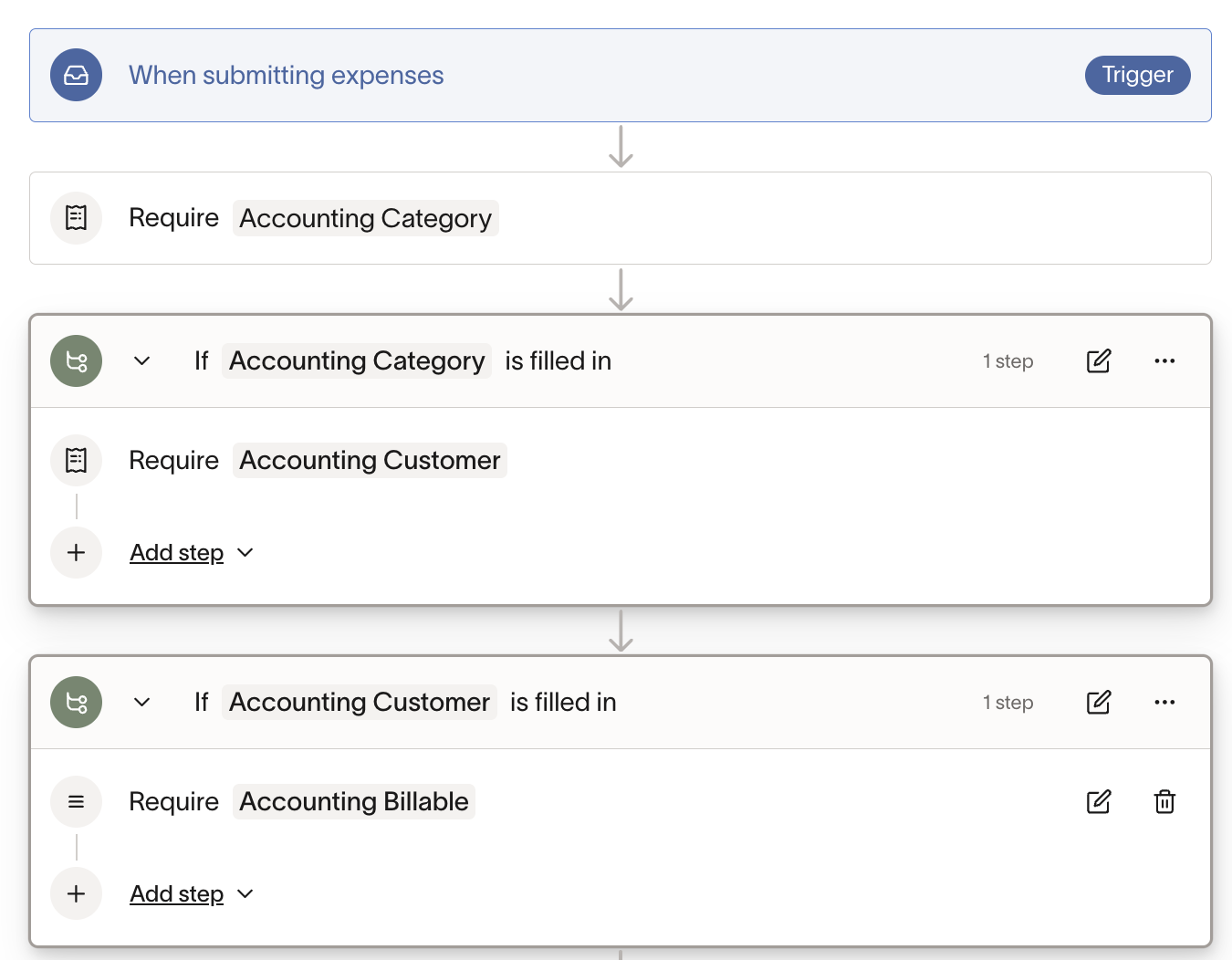
Businesses can now add flows like “If the Accounting Category is `Client Expenses`, then require Customer/Job to be filled out” to their submission policies. This also gives businesses control over the order in which fields are required (i.e. “first show X, then Y, then Z”).
How does it work?
When a user submits an expense, the workflow checks if any conditional requirements are triggered based on the information they've entered. For example, if an employee selects a specific GL account, additional fields like Customer/Job can be automatically required to be filled out.
How do I access this feature?
Navigate to Policy > Travel & expenses > Additional controls > Expense requirements, then select Add submission policy to configure your workflow.
How do I add a conditional coding to my workflow?
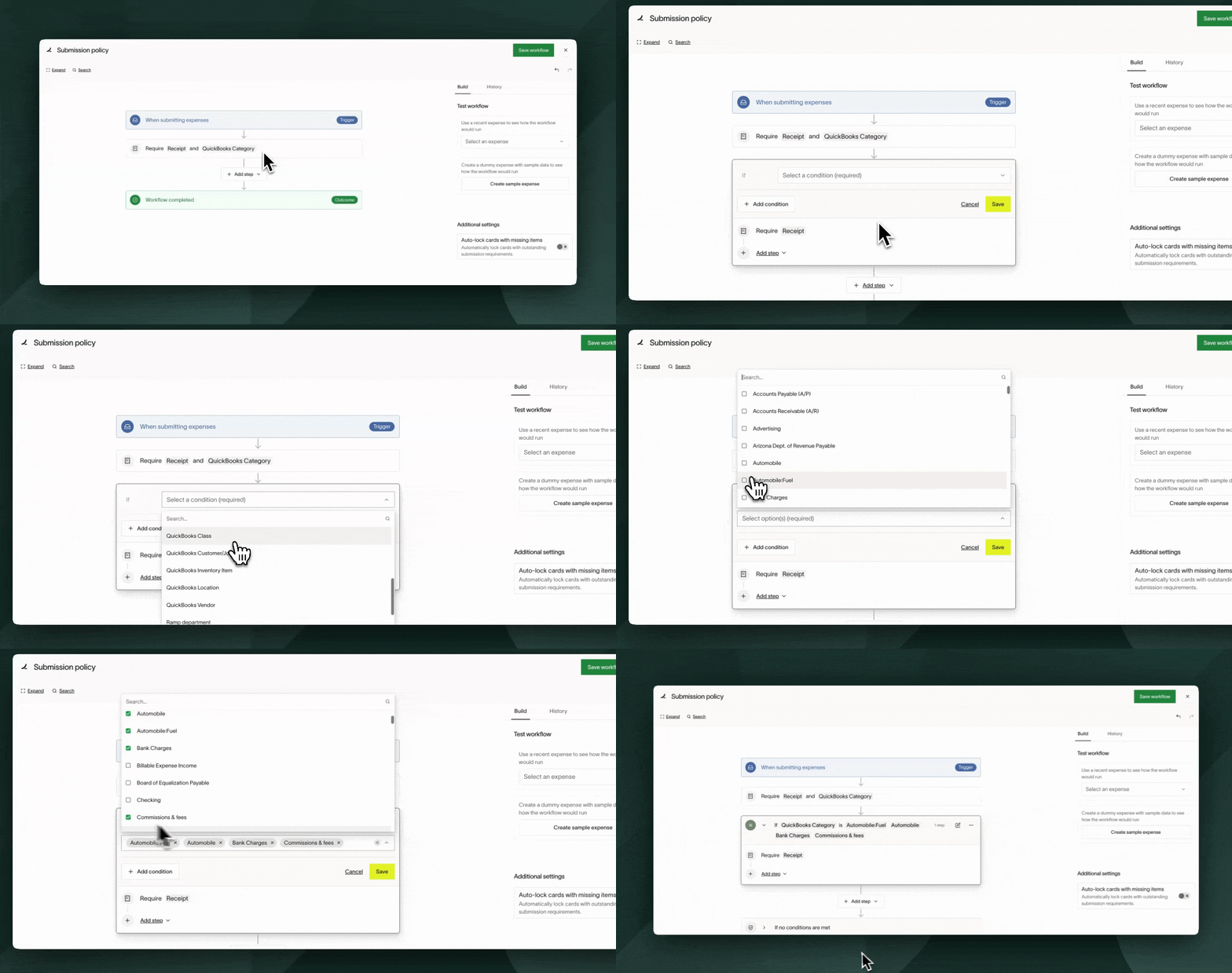
Note: Without setting a condition, these fields will be required for all expenses.
Common use cases and how to set them up
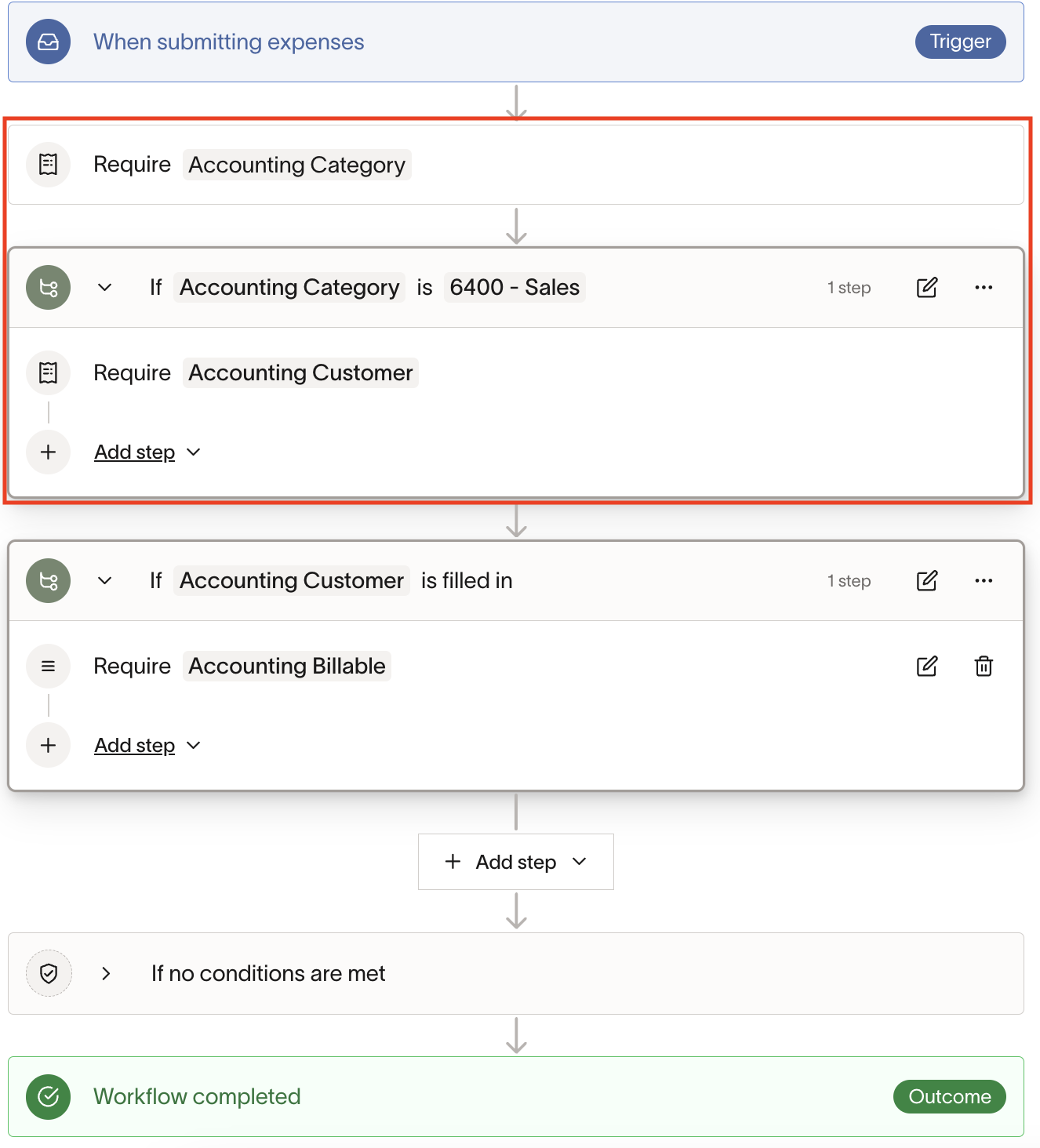
Use case 1: If Accounting Category is Sales, require Customer to be filled out
Note: ensure that the input of the condition is required earlier on in the workflow. In other words, ensure you require an Accounting Category at the beginning, otherwise, the employee will never select the Accounting Category and thus the Customer field will never be required.
Use case 2: If Client is filled in, require Billable
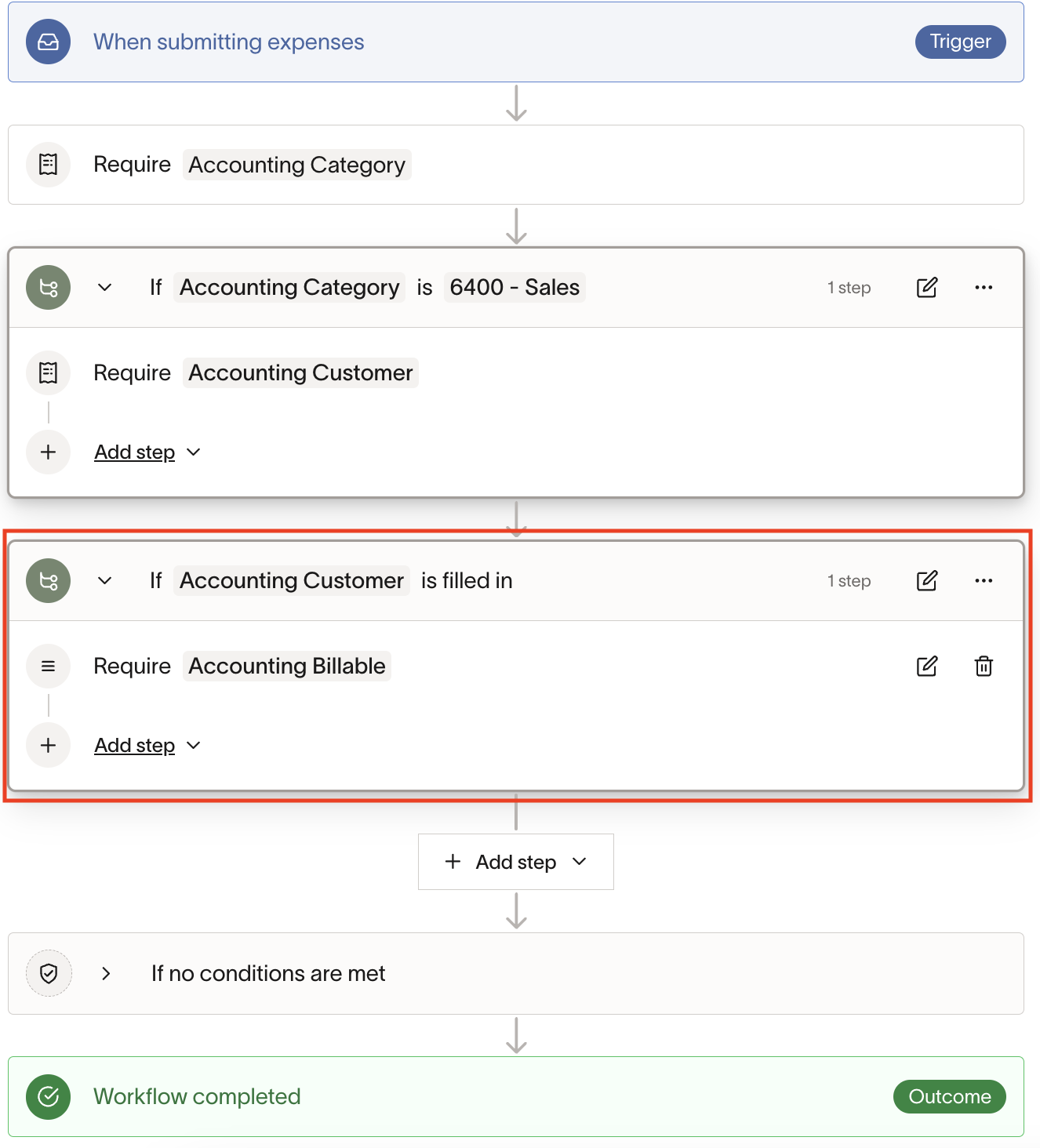
Use case 3: I want to ensure employees fill out GL Account first, Customer/Job second, and then Billable (in that order)
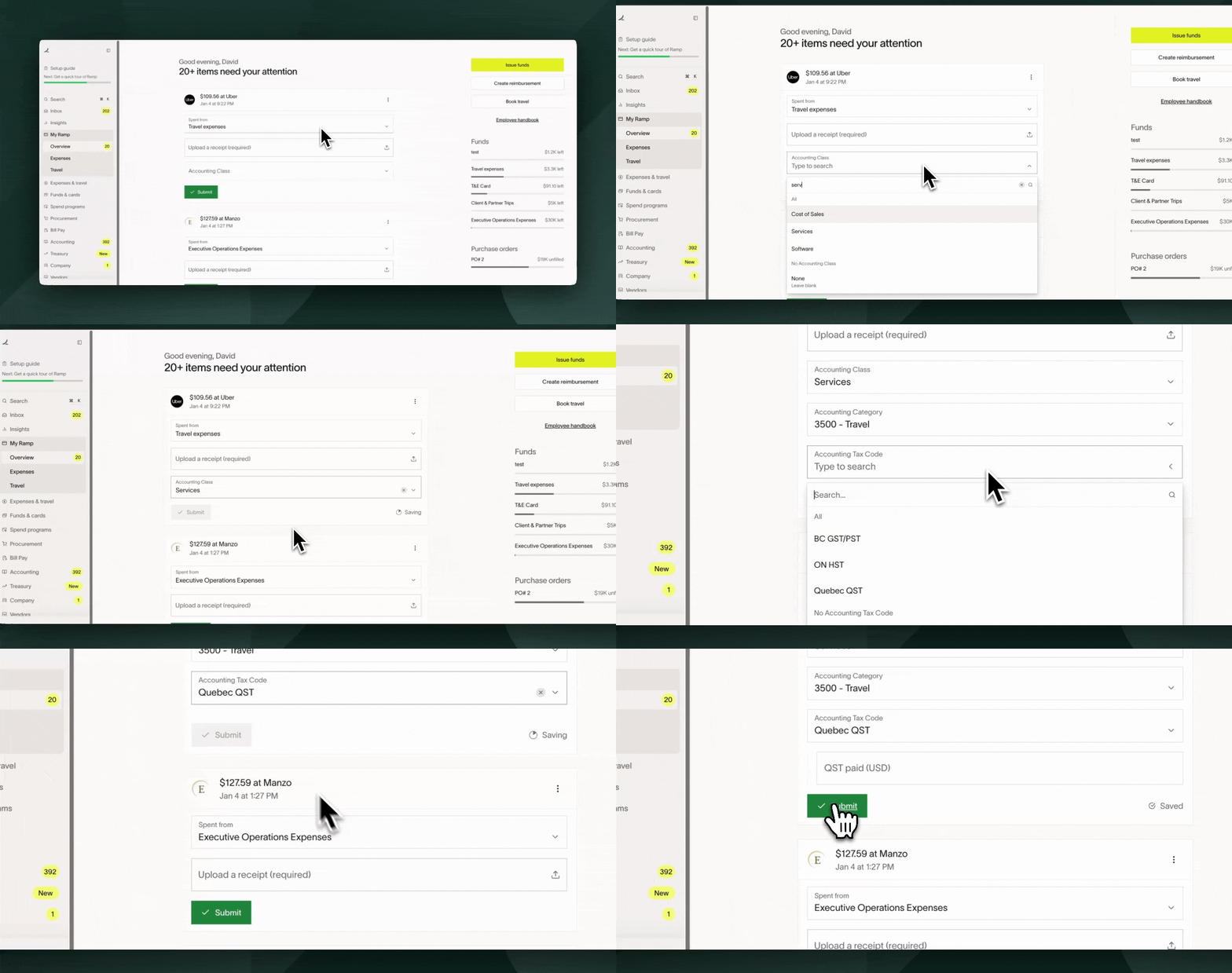
What will cardholders see once the workflow is set up?
Submission policy requirements will show up as soon as the condition in the workflow is met.
Frequently asked questions
Can I set multiple conditions for a single requirement?
Yes, multiple conditions can be set on the same submission policy.
Will this affect my existing submission policy?
No. Your existing requirements will remain unchanged until you set up conditional requirements.
Can I use free text field as an input?
We do not currently support free text field conditions in the submission policy.
Is there a limit on the number of conditions I can add?
No, you can use as many fields as you have available in the workflow.
Can we pull info from the receipt and use as a condition?
We do not currently support this.
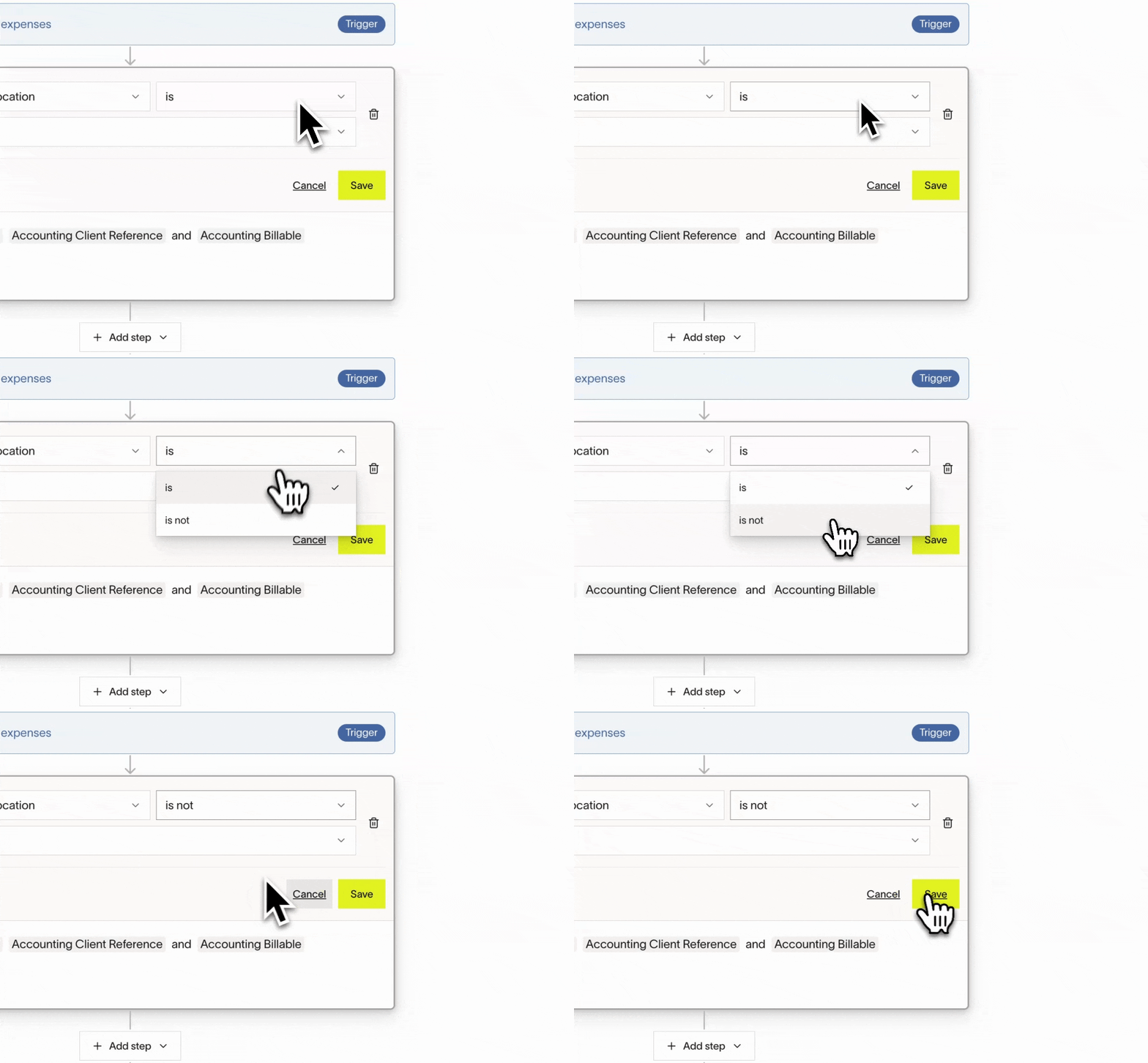
What if I want to require a field for all inputs that "are not" a specific value?
Fear not. Conditional coding in the submission policy also allows users to set values to "is not" for this case.