Bill Pay payment release
Overview
Available on Ramp Plus. See Ramp Plus overview for plan details.
If an authorized Admin cannot find the payment release workflow or the policy-change approval option, contact Ramp Support for help.
Payment release lets your business require an approval after a bill is approved and before an eligible payment is sent. Depending on your business's setup, a payment may need one or more release approvals, or no release approval at all.
Set up payment release
If you have permission to manage Bill Pay settings and approval policies, open Bill Pay approval settings, find Payment release, enable Require additional approval to release payment, and edit the payment release workflow. If you cannot edit these settings, ask an Admin with approval-policy access. Payers must have permission to edit bills to be added to the release workflow.
Add release approval steps and, where needed, conditions based on factors such as the payment amount, payment method, business entity, or source bank account. A branch can have no release steps, in which case its payments are released automatically after bill approval. Each payment follows the steps on its matching branch in order; the final required approval releases the payment.
For card payments, if Require additional approval to release card payments appears in Bill Pay approval settings, enable it to include card payments in payment release. If that setting is not shown, card payments use the payment release workflow directly. Use a payment-method condition to route eligible card payments to release approvals or to a branch without a release step.
You can edit the workflow while scheduled payments are awaiting release. Draft bills use the payment release policy that's live when they're submitted, so they automatically pick up policy edits. Payments already awaiting release keep their existing approval chains.
If the save confirmation offers Also apply to bills pending approval, the option starts unchecked. Select it to update eligible uninitiated payments on bills still pending bill approval. Leave it unchecked to preserve the existing release chains on submitted bills. Fully approved bills with payments still awaiting release keep their existing chains in either case.
Require approval for policy changes
To require a second person to review edits to an existing payment release policy, open Bill Pay approval settings, find Payment release, and turn on Require approval for policy changes. You need permission to manage Bill Pay settings and payment approval policies, and at least two eligible policy editors must be active to enable the setting.
When this setting is on, a policy edit is submitted for review instead of taking effect immediately. Any one of the other active users with permission to edit approval policies can approve or reject the change; the person who submitted it cannot approve their own change. Turning this requirement off also requires an approved change.
Review payments for release
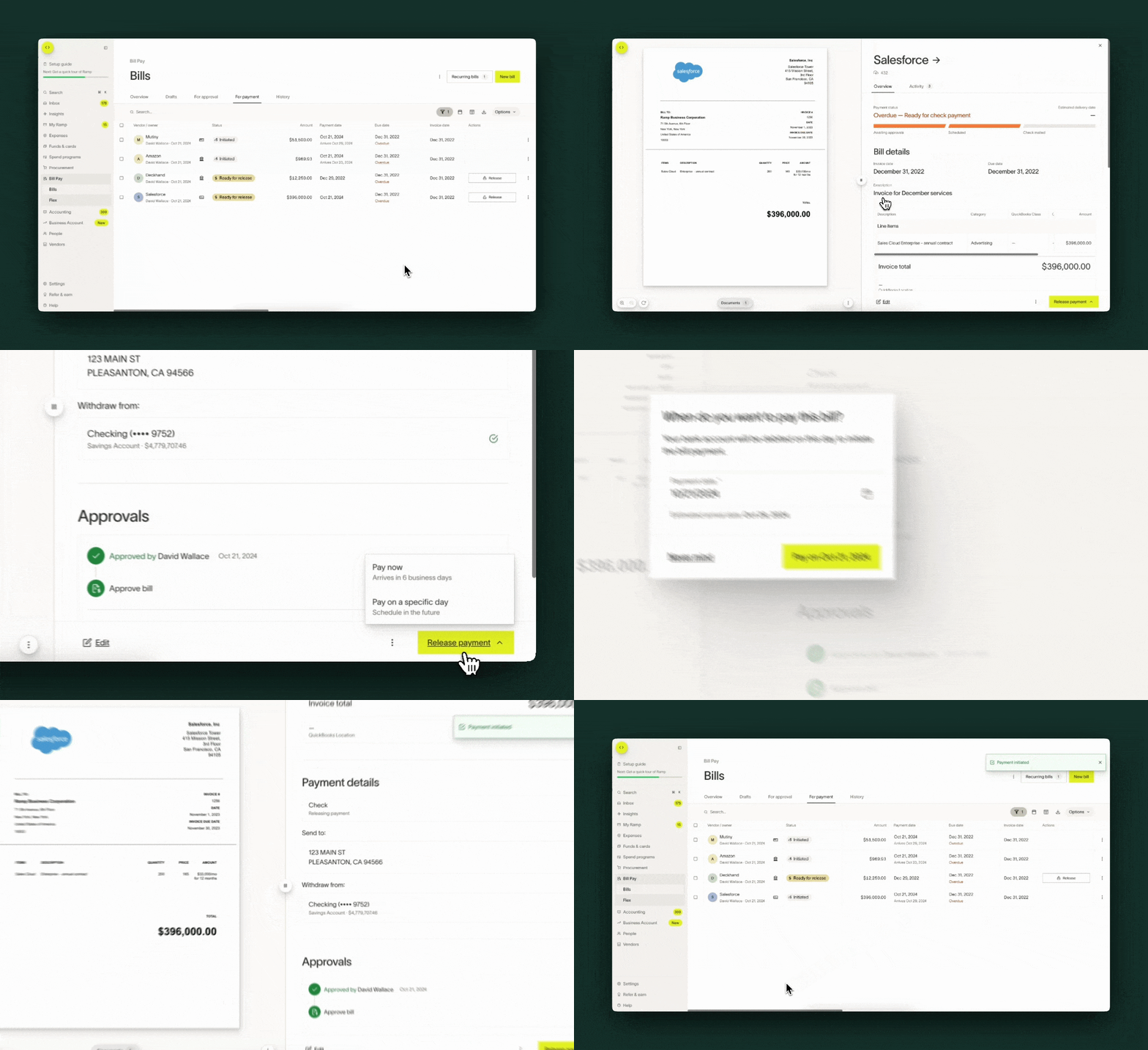
After bill approvals are complete, a payment requiring release can be reviewed from the Payments tab or your Ramp inbox. The Payments table can show how many release approvals are complete out of the total and identify the Current payment approver. Only an approver on the current step can approve it; an intermediate approval does not release the payment.
Note: If your company has access to the Payments dashboard, you will release payments from the Payments tab instead of the Bills table. From the Bills table, use the View payment or View payments action to navigate to the Payments dashboard, where you can review and release payments.
You can select to release the payment for today or on a desired schedule date
Frequently asked questions
Will all bills go through payment step approvals?
Eligible payment methods include ACH, check, wire, and international payments. An eligible payment needs release approval only if its branch contains an approval step. The following payment methods are not routed through payment release approvals:
- Bills paid off of Ramp
- Bills that are fully paid by a vendor credit
Card payments follow the card-payment setup above. Other supported payment methods can also bypass release when their branch has no release step.
Direct debit matches do not require payment release approval. Required bill approvals still apply.
Can I add multiple layers of approval within payment step approvals?
You can add successive release approval steps to the workflow.
How do I configure payments to release without an additional approval?
Edit the payment release workflow so eligible payments follow a branch with no approval steps. New payments on that branch are released automatically after bill approval. Payments already awaiting release keep their existing approval chains; complete those approvals separately.