Bill Pay Line Item Splits and Allocation Templates
Overview
Available on Ramp Plus. See Ramp Plus overview for plan details.
Line item splits on Bill Pay allows you to accurately allocate the cost of a single line item on a bill across multiple accounting fields. This is particularly useful when a single expense needs to be divided among different departments, locations, GL categories, or other custom fields.
This feature, also known as allocation templates, streamlines your accounting process by allowing you to create and save reusable split configurations, ensuring consistency and saving time.
How to split a line item
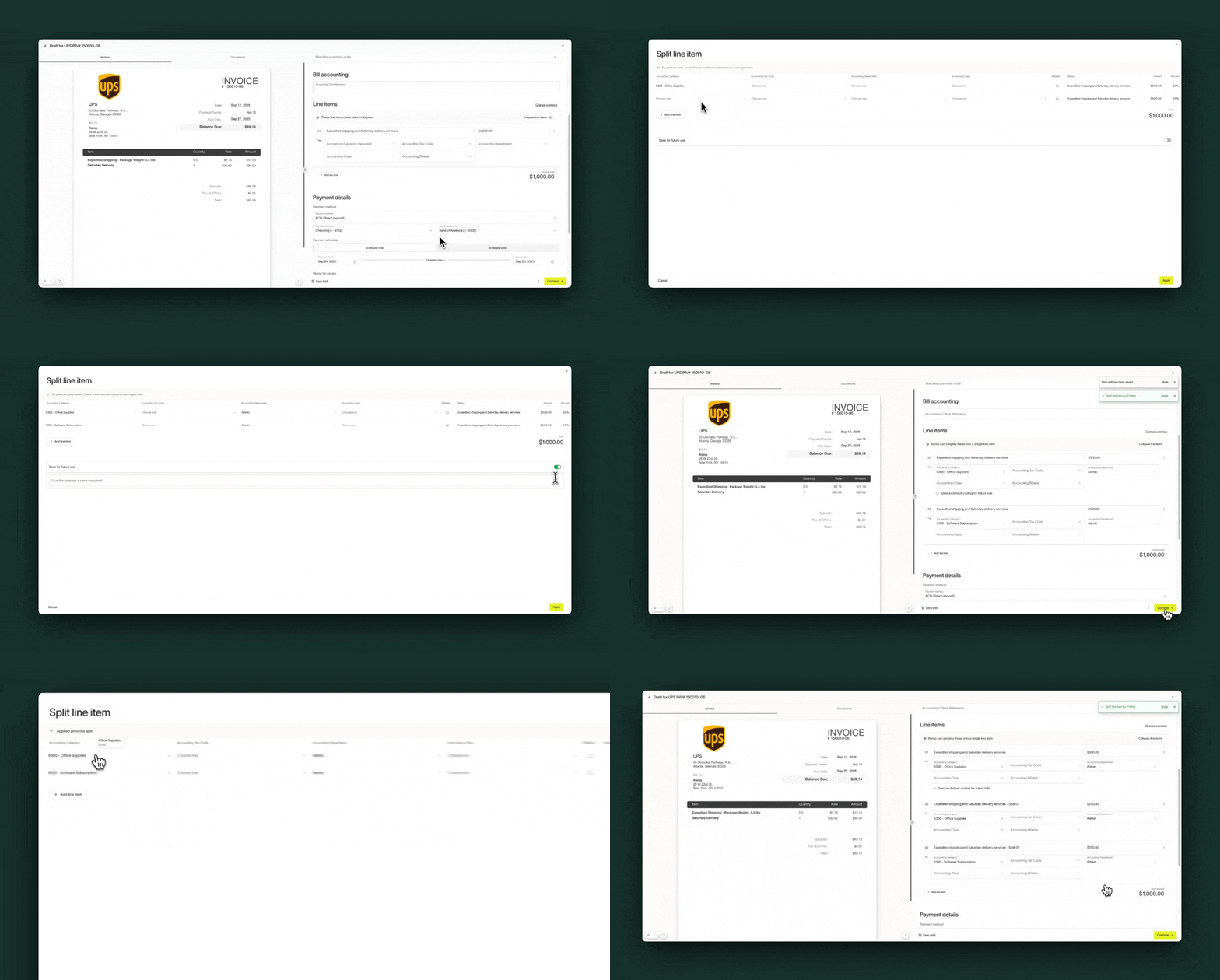
From any line item on a bill, click the three-dots menu (...) and select Split from the dropdown menu. From here, the split line item window will appear where you can either apply a saved template or create new split manually.
After applying the desired split, the original line item will be replaced on the bill by the new, individual line items you defined, each with its own amount and accounting information.
For approvers
When approver editing is enabled by an admin, approvers can access and apply line item splits during the bill approval process. This allows approvers to allocate costs across accounting fields before approving a bill. However, approvers cannot save new split templates — only Admin and Accounts Payable roles can create and manage saved templates.
How to save a split template
A split template can be created and saved from two places in Ramp - from directly within the bill or from the accounting settings
From a bill
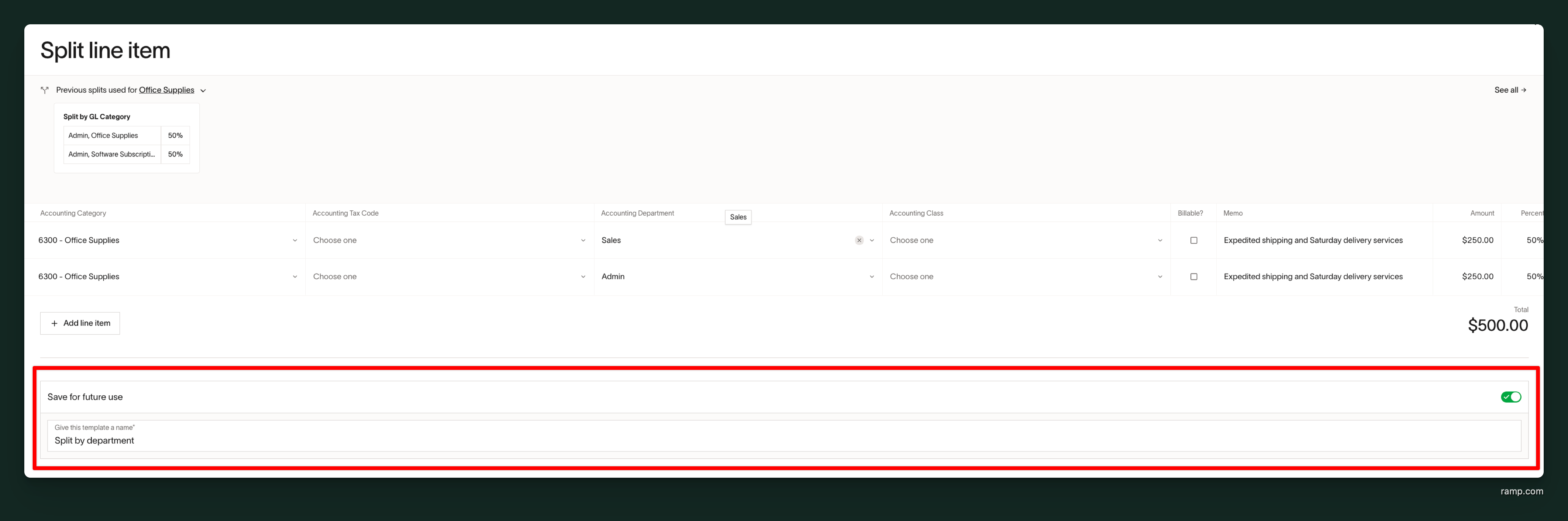
When splitting a line item from a bill, the split line item window will give the option to save the split for future use. Toggle this option on and enter a name to reference the template later.
From accounting settings
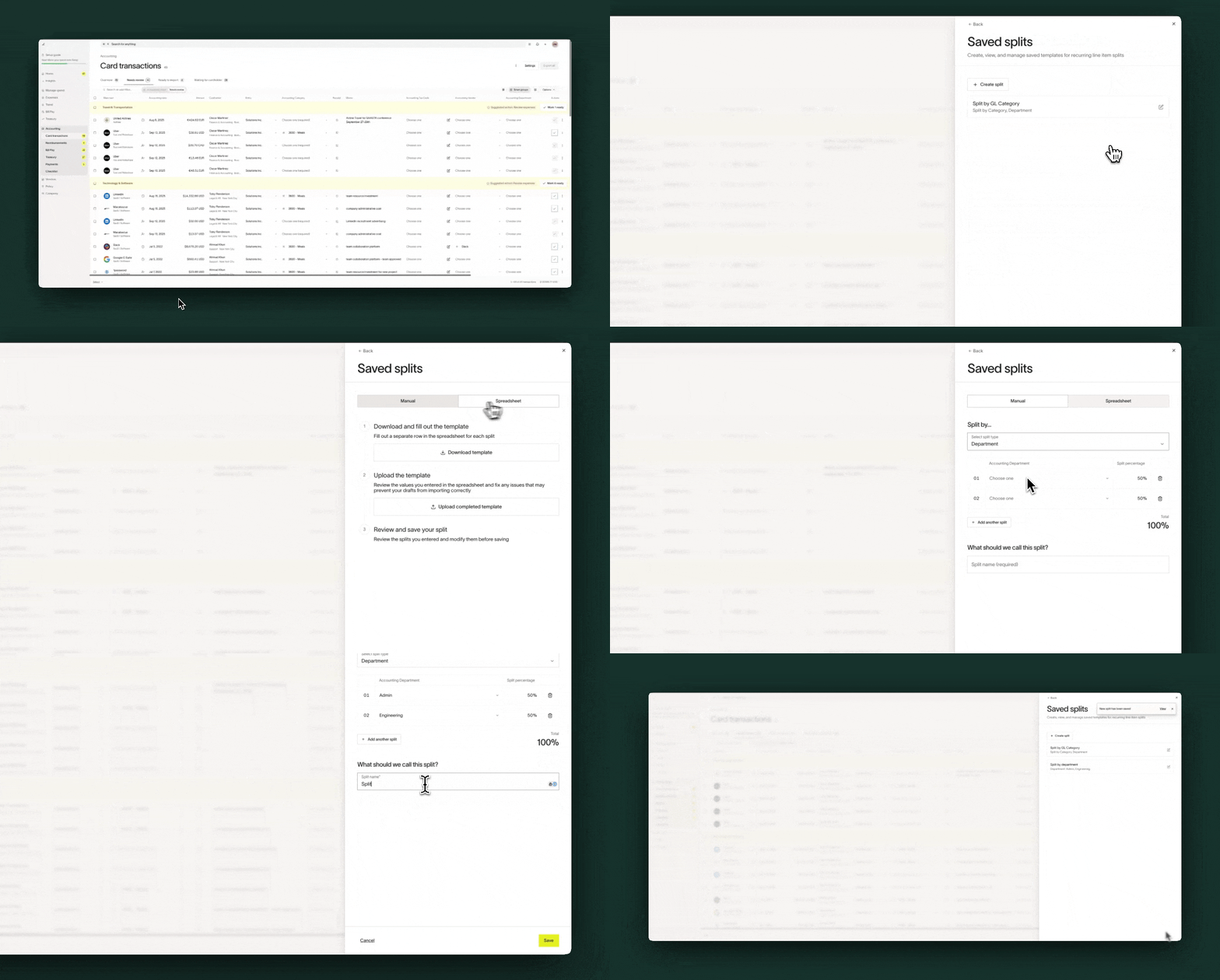
Split templates can also be saved from the accounting settings. Can choose to manually create the spits or upload via CSV spreadsheet
Frequently asked questions
Is there a limit to how many line you can split up to?
- Yes, we support splitting up to 150 lines
Is there a limit to how many split templates can be saved?
- Yes, we support saving up to 200 split templates
Is splitting across entities supported?
- Not at this time. Currently splits are supported for line item level accounting fields