What to do if OAuth credentials are leaked
Note: This article primarily applies to Ramp Administrators. Cardholders may find other articles in the Ramp overview section to be more applicable.
Overview
Ramp provides an API to programmatically access data and take action. The Ramp API uses an OAuth 2.0 flow to generate credentials to auth against the Ramp API. The OAuth 2.0 flow generates a client ID, client secret, access token(s), and refresh token(s). You can find documentation for the OAuth 2.0 flow for the Ramp API here.
This article describes the steps to take if any of these credentials are leaked.
Client ID
A client ID is a public identifier for your app. Because a client ID is public, a leaked client ID is not a critical security concern and no action needs to be taken. However, it’s good practice to understand how the client ID was leaked (e.g., hard coded in a code repository) and fix the source of the leak to maintain good configuration management hygiene.
Client secret
A client secret is a private key that’s generated for your app to authenticate against the API in conjunction with the client ID. Because the client secret is a private credential that’s used to authenticate your app, if a client secret is leaked it should be rotated in the app settings page.
Follow these steps to rotate a client secret. You need a role with permissions to view the Developer Console and manage Ramp API settings to see these options.
-
Go to app.ramp.com . On the left-hand sidebar, click on “Company” > “Developer”.
-
Click the name of the app whose secret leaked to open the configuration menu.
-
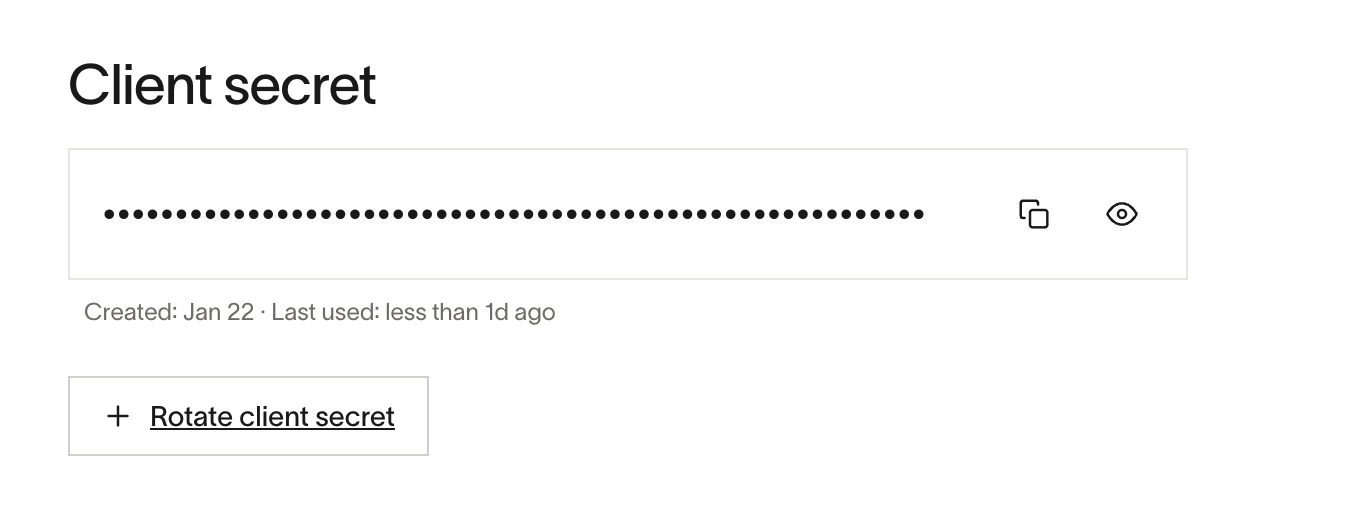
Click Rotate client secret and then Create to create a new client secret. You may be prompted to verify your identity.
-
Use Copy secret or Show secret to access the unmasked value. You may be prompted to verify your identity. Update your app to use the new client secret.
-
After your app uses the new secret, revoke the old secret by clicking the three dots on the right and selecting Revoke.
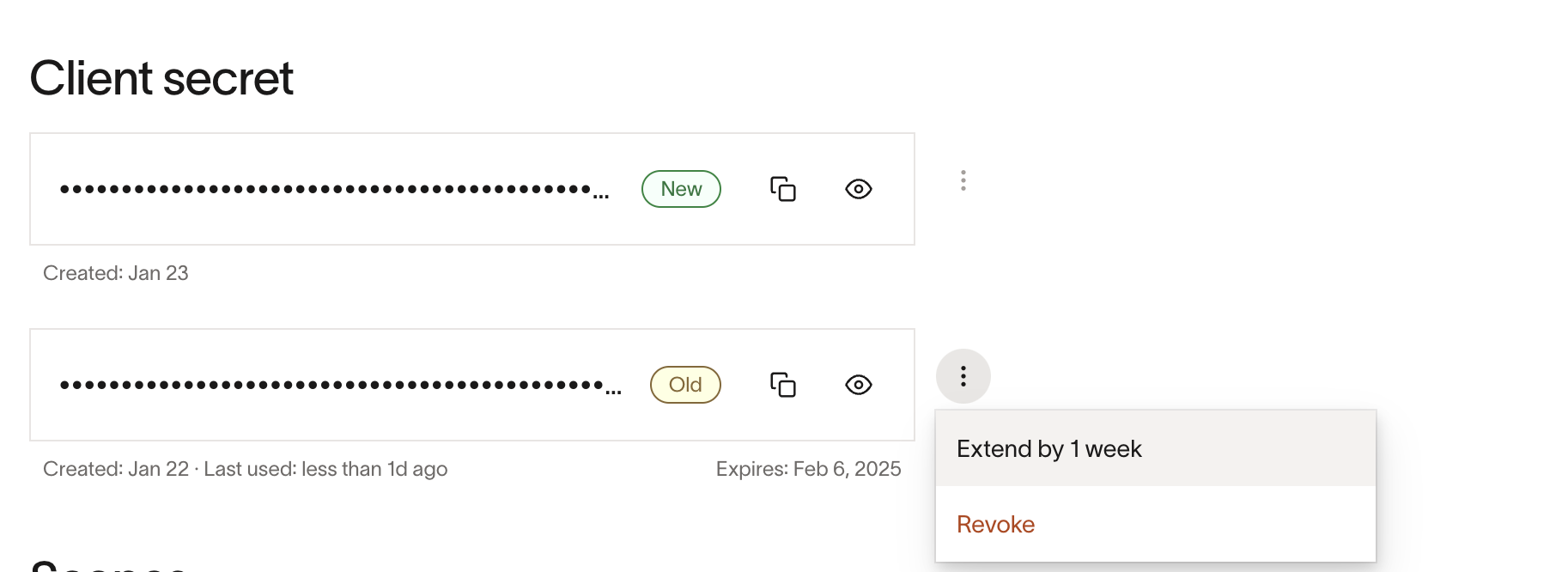
Creating a new client secret does not immediately disable the old secret. Both secrets can authenticate until the old secret expires or is revoked.
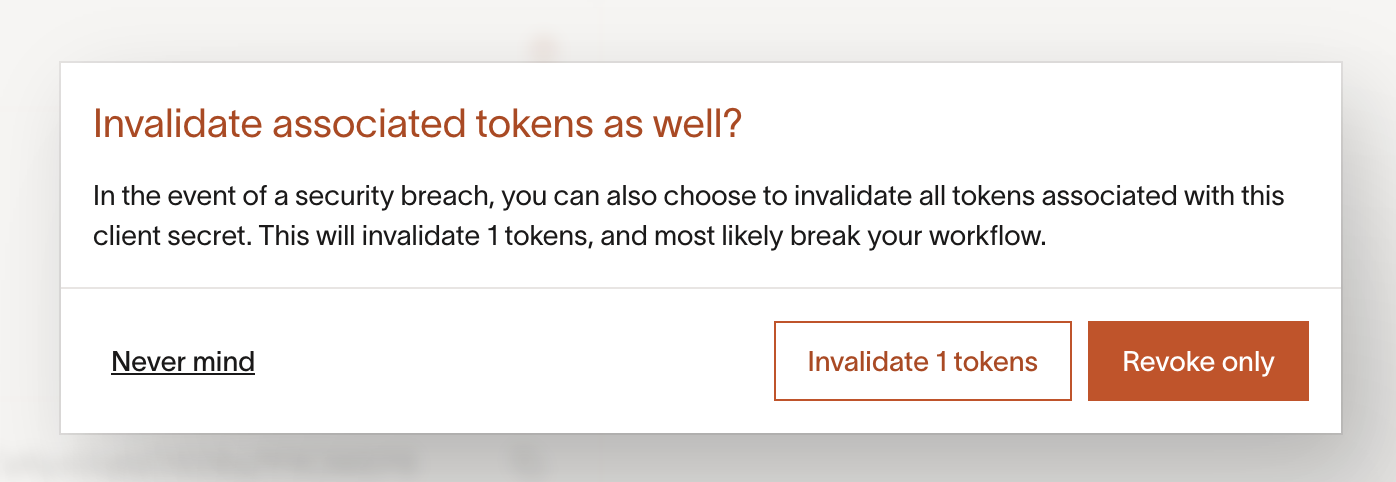
After you revoke the old secret, it cannot be used for new authorization code, refresh token, or client credentials grants. When revoking the old secret, you can also invalidate active access and refresh tokens issued with that secret. Choosing Revoke only leaves those tokens active.
If you invalidate the associated access and refresh tokens, users who connected through the authorization code flow will need to re-authenticate with your app.
Access token
An access token is used to authenticate requests to the Ramp API. Access tokens generated using the authorization code grant and refresh token grant expire after one hour by default, whereas access tokens generated using the client credentials grant expire after 10 days by default. Check the expires_in value in the token response for the token’s actual lifetime. Because leaked access tokens remain usable until they expire or are revoked, we recommend revoking them promptly regardless of lifetime. It’s also important to promptly investigate the source of the leak to prevent future leaks of an access token.
If desired, you can revoke an individual access token using the Ramp API.
You should consider invalidating associated access tokens if there’s a risk that additional access tokens will continue to be leaked and exploited. When you revoke a leaked client secret, choose to invalidate the active access tokens issued with that secret.
Refresh token
A refresh token, in combination with a client ID and client secret, is used to generate new access tokens (the Refresh Token Grant). Refresh tokens do not expire unless Ramp has configured an expiration for your app. The impact of leaked refresh tokens is mitigated because a leaked refresh token alone cannot be used to generate new access tokens. However, it’s still important to quickly ascertain the source of the leak to prevent future leaks, and you should strongly consider revoking the leaked refresh token.
If desired, you can revoke an individual refresh token using the Ramp API. When you revoke a leaked client secret, you can also invalidate active refresh tokens issued with that secret.