Troubleshooting | Acumatica approval error
If you run into an approvals related error, then please follow these steps to resolve:
-
Sign in to Acumatica.
-
Navigate to Assignment and Approval Maps .
-
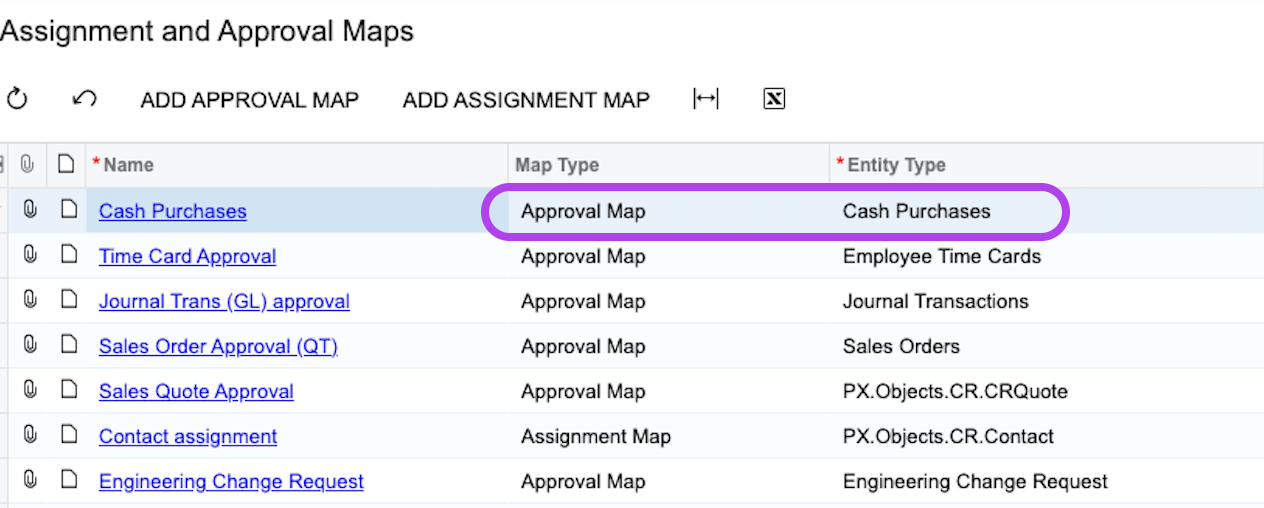
Find the row with "Map Type = Approval Map" and "Entity Type = Cash Purchases".
-
Open this rule by clicking it.
-
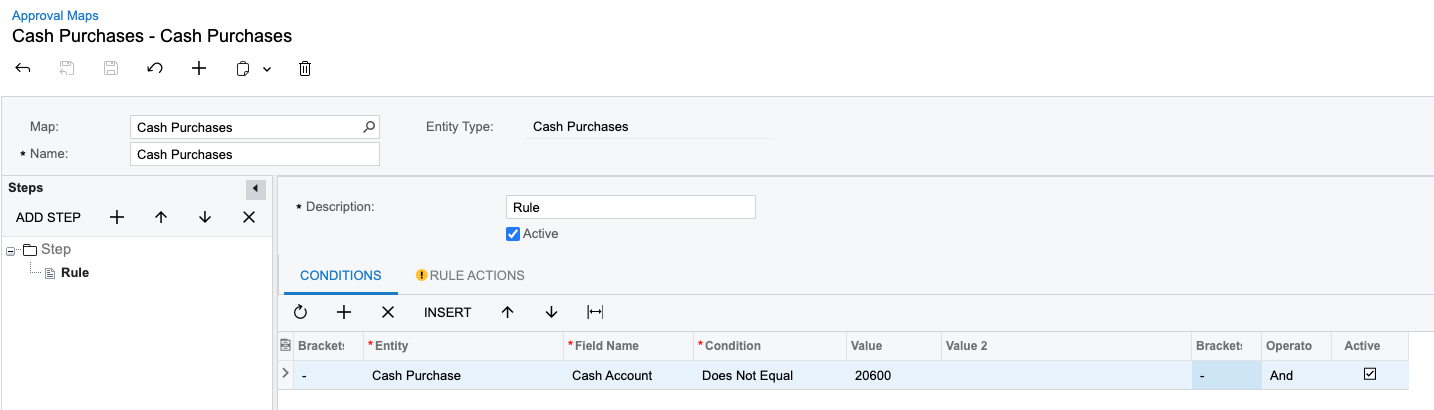
Create a rule that matches the one below with the Ramp card account(s) you use for your cash accounts.