Stack for bookkeeping
Overview
Stack is Ramp's AI Accounting operating system for accountants and finance teams. Use Stack to review bookkeeping work, run the monthly close, reconcile bank transactions, and manage the apps and instructions Stack uses for bookkeeping tasks.
Stack currently supports businesses using QuickBooks Online with a straightforward bookkeeping process.
Video walkthrough: Watch the Getting started with Stack demo. Best when you want a visual tour before using the setup and workflow sections below. Watch the video.
Who Stack is for
Stack is built for businesses or clients using QuickBooks Online with a standard bookkeeping workflow.
For accounting firms, Stack helps staff accountants, bookkeepers, managers, partners, and fractional CFOs move through repetitive execution work across a portfolio of clients. For in-house finance and accounting teams, Stack helps controllers, staff accountants, and bookkeepers handle transaction coding, reconciliations, close tasks, and other repeatable bookkeeping work.
Stack is not the right fit today for businesses that need consolidated families, intercompany eliminations, or multi-currency workflows.
Use Stack Home
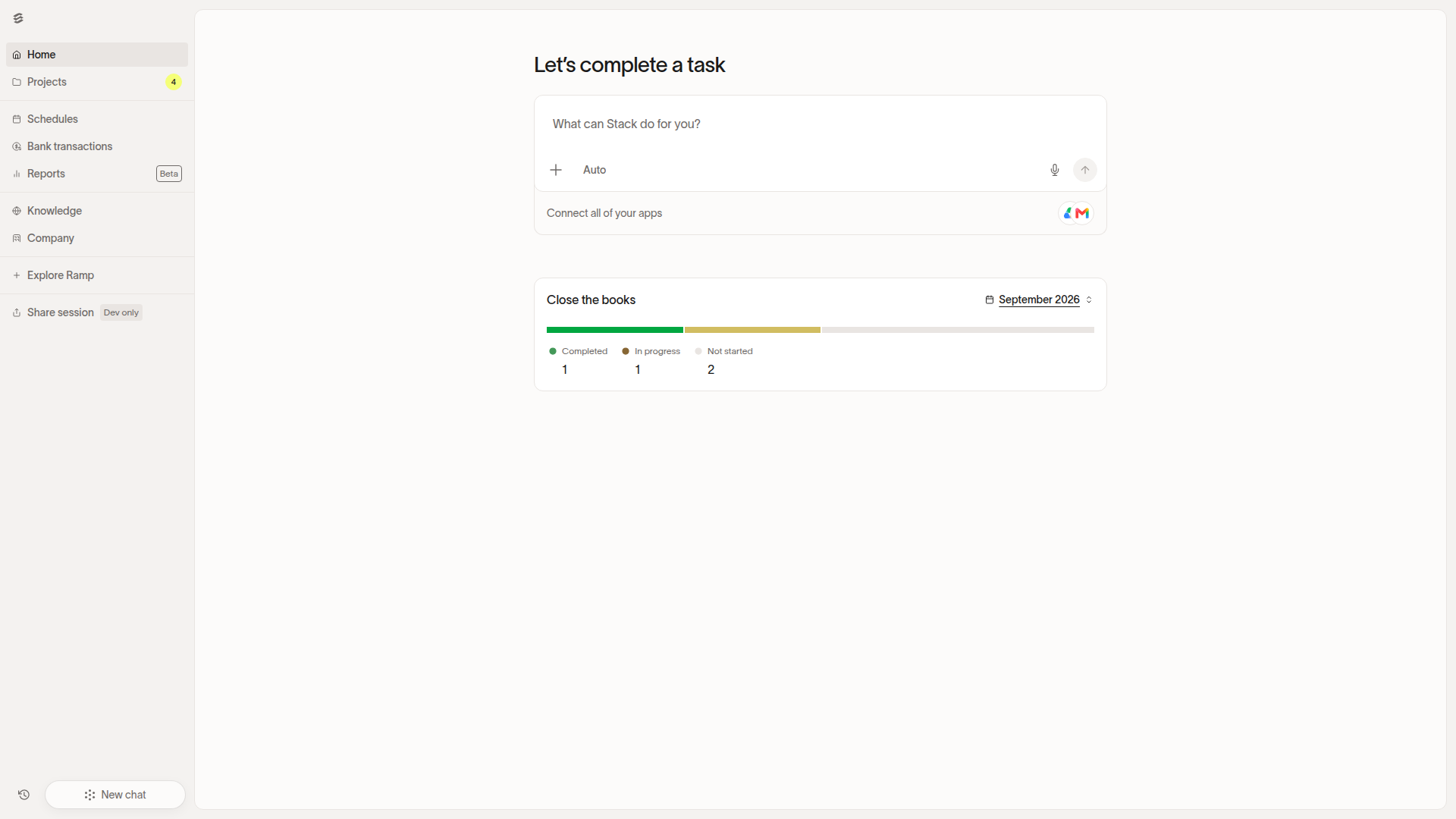
Open Stack Home to pick up active bookkeeping work, review quick tasks, or ask Stack for help with a bookkeeping task.
Stack Home is the starting point for moving into a suggested task or asking a question before opening a specific Stack workspace.
Manage monthly close with the close checklist
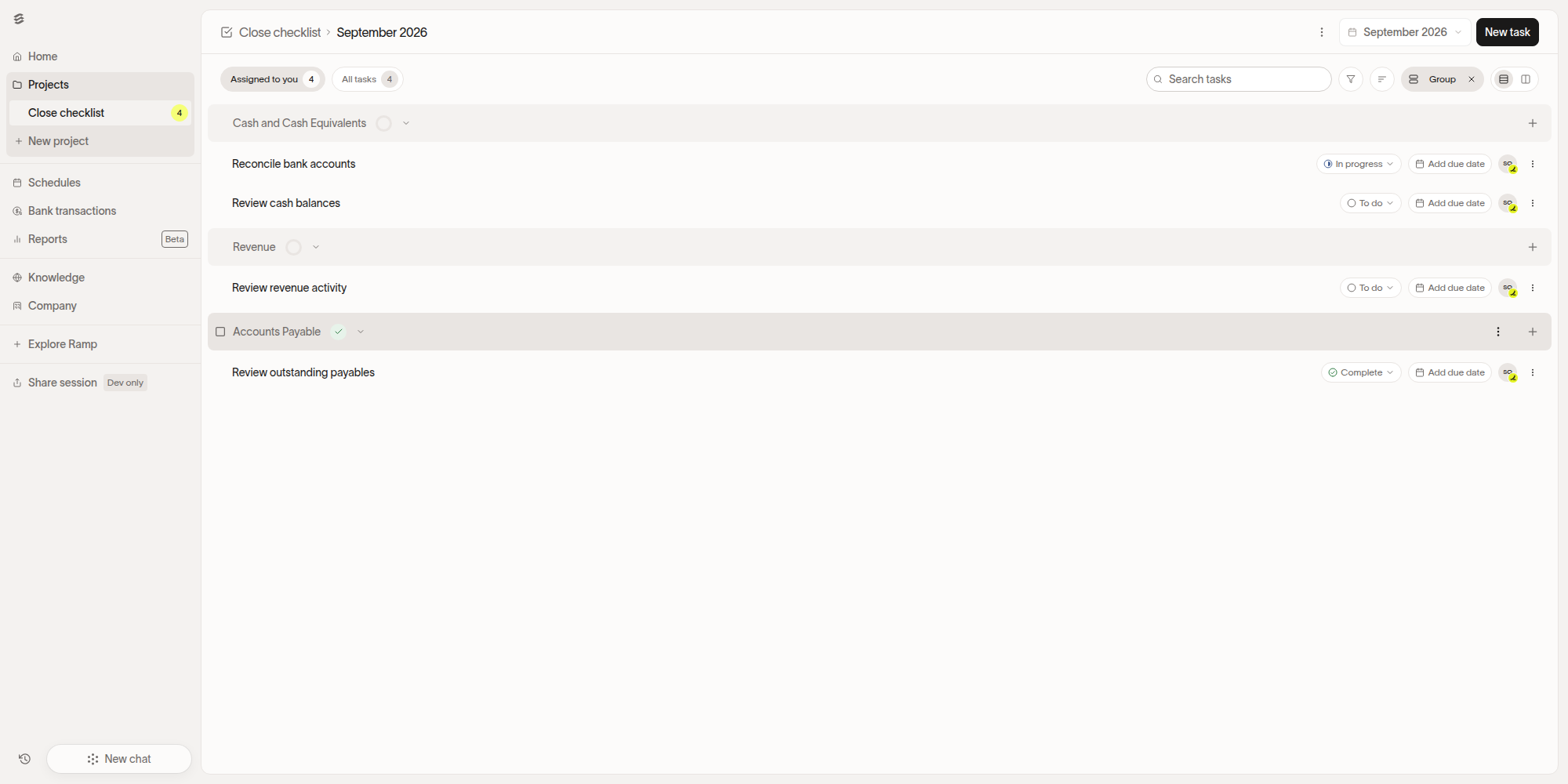
Open Close checklist in Stack to organize month-end work into trackable tasks by close period.
You can upload an existing close checklist or build one by adding tasks individually. Close checklist tasks can be assigned to team members or Stack agents, scheduled to recur each period, and grouped to match how your firm or finance team runs the close.
When Stack runs a close checklist task, it drafts a plan and completes the work for review. Tasks completed by Stack can be assigned to an approver before the work is finalized.
Review bank transactions in Stack
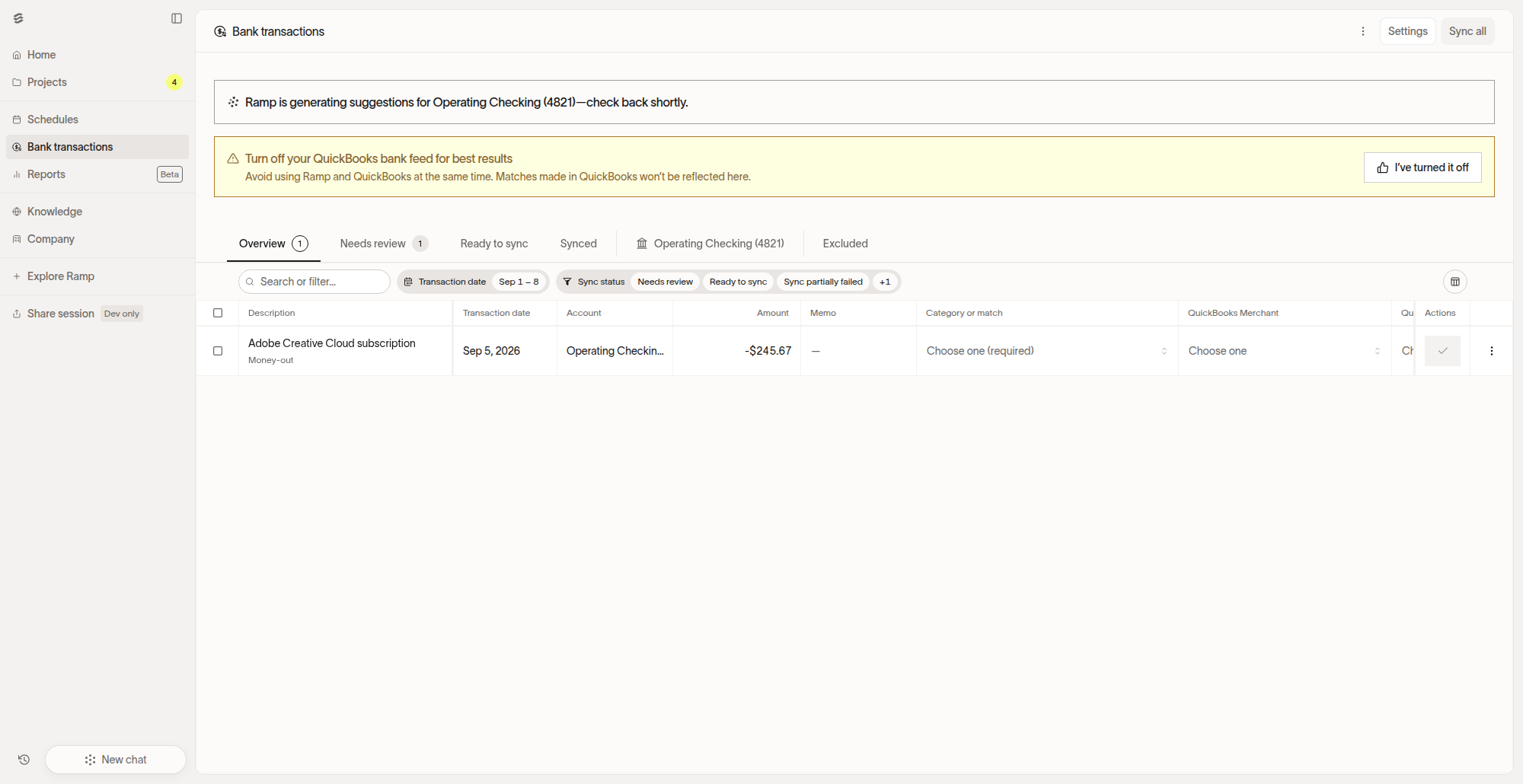
Open Bank transactions in Stack to review and reconcile bank activity.
Bank transactions are organized by status: Needs review, Ready to sync, Synced, and Excluded. Use these statuses to work through coding decisions and reconciliation, then sync cleared items to QuickBooks Online.
Manage Stack knowledge
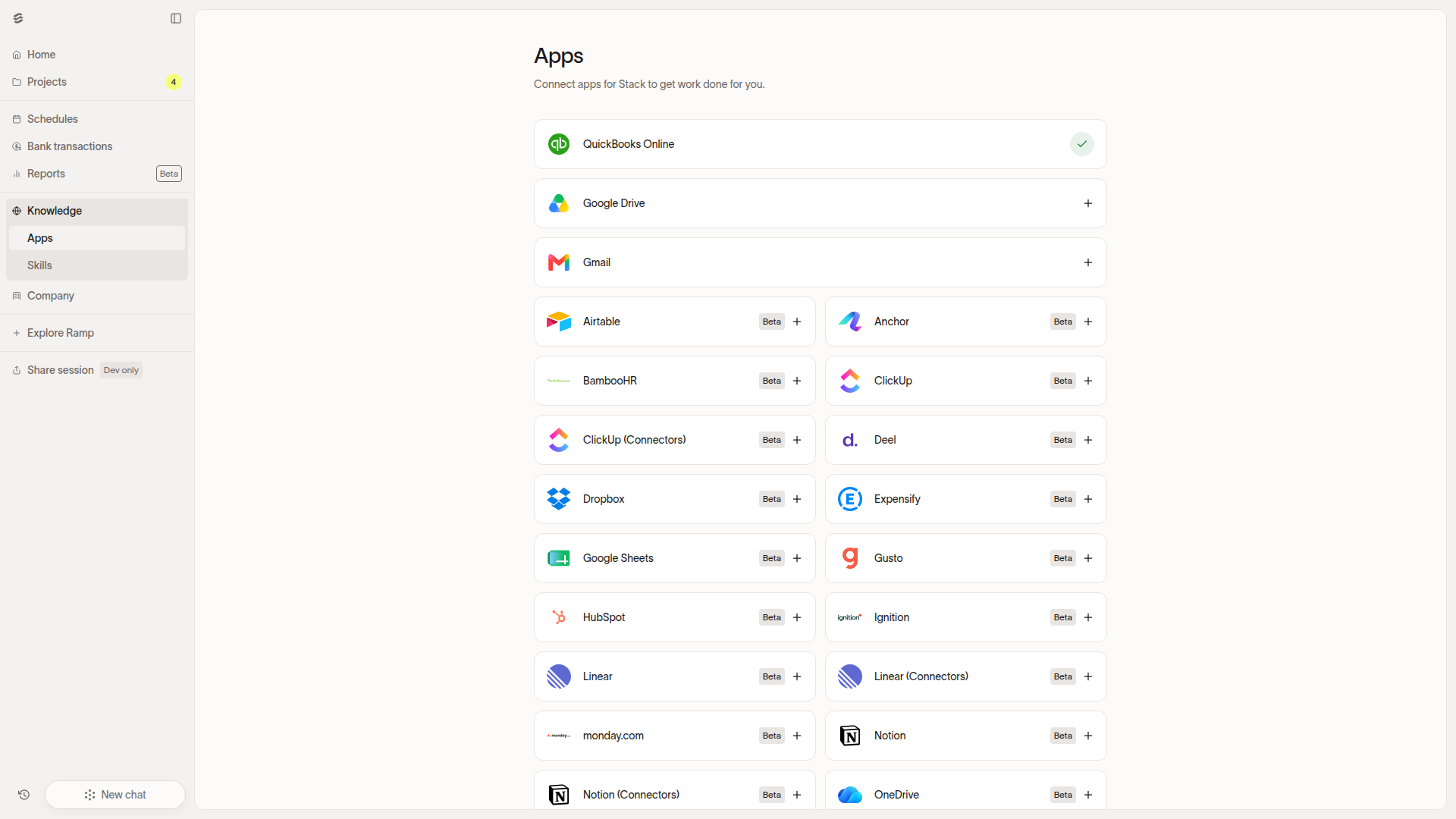
Open Stack > Knowledge to manage the apps and instructions Stack uses for bookkeeping work.
Use Stack > Knowledge > Apps to manage connected apps that Stack can use while completing financial work.
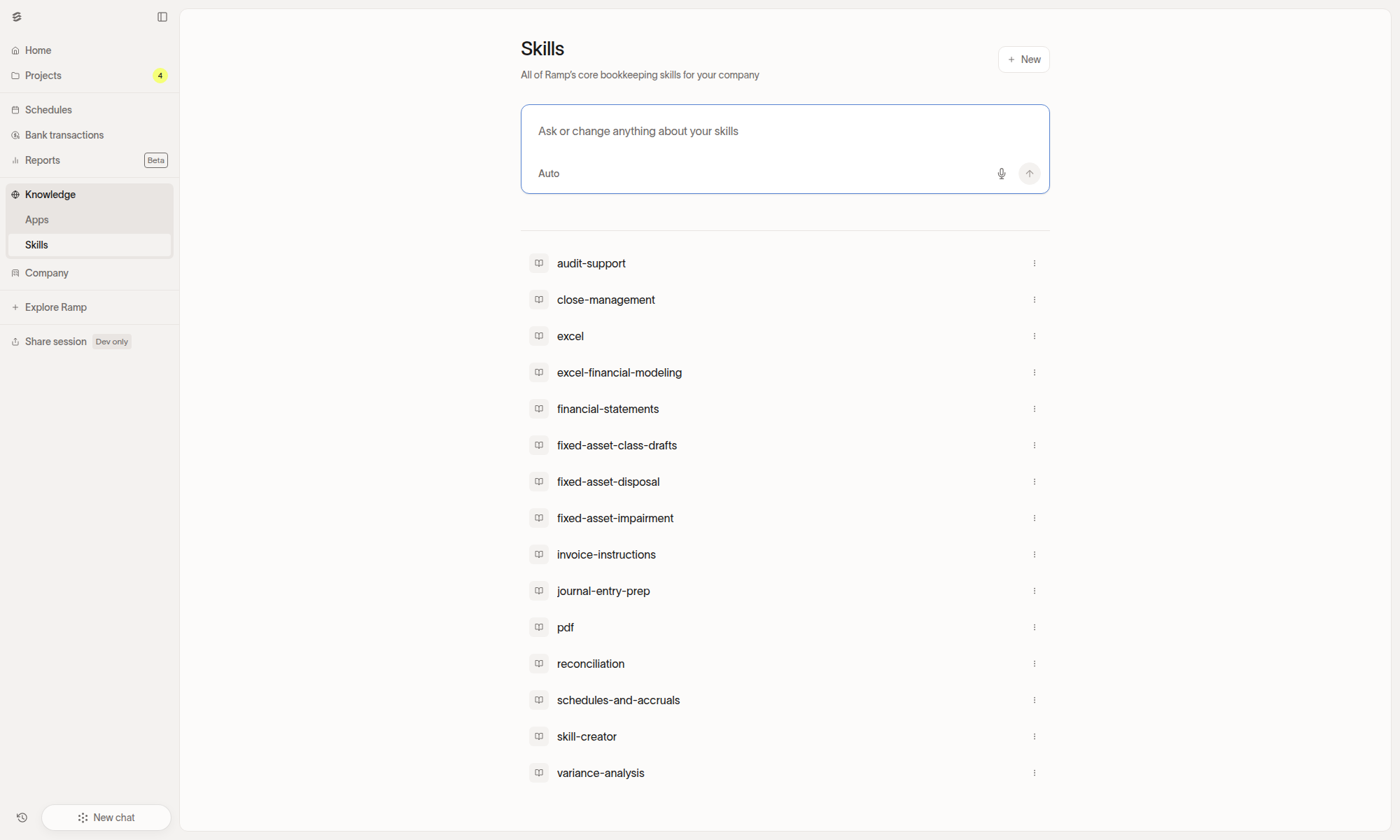
Use Stack > Knowledge > Skills to view or create reusable instructions that teach Stack how to handle a specific kind of bookkeeping task.
Use bookkeeping and close skills
A Stack skill is a specialized capability Stack uses to complete a specific kind of work. Describe the task you want done, and Stack selects the relevant skill or combination of skills.
- Close management: Plan your close calendar, sequence tasks by day, track blockers, and keep dependencies visible.
- Journal entry prep: Draft journal entries with debits, credits, and supporting documentation for accruals, prepaid amortization, depreciation, payroll, revenue recognition, and manual entries.
- Schedules and accruals: Build and roll forward amortization, depreciation, prepaid, fixed asset, deferred revenue, and other balance-sheet schedules, then draft the matching accrual or reversal entries.
- Reconciliation: Match transactions item by item between the general ledger and a source record, produce a reconciled workpaper, and categorize anything that does not tie out.
Use analysis, audit, and file skills
Stack includes skills for adjacent accounting work beyond the monthly close.
- Variance analysis: Break a variance into its drivers, build a waterfall, and write the narrative for budget-versus-actual, period-over-period, revenue, or expense changes.
- Audit support: Help with SOX 404 work, including control testing methodology, sample selection, workpaper documentation, and deficiency classification.
- Excel: Open, read, edit, or create spreadsheets, including
.xlsx,.csv, and.tsvfiles. - PDF files: Stack can read text and tables from PDFs. For file changes, Stack can merge or split files, rotate pages, add watermarks, or encrypt PDFs. Stack can also extract text from scanned documents with OCR.
- Invoice instructions: While viewing a bill in Bill Pay, add processing instructions for the invoice or rerun OCR extraction when captured data needs review.
Stack scope and limitations
Stack supports QuickBooks Online for single-entity bookkeeping. QuickBooks Online does not support multi-entity bookkeeping within one Ramp account. Multi-entity Stack is available to eligible accounts using a supported multi-entity accounting setup. Contact your Ramp representative to confirm availability. Stack does not support QuickBooks Desktop or multi-currency workflows today.
Stack reviews and codes new bank activity and can draft new journal entries. Stack does not modify existing QuickBooks Online transactions, so cleanup engagements that require reclassifying historical activity should be handled directly in QuickBooks Online.
For bank reconciliations, Stack produces the reconciled workpaper and syncs cleared transactions to QuickBooks Online. Stack cannot mark transactions as reconciled in QuickBooks Online because that functionality is not available through the QuickBooks Online API.
Stack supports SharePoint and OneDrive sources. Stack also supports Outlook when you connect your personal Outlook inbox and enable Agent search for that inbox. Your firm's email connection settings and Outlook permissions must allow Ramp to read email. Stack does not currently support Microsoft Teams sources.
View your Stack usage
Stack usage measures your use of Stack. Usage varies by request because requests differ in complexity and the amount of processing required.
The Stack usage dashboard is available to active Stack customers. For accounting firms, only Advisor Console Admins with client billing access can view firm usage. If you cannot see the dashboard, ask an Advisor Console Admin or your Ramp Admin to verify your Stack access. You can find it here:
- Accounting firms using Advisor Console: Open the Stack usage dashboard.
- In-house finance and accounting teams: Go to Company → Stack usage.
Note: The dashboard includes credit usage recorded beginning July 15, 2026. Usage before this date is not included.
Contact your Ramp representative if you have questions about Stack credits or usage plans.
Frequently asked questions
Can Stack generate financial statements today?
Yes. Ask Stack to generate an income statement, balance sheet, or cash flow statement.
Can I reuse skills and checklists across multiple clients?
Skills can be used across clients. Accounting-firm users with project management access can copy checklists between their active clients if the destination has no checklist for the period. In Projects, open More options and select Copy checklist.
Can I onboard a client to Stack if they are not already a Ramp customer?
Yes. Visit ramp.com/stack to learn about onboarding a client to Stack.
What can my clients see when I use Stack?
If the Stack subscription is managed by your accounting firm, clients do not see Stack by default.
Can I share tax return information with Stack?
Section 7216 applies to people who prepare U.S. federal income tax returns or provide services in connection with preparing them. It generally restricts disclosure of tax return information furnished for, or in connection with, those returns unless an exception applies. If you are unsure whether Section 7216 applies to your intended disclosure to Ramp, consult your legal counsel. If you determine that you need client consent for a Form 1040-series return, see Rev. Proc. 2013-14 for the required consent format and content. For other return types, see Treasury Regulation Section 301.7216-3 and consult your legal counsel to determine the applicable consent requirements.
Does Stack replace my close-management tool?
Stack executes accounting work and organizes that work through the close checklist. Firms using tools such as FloQast, Numeric, or Double for client communications, time tracking, or staff management may continue using those tools alongside Stack.
What happens if Stack makes a mistake?
Stack surfaces its work for human review before syncing to QuickBooks Online. Review, edit, or reject Stack's output before you sync it.