Amazon Business integration: Set up for admins
Overview
With Ramp’s Amazon Business integration, automatically generate receipts. When your employees use their Ramp card within Amazon Business (not their consumer Amazon account), receipts are automatically forwarded to Ramp. Learn more in ourlaunch announcement→.
Note: This feature is only available to Ramp Admins. Before setting up, ensure you have an Amazon Business account — not a consumer Amazon.com account. Ramp will not auto-generate receipts for consumer Amazon purchases. You can disconnect by going to your settings again at any time and select Disconnect to remove the integration. To reconnect, repeat the setup steps to authorize your Amazon Business account.
Set up Ramp's Amazon Business integration
Interactive demo: Set up Amazon Business integration
Ramp’s Amazon Business Integration takes only a few clicks to set up.
Step 1
Navigate to Receipt Capture in yourRamp Settings(Settings > Apps > Receipt Capture)
Step 2
Click “Amazon Business”
Step 3
Sign in to your Amazon Business account to authorize the integration.
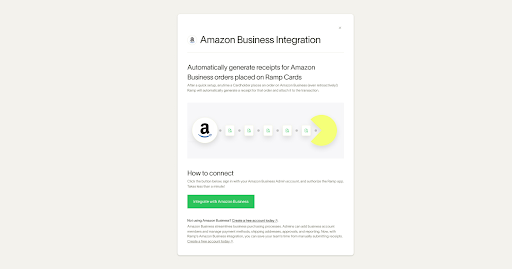
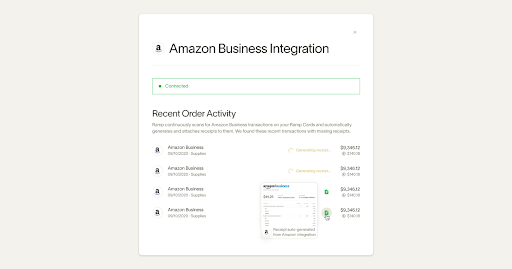
That’s it. After successfully connecting, Ramp will automatically generate receipts for cleared (pending transactions won't have a receipt yet) Amazon purchases made via Amazon Business with Ramp cards. Because Amazon authorizes the transaction upon package shipment, the receipt can take a few days to show up on Ramp. We’ll look back 30 days and automatically generate receipts for future purchases.
If you don’t have an Amazon Business account, you can create afree account today.
Employee experience
Frequently asked questions
Can I connect an Amazon Business UK account?
Amazon Business UK accounts are currently not supported.
How does Ramp handle Amazon Business refunds?
When an Amazon Business purchase is refunded, Ramp generates a separate receipt for the refund transaction labeled "Refunded." Both the original purchase receipt and the refund receipt appear in your Ramp transaction history.