Sage Intacct Sync Error | Unable to complete transaction: inter-entity relationship not defined
Overview
Ramp has received the following error message from your Accounting Provider Sage Intacct:
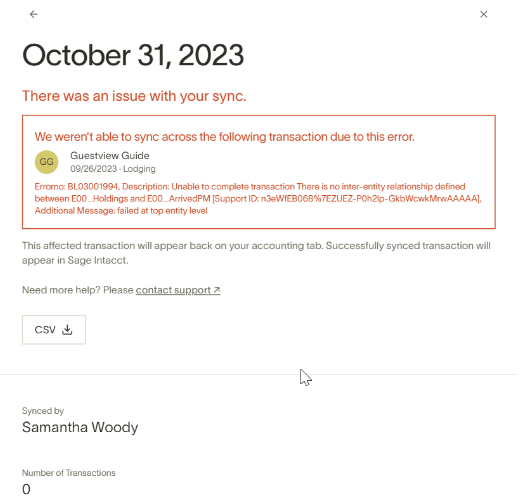
Unable to complete transaction. There is no inter-entity relationship defined between X and Y.
How to resolve
Please follow these steps to resolve this error from Sage Intacct:
- Navigate to Sage Intacct and open the Company Console.
- Locate the Inter-Entity Transactions section.
- Ensure that the inter-entity relationship between the entities in question is correctly defined.
- Consult the Sage Intacct support article for detailed configuration steps: Inter-Entity Configuration Guide.
- If further assistance is needed, contact Sage Support for help with configuration.
Raw error message: Unable to complete transaction. There is no inter-entity relationship defined between X and Y. for your technical team.