Sage Intacct Sync Error | None Release bill RMP_1 for payment
Overview
Ramp has received the following error message from your Accounting Provider Sage Intacct:
None Release bill RMP_1 for payment
How to resolve
Please follow these steps to resolve this error from Sage Intacct:
- Disable approval workflows within Sage at top level and entity level
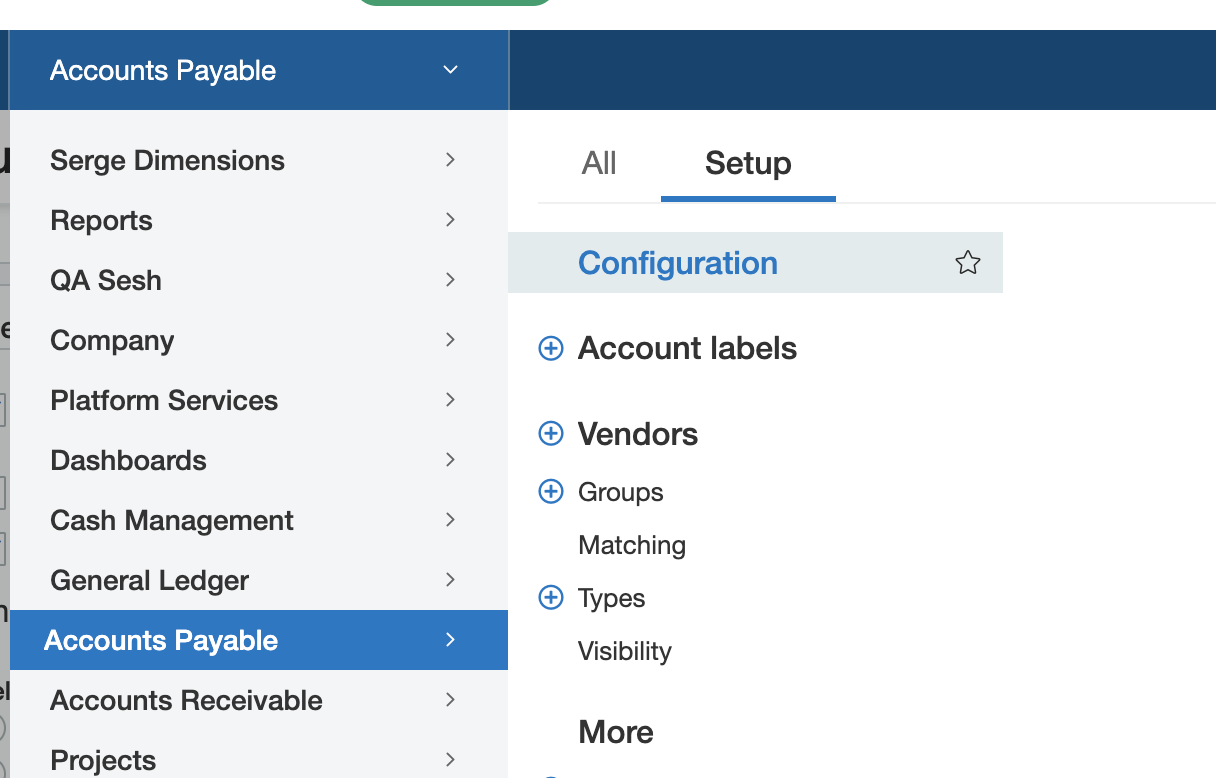
- In Sage, go to Accounts Payable > Setup > Configuration
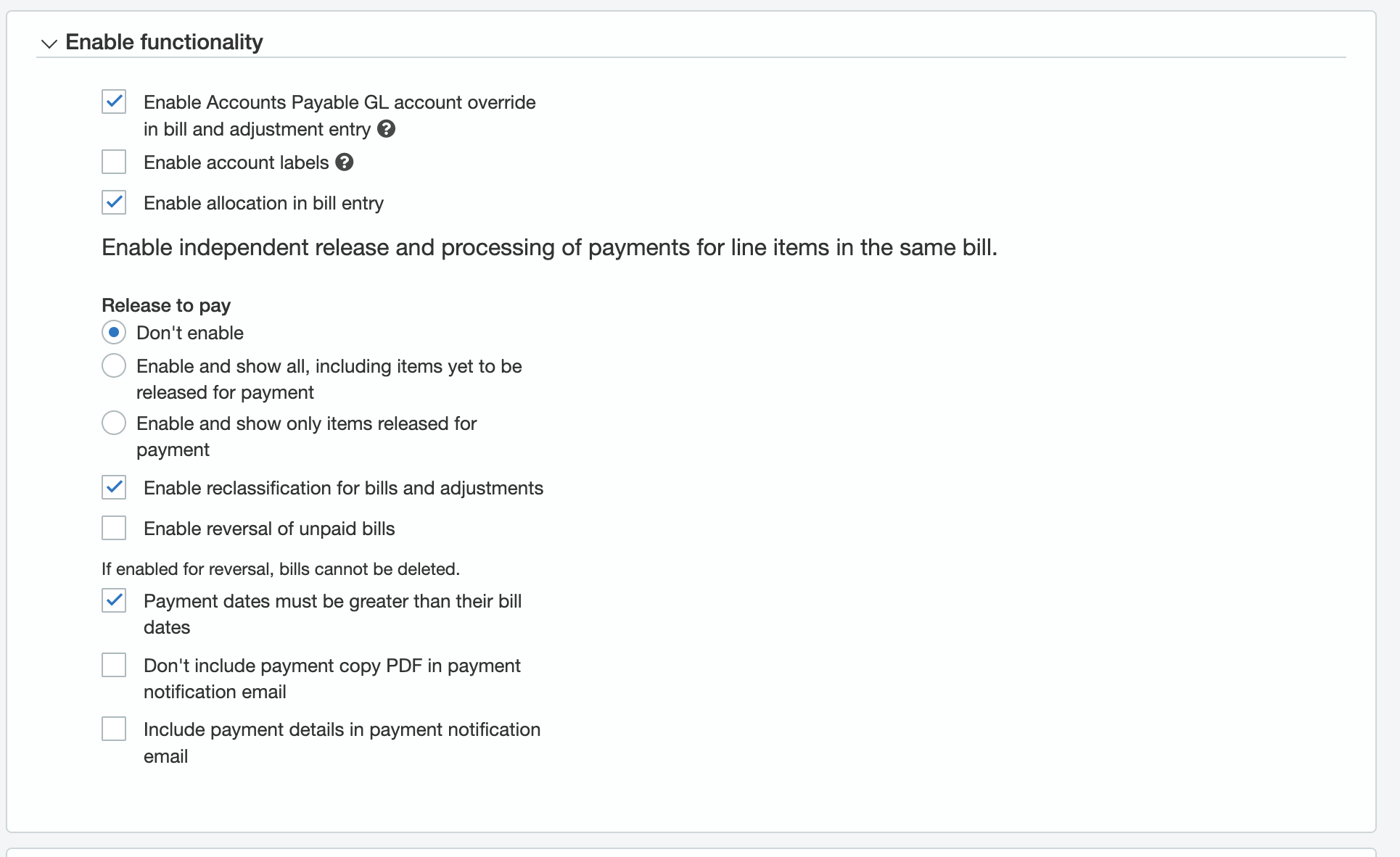
- Under Release To Pay, make sure Don't Enable is checked (see picture below)
4. Once this is modified at the top and lower entity levels, retry the sync on Ramp.
Raw error message: None Release bill RMP_1 for payment for your technical team.