QuickBooks Online integration: Item purchase and sales settings
Overview
Products and services in QuickBooks Online (QBO) can be configured for purchasing, sales, or both. Purchasing enables use in QBO accounts payable (AP): bills, vendor credits, and purchase orders. Sales enables use in QBO accounts receivable (AR), such as customer invoices.
These are QBO eligibility settings. Ramp Receivables imports service and non-inventory items from QBO, not inventory items or bundles. See QuickBooks Online sync for Receivables.
Check purchasing and sales settings in QBO
Edit the item in QBO's Products & services. For navigation and saving instructions, see Intuit's guide to editing products and services.
The screenshots use “supplier”; your QBO interface may instead show “I purchase this product/service from a vendor” for the purchasing checkbox.
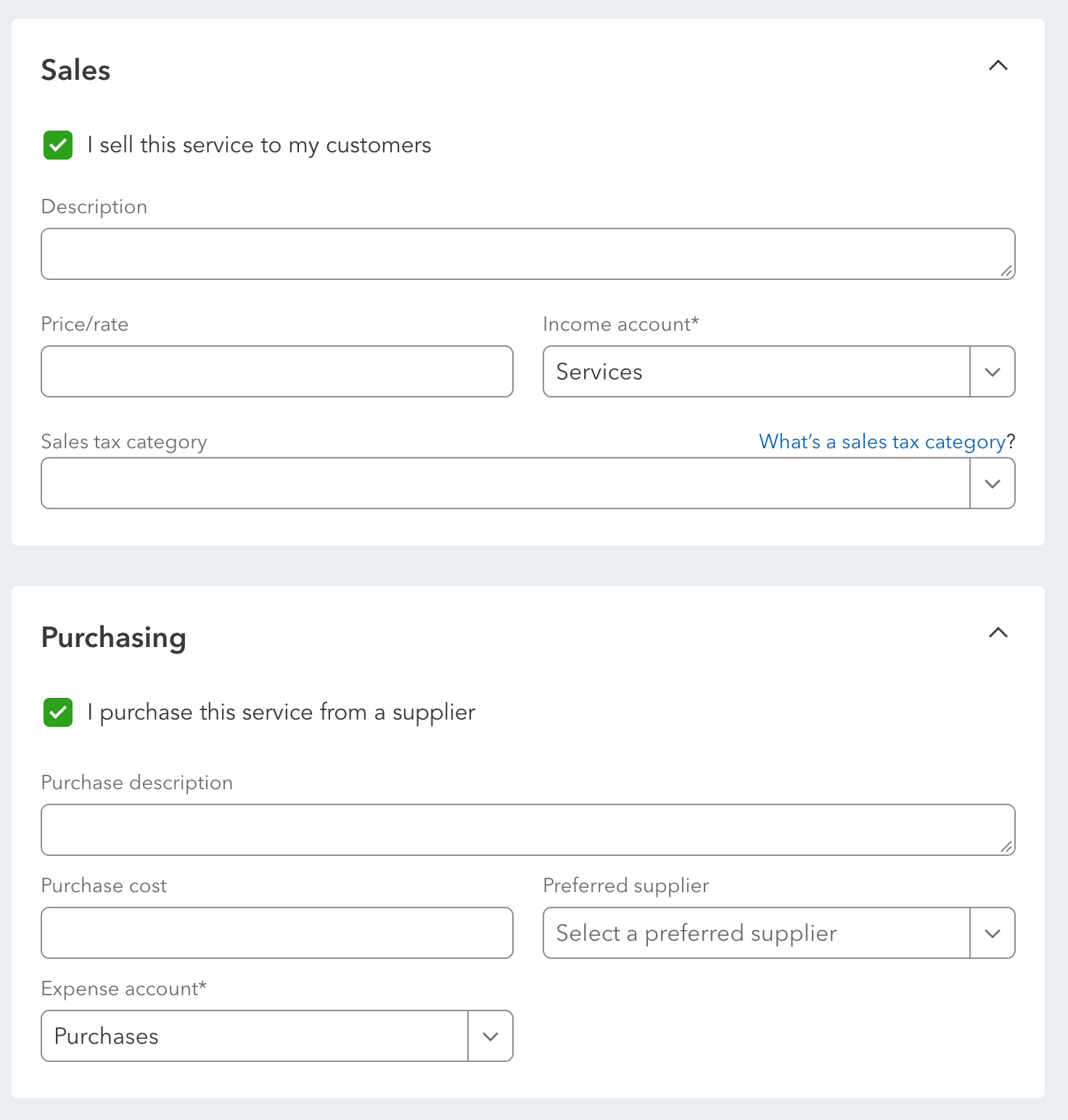
- Services: Select “I purchase this service from a supplier” for AP, and “I sell this service to my customers” for AR. Select both to use the service in both workflows.
- Non-inventory items: Select “I purchase this from a supplier” for AP, and “I sell this to my customers” for AR. Select both for both workflows. The example below is sales-only.
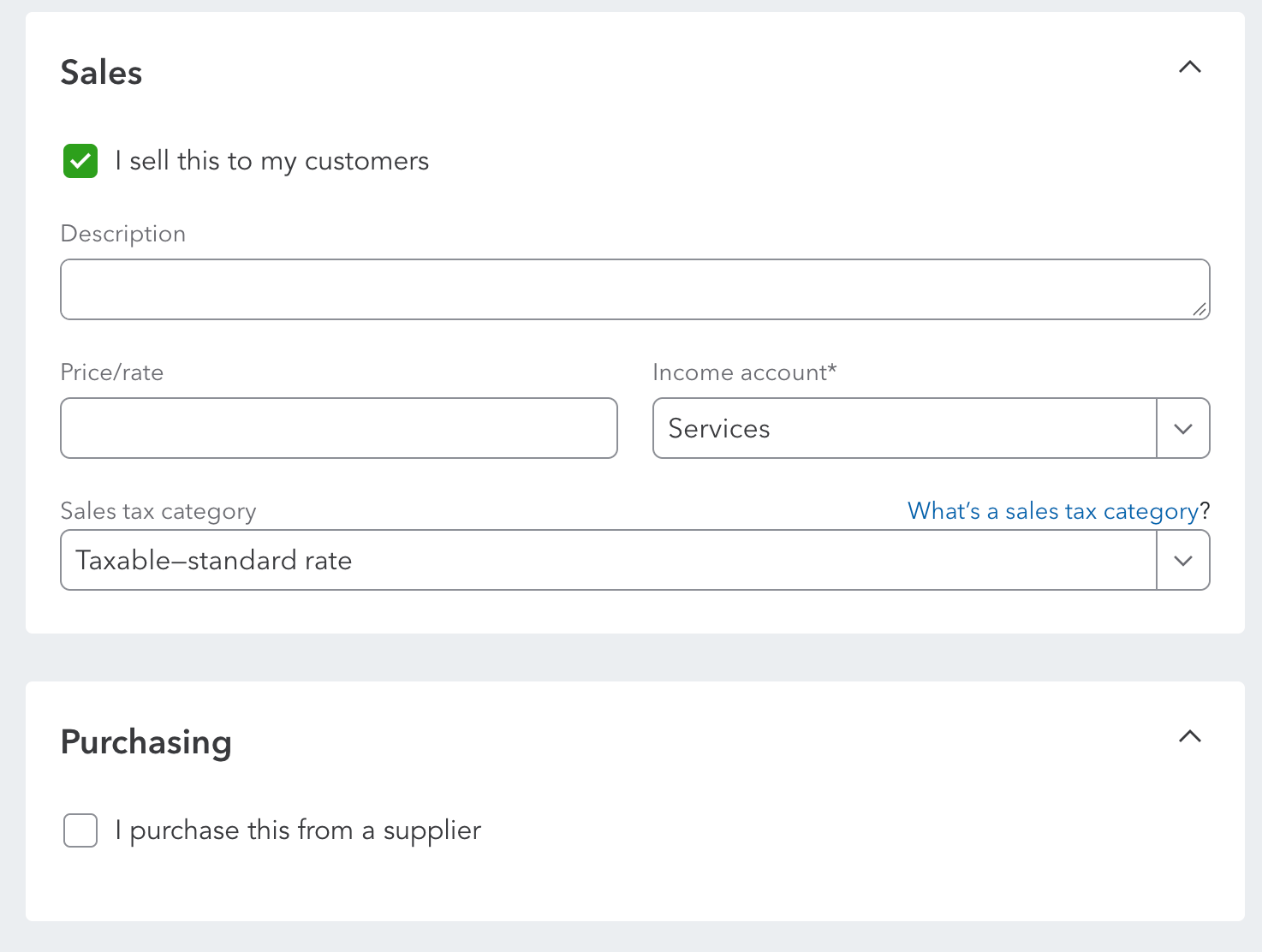
For services and non-inventory items, purchasing also requires an Expense account. Select the account and save your changes.
- Inventory items: Automatically purchasable and sellable, with no separate purchase or sales toggle.
- Bundles: Sales-only; cannot be used on bills, vendor credits, or purchase orders.
If an item is rejected when syncing an AP document, check its purchasing eligibility in QBO before retrying.