Policy Suggestions & the Policy Agent
Overview
Available on Ramp Plus. See Ramp Plus overview for plan details.
You need permission to edit spend policies to review and publish policy suggestions. If you don't have this permission, ask a Ramp Admin who can edit spend policies to review or publish the suggestion.
Policy Suggestions helps you turn your written expense policy into something that's clear, enforceable, and aligned with how Ramp reviews spend—so you get fewer surprises and less manual work over time.
Your expense policy is more than documentation: it's what Ramp's Policy Agent uses to understand how spend should be approved, flagged, or reviewed. Policy Suggestions helps make sure your intent is reflected accurately in those decisions.
Why policy suggestions exists
When writing an expense policy, it’s easy to assume that what makes sense to a human will also be easy for automation to interpret. In practice, that’s not always true.
Policy Suggestions exists to close the gap between:
- What you intend your policy to enforce , and
- What the Policy Agent can reliably determine from policy language and transaction details.
Without guidance, policies can unintentionally include ambiguity, contradictions, or gaps that lead to:
- More expenses being sent to manual review
- Inconsistent outcomes that feel surprising
- Extra work for reviewers and finance teams
Policy Suggestions helps surface these issues early—and gives you clear, actionable ways to fix them.
How policy suggestions helps
Policy Suggestions reviews your policy and looks for places where clarification would improve enforcement. When it finds opportunities, it presents them as simple questions and suggested edits directly in the policy editor.
Examples of what you might see:
- Needs more detail
Your policy references information that may not always be available or clear, and needs a fallback decision. - Conflicting rules
Two parts of the policy contradict each other and could lead to inconsistent outcomes. - Unintended manual reviews
Language that unintentionally sends a large number of expenses to “Requires review.” - Missing coverage
Common spending scenarios where the policy doesn’t clearly specify what should happen.
Each suggestion is designed to make your intent explicit—so the Policy Agent can apply it consistently.
How suggestions are generated
Policy Suggestions are informed by multiple signals, including:
- A high-level analysis of your policy to identify ambiguity, conflicts, or gaps
- Patterns where the Policy Agent is unsure how to apply your rules
- Feedback from reviewers when outcomes don’t match expectations
This allows Ramp to surface suggestions that are relevant to your business and spending patterns.
When you’ll see suggestions
You won’t necessarily see suggestions immediately—and that’s intentional.
Policy Suggestions are generated when Ramp detects opportunities where clarifying your policy would meaningfully improve outcomes, such as:
- Ongoing confusion or uncertainty in policy enforcement
- Gaps revealed by recent spending activity
Suggestions are refreshed regularly, so your policy can improve over time as your business evolves.
How to use policy suggestions
-
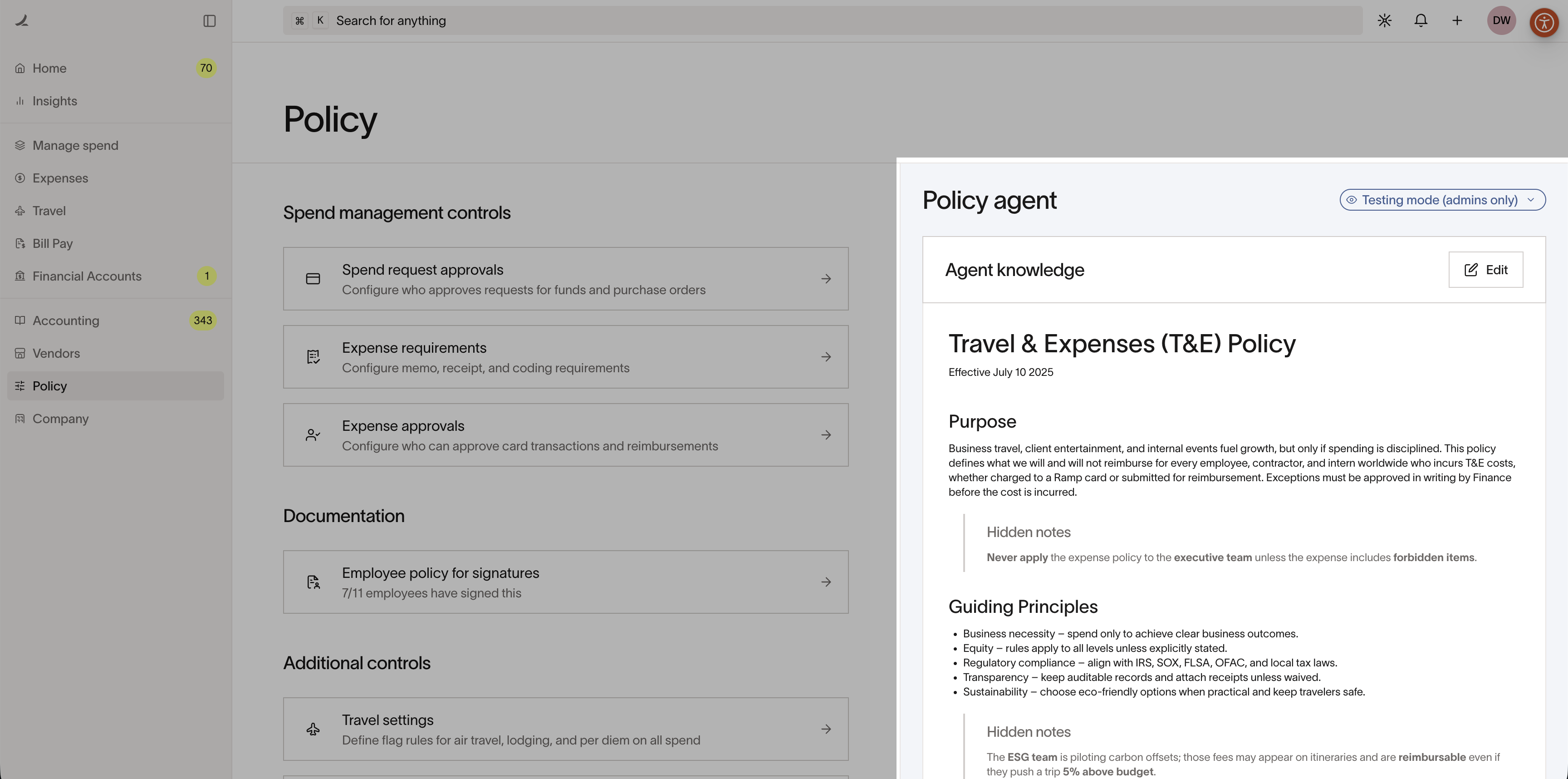
Open the policy editor. Go to Policy > Travel & expenses > Policy agent > Policy knowledge, then select View.
-
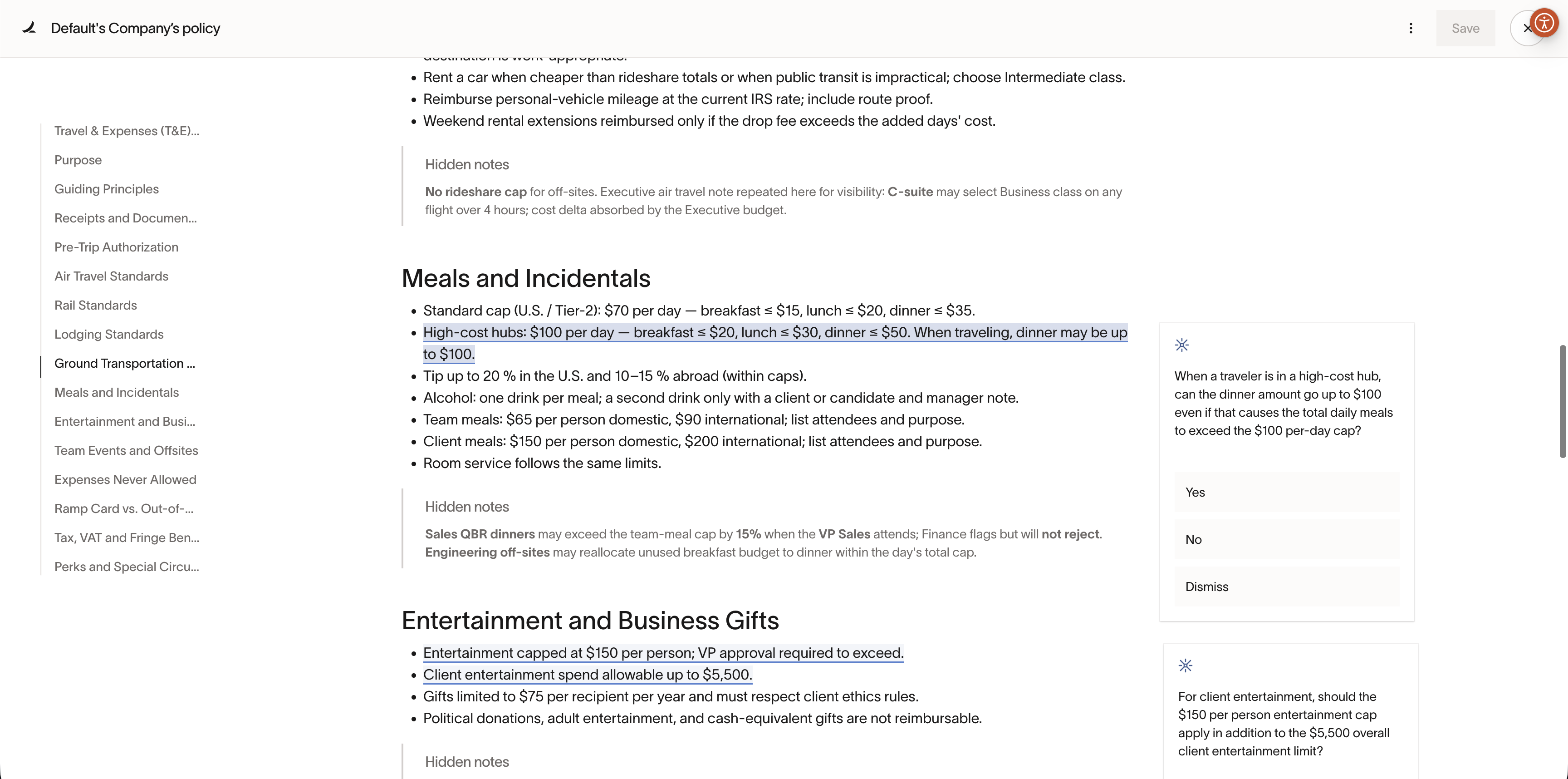
Review suggestions in the right-hand panel. Any active suggestions will appear alongside your policy.
-
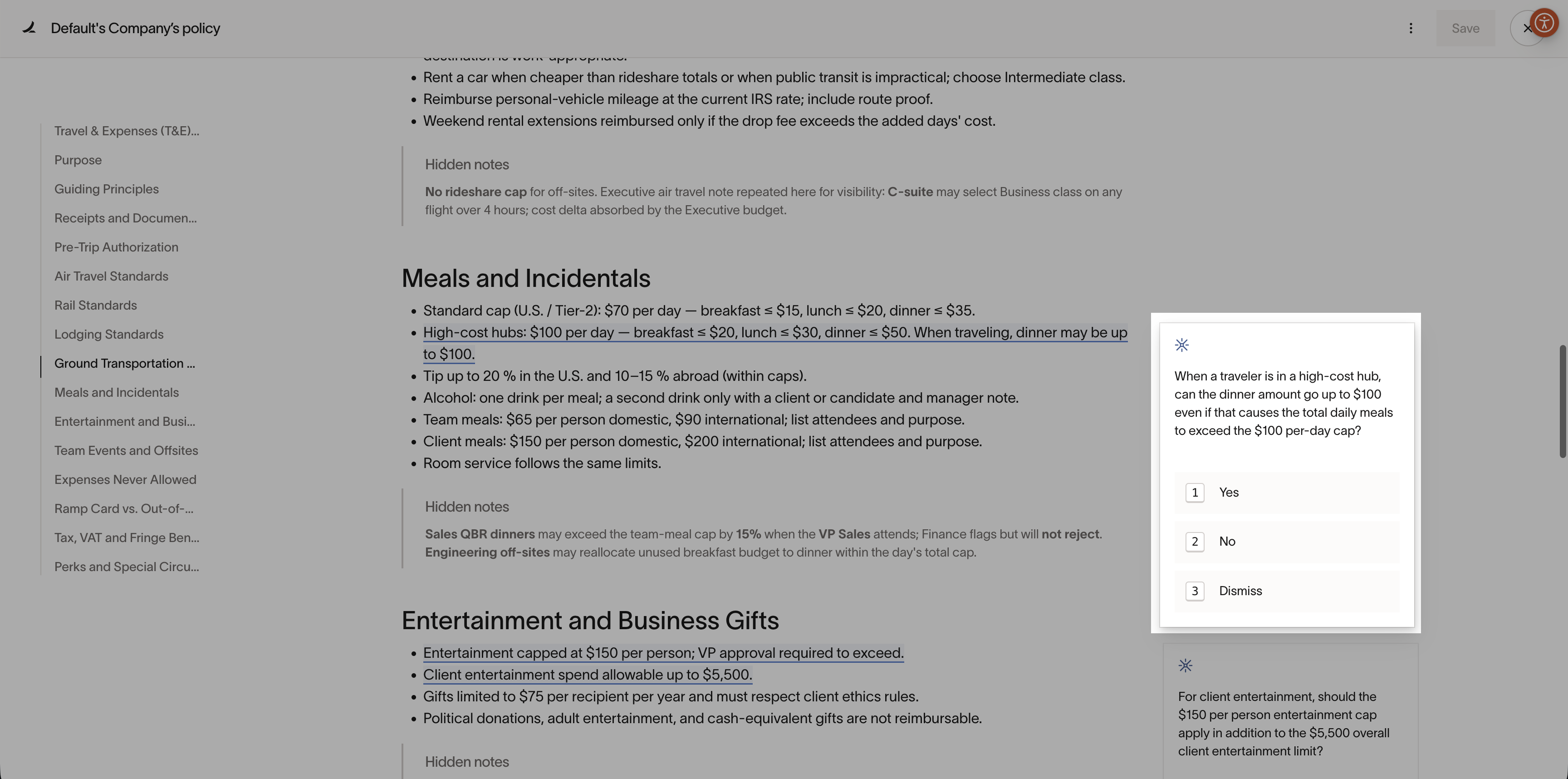
Answer clarifying questions. Each suggestion asks a focused question about how you want a specific scenario handled.
-
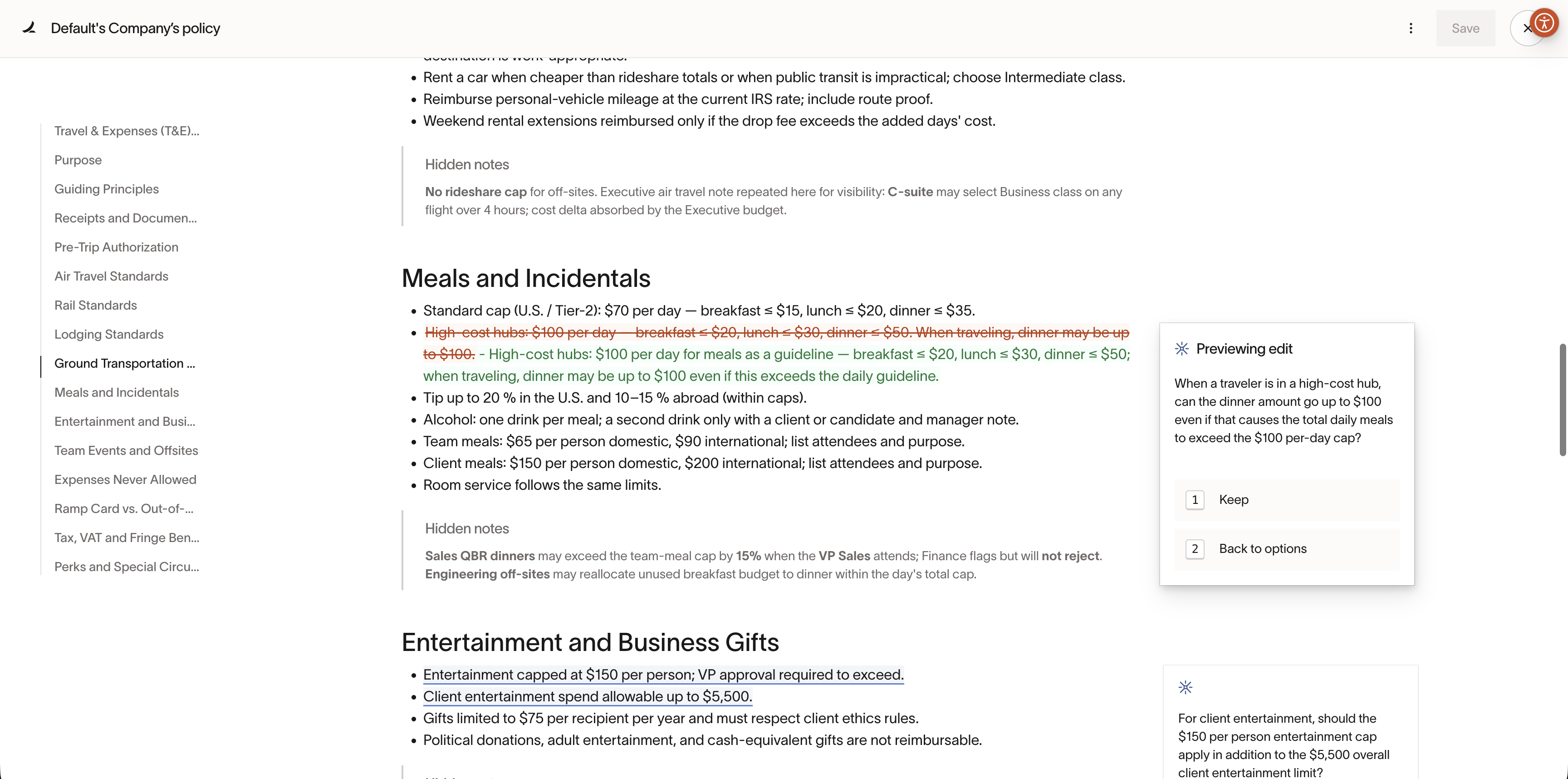
Preview the proposed edits. See exactly how your answers translate into updated policy language. You can choose to keep or discard the suggested edits.
-
Publish your policy. Once published, the updated policy is immediately used for future transactions.
This creates a continuous feedback loop—your policy improves, enforcement becomes clearer, and manual work goes down.
Why this matters
A clearer policy means:
- Fewer expenses sent to manual review
- More consistent, predictable outcomes
- Less back-and-forth for reviewers and employees
- Greater confidence in automated enforcement
Over time, Policy Suggestions helps ensure your expense policy stays accurate, up-to-date, and aligned with how your business actually spends.