NetSuite Sync Error | Unable to save transaction due to an error being reported by the tax calculation engine: Tax Calculation plugin error:
Overview
Ramp has received the following error message from your Accounting Provider NetSuite:
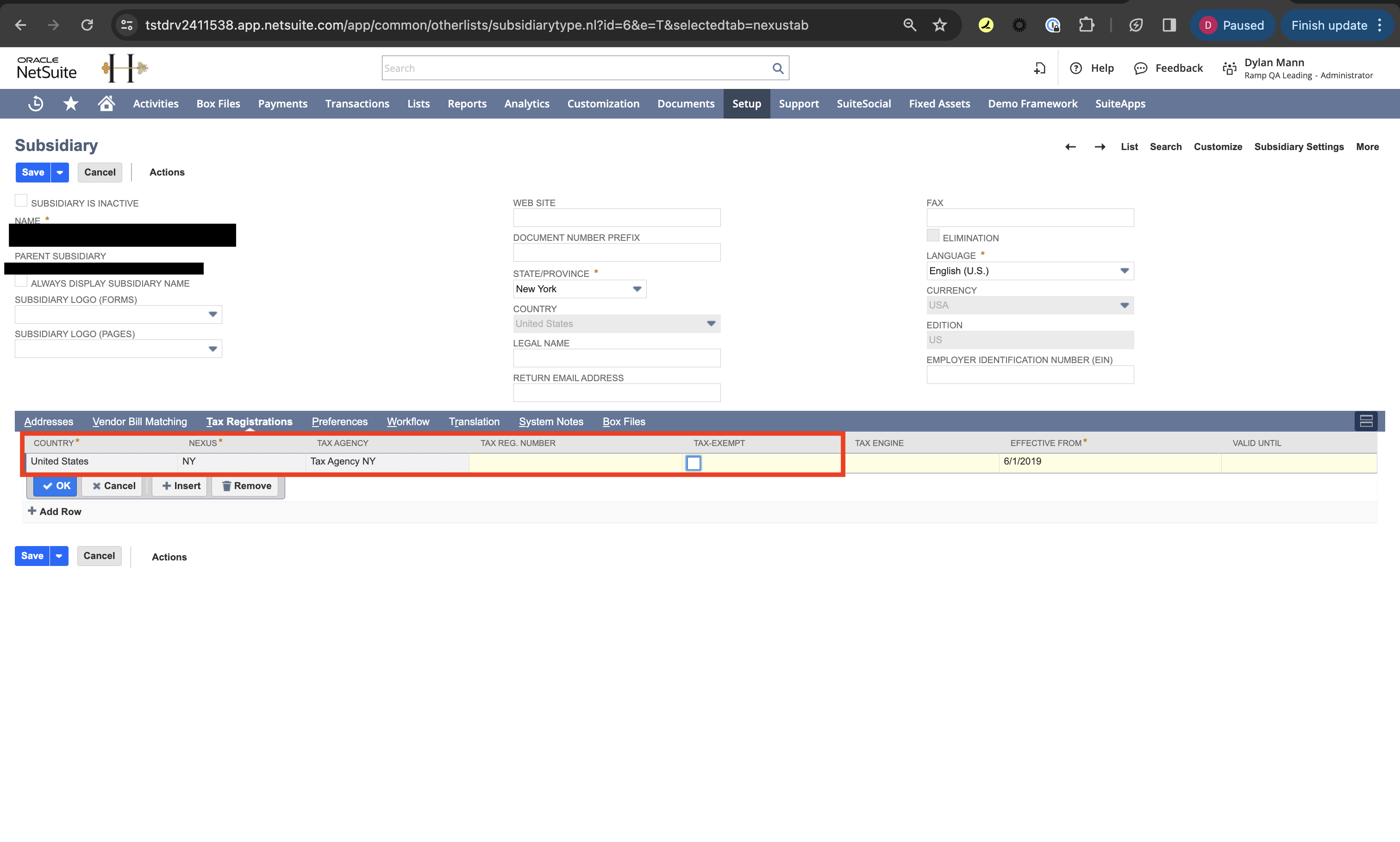
NetSuite Sync Error | Unable to save transaction due to an error being reported by the tax calculation engine: Tax Calculation plugin error: Tax regulations setup for the subsidiary associated with the transaction are incomplete. If you want taxes to be calculated for the relevant nexus, you must select a tax engine, otherwise mark the nexus as tax exempt.
How do I resolve this error?
Please follow these steps to resolve this error from NetSuite:
- Sign in to NetSuite (Note only an admin can make this change)
- Go to the subsidiary page
- Mark the Nexus Tax Exempt by checking the box
- Click Save