NetSuite Sync Error | Invalid Field Value
Overview
Ramp has received the following error message from your Accounting Provider NetSuite:
We weren't able to sync across the following transaction, as it appears the account (x) you chose is not a valid selection in NetSuite.
OR
We weren't able to sync across the following statement payment, as it appears the account (x) you chose is not a valid selection in NetSuite.
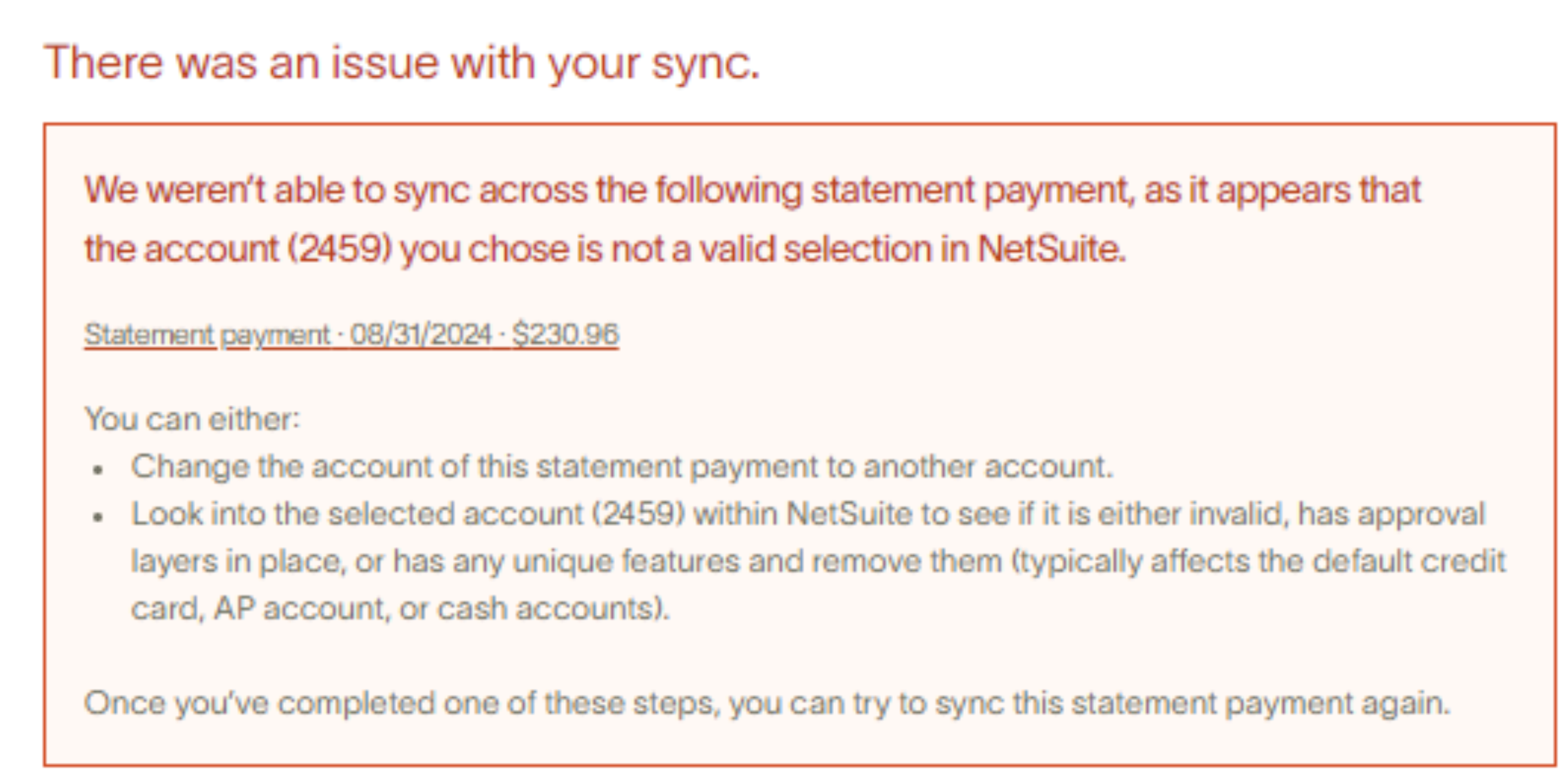
What does this mean?
The number (x) in the error message is the NetSuiteInternal IDassociated with the Account, Entity, or other Accounting Field Option (like a Merchant (Vendor), Location, etc).The error message is relaying that the ID in question is not a valid selection for this sync.
Most commonly, this means you have made a selection in Ramp that violates a configuration in your NetSuite Account. For example, the default account may have been deleted in NetSuite, or the Vendor may have been set to Inactive.
How do I resolve this error?
Please follow these steps to resolve this error from NetSuite:
-
Reselect the default accounts ( NOTE: click the dropdowns and ensure the account you want to use can be reselected. You should do this even if the old value is still populated on the front end). You should also confirm these accounts have the correct type (a credit card liability account should NOT be a cash account )
-
Once everything is confirmed to be correct, save and retry the sync
- If you are a multi entity customer, you will have to configure all your entities here
-
The account is active within NetSuite (note that
SHOW INACTIVESshould be toggled on here)
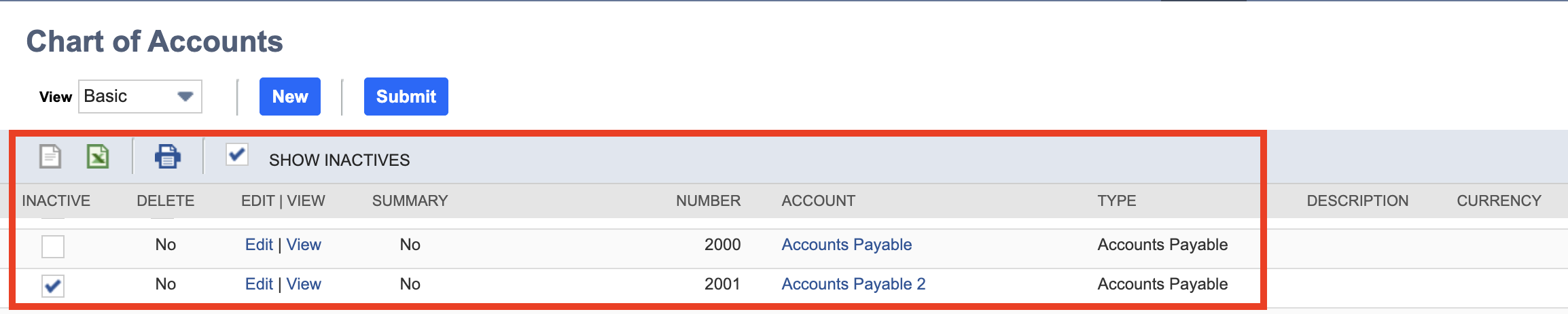
-
That it is configured properly for the subsidiary/entity in question (if applicable). The
SUBSIDIARIESsection they see when they click Edit on that account must include the subsidiary for your Ramp entity (section is multi-select in NetSuite).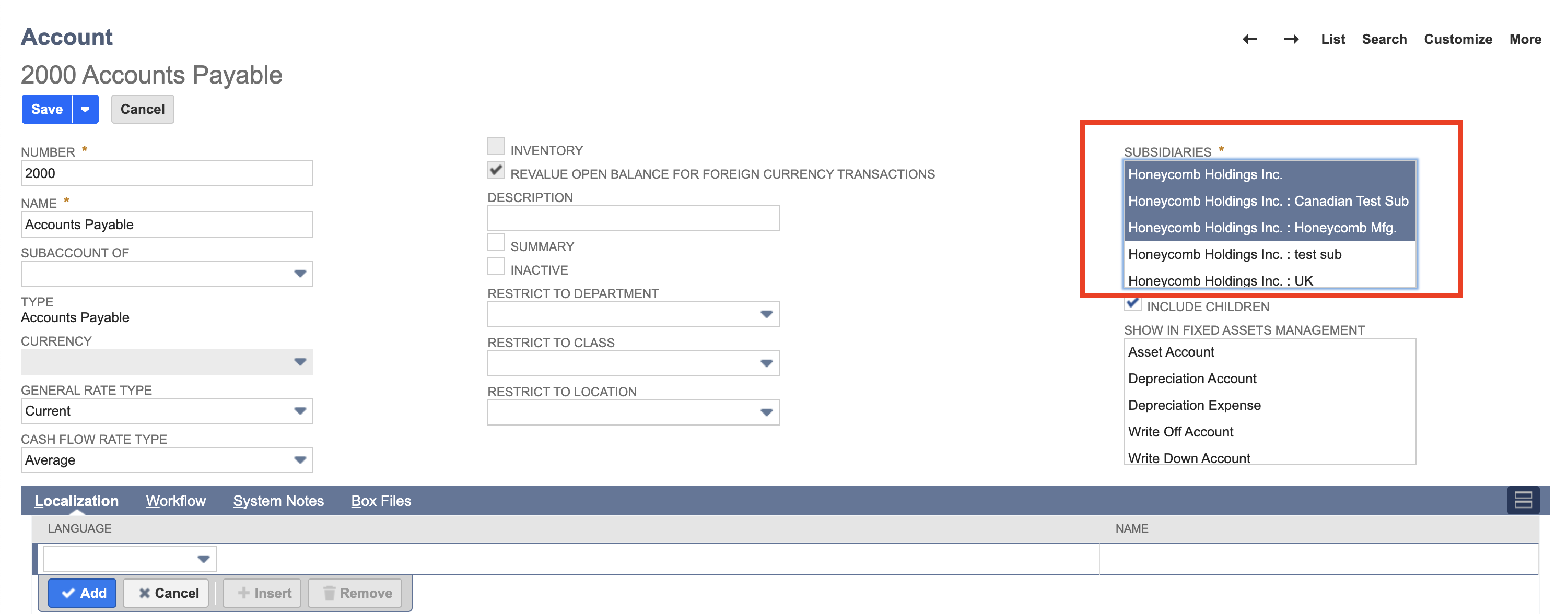
-
If it is inactive, uncheck
INACTIVE, wait a few minutes and try again. If it's not the right account for this entity, select a different account or make changes in NetSuite.
If you see an Accounts Receivable (AR) Account selected as a default account:
- You need to select a different type of account (Accounts Payable (AP) Account for reimbursements + Bill Pay, Credit card liability for transactions).
- Why? This is a NetSuite limitation, NetSuite does not allow transactions, reimbursements, or bills to be posted to an AR account.
Summary Accounts
-
If the customer coded a transaction or reimbursement to a Summary Account, then have them select another General Ledger account because Summary Accounts cannot have individual transactions posted to them.
- If the vendor is inactive in NetSuite, make the vendor active and refresh Ramp after a few minutes and try to sync the transaction or reimbursement again.
- Why does this happen? Typically, the cause is an approval flow in NetSuite for a new vendor. Therefore, when Ramp attempts to create a vendor, we are unable to because the vendor has not been approved + is inactive.
- If the vendor is inactive in NetSuite, make the vendor active and refresh Ramp after a few minutes and try to sync the transaction or reimbursement again.
-
We name vendors like this for NetSuite: entity / vendor ID: {{firstname lastname}} Ramp
-
Please note: The example used here is when Accounting Field = Vendor, but this should also be the solution for any other Accounting Fields.
Raw error message:
We weren't able to sync across the following transaction, as it appears the account (x) you chose is not a valid selection in NetSuite.
OR
We weren't able to sync across the following statement payment, as it appears the account (x) you chose is not a valid selection in NetSuite.
for your technical team.