Uber integration: Use as an employee
Overview
Automate expense reporting with Uber and Uber Eats. Employees will be able to ride with Uber or order from Uber Eats without having to manually submit their receipts. Ramp will automatically collect, verify, and match the expenses.
How do I turn on the Uber integration as a cardholder?
- As an employee, when you are invited to Uber for Business, you will receive an email with a link and QR code. Follow the instructions in the email to create and link your Uber business profile to the Uber integration
- Open your Uber app and go to Account. You can toggle between the Personal and the Business profile.
- Depending on whether your company has a centralized or decentralized organization, you may or may not need to add your Ramp card.
- For centralized, you will not be able to select/change the payment method Add your Ramp card under the Business
- For decentralized, when you follow the Uber flow, you can add your Ramp card and edit it at any time in your profile select the payment method you want to use, but you can edit it in the app afterward
- Your card is then saved for future Uber rides on their Uber for Business profile. If you want to use a different Ramp card for their next ride, you can input a different card at a later time. (For example, switch offsite or travel cards).
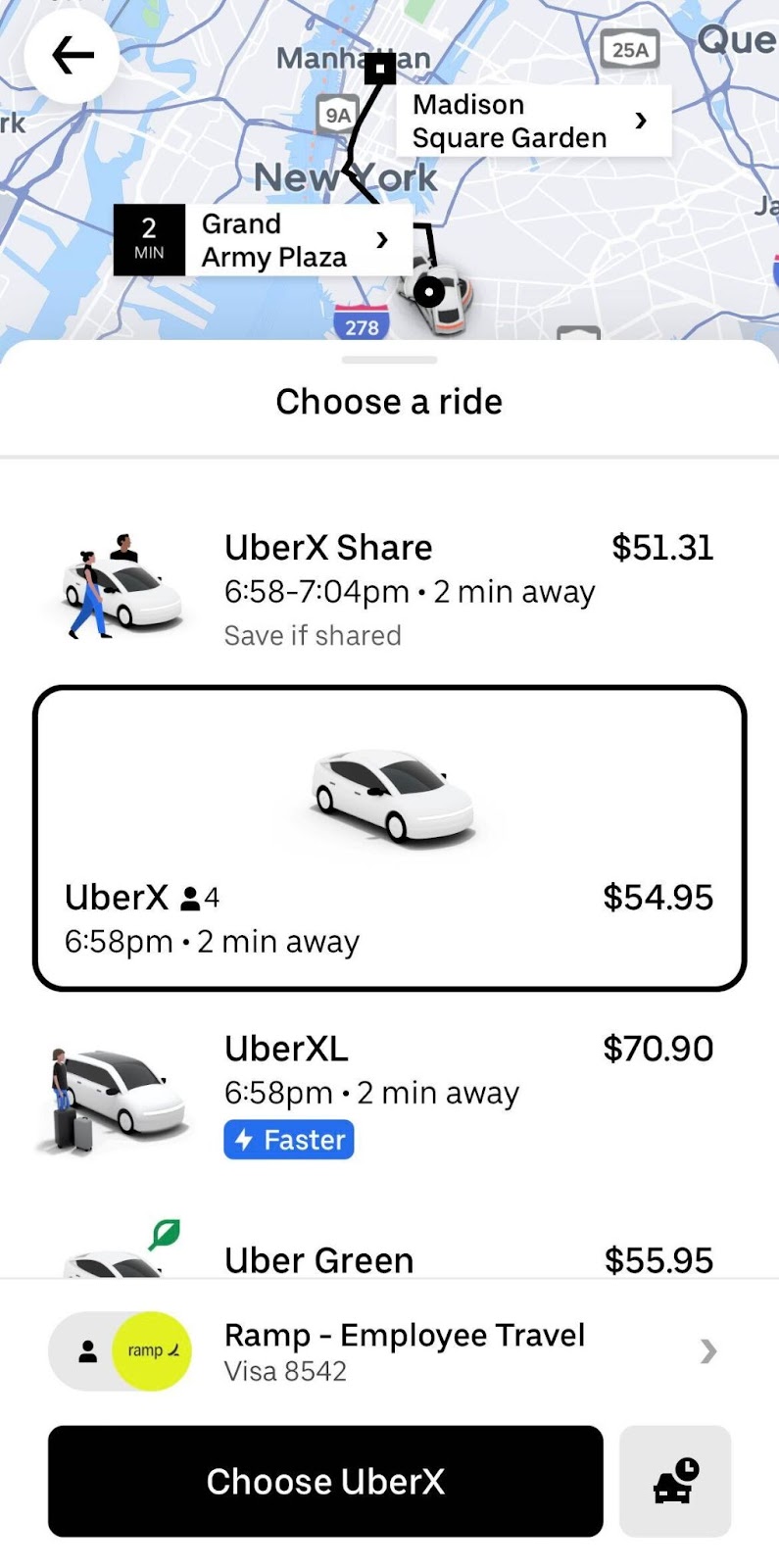
- Alternatively, if you request a ride, you can toggle between the Personal and Business profiles as well
After setup, Ramp automatically captures receipts for Uber rides and Uber Eats orders that match a Ramp transaction. For Uber rides, Ramp can also add a memo from the ride details.
Frequently asked questions
As an employee, I’ve linked my Uber for Business account. How do I switch between Personal and Business profiles?
-
On their Uber screen, they can navigate to "Account", and they'll see that there's a toggle between "Business" and "Personal"
-
Alternatively, when someone is booking a ride, there's a toggle on the payments screen for "Business" and "Personal"
-
If "Business" is selected and the employee pays with a Ramp card, the receipt is automatically ingested by Ramp
I have an existing Uber for Business account. How do I find out who my admin is?
- You may reach out to Uber via email
My receipt is not being automatically ingested, what could be wrong?
-
Check that you are booking from the Uber for Business organization connected to your Ramp business.
-
At the time of booking, check that you are using the correct business account and paying with a Ramp card.