Acumatica integration: Update the customization project
If Ramp introduces new features or fixes bugs in the Acumatica customization, you may need to update the customization project in your Acumatica instance to benefit from those changes. Follow the steps below to ensure your Ramp customization project is up-to-date.
Step 1: Open Acumatica and locate customization projects
- Open your Acumatica instance.
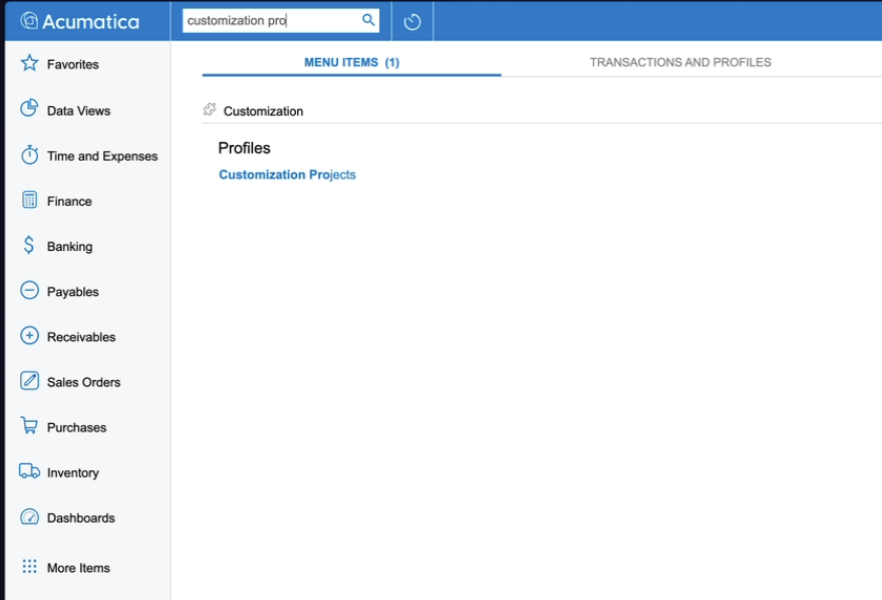
- In the search bar, type Customization Projects and select the Customization Projects option that appears.
Step 2: Open the Ramp customization project
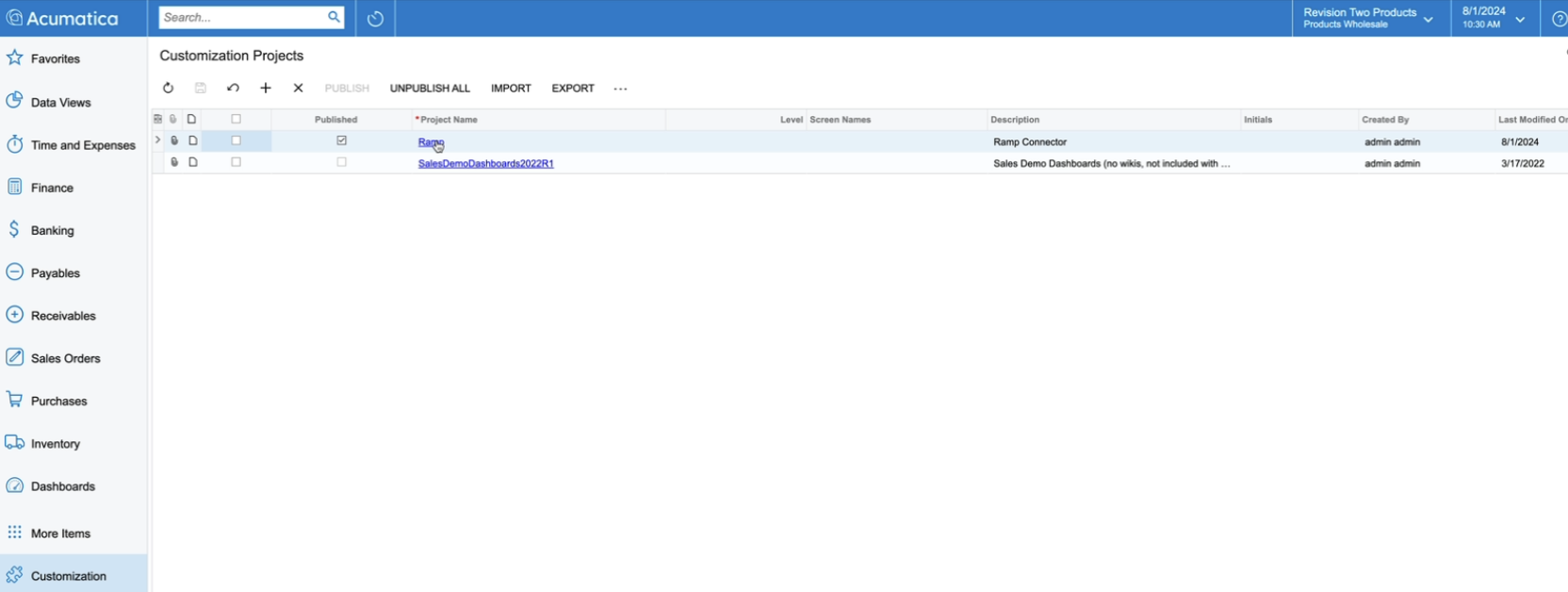
- In the list of customization projects, locate the Ramp customization project that you already have installed.
- Note: This guide is for updating an existing project, not for installing a new one.
- Click on the Ramp customization project to open it.
Step 3: Replace the customization package
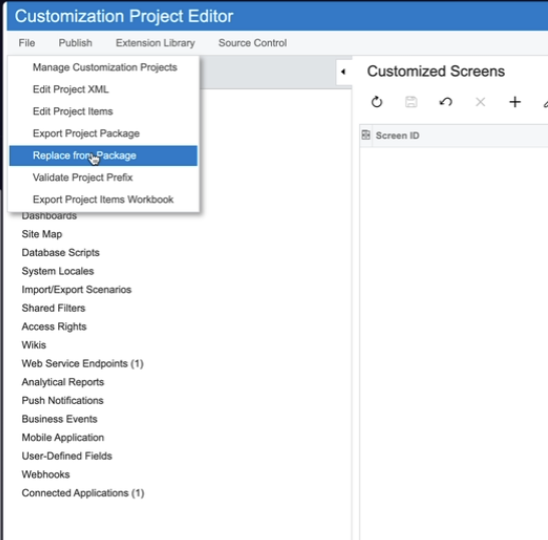
- Inside the Ramp customization project, go to the File menu and select Replace from Package .
- Click Choose from File and navigate to the location where you have saved the latest version of the customization project.
- Select the latest version (e.g., version 007) and click Open .
- Click Upload to replace the existing customization with the new version.
- Note: Although it might not appear as though anything has changed, the new version has been uploaded.
Step 4: Confirm the update
- To confirm that the update was successful, click on Web Service Endpoints within the project.
- Verify that the version number matches the new version you uploaded (e.g., 007).
Step 5: Publish the updated customization
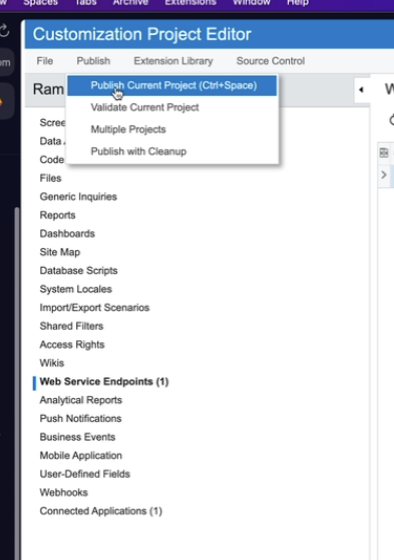
- Once the new version is confirmed, click Publish at the top of the screen.
- Select Publish Current Project to apply the update to your Acumatica instance.
- After publishing, click Close Compilation Pane to complete the process.
Step 6: Finish up
- Close the customization project page.
- Your Ramp Acumatica customization project is now updated and ready for use.
By following these steps, you ensure that your Acumatica instance is using the latest version of the Ramp customization project, allowing you to take advantage of new features and bug fixes.