How to fix: "Your QuickBooks Desktop connection is not active"
If Conductor is unable to sync your QuickBooks Desktop data, you may see the following error:
"Your QuickBooks Desktop connection is not active. It was last active..."
This error indicates that Conductor cannot establish a connection with the QuickBooks Web Connector on your computer. The Web Connector is an essential component that comes pre-installed with QuickBooks Desktop. It runs silently in the background, facilitating secure synchronization of your QuickBooks Desktop data with Conductor.
Follow these troubleshooting steps to resolve the issue:
Troubleshooting steps
1 ensure your computer is on
The Web Connector requires your computer to be powered on and connected to the internet.
- If your computer is off, turn it on and ensure it has an active internet connection.
- Attempt to sync your QuickBooks Desktop data.
If the error persists, proceed to the next step.
2 ensure the Web Connector is running
The Web Connector should always be running in the background on your computer. If it’s not, launch the program by following these steps:
- Open QuickBooks Desktop with the company file you want to sync.
- In the top menu bar, click “File” > “App Management” > “Update Web Services” to launch the QuickBooks Web Connector.
- Attempt to sync your QuickBooks Desktop data again.
- If the sync is successful, this issue is resolved and you should click “Hide” in the bottom-right corner to keep the Web Connector running in the background. If the error persists, continue to the next step.
If the Web Connector doesn’t start automatically with your computer, Conductor may face difficulties in reliably syncing your QuickBooks Desktop data. To ensure automatic startup, follow this guide.
3 confirm auto-run is enabled in the Web Connector
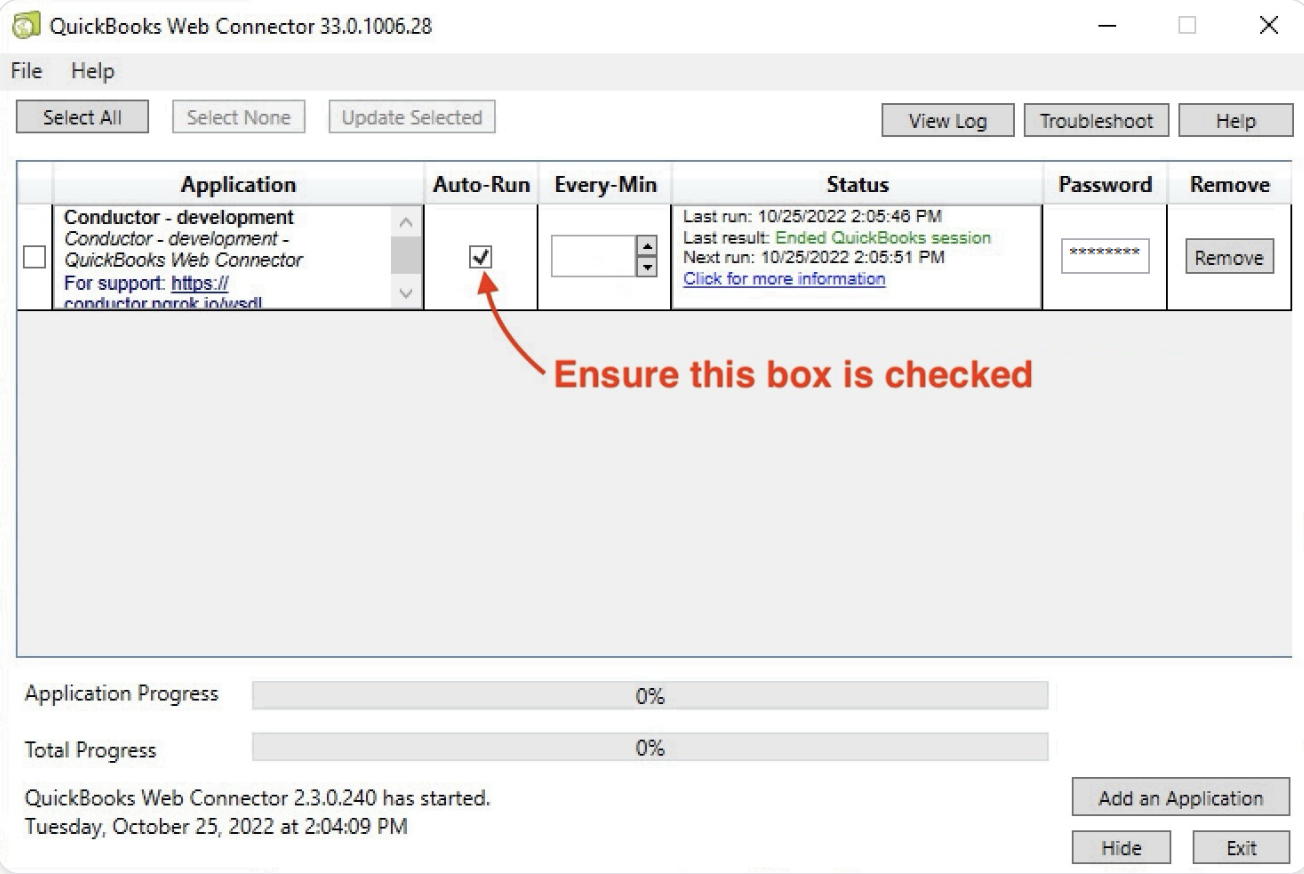
Still in the Web Connector:
- Confirm the box for Auto-Run is enabled for your connection. If not, tick it.
- Attempt to sync your QuickBooks Desktop data again.
- If the sync is successful: This issue is resolved and you should click “Hide” in the bottom-right corner to keep the Web Connector running in the background.
- If the sync fails: Continue to the next step.
Never disable the Auto-Run setting. This is required to for a stable connection to your QuickBooks Desktop.
4 confirm every-min is blank in the Web Connector
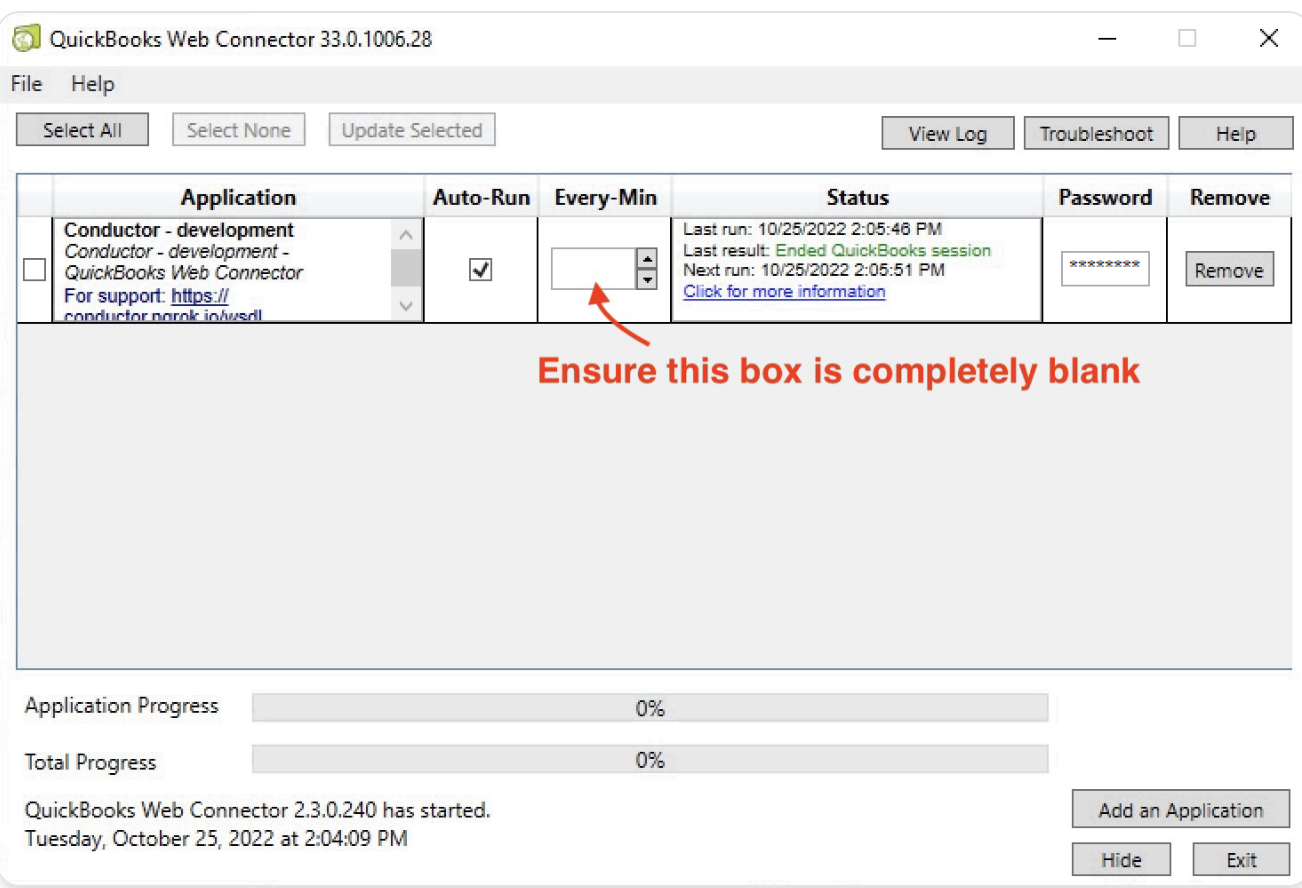
Still in the Web Connector: Confirm Every-Min is blank for your connection.
If Every-Min is not blank, complete the steps below to reset it. (These steps are the only way to reset the Every-Min value. You cannot directly clear it manually.)
- Click “Remove” to the right of the connection in the Web Connector. Click “Yes” to confirm.
- Return to the QuickBooks Desktop integration setup guide that you initially used to create this connection. If you do not know where this is, contact the support team of the product that sent you this guide.
- Complete the setup guide to add the connection again. But, do not enter a value in the Every-Min field.
- Continue to final page of the setup guide to test your connection:
- If the sync is successful: This issue is resolved and you should click “Hide” in the bottom-right corner to keep the Web Connector running in the background.
- If the sync fails: Continue to the next step.
Never change the Every-Min setting. This is required to for a stable connection to your QuickBooks Desktop.
5 confirm the password is saved in the Web Connector
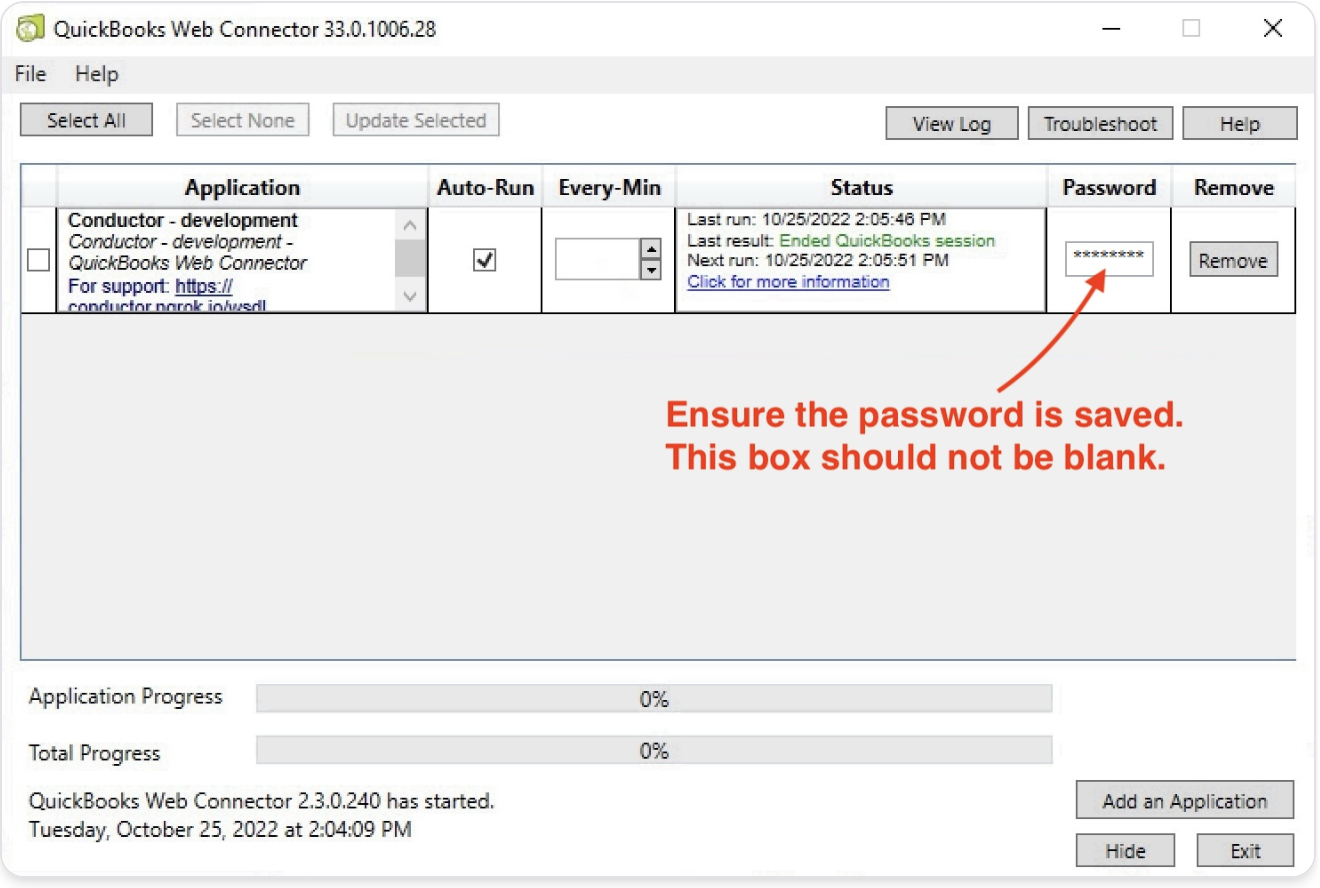
Still in the Web Connector: Confirm the Password box is not empty and looks like ”********”.
If the Password box is empty, complete the steps below to re-enter it:
- Return to the QuickBooks Desktop integration setup guide that you initially used to create this connection. If you do not know where this is, contact the support team of the product that sent you this guide.
- Skip to the page for “Step 5” and find the section for “Copy the unique password below”.
- When you paste the password into the Password box, be sure to hit “Enter” on your keyboard and click “Yes” on the dialog box that appears to save the password.
- Continue to final page of the setup guide to test your connection:
- If the sync is successful: This issue is resolved and you should click “Hide” in the bottom-right corner to keep the Web Connector running in the background.
- If the sync fails: Continue to the next step.
6 delete the Web Connector log file
This is a common solution for various QuickBooks Desktop sync issues.
If you’re still experiencing connection issues, there might be a problem with the QuickBooks Web Connector log file. Please follow this quick guide to delete and auto-regenerate the log file.
If you continue to receive the “Your QuickBooks Desktop connection is not active” error after completing this guide, please contact our support team at [email protected].