Flight seat selection
Overview
Users can now select both free and paid seats at checkout within Ramp Travel. This eliminates the extra step of visiting the airline site to choose a seat, honors loyalty-status perks, and keeps the flight and seat selection process within one approval flow.
How it works
Step 1
Start a flight search in the Ramp Travel booking portal — enter destination, dates, passengers, and filters, then choose your preferred itinerary.
Step 2
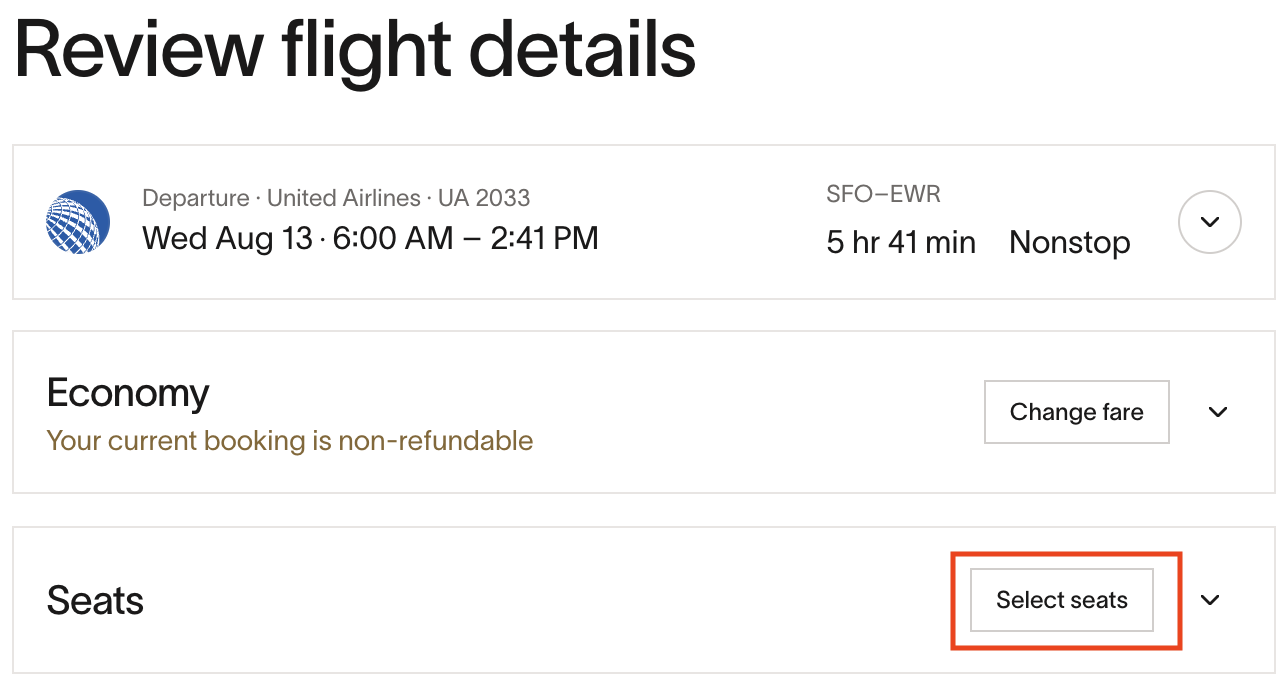
On the checkout page, click the Select seats button to view the seat map for your chosen flight.
Step 3
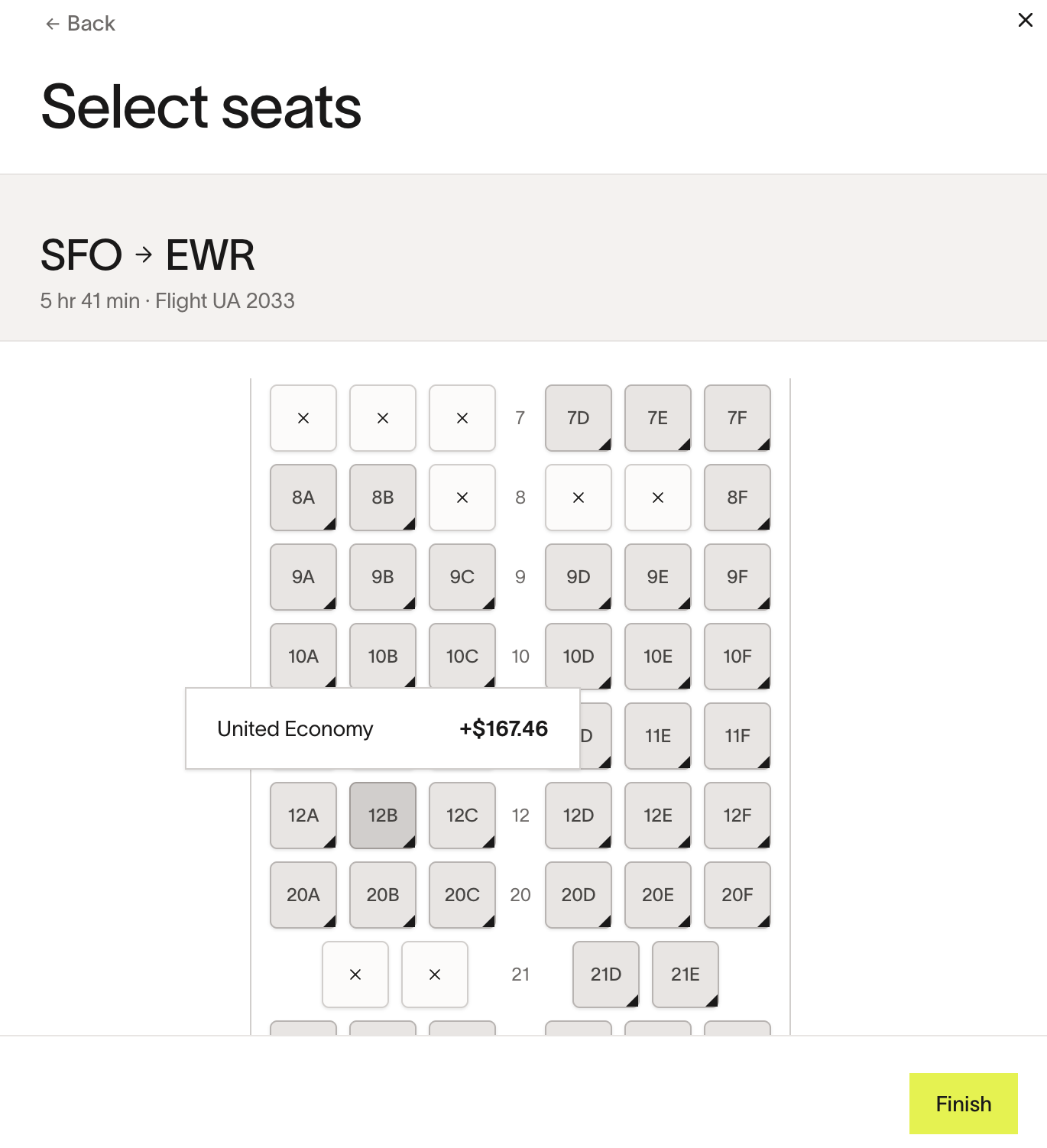
Click on a seat to select it. Hovering over a seat shows the price (if any).
Step 4
- If the flight requires approval, submit the booking for approval as usual.
- Ramp will attempt to book the selected seats upon approval.
- If the selected seat is no longer available at that time, the flight will be booked without the seat, and no seat charge will be posted.
Best practices and tips
- Add loyalty numbers to profiles first — complimentary and discounted seats will surface automatically in the seat map
- If you expect a policy exception, add a short justification in the approval note to streamline manager approval.
Frequently asked questions
Can I book a flight now and select a seat later?
No. Currently, seats can only be selected during the original checkout in Ramp. After the booking is completed, any seat selections have to be made directly through the airline.
Is seat selection available on all flights?
No. It is possible that you do not see the seat selection as an option on a flight. If you don’t see the seat selection during checkout, you can check directly on the airline’s website.
What if a seat vanishes during approval?
The flight will still be booked after approval, but without the seat, and no seat charge will be posted.
Are seat charges refundable?
Generally not. When a flight is refunded, the original seat cost remains visible as a separate charge.
Where can I find my selected seats after booking?
Seat selections appear in your receipt, confirmation email, and the booking view in Ramp.
Do loyalty perks apply?
Yes. Stored loyalty numbers automatically unlock eligible free seats in the seat map.
Will Ramp detect seat changes made on the airline site?
No. Any changes to seat selection made directly on the airline’s website will not sync back to Ramp.
Can seats be approved separately from flights?
No. The flight and its selected seat are approved or denied together.
Where can I find paid seat transactions?
Paid seat transactions appear in Reporting › Travel and are automatically linked to the originating flight for auditors.