Flight modifications
Overview
You can now change the date, time, or route of an existing flight reservation inside Ramp Travel without contacting the support team.
How it works
Step 1
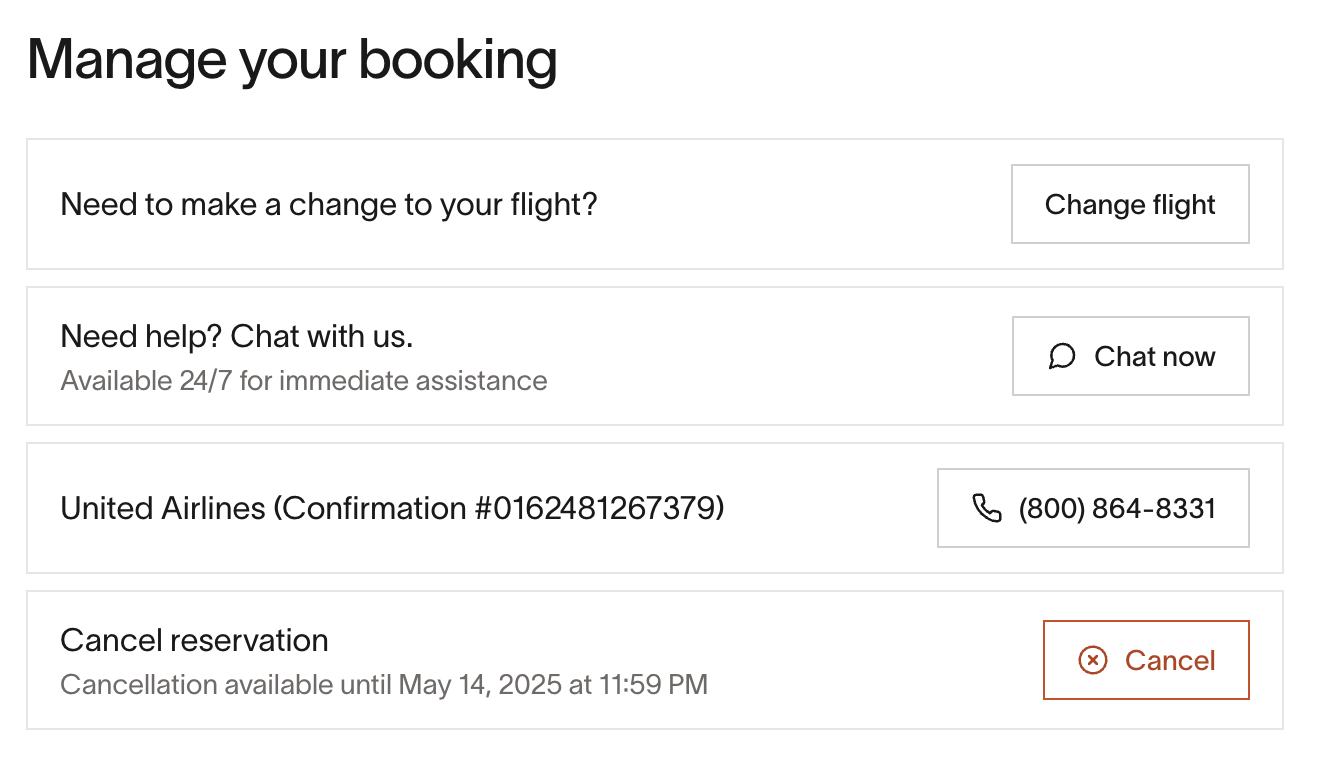
Open My Travel › Trip page › Flight details and click Change flight. Note this may not always be available, if you don't see the Change flight button you should chat with an agent for assistance (click Chat now).
Step 2
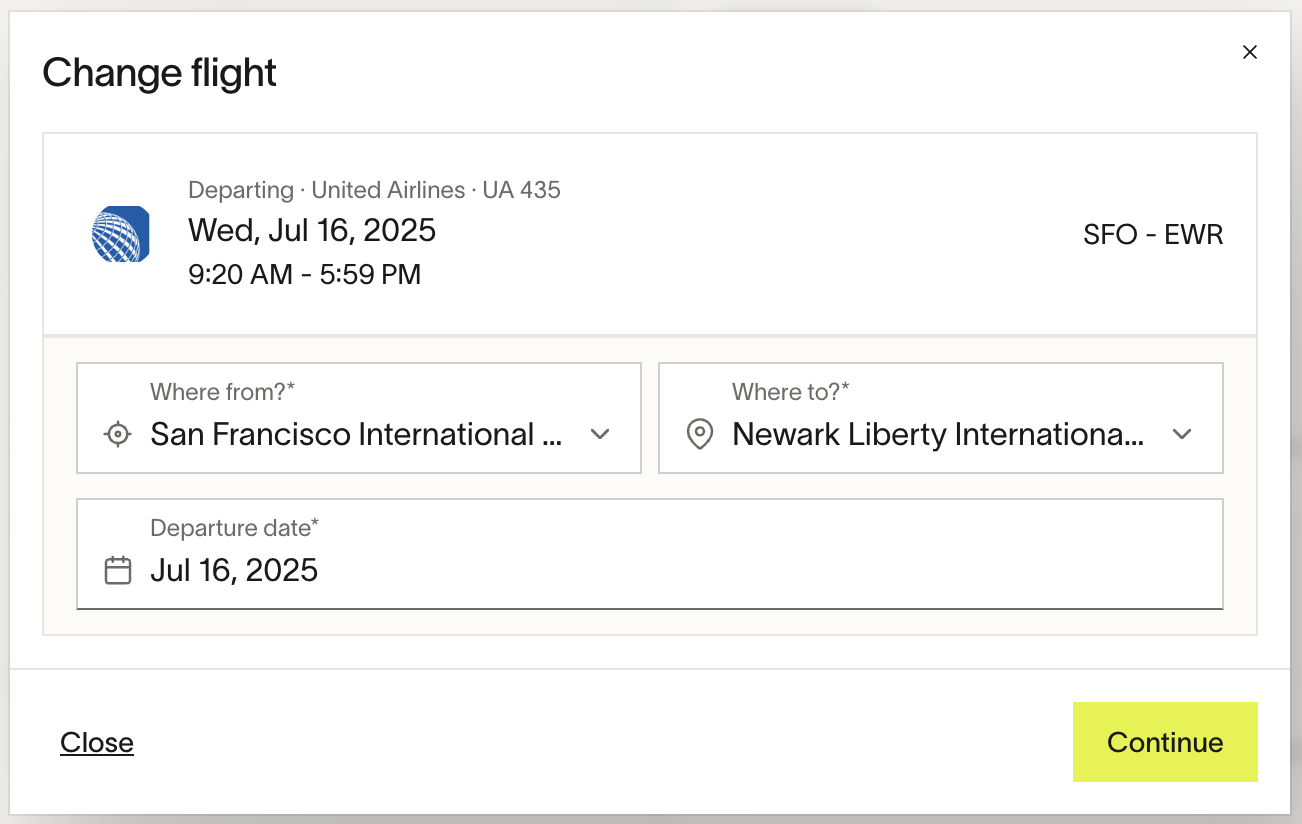
Select your new origin(s), destination(s), and date(s), and click Continue.
Step 3
You will then be presented with all available flight options in the same format as a normal flight search, with the associated price of exchanging shown for each fare. If you do not see any results, you may need to contact an agent for further assistance.
Step 4
Once you have selected your new flight, you will be presented with a checkout screen displaying your old and new itinerary, as well as the ability to select the associated fund from which to pay for this flight. If you do not have any funds available you will need to request these before processing the exchange.
Note: The exchange will not be routed for approval, but if it is out of policy it will be flagged to your approver.
Step 5
You will receive a confirmation email once the exchange has been successfully processed, and see an associated transaction on your reporting page.
Best practices and tips
- Check refundability first – if a fare is fully refundable, cancel & re-book instead. It’s usually cheaper.
- It is always best to exchange your flight as far in advance of the departure date as possible to ensure availability and reduce the likelihood of significant price differences.
- If you are within 24 hours of departure, it is best to contact the airline desk directly to ensure speed of resolution.
Frequently asked questions
I am not seeing the ability to change my flight in the app. What's going on?
Not all flights can be modified directly within the app for a number of reasons. If you are not seeing the Change flight button, it's best to use the Chat now functionality for assistance. Common reasons a flight may not be eligible for modification include:
- It's less than 24 hours before departure.
- It's less than 24 hours since the flight was booked.
- The traveler has already checked in.
- The flight has already been modified previously.
Can I upgrade my flight using this flow?
No, currently we only support changing flights within the same cabin class.
I want to exchange my flight for later today. Should I use this flow?
Within 24 hours of departure, it is best to contact the airline directly to ensure the fastest possible resolution.
Only out-of-policy flights are left. Will I need to wait for approval to book?
No, we will not send exchanges for approval, but we will flag to your approver that the exchange was out of policy. If they deem this to have been unnecessary, they may request a reimbursement. It's always best to check in with your approver before finalizing the purchase.
Can I choose seats when changing my flight?
Seat selection isn’t currently available during the change process. Previously selected seats won’t carry over, and new seats can’t be chosen at this time. For seat requests, please contact the airline or support after changing your flight.