Faster Payments
Overview
Faster Payments helps you get paid more quickly for invoices processed through Ramp Bill Pay. Most offers let you opt in to receive payment as fast as a few minutes, minus any fee shown in your offer. Eligible fee-free offers paid to a Ramp Checking Account may be accepted automatically.
Why use Faster Payments?
- Boost Your Cash Flows: get your money sooner so you can reinvest or cover expenses without delay.
- Reduce Payment Processing Anxiety: Faster Payments can help you avoid the typical waiting period for standard ACH transfers.
- Easy One-Click Acceptance: opt in through a simple link in your email or via the Vendor Portal. No complicated setup or additional documentation needed.
How much do Faster Payments cost
Most Faster Payments offers include a 1% fee, which is deducted from the final payment amount. There are no other hidden charges. Eligible vendors may qualify for no-fee Faster Payments when eligible payments route to a Ramp Checking Account; see No-fee Faster Payments with Ramp Checking Account.
How it works
Initiation
Your customer schedules a payment through Ramp Bill Pay. Normally, this payment would arrive via a standard ACH transfer in about 3–5 business days.
Offer
If your payment is eligible, you’ll receive an offer email or see the offer in your Ramp Vendor Portal (if signed up) in your invoice details. Not all payments are eligible and offers are not guaranteed. For no-fee eligibility with Ramp Checking Account, see No-fee Faster Payments with Ramp Checking Account.
There are 2 types of offers:
- Instant - Your payment is eligible to be paid instantly(payments typically complete in a few minutes). If eligible, your offer email will say "Get paid now".
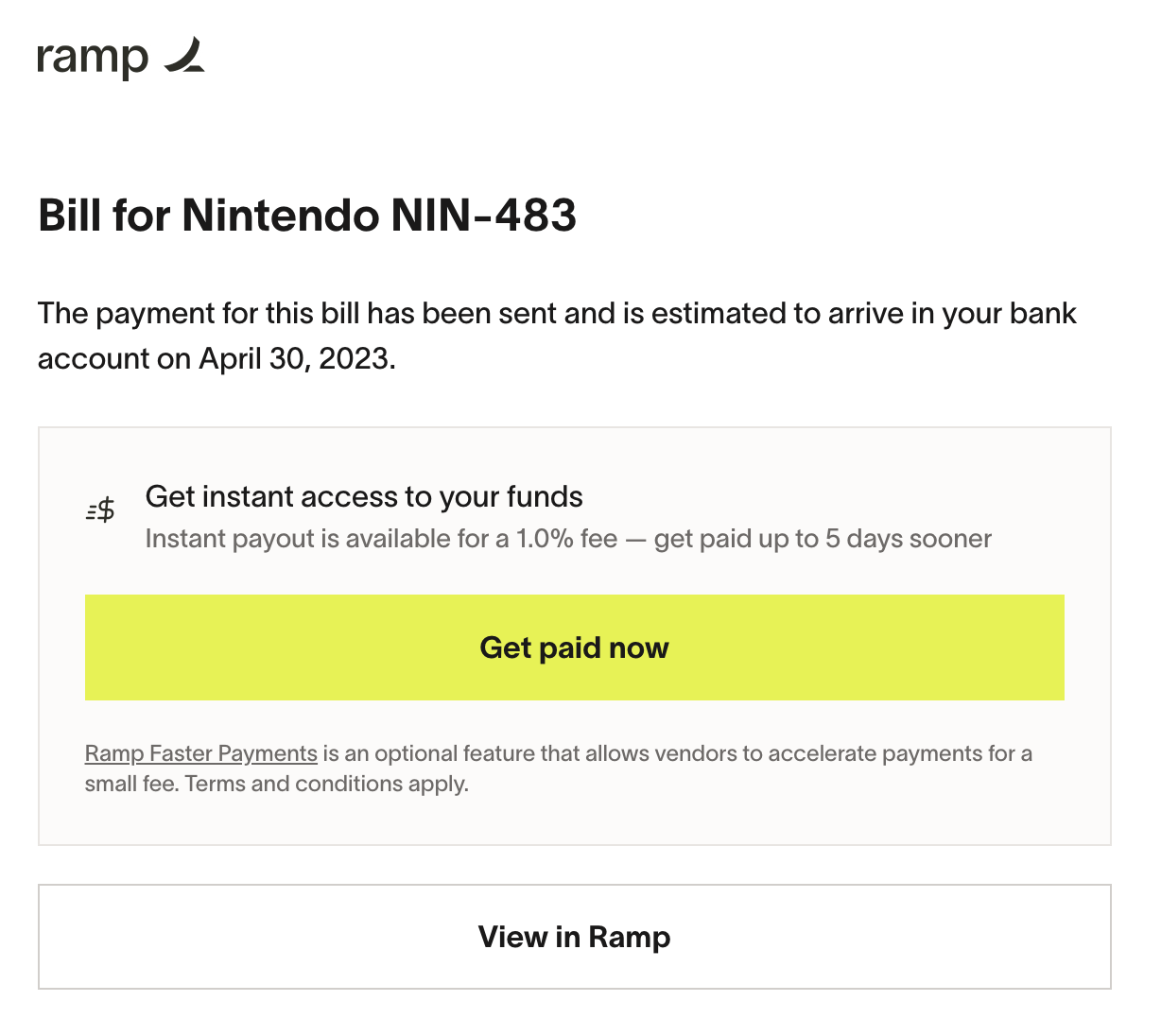
- Same-day - Your payment is eligible to be paid that day, if you accept before 4pm ET. If accepted after 4pm ET, it may be paid the following business day. If eligible, your offer email will say "Get paid today".
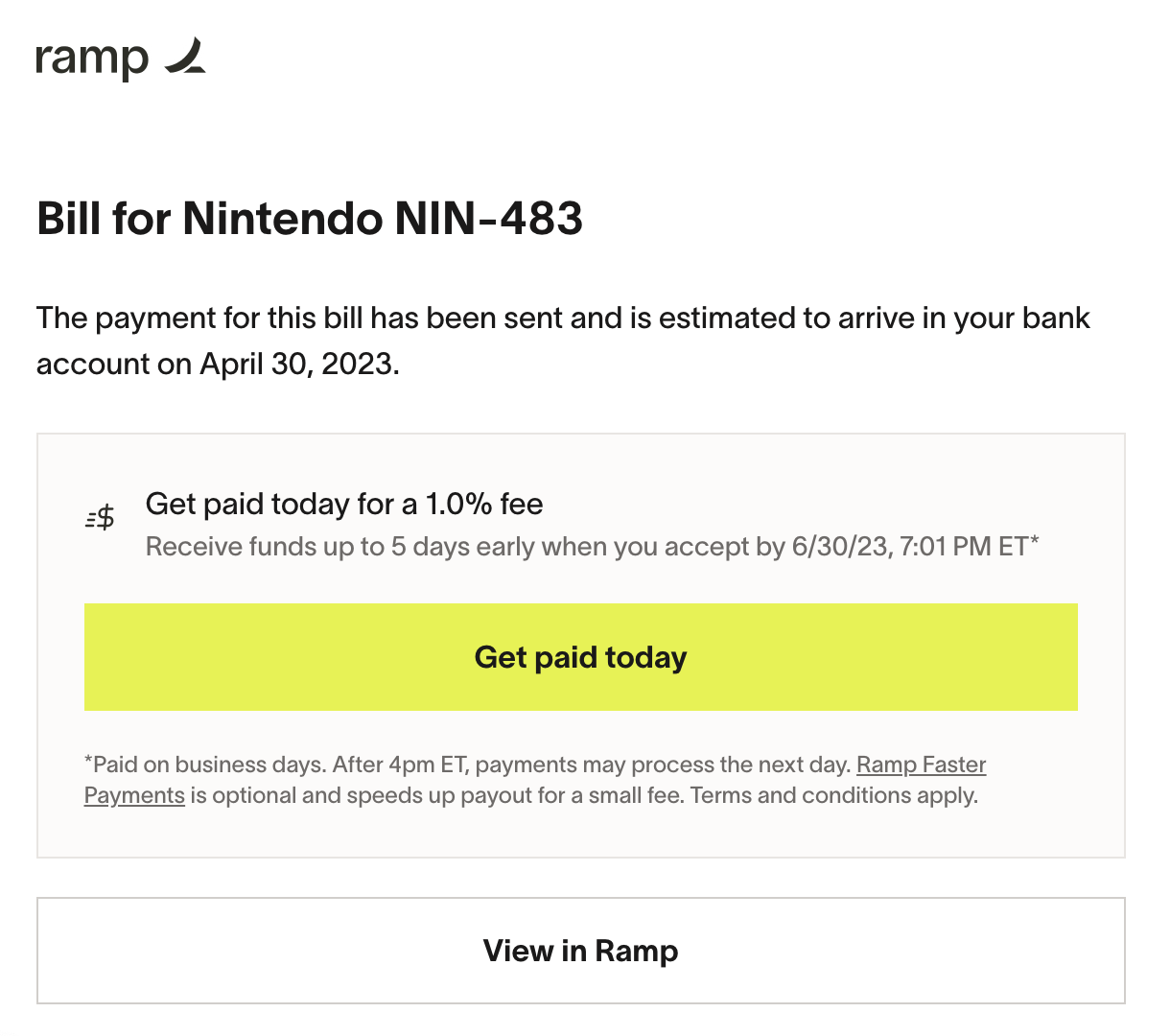
Accepting the offer
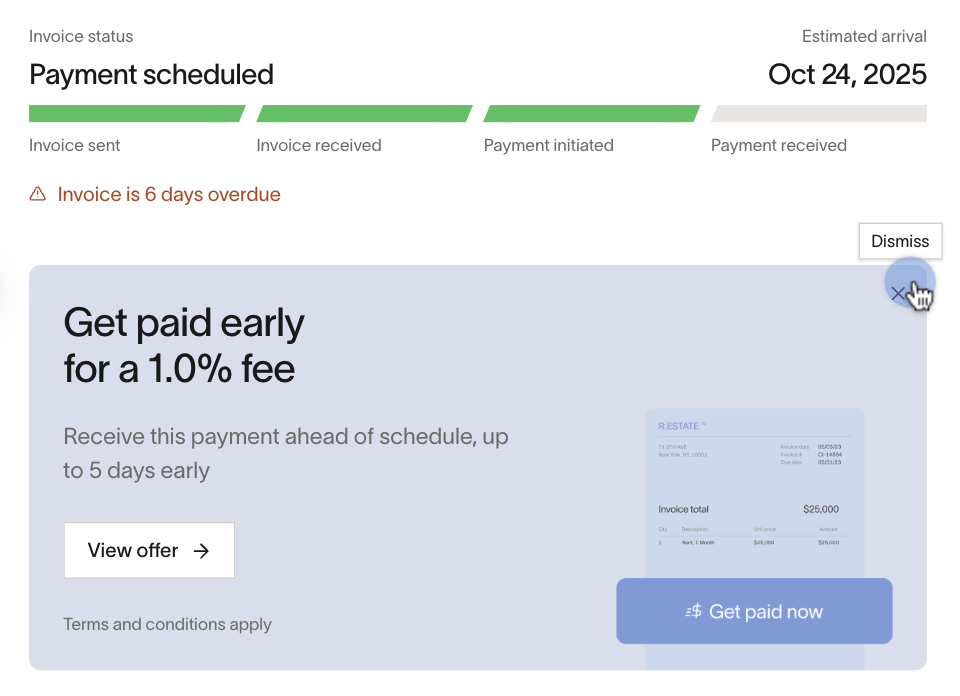
For offers that require manual acceptance, click the link in the email or use the button in the Vendor Portal to confirm your payment date and that you want to accept Faster Payments.
*Note:*Dismissing the offer on the receivable in the Vendor Portal will reject the offer and no longer allow you the option to accelerate the payment.
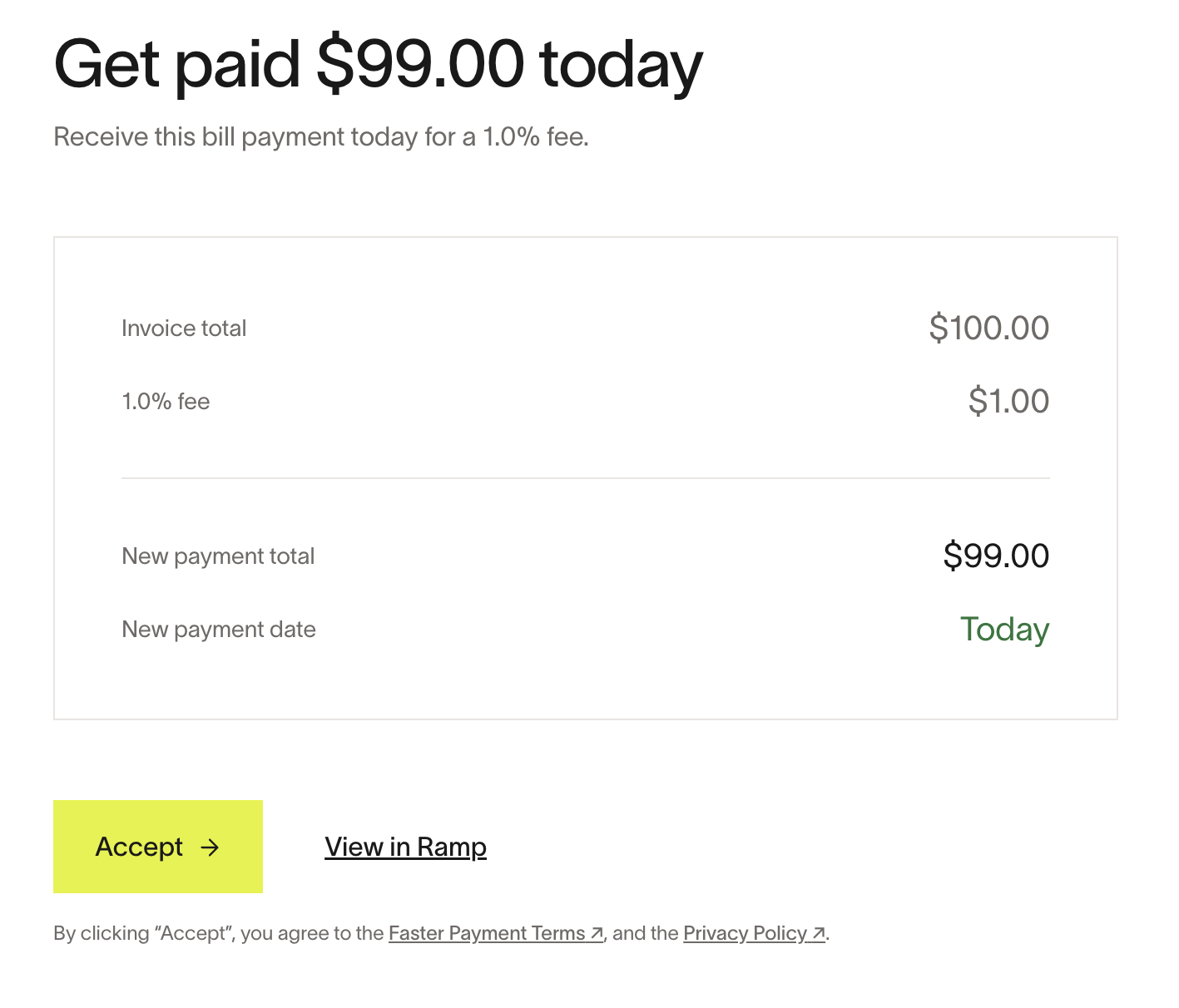
- You do not need a Vendor Portal account to accept the offer. You can accept it directly from the email. However, having a Vendor Portal account offers additional visibility into your payment statuses and simplifies future Faster Payments.
- Offer deadline: The offer page shows the date and time by which you can accept the offer.
- Accepting an offer cannot be un-done.
Transfer
After accepting the offer, Ramp changes the speed of your payment rails to accelerate your payment into your account.
For instant eligible payments, we use Real Time Payments (RTP) rails, and your payment should land in your account in a few minutes.
For same-day eligible payments, we use Same Day ACH rails for faster delivery. Funds are expected to arrive at the date and time shown on your offer page, minus any fee shown in the offer.
- If you accept after 4 PM ET, your payment may arrive the next business day.
Once your payment is processing, you'll see a Scheduled status in your Vendor Portal account. This status changes to Paid once the payment is complete and made to your payment account.
Your customer will be able to see that the payment was delivered earlier than scheduled, but not that you elected to use Faster Payments.
Auto-accept Faster Payments
If you frequently accept Faster Payments offers, you can enable auto-accept to skip the manual review step. When auto-accept is turned on, eligible Faster Payments offers are automatically accepted on your behalf when the offer is created. You do not need to review and accept each offer individually.
Eligible fee-free offers paid to a Ramp account may be accepted automatically even when this setting is off.
Any fee shown in an auto-accepted offer is deducted from the payment total automatically.
Enabling auto-accept
To turn on auto-accept:
- Sign in to the Vendor Portal.
- Go to Vendor Profile > Payment details.
- In the Faster Payments section, toggle on Auto-accept Faster Payments offers.
The setting takes effect immediately. Any new eligible Faster Payments offer created after you enable the toggle will be accepted automatically.
To disable auto-accept, return to the same page and toggle the setting off. Turning it off does not reverse offers that were already auto-accepted.
How auto-accept works
- Auto-accept applies to both instant (Real Time Payments) and same-day (Same Day ACH) offers.
- Eligible offers are accepted automatically when they are created. There is no manual review step.
- The same eligibility requirements apply as for manual acceptance. Not all payments are eligible, and offers are not guaranteed.
- Payments initiated after 4 PM ET may process the next business day.
- Auto-accepted offers cannot be reversed, just like manually accepted offers.
For full terms, see Vendor Faster Payments Terms.