Fivetran integration: Export data to Snowflake, BigQuery, and more
Looking to sync Ramp data with your data warehouse? Ramp integrates with over 20 destinations, including Snowflake, BigQuery, Databricks, and Redshift, through a ready-to-use connector built by Fivetran.
You can set it up in minutes, no engineering required.
Overview
Fivetran makes it simple to move Ramp data like card transactions, reimbursements, and user profiles into your data stack. Whether you're automating reporting, fueling dashboards, or prepping for audits, the Ramp + Fivetran integration saves time and gives you data exactly where you need it.
Supported destinations include:
Snowflake, BigQuery, Redshift, Databricks, Azure Synapse, MySQL, PostgreSQL, SQL Server, S3, and more. See full list.
Benefits
- No-code setup: Connect Ramp to your destination in just a few clicks.
- Up-to-date data: Near real-time syncs keep your warehouse current.
- Prebuilt schemas: Get clean, usable tables without manual formatting.
- Secure by design: Read-only access ensures data safety.
Compatibility
- The Fivetran connector is supported for all Ramp business accounts.
Prerequisites
Before you begin:
- You’ll need admin access to both your Ramp and Fivetran accounts.
- You’ll need access to your target destination (e.g., Snowflake, BigQuery).
Integration steps
Step 1: Sign in to Fivetran
Head to Fivetran and sign in to your account.
Step 2: Add a new connector
In the Connections tab, search for Ramp, then click 'Set Up'
Step 3: Choose your destination
Pick where you'd like your Ramp data to go—Snowflake, BigQuery, Redshift, etc.
Step 4: Authenticate with Ramp
Click 'Authorize' and Fivetran will prompt you to sign in to your Ramp account and approve the connection. This enables read-only access to your Ramp data.
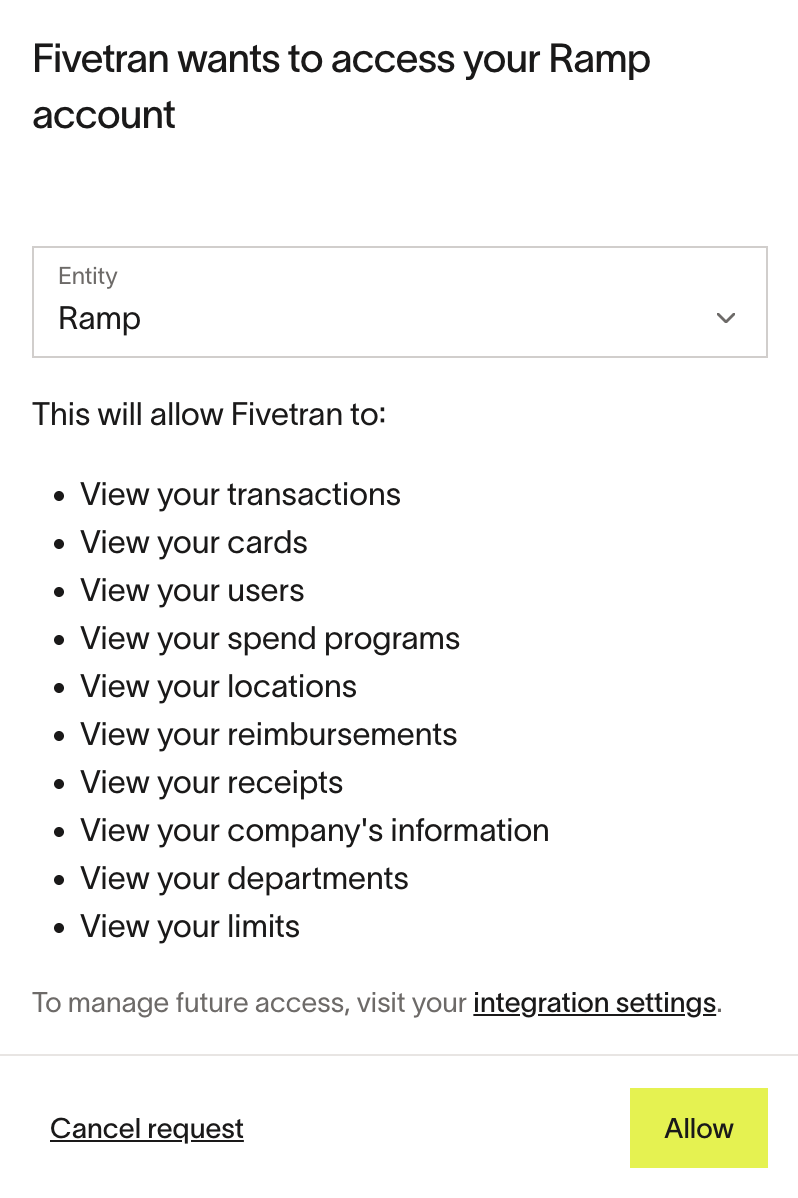
Once you provide the access, you will be redirected back to Fivetran.
Step 5: Select your data
Choose which data you want to sync—such as card transactions, reimbursements, users, and memos.
Step 6: Set your sync frequency
Decide how often Fivetran should pull new data. Options range from every few minutes to once a day.
Step 7: Launch the connector
Click launch, and Fivetran will handle the rest. Your data will start flowing into your destination and stay up to date automatically.
Troubleshooting
- Connector won’t authenticate: Double-check that your Ramp account has admin permissions.
- No data appears in warehouse: Confirm sync frequency is set, and check for destination-side errors.
- Something else? Fivetran owns and manages the Fivetran connector. For further assistance and troubleshooting, visit their support center.