Dynamic Attendee Requirements & the Policy Agent
Overview
Alpha. This feature is in early development and may change based on feedback.
Ramp's dynamic attendee feature ensures compliance with company policies by requiring employees to provide attendee documentation for relevant transactions specified in your company’s policy document and interpreted by the Policy Agent.
One of the most common reasons the Policy Agent is unsure is when attendees are missing (and required by the policy document) but not setup by the submission policy. This can often happen due to the rigidity of submission policy workflows, as its hard to require attendees only for specific instances such as client meals without requiring it for all restaurant purchases. This feature will dynamically require attendees as specified by the policy document AND not required by the submission policy.
This feature uses Ramp's Policy Agent to interpret your published agent-facing policy.
Note that this feature currently works for transactions, not reimbursements.
How dynamic attendees work
In your Policy Agent-facing policy document, you can include text snippets specifying specific types of transactions for which employees should list attendee names (e.g. meals, events, rideshare).
Example:
Uber XL is allowed only when traveling for business with 3 or more people and is documented in attendees.
Business Entertainment (Meals & Events with Business Guests) must list all external attendee names and their company affiliations under attendee field. Expenses lacking this documentation are non-compliant and cannot be approved.
Under the hood, the Policy Agent will then use that snippet along with the uploaded receipt to identify when a transaction made by an employee should require attendee information.
If the Policy Agent deems that a transaction needs attendee information, the attendee field will be added as a required field for employees to complete before the transaction is escalated to an admin or manager for review.
What employees will see
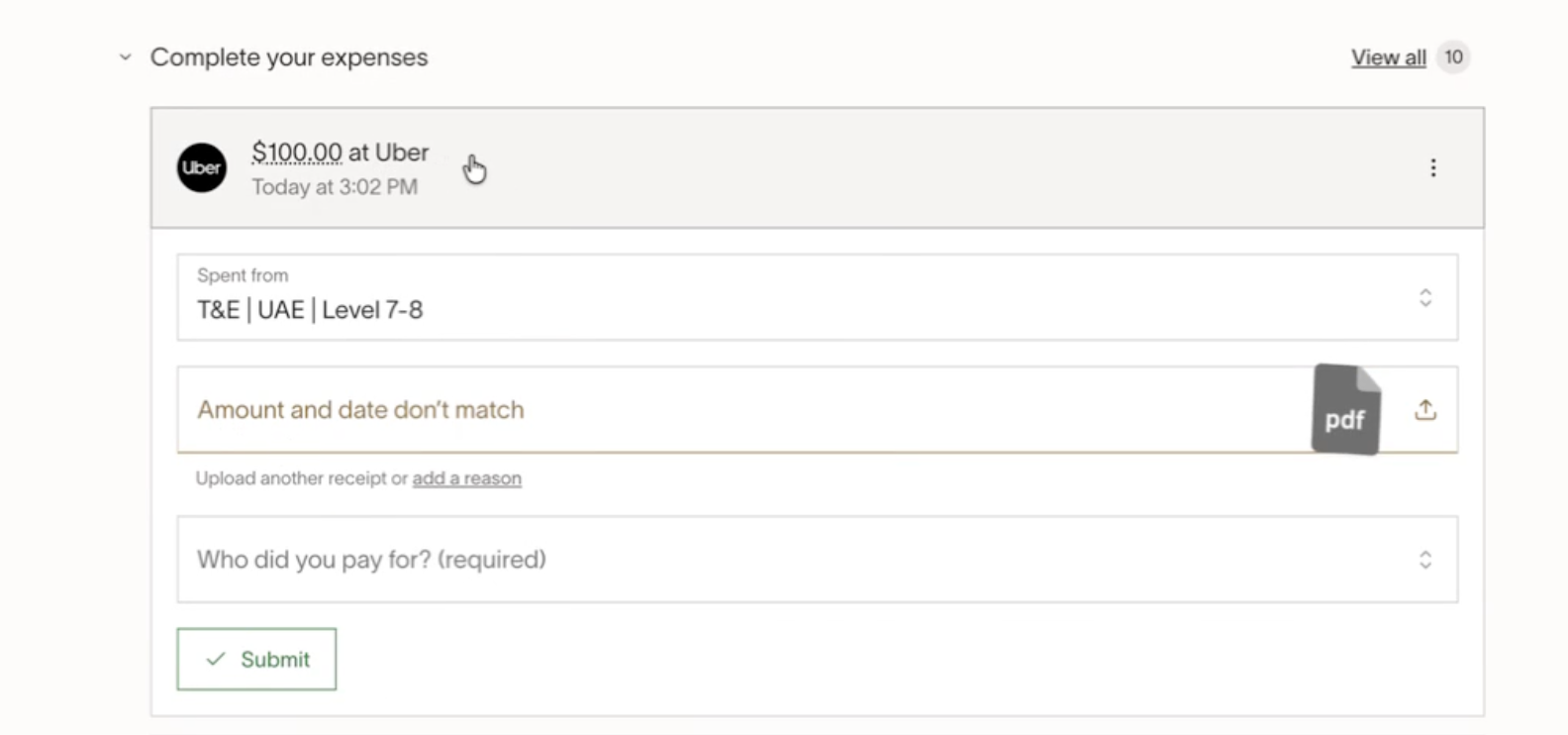
Transactions requiring attendees will be marked as incomplete and will show up in an employee's Incomplete expenses feed until completed.
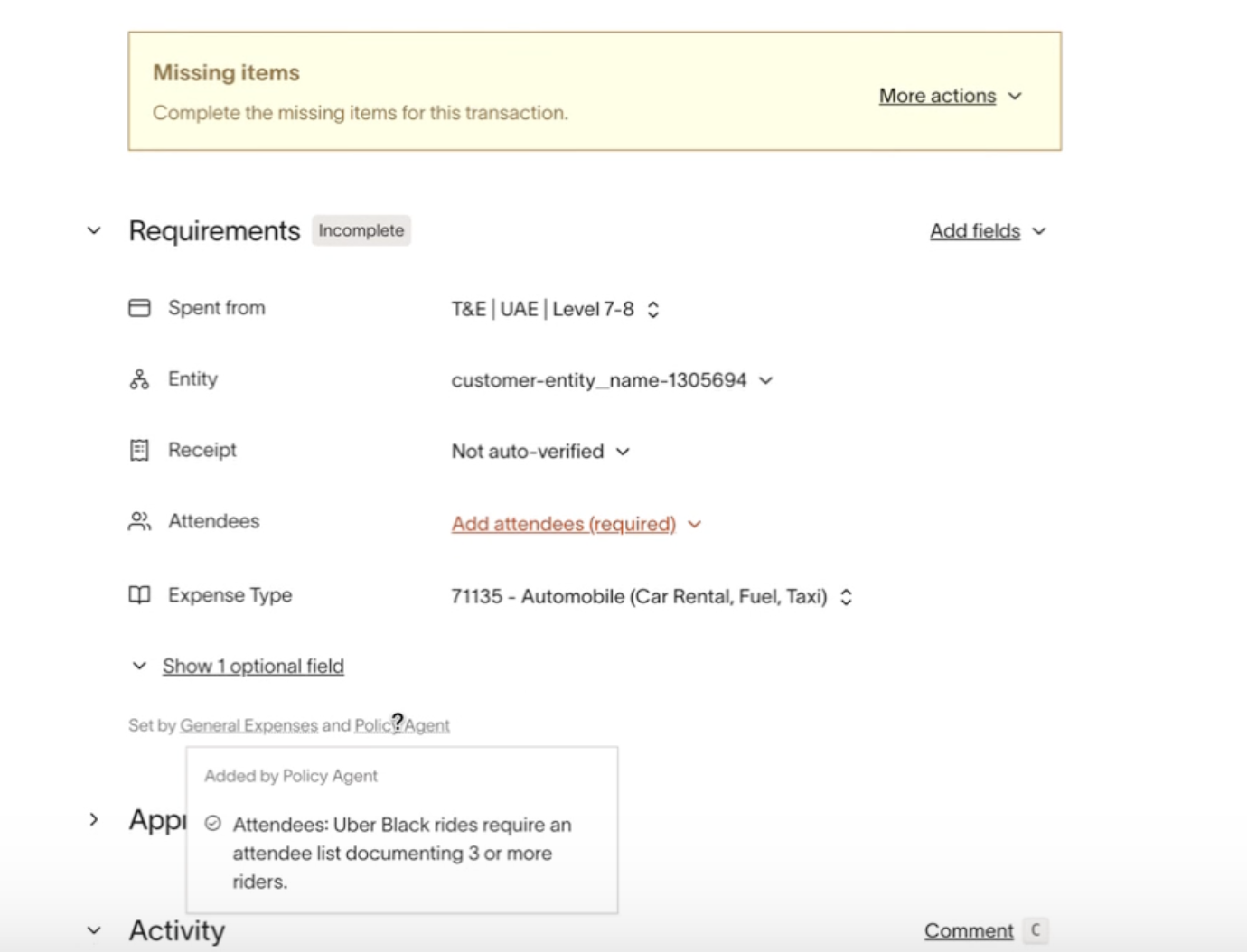
Clicking into the transaction allows employees to view the specific part of your company’s policy document that explains why attendees have been added as a required field on the expense.
Handling and preventing incorrect attendee requirements
If the Policy Agent adds attendees as a requirement when it shouldn't, there are 3 "escape hatches" employees and admins can easily use:
- The Policy Agent itself will remove unfulfilled policy requirements should it deem it no longer required i.e. an Uber expense comes in. Policy Agent mistakenly flags that attendees are required. The Uber receipt comes in and shows that it’s for a Business Comfort ride. Policy Agent removes the attendee requirement.
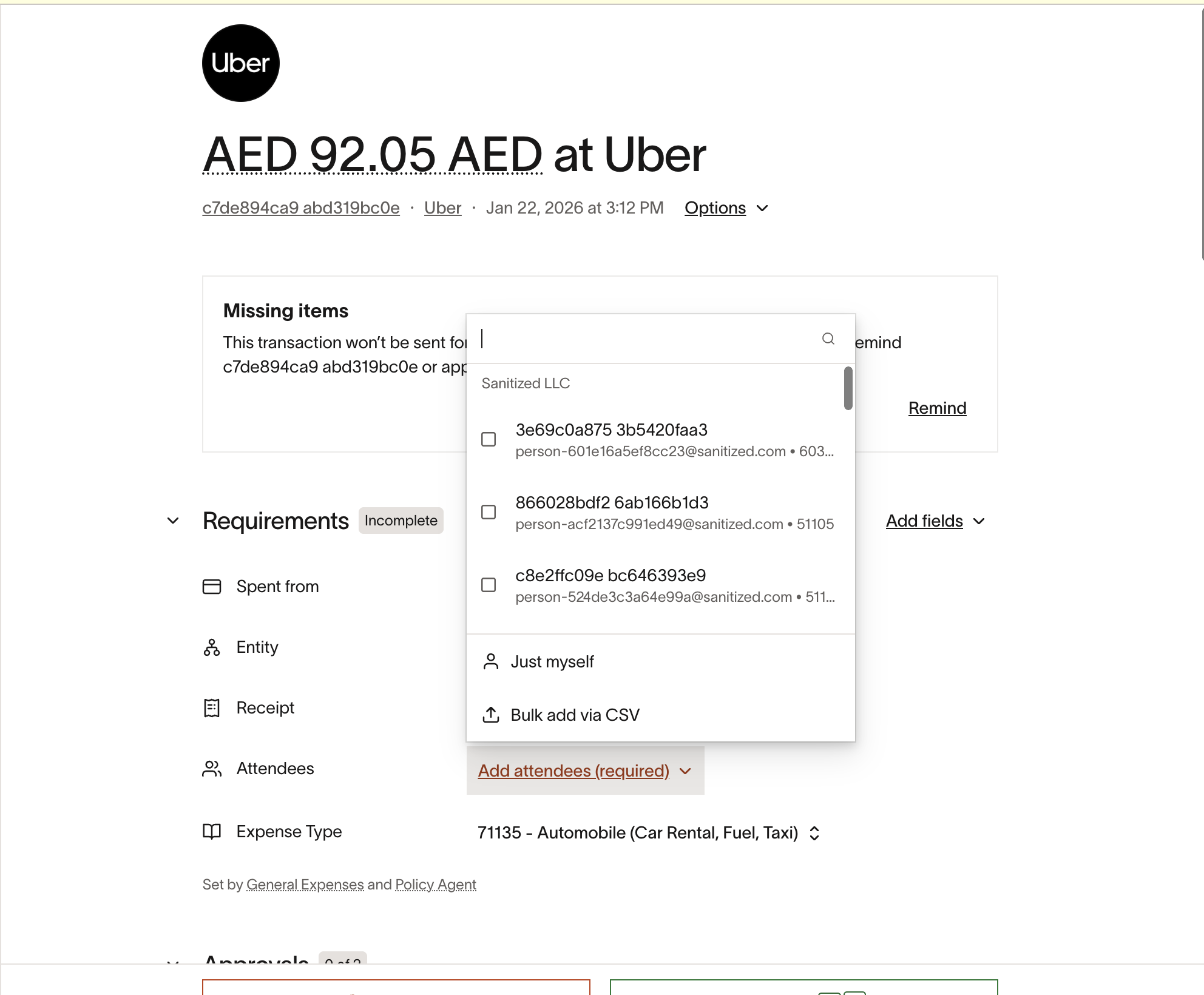
- Cardholders can set Attendees field to Just myself :
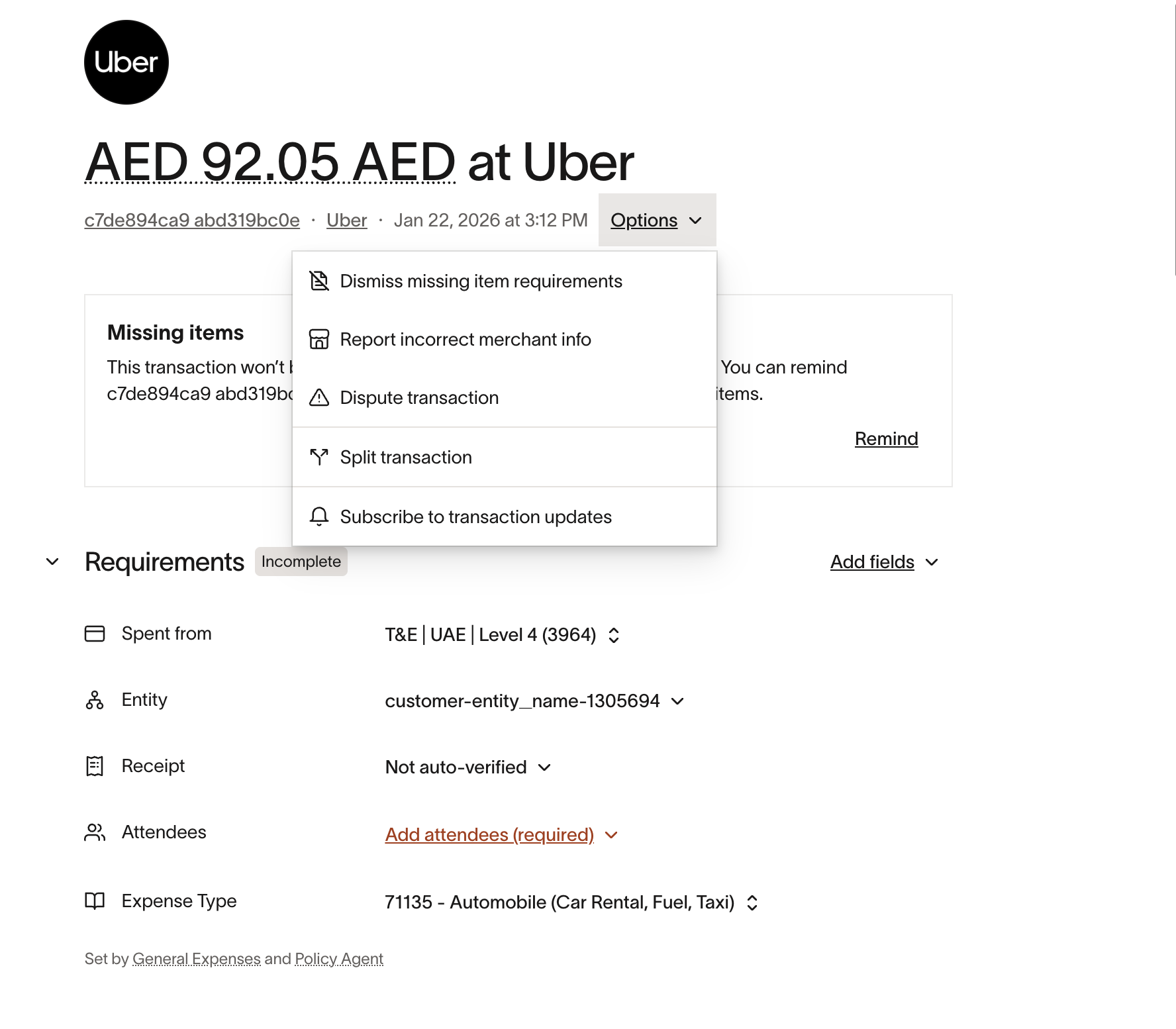
- Admins can dismiss policy requirements
To reduce the chances of attendees being required incorrectly, we recommend writing policy documentation language that is as specific as possible about:
- What type of spend requires attendees (for example, client meals or business entertainment )
- What does not require attendees (for example, rideshare , commuting , or solo travel )
- Any exceptions (for example, internal team meals do not require external attendees )
Example (more specific):
- “Attendees are required for business entertainment meals with external guests .”
Example (less specific, more likely to over-trigger):
- “Attendees are required for meals.”