Acumatica integration: Create a liability cash account
Overview
You'll need a liability cash account in Acumatica to integrate with Ramp. This article will walk you through the steps to create this and help avoid common pitfalls that ensure a smooth setup.
Step-by-Step instructions
Follow these steps to get set up (you will need to be an admin in your company's Acumatica account):
Note: Please go through the process for each ramp entity, and each entity needs its own liability cash account (which can all link to the same GL account).
Step 1: Access the cash accounts page
- Open Acumatica.
- Search for "Cash Accounts" in the search bar.
- Click the "+" button to create a new cash account.
Step 2: Configure the cash account
-
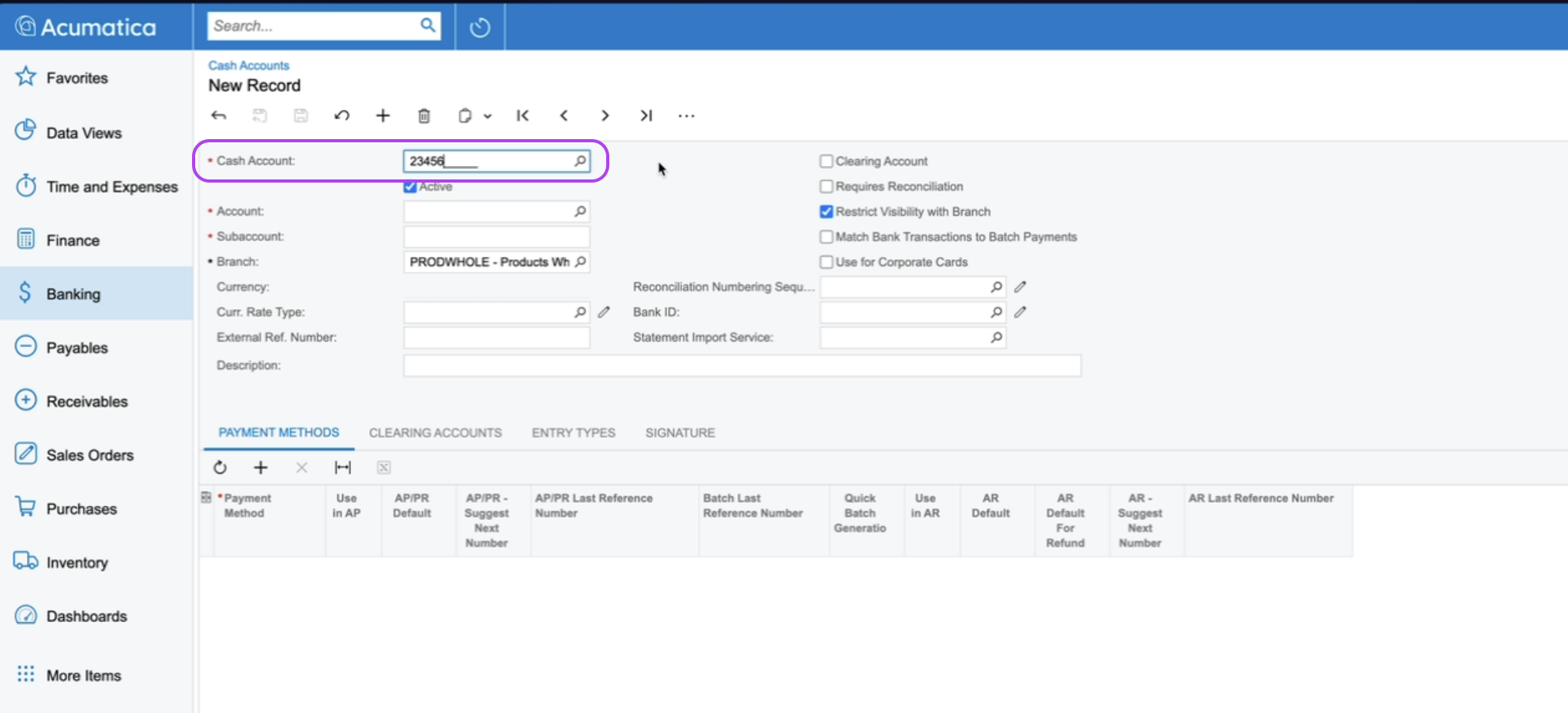
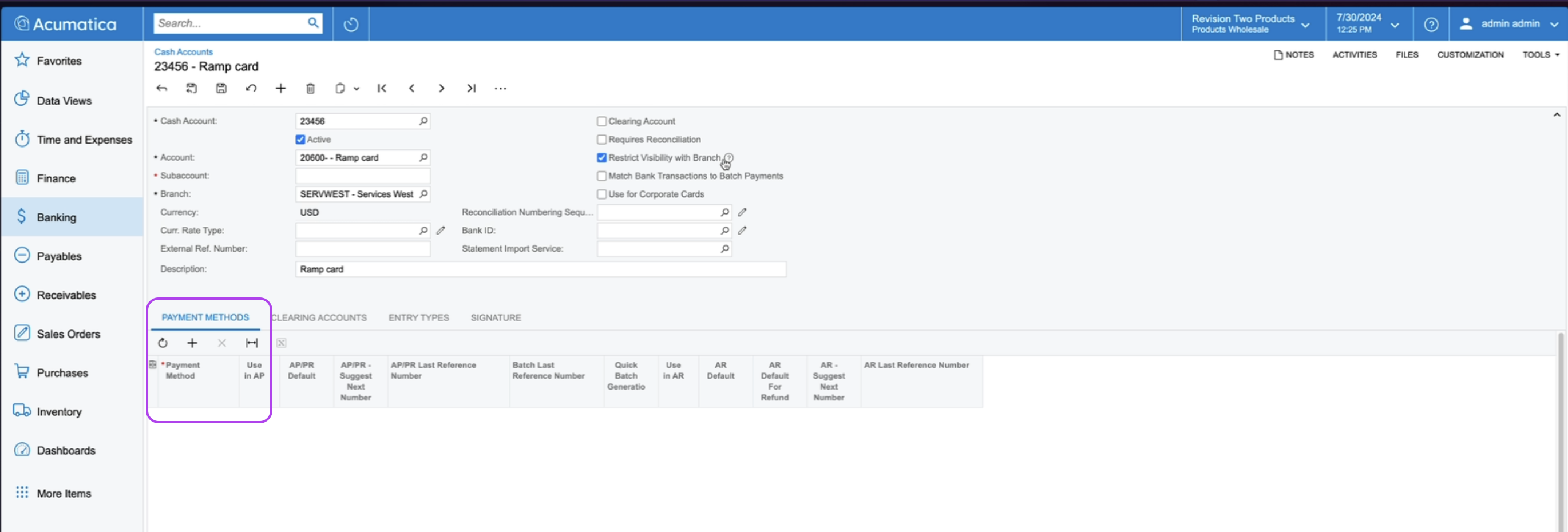
Cash Account ID: Type in the desired ID for your new cash account (e.g., 23456). This ID can be any unique number.
-
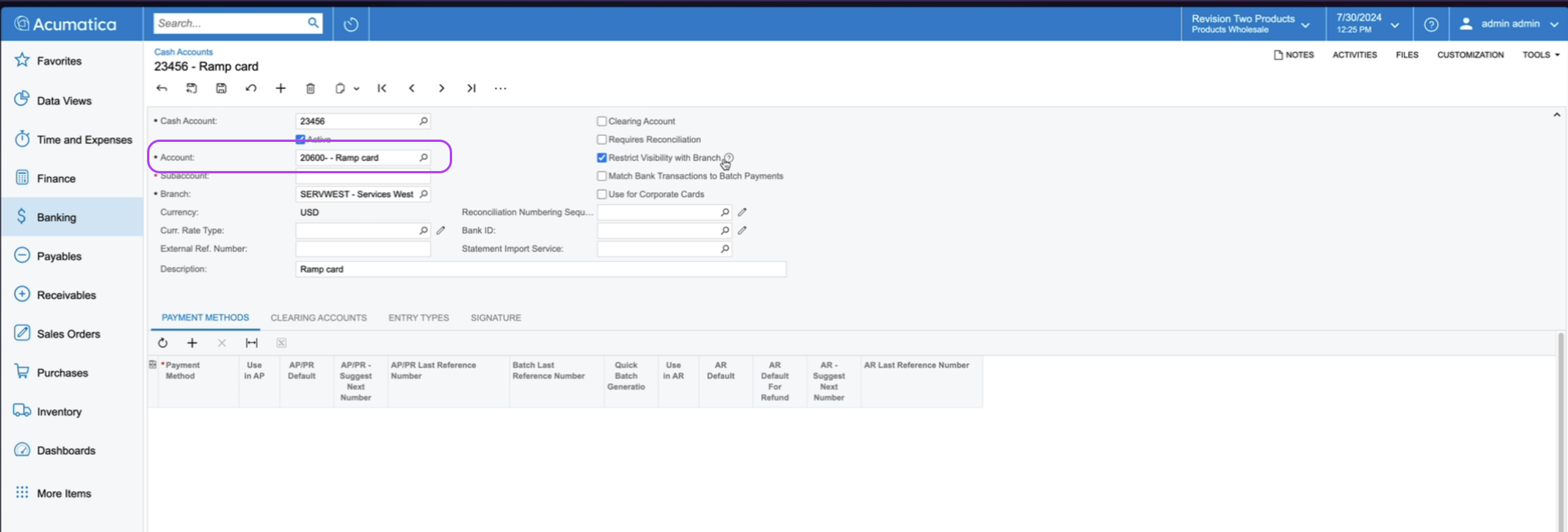
Account: Select the liability GL account. This GL account can be shared across all entities.
-
Example: Choose a "Credit Card Liability" GL account if available.
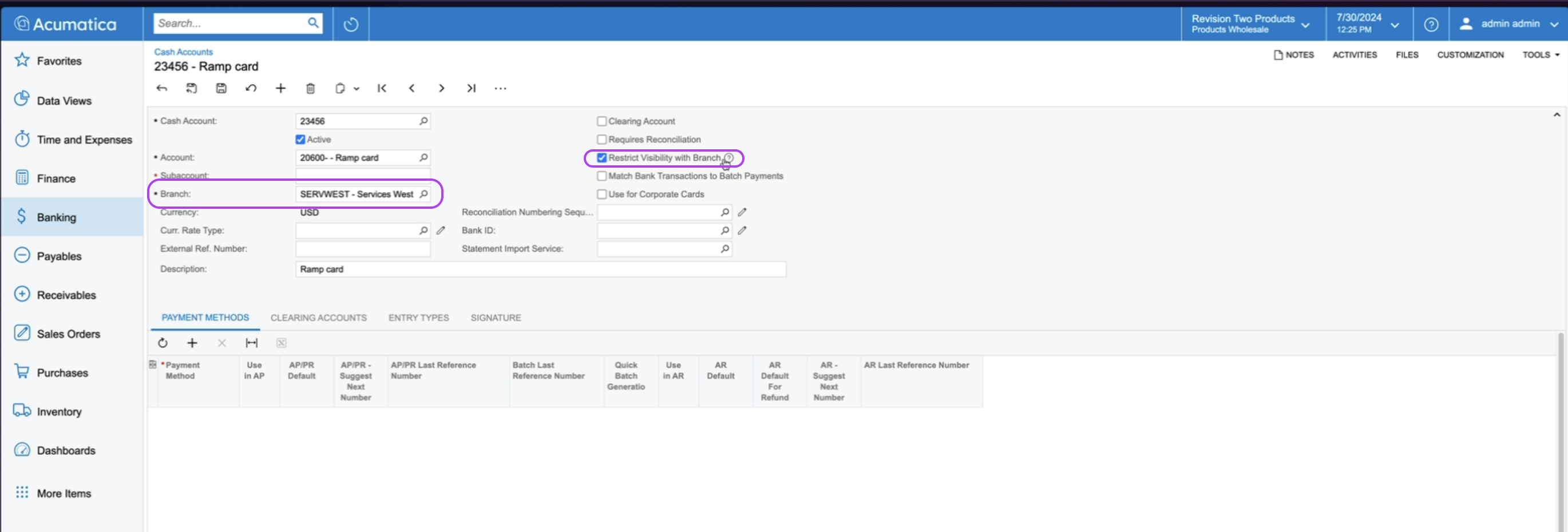
- Branch: Select the branch that corresponds to the Ramp entity. Each Ramp entity should have a different Acumatica branch and a separate cash account.
-
Ensure "Restrict Visibility to Branch" is enabled to prevent accidental use with other branches.
- Requires Reconciliation:
- Enable this if you want to use Acumatica's reconciliation feature.
- Bank Transactions:
-
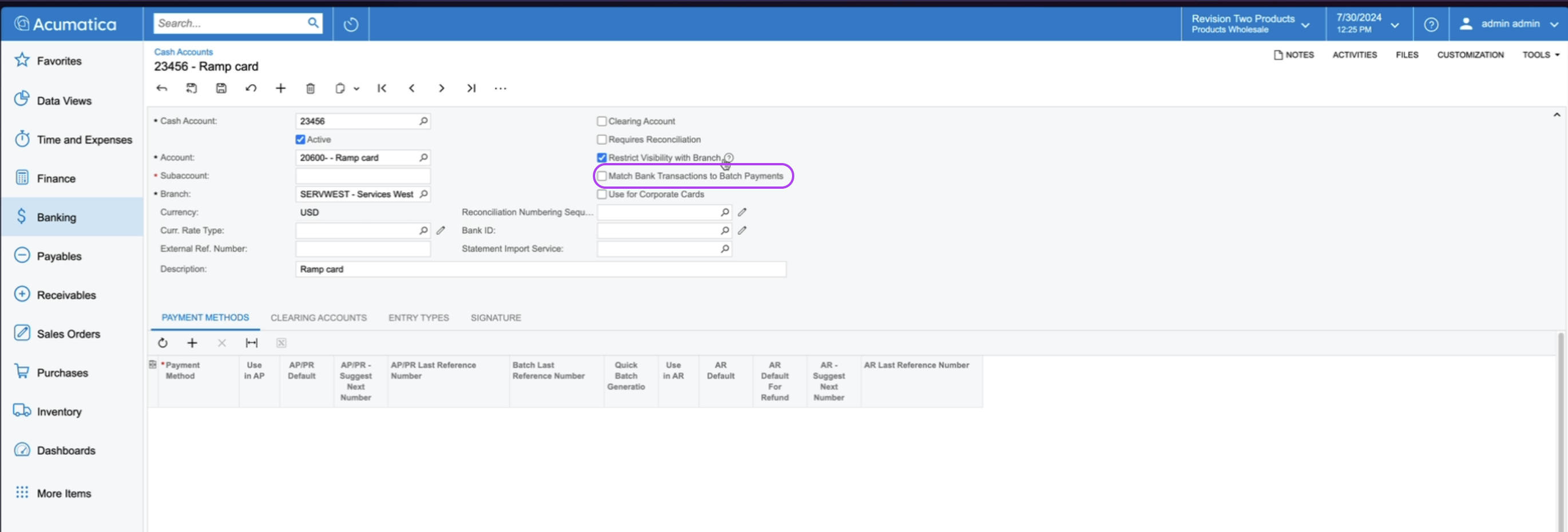
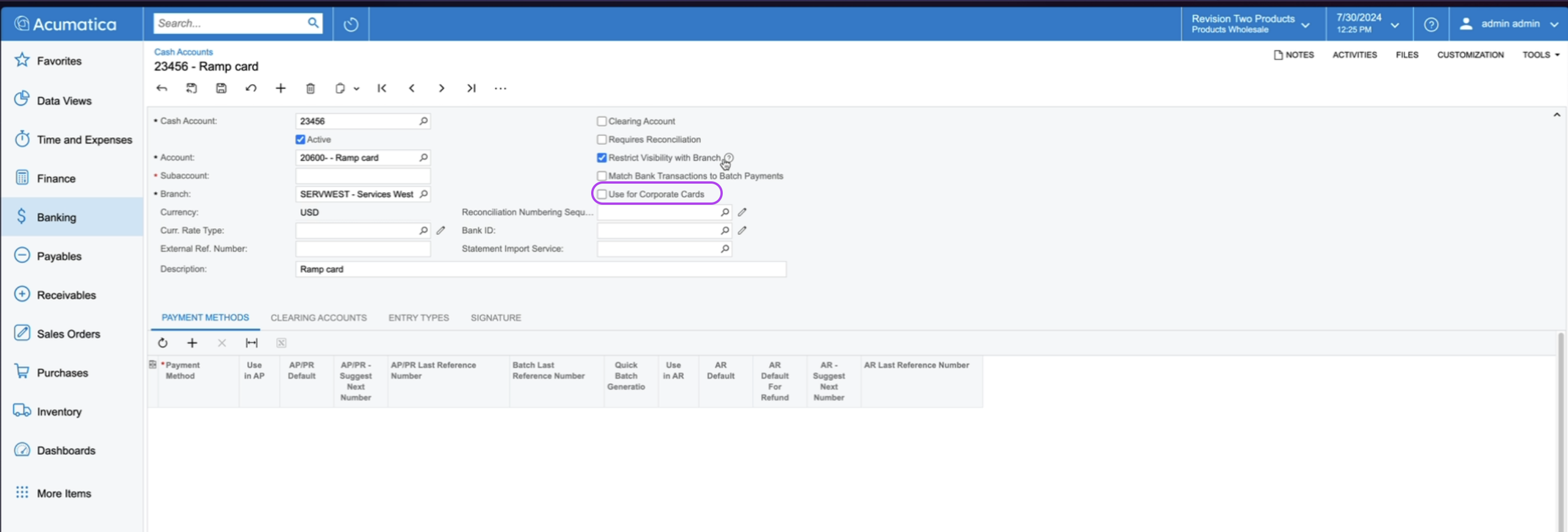
Ensure "Match Bank Transactions in Batch Payments" is unchecked. This is not used for Ramp integration.
- Corporate Cards:
-
Ensure "Used for Corporate Cards" is unchecked. Checking this will break the integration.
- Clearing Account:
-
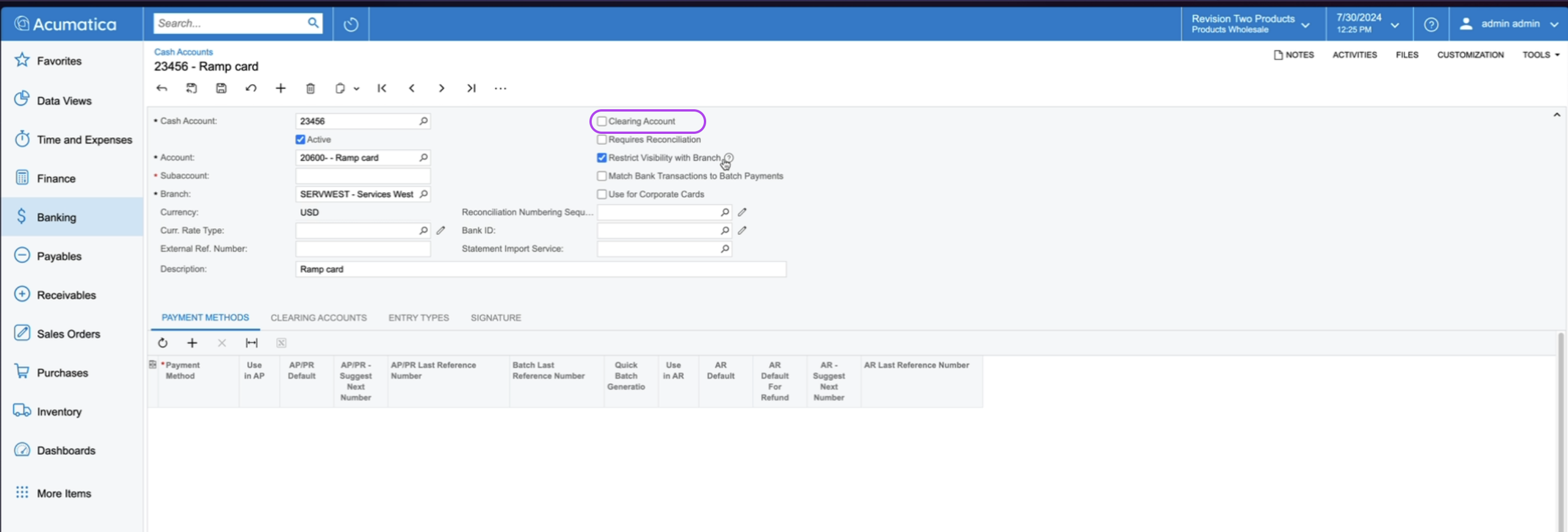
Ensure "Clearing Account" is unchecked. Checking this will break the integration.
Step 3: Additional settings
-
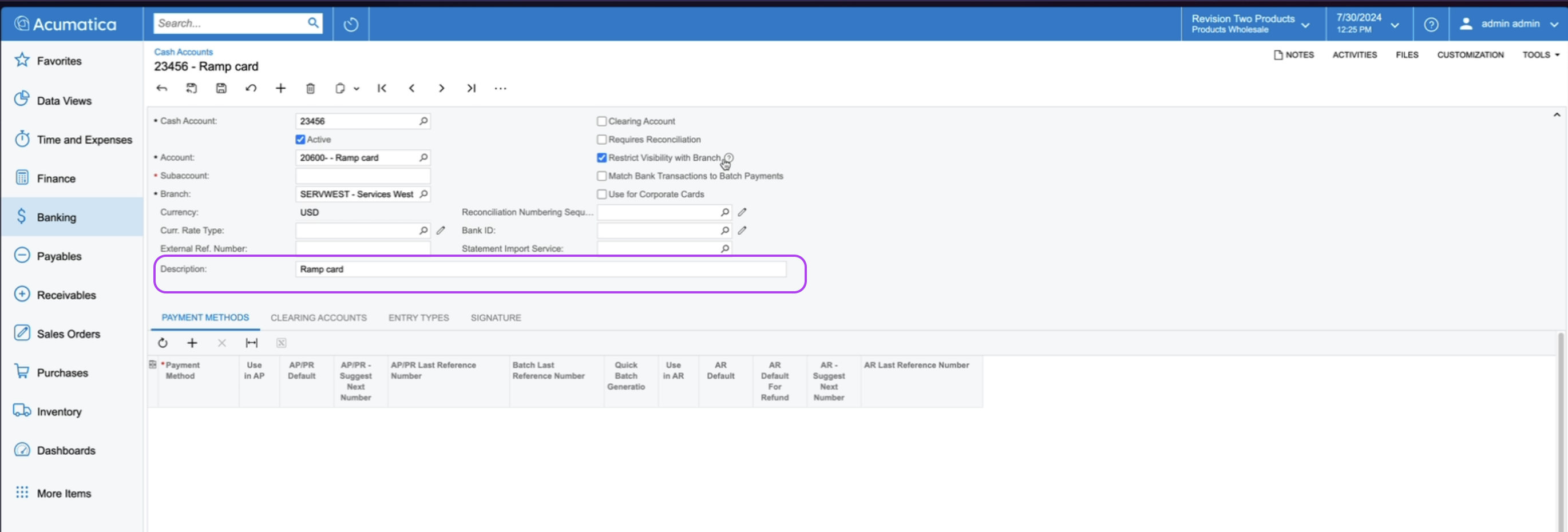
Description: Add any relevant description for the cash account.
-
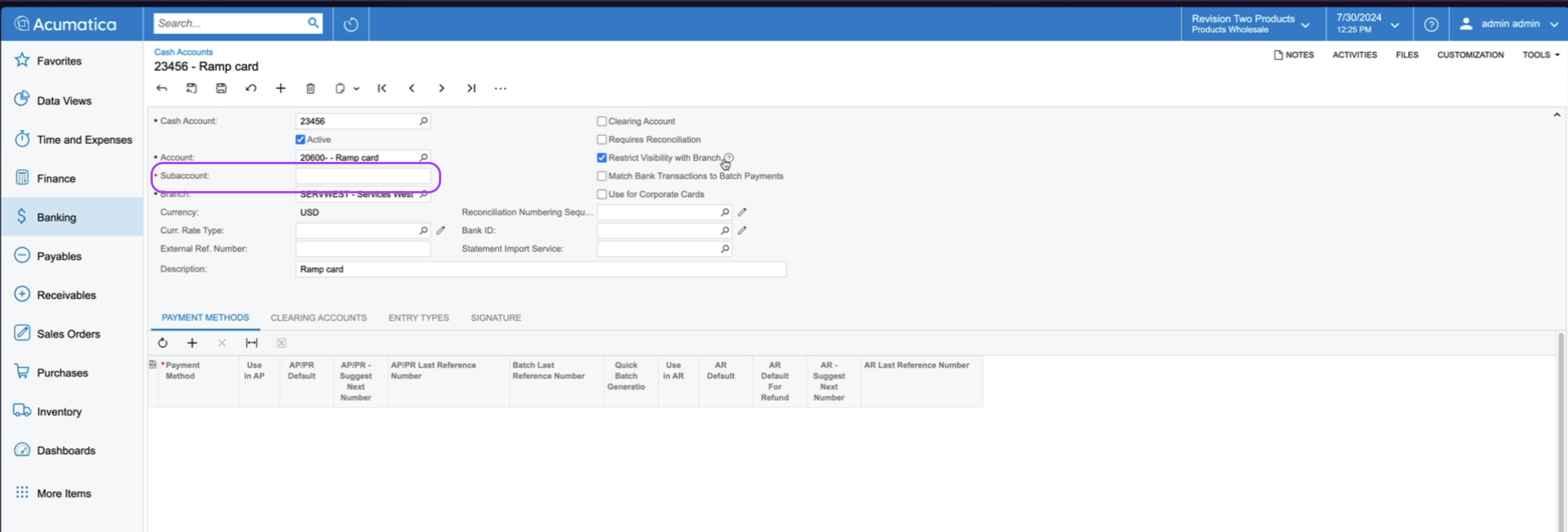
Subaccount: If not using a subaccount, type in zeros. Note that the length can vary, but must be filled in.
-
Payment Methods: Leave this blank. Ramp will automatically create and add the necessary payment methods during the first transaction sync.
Step 4: Save and refresh
- Click "Save."
- Fully refresh the Ramp page where you set the liability account. This refresh ensures the new account appears in the dropdown for liability account selection.
Additional troubleshooting tips
- If you encounter an error after saving, ensure all required fields are populated, including the subaccount field with zeros if necessary.
- If the new account doesn’t appear in Ramp, double-check that the page has been fully refreshed.
By following these steps, you can successfully create and configure a liability cash account in Acumatica for Ramp integration. If you need further assistance, please refer to our Help Center or contact our Customer Experience team.