Booking for a Guest
Overview
The guest booking flow in Ramp Travel allows users to book travel on behalf of guests while maintaining control over the process. This ensures a seamless experience for both the user and the guest.
It ensures policy compliance, maintains existing approval processes, provides transaction transparency, and simplifies guest interactions by sharing booking details via email without platform access.
Guest booking is available when Ramp Travel is enabled for your business and your role is allowed to book for guests.
In Ramp Travel, you can book flights and hotels for an external guest, but not rental cars.
How it works
Enabling Guest bookings
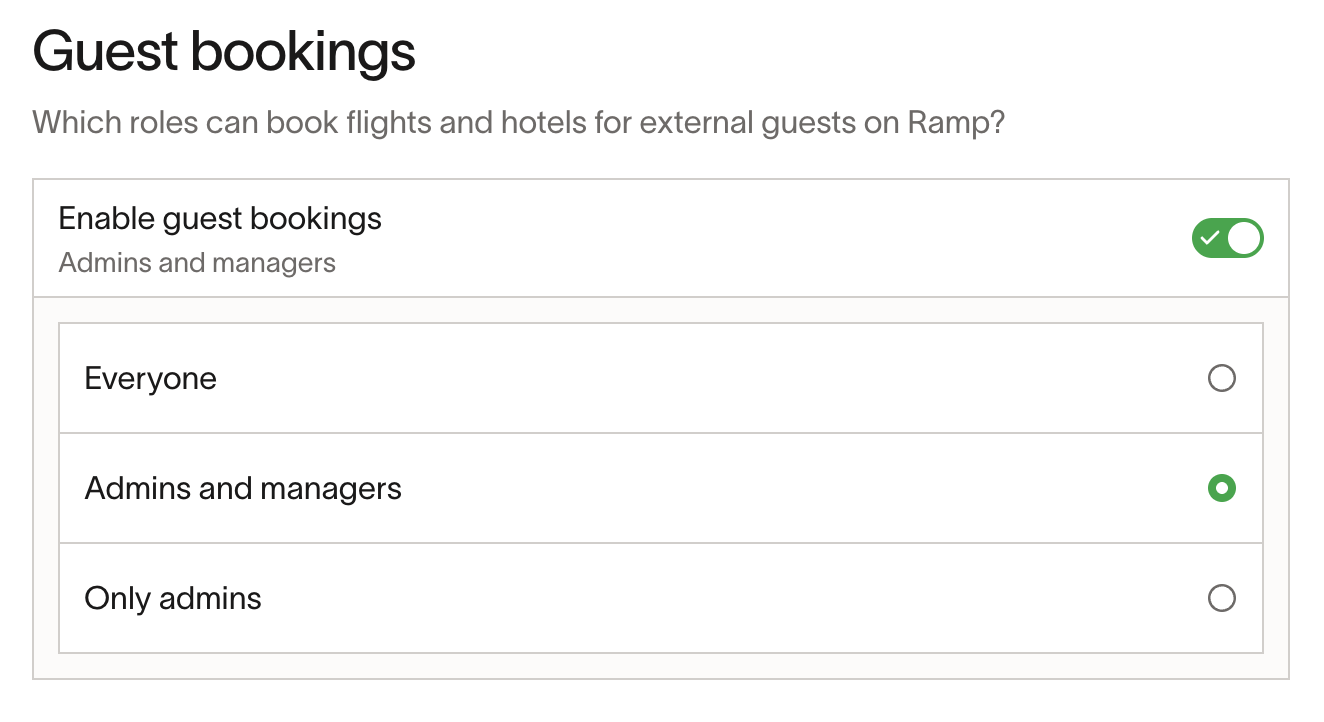
- From the Travel page, open the travel settings page. This appears under Travel policy on the Settings tab.
- Scroll down to the Guest bookings section
- Enable everyone who should be able to book for guests.
Step 1: Initiating a Guest booking
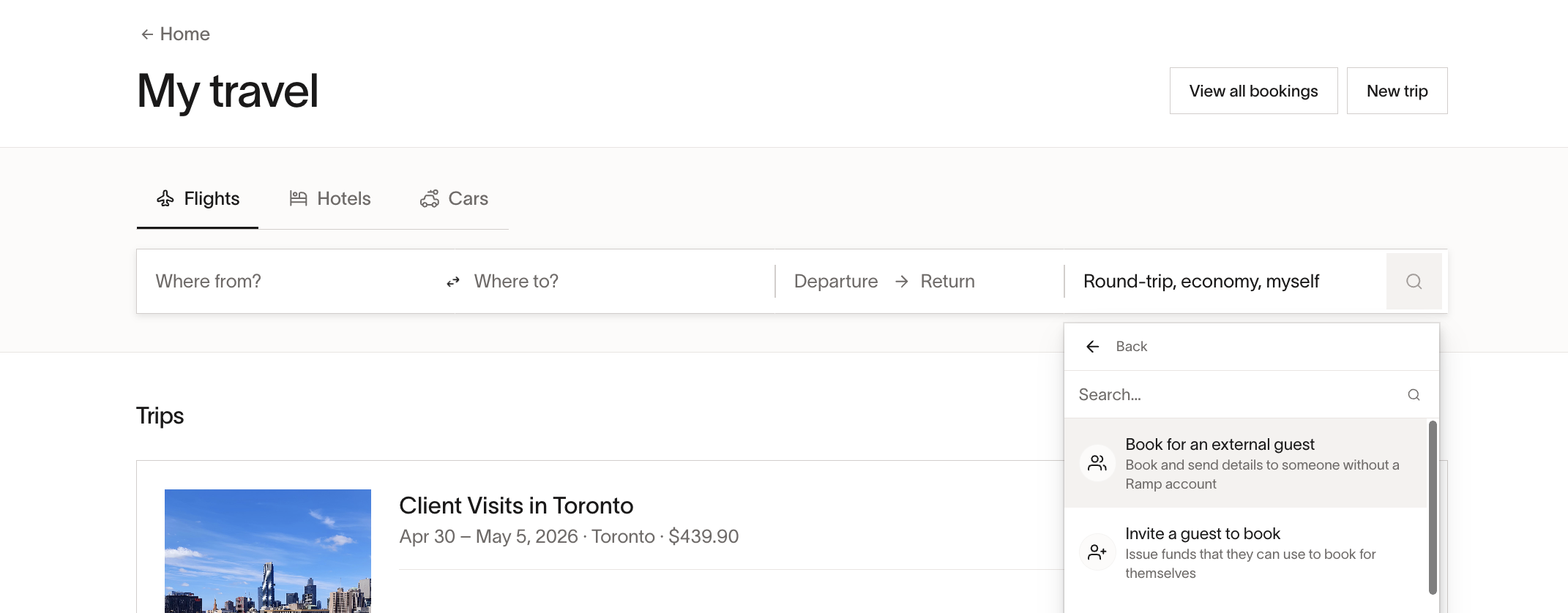
- Open My travel.
- Select the option to book for an external guest rather than yourself.
- Start a new booking by entering the required locations and dates.
Step 2: Searching for flights
- Interact with the flight search as normal, selecting the preferred flights based on availability and policy.
- Review different options, including pricing and itinerary details.
Step 3: Entering guest information
- Provide the guest’s full name and email address.
- Confirm the details match the required format.
- Proceed to the next step.
Step 4: Reviewing policies
- Before finalizing, a confirmation screen will display the policy applied to the booking , which is based on the person making the booking.
- Review the policy terms to ensure compliance with the company’s travel policies.
Step 5: Completing the booking
- Confirm and submit the booking.
- A confirmation page will display, ensuring the booking is successful.
Step 6: Approval process
- Any required approvals for the booking will follow the same process as for the person making the booking.
- If approvals are needed, the booking will remain pending until approved.
- Once approved, the guest will receive a confirmation email.
Step 7: Guest notification
- The guest will receive an email notification with their booking details.
- Note: The guest cannot access or modify the booking within Ramp Travel. The booker, an Assistant using Assistant Mode, or a user with Travel Manager permissions can manage the booking from My travel by selecting View all bookings.
Use cases and examples
This feature is useful any time you would like to book for a traveler without a Ramp account whilst adhering to company policies, for example, when bringing a plus one to a work event.
Frequently asked questions
Can the guest modify their booking?
No. See Guest notification for who can make changes.
Where can the booker see the transaction?
Under their 'My Travel' tab, marked as an external booking.
What happens if approvals are required?
The booking remains pending until approved, following the same process as the booker’s own bookings.
Will the guest be notified?
Yes, they will receive an email with their booking details.
What if the guest does not receive a confirmation email?
Ensure they check their email (including spam). If missing, the booker should contact support.
What policy is applied?
The same policy as that of the person making the booking.