Auto-generated receipts
Overview
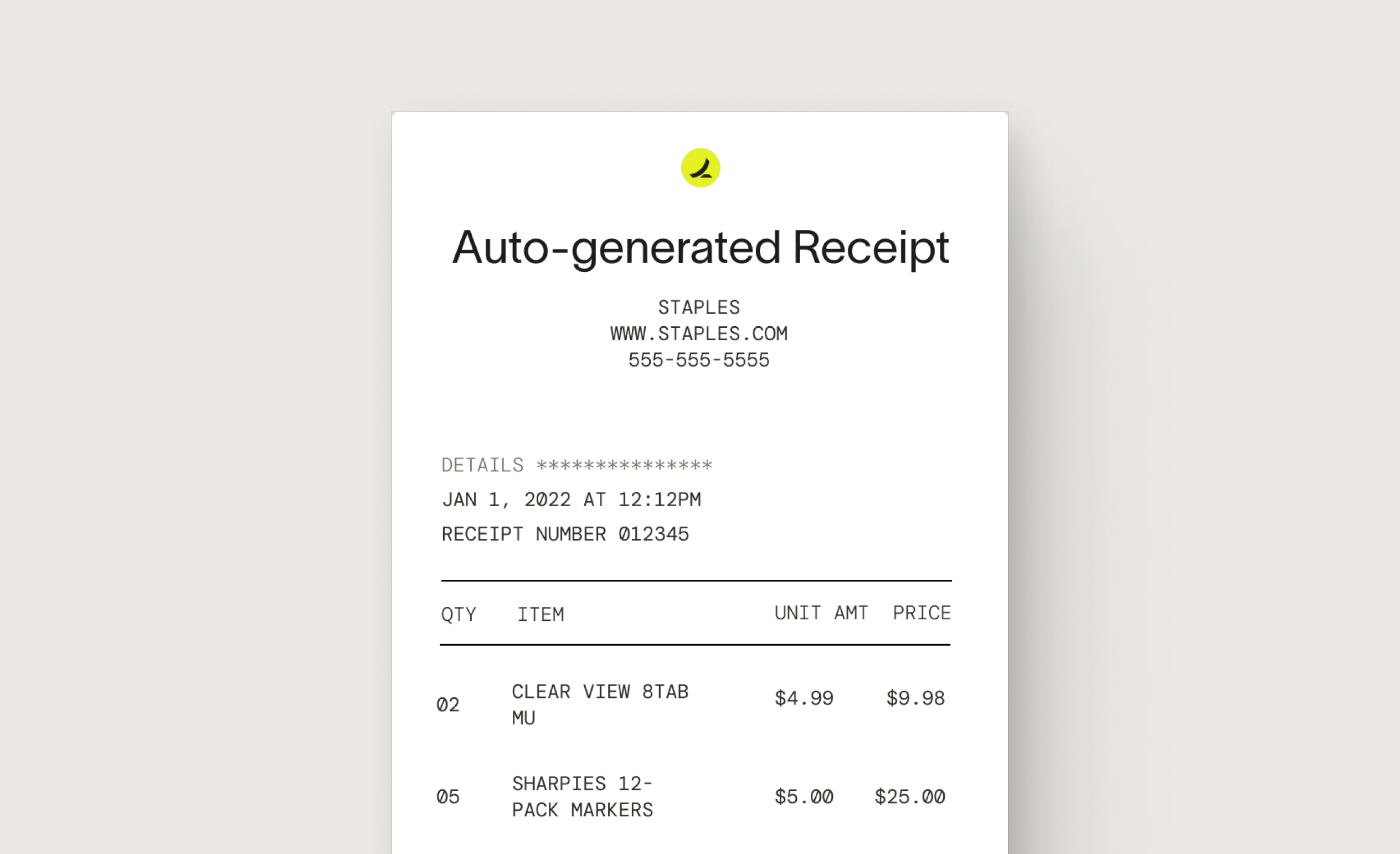
Ramp can auto-generate digital versions of paper receipts on the customer's behalf. Ramp built this feature to be:
- Hassle-free for employees — Digital receipts save employees time on select transactions.
- Comprehensive and compliant — Digital receipts contain relevant info about the transaction, such as items purchased, prices, and vendor information.
- Included vendors — The availability of digital receipts depends on the transaction data included with the charge. Historically, this feature covers some but not all transactions. Most transactions still require employees to submit receipts.
Ramp currently supports two types of auto-generated receipts:
- Auto-generated receipts using merchant data: Ramp uses transaction-level details provided by the vendor and card network to create an itemized receipt for eligible transactions.
- Auto-generated receipts using Ramp data: Ramp generates itemized receipts for transactions under $75 using historical Ramp transaction data.
This does not impact your receipt policy, and employees can still upload or replace receipts.
Are auto-generated receipts compliant with the IRS and audits?
Ramp uses transaction details from Visa and the vendor to reconstruct receipts that can supplement the documentation you submit during an IRS audit. Please note that auto-generated receipts over $75 are not considered IRS-compliant. See more information on theIRS website here.
The IRS requires that receipts for business expenses include the following information:
- Date of the expense
- Amount of the expense
- Description of the expense
- Name and location of the business where the expense was incurred
- Method of payment
How do I use auto-generated receipts at Ramp?
An admin can turn on auto-generated receipts in Ramp's company-level settings. When enabled, Ramp can automatically create a receipt on your employee's behalf, provided sufficient data is received from the vendor, or when Ramp can generate one using its historical transaction data for transactions under $75. If a receipt is auto-created, the employee does not need to upload the receipt manually, unless specified in the company's expense policy.
Here's how to turn auto-generated receipts on for the two types of auto-generated receipts:
- Go to Policy > Travel & expenses.
- Under Additional controls, select Expense requirements.
- Toggle on Auto-generate receiptsand/or Auto-generate receipts using Ramp data
Here's how it works:
- An employee spends money using Ramp funds or virtual cards.
- An auto-generated receipt is created for the transaction within a week if
- Auto-generate receipts: Sufficient item-level data is received from the vendor
- Auto-generate receipts using Ramp data: The transaction is under $75, and Ramp has robust historical data to reconstruct a receipt
- The receipt is automatically attached to the transaction, and the submission policy requirement for uploading a receipt is met. This does not impact your receipt policy, and employees can still upload or replace receipts.
Auto-generated receipts are only available for common vendors that share certain transaction details through the card network. Receipts are also autogenerated for fuel purchases under $75. Ramp will only auto-generate a receipt if a transaction does not already have a receipt attached, regardless of whether a receipt is required.
Please note: Ramp is unable to auto-generate hotel e-receipts due to compliance requirements. We recommend uploading the receipt provided directly by the hotel or booking platform to satisfy receipt requirements for these transactions.
How does Ramp generate a digital receipt?
Auto-generate receipts
Ramp sources data from the transaction information captured by the store's point of sale (POS) system at the time of payment. The information is transmitted to the vendor's payment processor, which may generate an auto-generated receipt if enough data is available. This may include:
- Date and time
- Items purchased and line-item amount
- Discounts or promotions
- Merchant information
- Payment method
Auto-generate receipts using Ramp data
For transactions under $75, Ramp can generate an itemized receipt using historical Ramp transaction data. This may include:
- Identifiable items from the vendor
- Known pricing on the identifiable line items
- High volume of consistent historical data